
1. はじめに
This manual provides essential information for the safe and efficient use of your Google TV 7000 Series 4K Ultra HD LED Television. Please read these instructions thoroughly before operating the device and retain them for future reference.
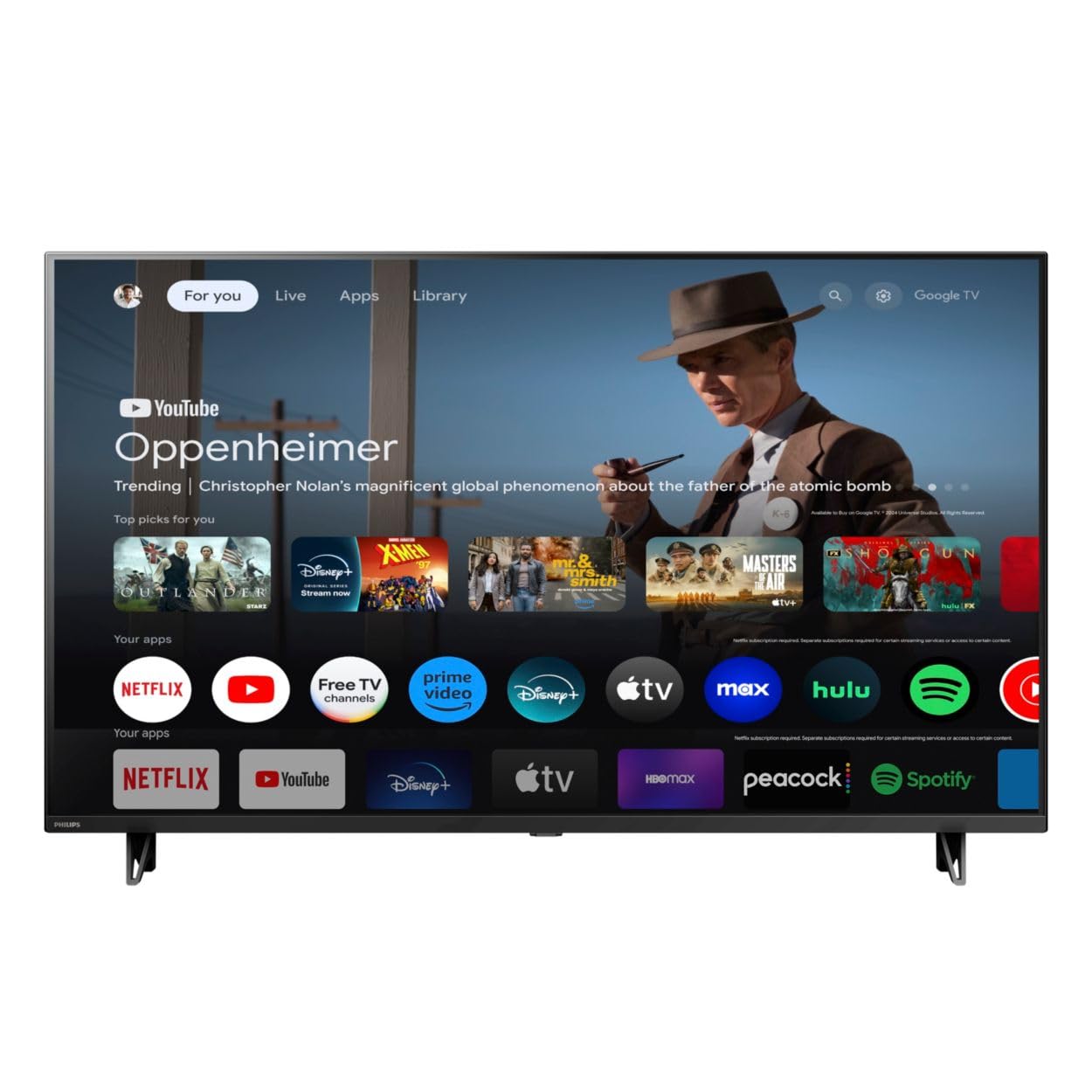
フロント view of the Google TV 7000 Series 4K Ultra HD LED Television, showcasinスリムなベゼルとディスプレイが特徴です。
2. セットアップ
2.1 開梱とパッケージの内容
すべての部品をパッケージから慎重に取り出し、すべての部品が揃っていることを確認してください。
- Google TV 7000 Series Television
- リモコン
- リモコン用電池
- 卓上スタンド
- Screws for tabletop stand
- クイックスタートガイド
- ユーザーマニュアル(このドキュメント)
2.2 電源の接続
Connect the power cord to the TV's power input, then plug the other end into a wall outlet. Ensure the power outlet is easily accessible.
2.3 外部機器の接続
Your television supports various connectivity options:
- HDMI: Connect devices like Blu-ray players, game consoles, or set-top boxes to the HDMI ports. This model features Audio Return Channel (HDMI 2).
- USB: Use the USB port for media playback or connecting compatible accessories.
- イーサネット: 安定した有線インターネット接続を確保するには、イーサネット ケーブルを LAN ポートに接続します。
- ヘッドホン出力: プライベートリスニング用にヘッドフォンを接続します。
- デジタルオーディオ出力(光): 外部オーディオシステムに接続します。
- CVBS+Audio L/R In: 古いアナログ機器を接続するため。
2.4 初期設定
初めて電源を入れると、テレビが初期設定の手順を案内します。これには以下の内容が含まれます。
- 言語の選択
- Connecting to a Wi-Fi network or using Ethernet
- Signing in with your Google account to access Google TV features and apps
- Scanning for available channels (ATSC, NTSC)
2.5取り付けオプション
You can place your TV on a tabletop using the included stand or mount it on a wall.
- 卓上スタンド: Attach the tabletop stand using the provided screws as per the quick start guide.
- ウォールマウント: For wall mounting, use a VESA compatible mount (600 x 400 mm). Consult a professional for wall mounting to ensure safety and proper installation.
3. 操作手順
3.1 リモートコントロールオーバーview
The remote control allows you to navigate the Google TV interface, adjust settings, and control playback. It supports voice control for Google Assistant.
3.2 基本機能
- 力: 電源ボタンを押してテレビの電源をオンまたはオフにします。
- 音量: 音量ボタンを使用して音量を調整します。
- チャンネル: チャンネルボタンを使用してテレビのチャンネルを切り替えます。
- 入力: 希望の入力ソース(HDMI、USBなど)を選択します。
3.3 Google TVインターフェースナビゲーション
Use the directional pad and 'OK' button on your remote to navigate the Google TV home screen. The home screen provides access to your installed apps, recommended content, and settings.
3.4 スマート機能
- Chromecastビルトイン: Cast content from your compatible mobile devices or computer directly to your TV.
- Google アシスタント内蔵: Press the Google Assistant button on your remote to use voice commands for searching content, controlling smart home devices, getting information, and more.
- ストリーミングアプリ: Access popular streaming services like Netflix, YouTube, Discovery+, Tubi TV, and Prime Video directly from the Google TV interface.
3.5 画像とサウンドの設定
カスタマイズ viewテレビの設定メニューから、視聴体験を調整できます。
- 画像スタイル: Choose from various preset picture modes or customize settings like brightness, contrast, color, and sharpness. Features include Dynamic contrast, Film mode, Blue stretch, and Custom Color management.
- HDRサポート: このテレビは HDR10 と HLG をサポートしており、互換性のあるコンテンツのコントラストと色彩を強化します。
- ゲームモード: Optimize picture settings for gaming to reduce input lag.
- サウンドスタイル: Select sound presets or adjust bass and treble. Features include Dolby Audio and Auto Volume Leveling.
- アスペクト比: Adjust the screen aspect ratio (e.g., Automatic, 4:3, Movie Expand, Full).
3.6 接続性
Your TV offers various ways to connect to networks and devices:
- Wi-Fi: インターネットにアクセスするには、ホーム ネットワークにワイヤレスで接続します。
- ブルートゥース: Connect compatible Bluetooth devices such as headphones or game controllers.
- イーサネット: 安定した有線インターネット接続を提供します。
4. メンテナンス
4.1 画面とテレビ本体のクリーニング
- 掃除する前に必ずテレビの電源プラグを抜いてください。
- 柔らかく乾いた糸くずの出ない布を使用して、画面とテレビ本体を優しく拭いてください。
- 頑固な汚れには、軽くamp布に水または専用のスクリーンクリーナーを含ませてください。スクリーンに直接クリーナーを吹き付けないでください。
- 研磨剤入りの洗剤、ワックス、溶剤の使用は避けてください。
4.2ソフトウェアアップデート
Your Google TV may receive automatic software updates to improve performance and add new features. Ensure your TV is connected to the internet to receive these updates. You can also manually check for updates in the settings menu.
4.3 リモコンのお手入れ
Replace batteries when the remote control's response becomes sluggish. Do not mix old and new batteries or different types of batteries. Keep the remote control away from moisture and direct sunlight.
5。 トラブルシューティング
テレビで問題が発生した場合は、次の一般的な解決策を参照してください。
| 問題 | 考えられる解決策 |
|---|---|
| 電源なし | 電源コードがテレビと壁のコンセントにしっかりと差し込まれているか確認してください。コンセントが正常に機能していることを確認してください。 |
| 映像はないが、音声はある | 正しい入力ソースが選択されていることを確認してください。外部デバイスの接続を確認してください。 |
| 音はないが、映像は表示される | 音量レベルとミュート状態を確認してください。外部オーディオシステムが正しく接続され、電源が入っていることを確認してください。 |
| リモコンが動作しない | 電池を交換してください。リモコンとテレビの赤外線センサーの間に障害物がないことを確認してください。 |
| ネットワーク接続の問題 | ルーターとモデムを再起動してください。Wi-Fiネットワークに再接続するか、イーサネットケーブルの接続を確認してください。 |
| Picture quality issues (e.g., pixelation) | Check the signal strength for broadcast channels. For streaming content, ensure a stable internet connection. Adjust picture settings. |
5.1 工場出荷時設定へのリセット
If problems persist, a factory reset may resolve them. This will erase all personal settings and installed apps, returning the TV to its original factory state. Consult the on-screen menu for the factory reset option, usually found under System or Device Preferences in Settings.
6. 仕様
Key technical specifications for the Google TV 7000 Series 4K Ultra HD LED Television:
| 特徴 | 仕様 |
|---|---|
| 画面サイズ | 43インチ |
| ディスプレイ技術 | LCD UltraHD Display, LED Backlight |
| 解決 | 4K(2160p) |
| リフレッシュレート | 120 PMR (Picture Motion Rate) |
| HDR フォーマット対応 | HDR10、HLG |
| オペレーティング·システム | Android 11(Google TV) |
| 接続技術 | Bluetooth、イーサネット、USB、Wi-Fi |
| オーディオ機能 | Dolby Audio, Auto Volume Leveling |
| 特集 | Chromecast Built-in, Google Assistant Built-in, Game Mode, Digital Noise Reduction, MPEG artifact reduction, Dynamic contrast |
| 製品寸法(奥行き×幅×高さ) | 奥行き9.8インチ x 幅37.9インチ x 高さ23.9インチ |
| アイテム重量 | 14.99 ポンド |
| VESAマウント規格 | 600×400ミリ |
| メーカー | フィリップス |
| モデル番号 | 43PUL7652/F7 |
| 欧州連合 | 609585254893 |
7. 保証とサポート
7.1 保証情報
This product comes with a Limited Warranty. Please refer to the warranty card included in your package or contact the manufacturer for specific terms and conditions regarding coverage and duration.
7.2 カスタマーサポート
For technical assistance, troubleshooting beyond this manual, or warranty claims, please contact the manufacturer, Philips, or your retailer. Have your model number (43PUL7652/F7) and serial number ready when contacting support.