
アルパイン INE-W970HD
Alpine INE-W970HD & PXE-C80-88 User Manual
設置、操作、保守のための包括的なガイド
1. はじめに
This manual provides detailed instructions for the installation, operation, and maintenance of your Alpine INE-W970HD Audio/Video/Navigation System and Alpine PXE-C80-88 OPTIM8 8-Channel Hi-Res DSP Amplifier. Please read this manual thoroughly before using the product to ensure proper and safe operation.
The Alpine INE-W970HD is an advanced in-dash unit compatible with Apple CarPlay and Android Auto, offering comprehensive audio, video, and navigation functionalities. The Alpine PXE-C80-88 OPTIM8 is a high-resolution digital sound processor amplifier designed to enhance your vehicle's audio system with precise sound tuning capabilities.
2. 安全情報
怪我や装置の損傷を防ぐために、常に次の安全上の注意事項を守ってください。
- Do not operate the system in a way that distracts you from driving.
- 電気的なショートや火災の危険を避けるために、適切な配線と接続を確保してください。
- 手順が不明な場合は、インストールの専門家にご相談ください。
- ユニットを湿気や極端な温度から遠ざけてください。
3. パッケージ内容
パッケージにすべてのアイテムが含まれていることを確認します。
- Alpine INE-W970HD Audio/Video/Nav System
- Alpine PXE-C80-88 OPTIM8 8-Channel Hi-Res DSP Ampリファイアー
- 配線ハーネス
- 取り付け金具
- GPS Antenna (for INE-W970HD)
- USB延長ケーブル
- ユーザーマニュアル(この文書)

Image: The Alpine INE-W970HD head unit and the Alpine PXE-C80-88 DSP amplifier, showing both main components of the bundle.
4. セットアップとインストール
Professional installation is highly recommended for these components. Incorrect wiring can cause damage to the units or your vehicle's electrical system.
4.1. INE-W970HD Installation
The INE-W970HD is designed for in-dash mounting. Ensure adequate space and proper ventilation.
- 準備: 電気作業を始める前に、車両のバッテリーのマイナス端子を外してください。
- 取り付け: Securely mount the INE-W970HD into the vehicle's double-DIN opening using the provided mounting brackets.
- 配線: Connect the main power harness, speaker wires, and other input/output cables (RCA, USB, HDMI, GPS antenna) as per the wiring diagram provided in the separate installation guide.
- アンテナ接続: Connect the GPS antenna and radio antenna. Position the GPS antenna in a location with a clear view 空の。

Image: The Alpine INE-W970HD head unit displaying the Apple CarPlay interface, showing various app icons.
4.2. PXE-C80-88 OPTIM8 Installation
The PXE-C80-88 OPTIM8 should be mounted in a dry, well-ventilated area, such as under a seat or in the trunk.
- 取り付け場所: Choose a location that is protected from moisture and excessive heat, and allows for proper cable routing.
- 電源接続: Connect the power and ground wires directly to the vehicle's battery, ensuring proper fusing.
- 入力接続: Connect the audio input signals from the INE-W970HD (or other source) to the PXE-C80-88. This can be done via RCA or speaker-level inputs.
- 出力接続: Connect the speaker outputs from the PXE-C80-88 to your vehicle's speakers.

画像: 詳細な view of the Alpine PXE-C80-88 OPTIM8 DSP amplifier, highlighting its compact design and connection ports.
5. 操作手順
5.1. INE-W970HD Basic Operation
- 電源オン/オフ: ユニットの電源をオンまたはオフにするには、電源ボタン (通常は前面パネルにあります) を長押しします。
- 音量コントロール: Use the rotary encoder or on-screen controls to adjust the volume.
- ソースの選択: Tap the "Source" icon on the touchscreen or use the physical buttons to select between Radio, USB, Bluetooth Audio, HDMI, Apple CarPlay, Android Auto, and other inputs.
- ナビゲーション: Access the built-in navigation system by tapping the "NAV" button. Enter destinations, view 地図を確認し、ターンバイターン方式の道順に従います。
- Apple CarPlay / Android Auto: Connect your compatible smartphone via USB. The system will automatically launch the respective interface, allowing access to phone functions, messaging, music, and navigation apps.

Image: The Alpine INE-W970HD head unit displaying the Android Auto interface, showing various app icons like Maps, Spotify, and YouTube Music.
5.2. PXE-C80-88 OPTIM8 Sound Tuning
The OPTIM8 offers advanced sound tuning capabilities. It can be configured via a PC application or an iOS app.
- アプリ接続: Connect your PC or iOS device to the PXE-C80-88 via USB or Bluetooth (if applicable).
- 自動チューニング: Utilize the "5 Minute Self-Tuning" feature for quick and optimized sound calibration. This process uses a microphone (sold separately) to analyze your vehicle's acoustics.
- 手動チューニング: For advanced users, the PC App provides comprehensive control over equalization, crossovers, time correction, and level adjustments for each of the 8 channels.
- プリセット管理: Save and recall custom sound presets for different music genres or listening preferences.

画像: トップダウン view of the Alpine PXE-C80-88 OPTIM8 DSP ampライフファイア、ショーasin洗練されたデザインと中央のブランドが特徴です。
6. メンテナンス
定期的なメンテナンスにより、Alpine システムの寿命が長くなり、最適なパフォーマンスが確保されます。
- ディスプレイの掃除: タッチスクリーンを拭くときは、柔らかく乾いた布を使用してください。頑固な汚れには、軽くamp布に水または電子機器用のスクリーンクリーナーを含ませてください。研磨剤入りのクリーナーは使用しないでください。
- ソフトウェアアップデート: アルパインを定期的にチェックする website for firmware updates for both the INE-W970HD and PXE-C80-88. Updates can improve performance, add features, and fix bugs.
- ケーブル接続: 定期的にすべてのケーブル接続をチェックして、安全で腐食がないことを確認してください。
- 換気: Ensure that the PXE-C80-88's ventilation fins are not obstructed to prevent overheating.
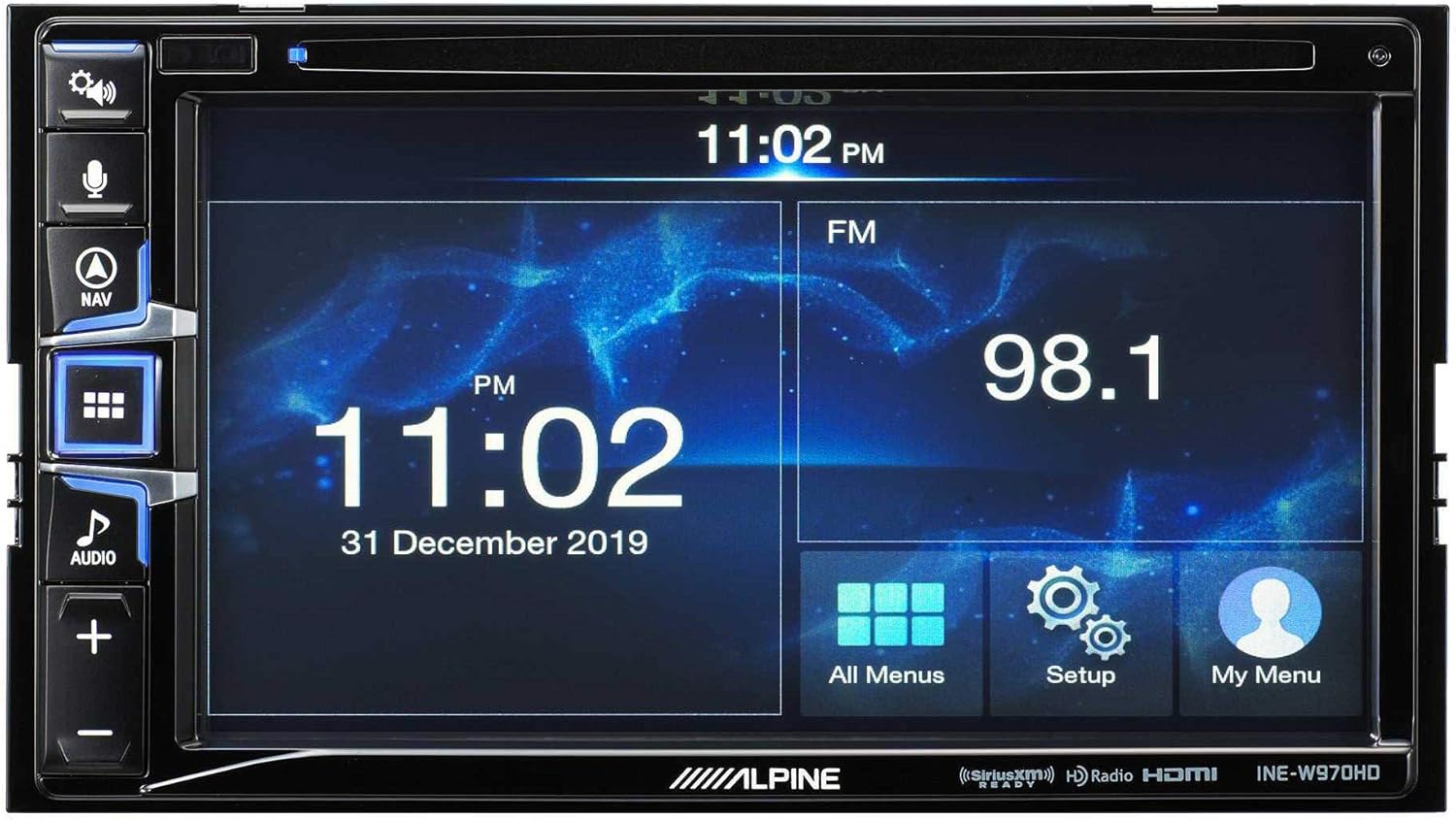
Image: The Alpine INE-W970HD head unit displaying the radio interface, showing frequency and time information.
7。 トラブルシューティング
問題が発生した場合は、次の一般的な問題と解決策を参照してください。
| 問題 | 考えられる原因 | 解決 |
|---|---|---|
| 電源なし | Blown fuse, loose power connection. | Check vehicle fuses and unit's inline fuse. Verify power and ground connections. |
| 音が出ない | Muted, incorrect source, loose speaker wires, DSP not configured. | Check mute function. Select correct audio source. Verify speaker connections. Ensure PXE-C80-88 is properly configured via its app. |
| ナビゲーションが機能しない | GPS antenna not connected or obstructed. | GPSアンテナがしっかりと接続され、 view 空の。 |
| CarPlay/Android Autoが接続されない | USB ケーブルに欠陥がある、電話機に互換性がない、ソフトウェアに不具合がある。 | Try a different USB cable. Ensure your phone's OS is up to date. Restart both phone and head unit. |

Image: The Alpine INE-W970HD head unit displaying a navigation map with route information.
8. 仕様
8.1. Alpine INE-W970HD
- 画面: タッチスクリーン
- 接続性: USB, HDMI, Ethernet, optical audio, component video, RCA
- 互換性: Apple CarPlay、Android Auto
- オーディオ出力モード: ステレオ、サラウンド
- サラウンド サウンド チャネル構成: 7.1
- ビデオエンコーディング: H.264、H.265/HEVC
8.2. Alpine PXE-C80-88 OPTIM8
- Ampチャンネル: 8チャンネル
- 出力: 50W x 6 @ 2Ω + 300W x 2 @ 2Ω
- 処理: Hi-Res Digital Sound Processor (96kHz/24Bit)
- チューニング: Automatic (5-minute self-tuning) & Manual via PC/iOS App

画像:側面 view of the Alpine PXE-C80-88 OPTIM8 DSP amplifier, showing its compact profile および接続ポイント。
9. 保証情報
Alpine products are covered by a limited warranty. Please refer to the warranty card included with your product or visit the official Alpine website for detailed terms and conditions. Typically, the warranty covers defects in materials and workmanship for a specified period from the date of purchase.
保証請求の際に必要となるため、購入証明書(領収書)を保管してください。
10. カスタマーサポート
技術的なサポート、このマニュアル以外のトラブルシューティング、または保証に関するお問い合わせについては、Alpine カスタマー サポートにお問い合わせください。
- Webサイト: 訪問 www.alpine-usa.com/support FAQ、ソフトウェアのダウンロード、連絡先情報については、こちらをご覧ください。
- 電話: アルパインを参照 web最新のカスタマー サービス電話番号については、こちらのサイトをご覧ください。
- 正規販売店: 正規の Alpine 販売店でもサポートとサービスが受けられます。
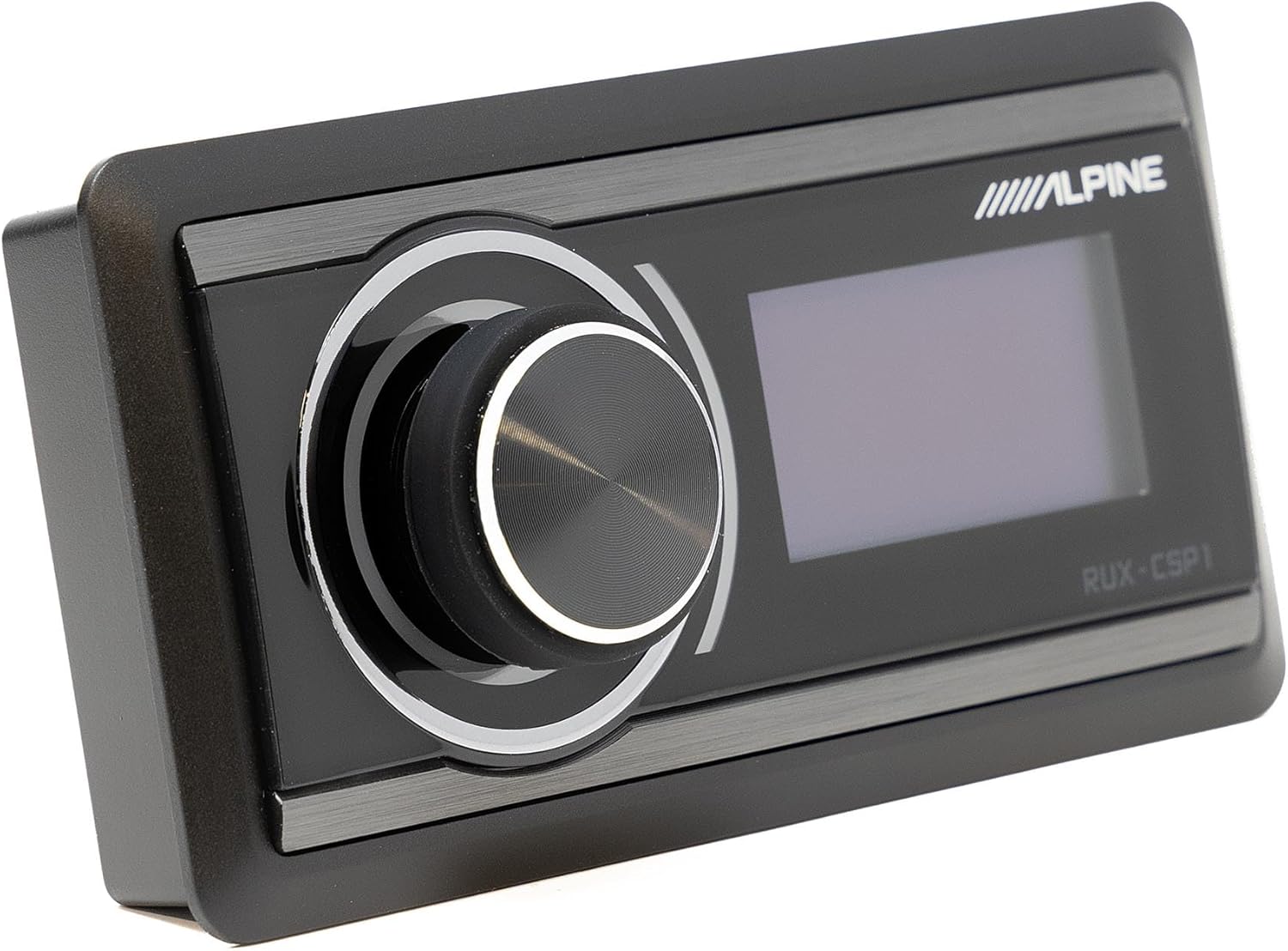
Image: The Alpine RUX-CSP1 remote control, an optional accessory for the DSP, featuring a rotary knob and display.
Ask a question about this manual
Ask about setup, troubleshooting, compatibility, parts, safety, or missing instructions. Manuals+ will review the question and use this page’s manual context to help answer it.