
1. はじめに
Thank you for choosing the EasySMX T37 Wireless Switch Pro Controller. This manual provides detailed instructions for setting up, operating, maintaining, and troubleshooting your controller. Please read this manual carefully before use to ensure optimal performance and longevity of your device. This controller is compatible with Nintendo Switch, Switch Lite, and Switch OLED consoles.
2.製品オーバーview
The EasySMX T37 is a wireless gamepad designed for an enhanced gaming experience on Nintendo Switch systems. It features an ergonomic design, dual turbo vibration, and 6-axis gyro motion control.

画像2.1:正面 view of the EasySMX T37 Wireless Switch Pro Controller, showcasin人間工学に基づいた形状とボタンレイアウト。
3. セットアップ
3.1 Nintendo Switchとのペアリング
- Nintendo Switch本体の電源を入れます。
- ホームメニューから、 コントローラー > グリップ/順序の変更.
- On the EasySMX T37 controller, press and hold the 同期ボタン (located on the top edge of the controller) for 3 seconds until the LED indicators start flashing rapidly.
- コントローラーのペアリングが正常に完了すると、コントローラーの下部にあるプレーヤー LED が点灯します。
3.2 コントローラの充電
Connect the provided USB-C charging cable to the USB-C port on the controller and the other end to a USB power source (e.g., Switch dock, USB wall adapter, computer USB port). The LED indicators will show charging status and turn off when fully charged.
4. 操作手順
4.1 基本的な制御
The controller features standard button layouts for Nintendo Switch compatibility:
- A/B/X/Y ボタン: アクション ボタン。
- 十字キー: 方向入力。
- 左/右アナログスティック: 動きとカメラの制御。
- L/R/ZL/ZR ボタン: ショルダーボタンとトリガーボタン。
- ホームボタン: スイッチのHOMEメニューに戻ります。
- キャプチャボタン: スクリーンショットを撮ります。
- プラス(+)/マイナス(-)ボタン: 機能を開始/選択します。

Image 4.1: A user holding the EasySMX T37 controller, demonstrating the comfortable grip and accessible button placement during gameplay.
4.2 ターボ機能
The Turbo function allows for rapid, automatic pressing of a button, useful in action or arcade games.
- ターボを有効にする: Press and hold the desired action button (A/B/X/Y/L/R/ZL/ZR), then press the ターボボタン (T button). The button will now auto-fire.
- ターボ速度を調整します: 保持しながら ターボボタン、移動 右アナログスティックの上または下 to cycle through three speeds: 5 shots/s, 12 shots/s, and 20 shots/s.
- Turboを無効にする: Repeat the activation step (hold the action button, then press the Turbo button) or press and hold the ターボボタン for 5 seconds to clear all Turbo settings.
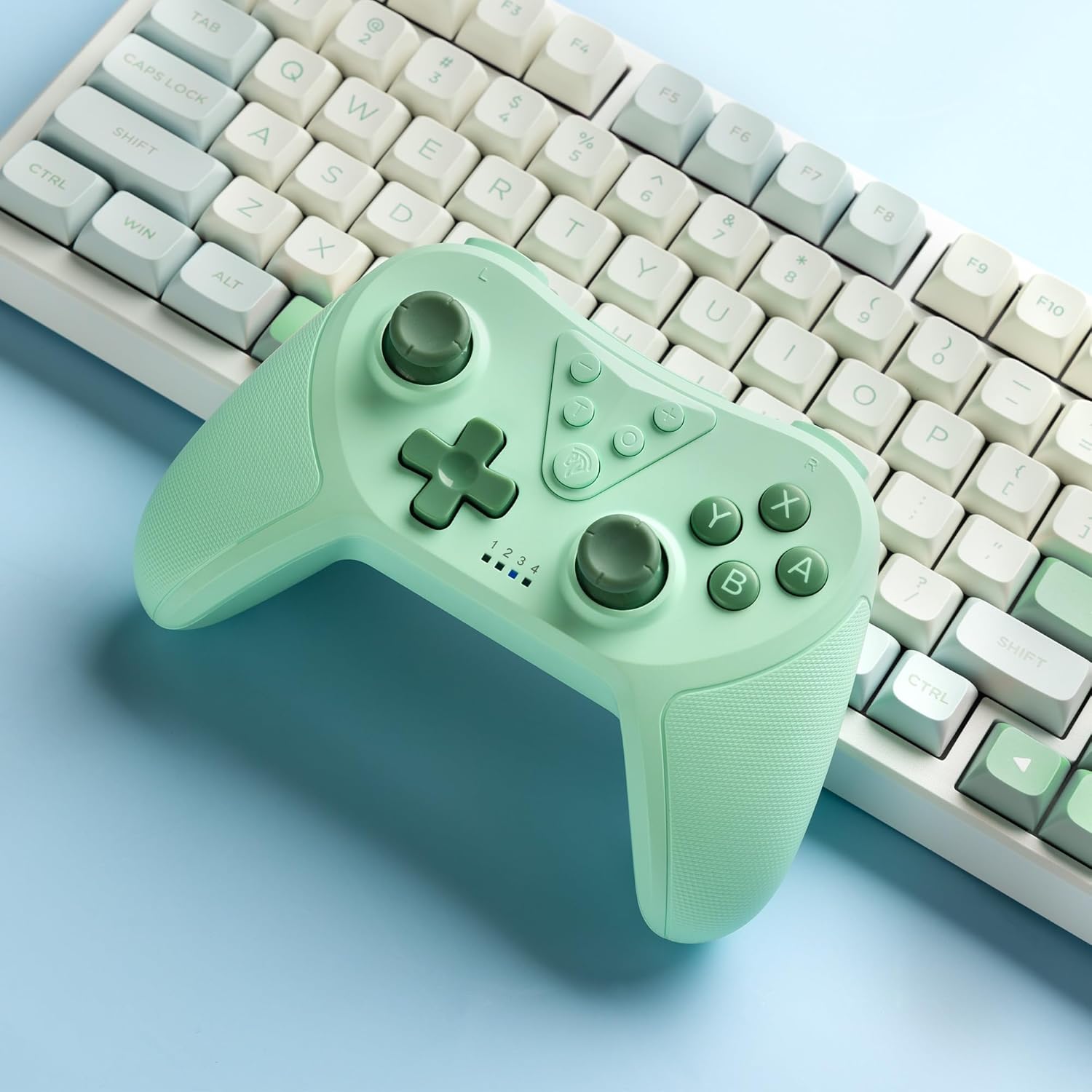
Image 4.2: Illustration of the Turbo function on the EasySMX T37 controller, showing the three adjustable speeds: 5, 12, and 20 shots per second.
4.3 振動調整
The controller features dual motors for adjustable vibration feedback, enhancing immersion in games.
- 振動の強さを調整します: を押し続けます ターボボタン、次に移動します 左アナログスティックの上または下 to cycle through four vibration levels: 0% (off), 30%, 70%, and 100%.

Image 4.3: Visual representation of the Dual Vibration feature on the EasySMX T37 controller, indicating four intensity levels from 0% to 100%.
4.4 6軸ジャイロモーションコントロール
The built-in 6-axis gyroscope provides precise motion sensing, allowing for intuitive control in games that support motion input.

Image 4.4: Illustration depicting the 6-Axis Gyro Motion Control feature of the EasySMX T37 controller, showing how it interacts with a game on the Nintendo Switch screen.
5. メンテナンス
- クリーニング: コントローラーの清掃には、柔らかく乾いた布をご使用ください。刺激の強い化学薬品や研磨剤の使用は避けてください。
- ストレージ: コントローラーは、直射日光や極端な温度を避け、涼しく乾燥した場所に保管してください。
- バッテリーのケア: バッテリーの寿命を延ばすには、コントローラーを頻繁に完全に放電させないでください。長期間使用しない場合でも、定期的に充電してください。
- ドロップを避ける: 内部コンポーネントを損傷する可能性のある落下や衝撃からコントローラーを保護します。
6。 トラブルシューティング
6.1 コントローラーが接続されない
- コントローラーが充電されていることを確認してください。
- スイッチ コンソールが最新のシステム バージョンに更新されていることを確認します。
- セクション 3.1 の手順に従って、コントローラーの再ペアリングを試してください。
- If issues persist, try resetting the controller by inserting a thin object into the small reset hole (if present, usually on the back) for a few seconds.
6.2 Buttons Unresponsive or Lagging
- コントローラーが完全に充電されていることを確認してください。
- Move closer to the Switch console to ensure a strong wireless connection.
- ボタンの周囲に物理的な障害物やゴミがないか確認してください。
- コントローラーを再度ペアリングします。
6.3 コントローラーが充電されない
- USB-C ケーブルがコントローラーと電源の両方にしっかりと接続されていることを確認します。
- 別の USB-C ケーブルまたは電源アダプターを使用してみてください。
- 電源が機能していることを確認してください。
7. 仕様
- モデル: T37
- 接続性: ワイヤレス(Bluetooth)
- 互換性: Nintendo Switch、Switch Lite、Switch OLED
- 特徴: Dual Turbo Function, Adjustable Vibration, 6-Axis Gyro Motion Control, Ergonomic Design
- Product Identifier (ASIN): B0CTTWN84L
8. 保証とサポート
保証情報、技術サポート、その他のサポートについては、公式EasySMXをご覧ください。 web公式サイトをご覧いただくか、カスタマーサポートに直接お問い合わせください。保証請求のために購入時のレシートを保管してください。