
導入
This manual provides detailed instructions for the installation, operation, and maintenance of your Eiszuso 150M USB2.0 Wireless Network Card. This device is designed to provide wireless connectivity for computers running Windows, Linux, and Android operating systems, featuring a detachable 2dBi antenna for enhanced signal reception.

Image: The Eiszuso 150M USB2.0 Wireless Network Card with its detachable 2dBi antenna.
パッケージ内容
パッケージにすべてのアイテムが含まれていることを確認してください。
- Eiszuso 150M USB2.0 Wireless Network Card
- Detachable 2dBi Omnidirectional Antenna
- ドライバーCD(付属している場合)
セットアップ手順
- アンテナを取り付ける: Carefully screw the detachable 2dBi omnidirectional antenna onto the USB wireless network card. Ensure it is securely fastened but do not overtighten.
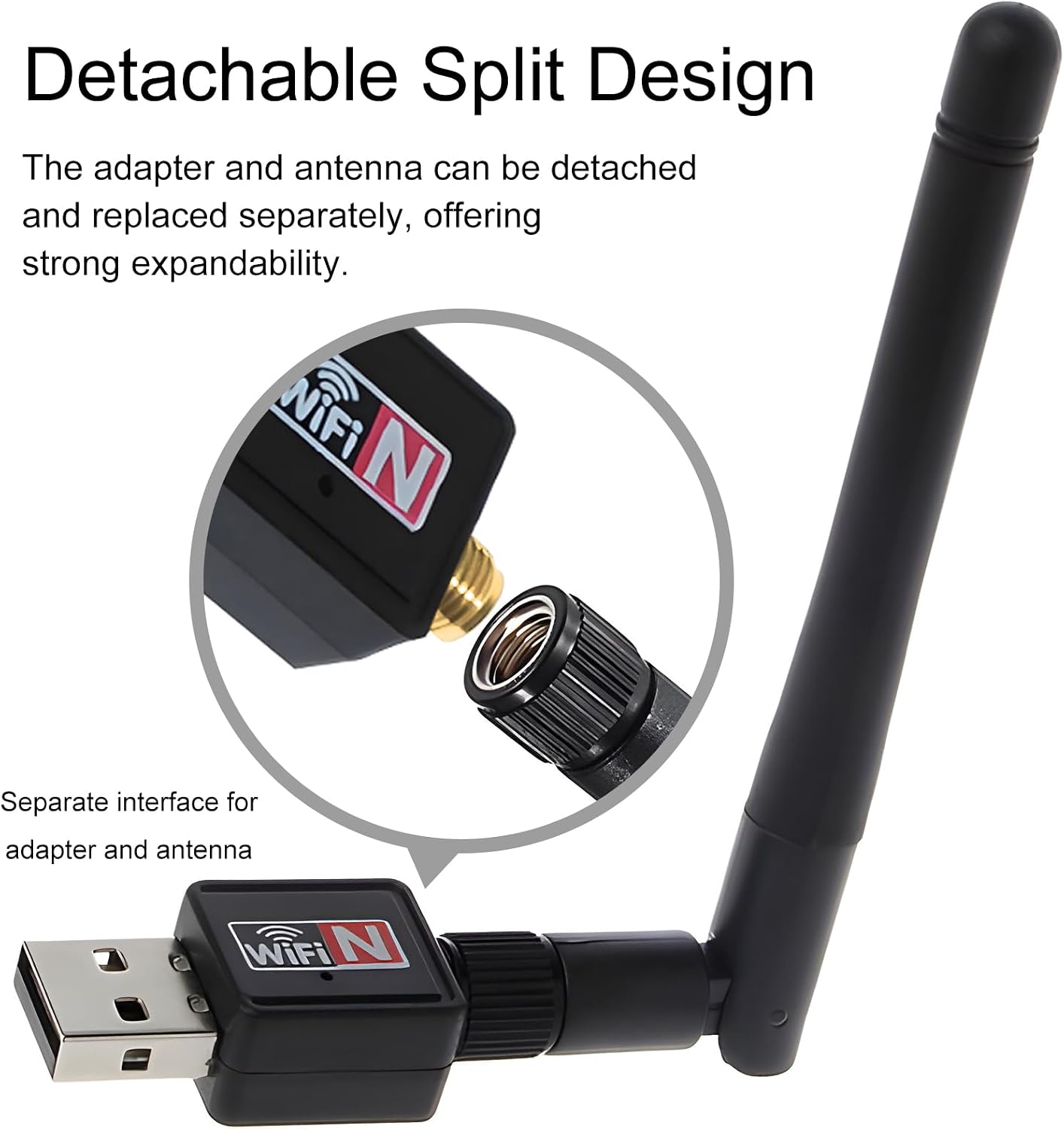
Image: Illustration of how to attach the detachable antenna to the USB adapter.
- USBポートに挿入します: Plug the assembled wireless network card into an available USB 2.0 port on your computer or compatible device.
- ドライバーのインストール:
- ウィンドウズ:
For most modern Windows operating systems (Windows 10/11), the driver may install automatically. If not, insert the provided driver CD and follow the on-screen instructions. Alternatively, download the latest driver from the Eiszuso support website (if available) by searching for "RTL8188ETV driver".
- リナックス:
Linux distributions often have built-in support for the RTL8188ETV chipset. If the device is not recognized automatically, you may need to install specific kernel modules or drivers. Consult your distribution's documentation or community forums for "RTL8188ETV Linux driver installation".
- アンドロイド:
For Android devices, driver support is typically integrated into the device's firmware. Ensure your Android device supports external USB Wi-Fi adapters. No separate driver installation is usually required.

Image: The network card is compatible with Windows, Linux, and Android operating systems.
- ウィンドウズ:
操作手順
- Connect to a Wireless Network (Windows/Linux):
- Once the driver is installed, your system should detect the wireless network card.
- オペレーティング システムのネットワーク設定または Wi-Fi メニューを開きます。
- 利用可能なネットワークのリストから、希望する Wi-Fi ネットワーク (SSID) を選択します。
- Enter the network password (security key) if prompted.
- The device should now connect to the wireless network.
- Adjusting Antenna Position: The antenna supports multi-dimensional rotation (360° vertical, 90° horizontal) to optimize signal reception. Adjust its position for the best signal strength and stability.

Image: The antenna can be rotated 360 degrees vertically and 90 degrees horizontally for optimal signal reception.
- Using with Android Devices:
For Android devices, ensure the device supports USB OTG (On-The-Go) and external Wi-Fi adapters. Once plugged in, the Android system should automatically recognize and use the adapter for wireless connectivity.
メンテナンス
- クリーニング: デバイスの清掃には、柔らかく乾いた布をご使用ください。液体クリーナーや溶剤は使用しないでください。
- アンテナのケア: Handle the detachable antenna with care. Avoid excessive force when attaching or detaching it.
- ストレージ: 使用しないときは、デバイスを直射日光や極端な温度を避け、涼しく乾燥した場所に保管してください。
- ファームウェア/ドライバーの更新: Periodically check the Eiszuso support website for updated drivers or firmware to ensure optimal performance and compatibility.
トラブルシューティング
- デバイスが検出されません:
- Ensure the device is fully plugged into a functional USB port.
- 別のUSBポートを試してください。
- ドライバーを再インストールします。
- コンピュータを再起動します。
- Wi-Fiに接続できません:
- Verify that the correct Wi-Fi password has been entered.
- ルーターの電源がオンになっていて、信号がブロードキャストされていることを確認します。
- 他のデバイスが同じ Wi-Fi ネットワークに接続できるかどうかを確認します。
- 信号受信状態を良くするためにアンテナの位置を調整します。
- Restart your router and the computer.
- 接続速度が遅い:
- Ensure the antenna is positioned optimally.
- 他の電子機器からの干渉がないか確認してください。
- Update the device drivers.
- Verify that your internet service provider is delivering the expected speed.
仕様
| 特徴 | 詳細 |
|---|---|
| モデル | RTL8188ETV |
| インタフェース | USB2.0 について |
| ワイヤレス標準 | IEEE 802.11n/g/b |
| データ転送速度 | 最大150Mbps |
| アンテナタイプ | Detachable 2dBi Omnidirectional Antenna |
| オペレーティングシステム | Windows、Linux、Android |
| チップセット | RTL8188ETV |
| 寸法(約) | 5.16 x 3.19 x 0.75インチ(パッケージ) |
| 重量(約) | 0.634オンス |

Image: Approximate dimensions of the Eiszuso USB Wireless Network Card.
保証とサポート
For warranty information and technical support, please refer to the documentation provided with your purchase or visit the official Eiszuso webサイト。 保証請求に備えて購入時のレシートを保管しておいてください。