
1. はじめに
The Longer Laser B1 30W Laser Engraver Cutter is a versatile tool designed for precision engraving and cutting across various materials. This manual provides essential information for safe operation, setup, and maintenance to ensure optimal performance and longevity of your device.
Key features include a powerful 36W laser output capable of cutting through 25mm basswood and 50mm acrylic, a high working speed of up to 36,000 mm/min, and a large working area of 450 x 440 mm. It supports colorful engraving on mirrored stainless steel and integrates an automatic air-assist pump for enhanced precision and quality.
2. 安全情報
WARNING: Laser radiation can cause eye damage and skin burns. Always wear appropriate eye protection and ensure proper ventilation during operation.
The Laser B1 is equipped with eight major safety features to protect users and prevent accidents:
- Move Detection: Stops operation if the machine is moved unexpectedly.
- 炎検知器: Triggers an alarm and stops the laser if a flame is detected.
- Offline Protection: Halts operation if connection is lost.
- Motionless Protection: Automatically stops if the laser module remains stationary for too long while active.
- セキュリティロック: 不正使用を防止します。
- 目の保護: The laser module features panoramic light filtering glass to block blue light and filter 97% of ultraviolet light.
- 緊急停止ボタン: 緊急時にはレーザーへの電源を直ちに切断します。
- ゼロリセット: Ensures safe homing of the laser module.

Image: Longer Laser B1 with visual indicators for flame detection and position movement protection.
3.製品オーバーview
The Longer Laser B1 is designed for precision and efficiency. Understanding its components and capabilities is key to effective use.
3.1 主な特徴
- Powerful Laser Output: 36W output power, capable of cutting 25mm basswood and 50mm acrylic.
- 高速パフォーマンス: 彫刻速度は最大36,000 mm/分。
- 広い作業エリア: 450 x 440 mm (17.72 x 17.32 inches).
- Automatic Air Assist: Controlled via Lightburn software for cleaner cuts and engravings.
- Colorful Engraving: Direct engraving of colorful patterns on mirrored stainless steel.
- 接続性: Supports USB, TF card, Wi-Fi, and APP control.
- ソフトウェアの互換性: Works with LaserGRBL (Windows XP/7/8/10) and Lightburn (Windows, macOS, Linux).
3.2 コンポーネント
The main components of the Longer Laser B1 include the laser module, frame, control unit, and various accessories. Refer to the packaging for a complete list of included items.
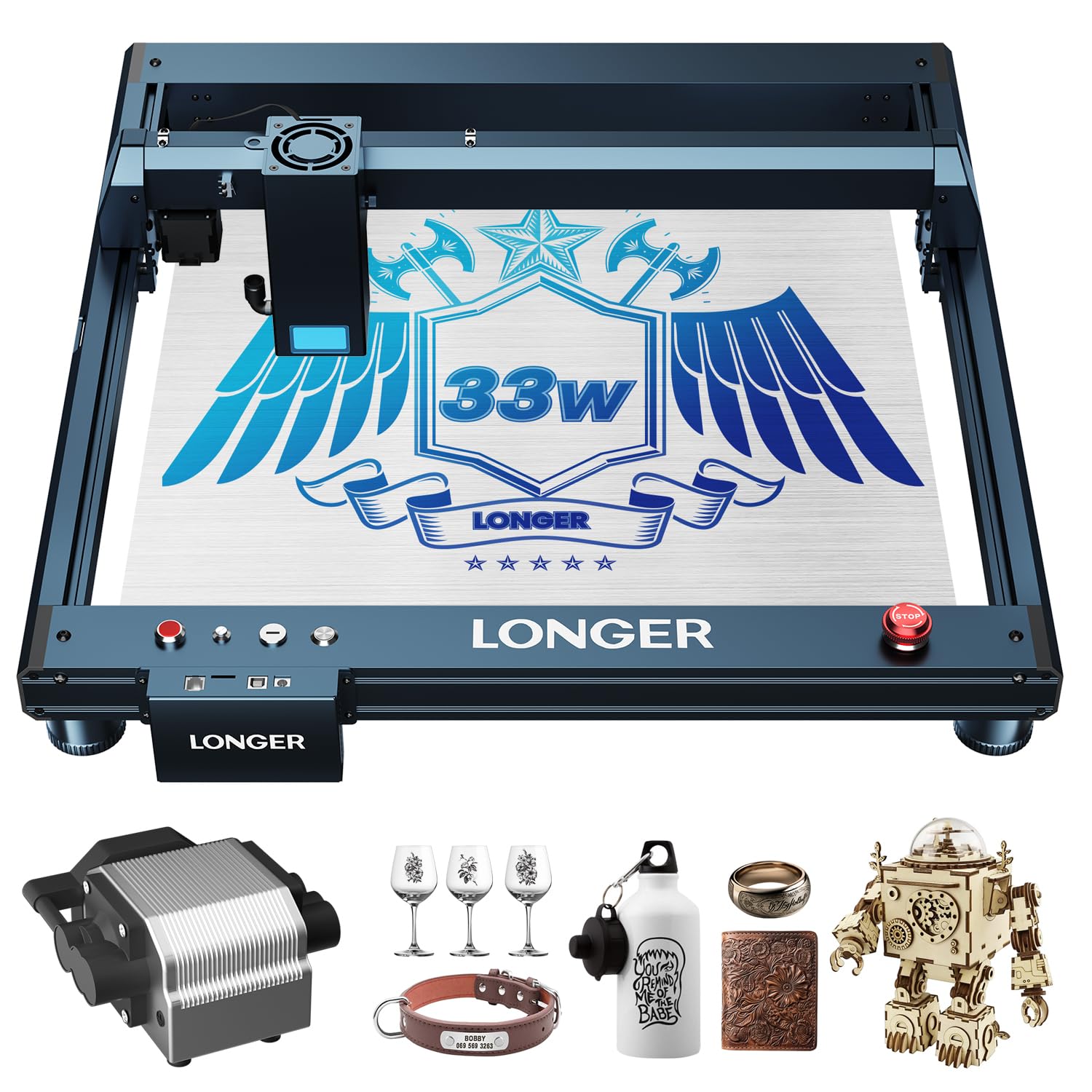
Image: The Longer Laser B1 30W Laser Engraver Cutter.
4. セットアップ
Follow these general steps for assembling and preparing your Longer Laser B1 for operation. Detailed assembly instructions are typically provided in a separate guide included with your product.
- 開梱: すべての部品をパッケージから慎重に取り出します。梱包リストに記載されているすべての部品が揃っていることを確認してください。
- フレーム組み立て: Assemble the main frame of the laser engraver. Ensure all screws are tightened securely.
- レーザーモジュールの取り付け: Mount the laser module onto the gantry. Connect the necessary cables.
- Air Assist Connection (if applicable): If your model includes an automatic air assist pump, connect it to the laser module and the control unit as per the specific instructions.
- 電源接続: Connect the power adapter to the control unit and then to a suitable power outlet.
- ソフトウェアのインストール: Install the recommended software (Lightburn or LaserGRBL) on your computer. Drivers may be required for USB connection.
- アプリ接続: For mobile control, download the dedicated LaserBurn APP and follow the in-app instructions for Wi-Fi network distribution and connection.

Image: Initial setup of the laser engraver.
5. 操作手順
Operating the Longer Laser B1 involves preparing your design, setting parameters, and executing the engraving or cutting process.
5.1 ソフトウェアと接続性
The Laser B1 supports multiple connection methods and software:
- ソフトウェア: Lightburn (recommended for advanced users, compatible with Windows, macOS, Linux) and LaserGRBL (free, compatible with Windows XP/7/8/10).
- 接続方法: USB cable, TF card, Wi-Fi, and dedicated mobile APP.

Image: Software and connectivity options for the Laser B1.

Image: The LaserBurn mobile application for controlling the engraver.
5.2 Material Preparation and Engraving/Cutting
- マテリアルの配置: Place your material securely on the working area. Ensure it is flat and stable.
- フォーカス調整: 材料の厚さに応じてレーザーの焦点を調整します。
- Design Import and Parameter Settings: Import your design into the software. Set appropriate parameters for engraving or cutting, including speed, power, and passes, based on the material type and desired outcome.
- Air Assist Activation: If using the automatic air assist, ensure it is enabled in your software settings for optimal results, especially when cutting.
- 運用開始: 彫刻または切断プロセスを開始します。動作中は機械を監視します。

Image: The automatic air assist pump improves engraving and cutting quality by removing smoke and debris.
5.3 彫刻と切断機能
The Longer Laser B1 excels in various applications:
- Wood Engraving: Achieve detailed and precise designs on wood.
- 金属彫刻: Create intricate patterns on metal surfaces, including colorful engraving on mirrored stainless steel.
- Acrylic Cutting: Capable of cutting thick acrylic sheets with clean edges.
- その他の資料: Suitable for paper, glass, leather, and more.
Video: Demonstration of color acrylic engraving and cutting with the Longer Laser B1.
Video: Creating a jewelry box using the Longer Laser B1 engraver.
6. メンテナンス
定期的なメンテナンスにより、レーザー彫刻機の寿命が長くなり、最適なパフォーマンスが確保されます。
- レンズの掃除: 彫刻の品質を維持するために、柔らかく糸くずの出ない布とレンズ洗浄液を使用して、レーザー レンズを定期的に清掃してください。
- 作業エリアの清掃: Remove debris and dust from the honeycomb working area after each use.
- 潤滑: Apply a small amount of lubricant to the guide rails and lead screws as recommended in the detailed product manual to ensure smooth movement.
- ケーブル検査: すべてのケーブルに摩耗や損傷がないか定期的に点検してください。損傷したケーブルは直ちに交換してください。
- ファームウェアの更新: Keep the device firmware and software updated to benefit from performance improvements and new features.
7。 トラブルシューティング
This section addresses common issues you might encounter. For more complex problems, refer to the official Longer support resources.
| 問題 | 考えられる原因 | 解決 |
|---|---|---|
| レーザーが発射されない、または出力が弱い。 | Loose cable connection, dirty lens, incorrect power settings, laser module malfunction. | Check all cable connections. Clean the laser lens. Verify power settings in software. Contact support if issue persists. |
| Engraving/cutting is inaccurate or distorted. | Loose belts, incorrect focus, material not flat, machine movement during operation. | Ensure belts are properly tensioned. Adjust laser focus. Secure material firmly. Check for any obstructions preventing smooth movement. |
| Machine not connecting to computer/APP. | Incorrect drivers, Wi-Fi issues, faulty USB cable, software conflict. | Install/update drivers. Check Wi-Fi connection and network settings. Try a different USB port/cable. Restart software and machine. |
| Smoke/fumes excessive during operation. | Insufficient ventilation, air assist not active, incorrect power settings. | Ensure adequate ventilation. Activate air assist in software. Reduce laser power if possible for the material. |
8. 仕様
| 特徴 | 詳細 |
|---|---|
| ブランド | より長い |
| モデル番号 | B1 |
| レーザー出力 | 36W |
| 作業速度 | 最大36,000 mm/分 |
| 作業エリア | 450 x 440 mm(17.72 x 17.32インチ) |
| 製品寸法 | 17.31 x 4.9 x 17.72インチ |
| アイテム重量 | 21.5ポンド |
| 操作モード | 自動 |
| 材料の適合性 | Wood, Metal, Paper, Acrylic, Glass, Leather |
9. 保証とサポート
The Longer Laser B1 comes with a standard warranty. Please refer to the warranty card included in your product packaging for specific terms and conditions. For technical assistance, troubleshooting, or warranty claims, please contact Longer3d Official Store customer support.
連絡先:
- 売り手: Longer3d Official Store
- Amazonストアリンク: Longer Official Store on Amazon