
ヴィムTAG 847
ヴィムTAG 電球型セキュリティカメラ モデル 847 ユーザーマニュアル
インストール、操作、メンテナンスに関する包括的な手順。
1. はじめに
Thank you for choosing the VIMTAG Light Bulb Security Camera Model 847. This device is designed to provide reliable surveillance for your home, offering 2.5K/4MP high-definition video, pan/tilt functionality, night vision, two-way audio, and smart detection features. This manual will guide you through the setup, operation, and maintenance of your camera to ensure optimal performance.
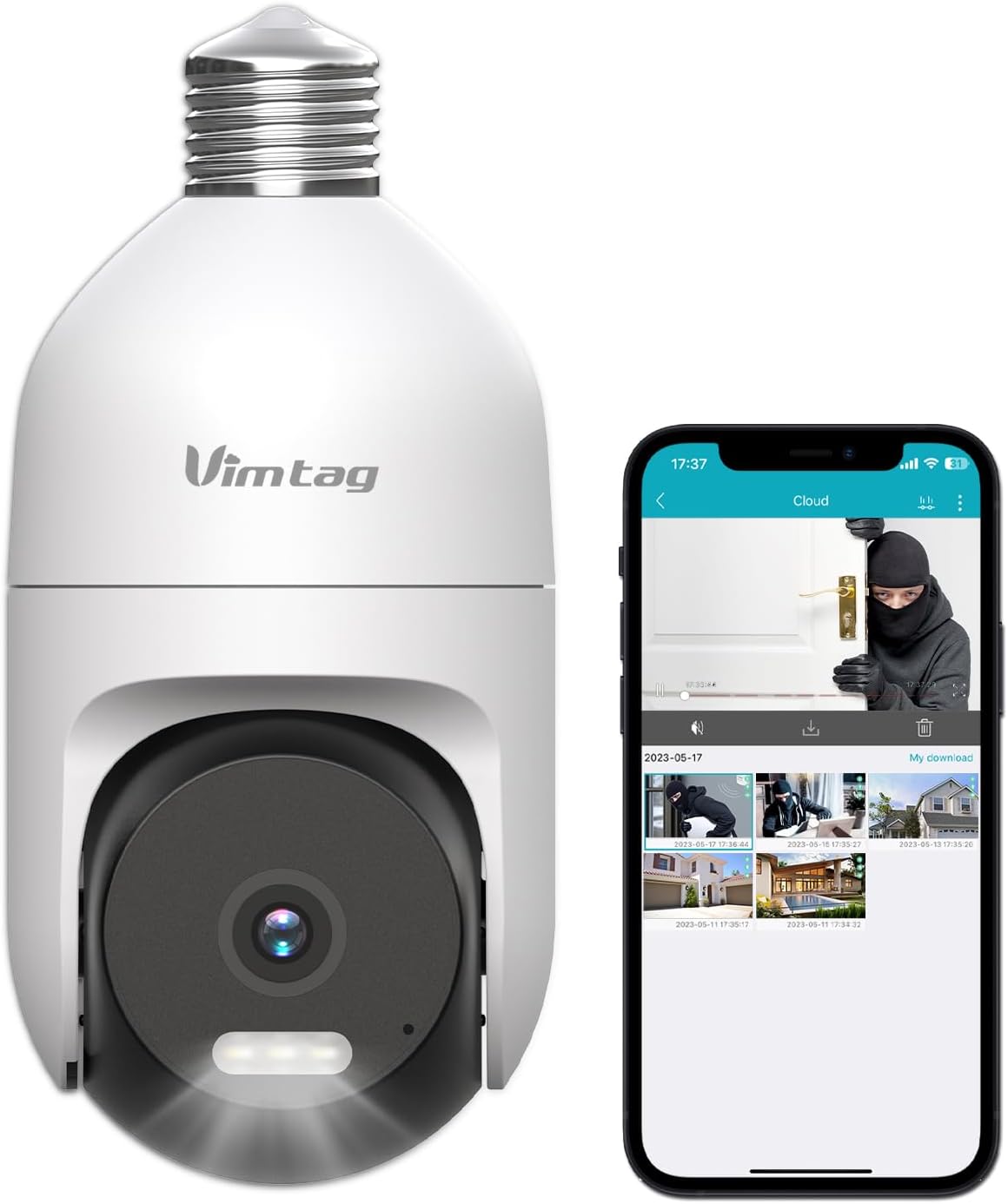
Image: The VIMTAG Light Bulb Security Camera Model 847, shown alongside a smartphone displaying its live feed.
2. 安全情報
- Ensure the power is off before installing or removing the camera from a light socket.
- Install the camera in a standard E27/E26 light bulb socket.
- カメラを動作範囲を超える極端な温度や湿度にさらさないでください。
- カメラを強い磁場から遠ざけてください。
- カメラをご自身で分解したり修理したりしないでください。サポートが必要な場合は、カスタマーサポートにお問い合わせください。
- This camera is rated IP66 for weather resistance, suitable for outdoor use, but avoid submerging it in water.
3. パッケージ内容
The VIMTAG Light Bulb Security Camera package includes:
- ヴィムTAG Light Bulb Security Camera (Model 847)
- 取扱説明書(本書)
Note: An SD card for local storage is not included and must be purchased separately if desired.
4.製品オーバーview
The VIMTAG Light Bulb Security Camera features a compact design that fits into a standard light bulb socket. Key components include:
- カメラレンズ: Captures 2.5K/4MP video.
- 赤外線 (IR) LED: 白黒の夜間視力用。
- スポットライト: カラー夜間視力を提供し、抑止力として機能します。
- マイクロフォン: For audio input during two-way talk and sound detection.
- スピーカー: For audio output during two-way talk and siren alarms.
- マイクロSDカードスロット: ローカルビデオストレージ用(最大 512 GB をサポート)。
- リセットボタン: Used for factory reset (usually a small pinhole).
- E27/E26 Base: Standard light bulb screw-in base for power and mounting.
5. セットアップ
5.1物理的な設置
- 電源を切る: 取り付ける前に、回路ブレーカーでライトソケットの電源がオフになっていることを確認してください。
- ねじ込み: Carefully screw the VIMTAG Light Bulb Camera into a standard E27/E26 light bulb socket. Ensure it is securely fastened.
- 電源オン: ライトソケットに電源を戻してください。カメラの電源が入り、起動シーケンスが開始されます。

Image: Illustration of screwing the camera into a light bulb socket.
5.2 アプリのダウンロードとアカウント作成
- アプリをダウンロードする: 検索する "Vimtag" in your smartphone's app store (iOS App Store or Google Play Store) and download the official VIMTAG アプリ。
- アカウント登録: Open the app and follow the on-screen instructions to register a new account using your email address or phone number.

Image: A smartphone screen showing the VIMTAG app icon, indicating the app download step.
5.3 カメラのペアリングとWi-Fi接続
- デバイスを追加: In the VIMTAG app, tap the "+" icon (usually in the top right or center) to add a new device.
- カメラの種類を選択: Choose "Light Bulb Camera" from the list of device types.
- アプリ内のプロンプトに従ってください: The app will guide you through connecting the camera to your 2.4GHz Wi-Fi network. This typically involves scanning a QR code generated by the app with the camera lens or listening for an audio prompt.
- 接続確認: Once connected, the camera will indicate successful pairing (e.g., a voice prompt or LED indicator change), and its live feed will appear in the app.

Image: A smartphone screen showing the process of adding a new device, specifically selecting the light bulb camera.

Image: A smartphone displaying the live video feed from the VIMTAG camera after successful setup.
6. カメラの操作
6.1 ライブ View パン/チルトコントロール
Once connected, open the VIMTAG アプリを開いてカメラを選択して view the live feed. Use the on-screen controls to pan (horizontal 355°) and tilt (vertical 100°) the camera lens to adjust the viewing angle. The camera offers 8x digital zoom for closer inspection.

Image: Multiple devices (phone, tablet, laptop, desktop) displaying the live feed from the VIMTAG camera, illustrating multi-terminal viewing。
6.2 双方向オーディオ
The camera features a built-in microphone and speaker. Tap the microphone icon in the app to speak through the camera, and listen to audio from the camera's location. This allows for real-time communication with visitors or to deter intruders.

Image: A person speaking into a phone to communicate with a delivery person at the door via the VIMTAG camera's two-way audio.
6.3 ナイトビジョンモード
カメラは 2 つの夜間視力モードをサポートしています。
- IRナイトビジョン: Defaults to black and white infrared vision in low light conditions.
- Color Night Vision with Spotlight: When the spotlight mode is activated (manually or via motion detection settings), the camera will switch to full-color night vision.
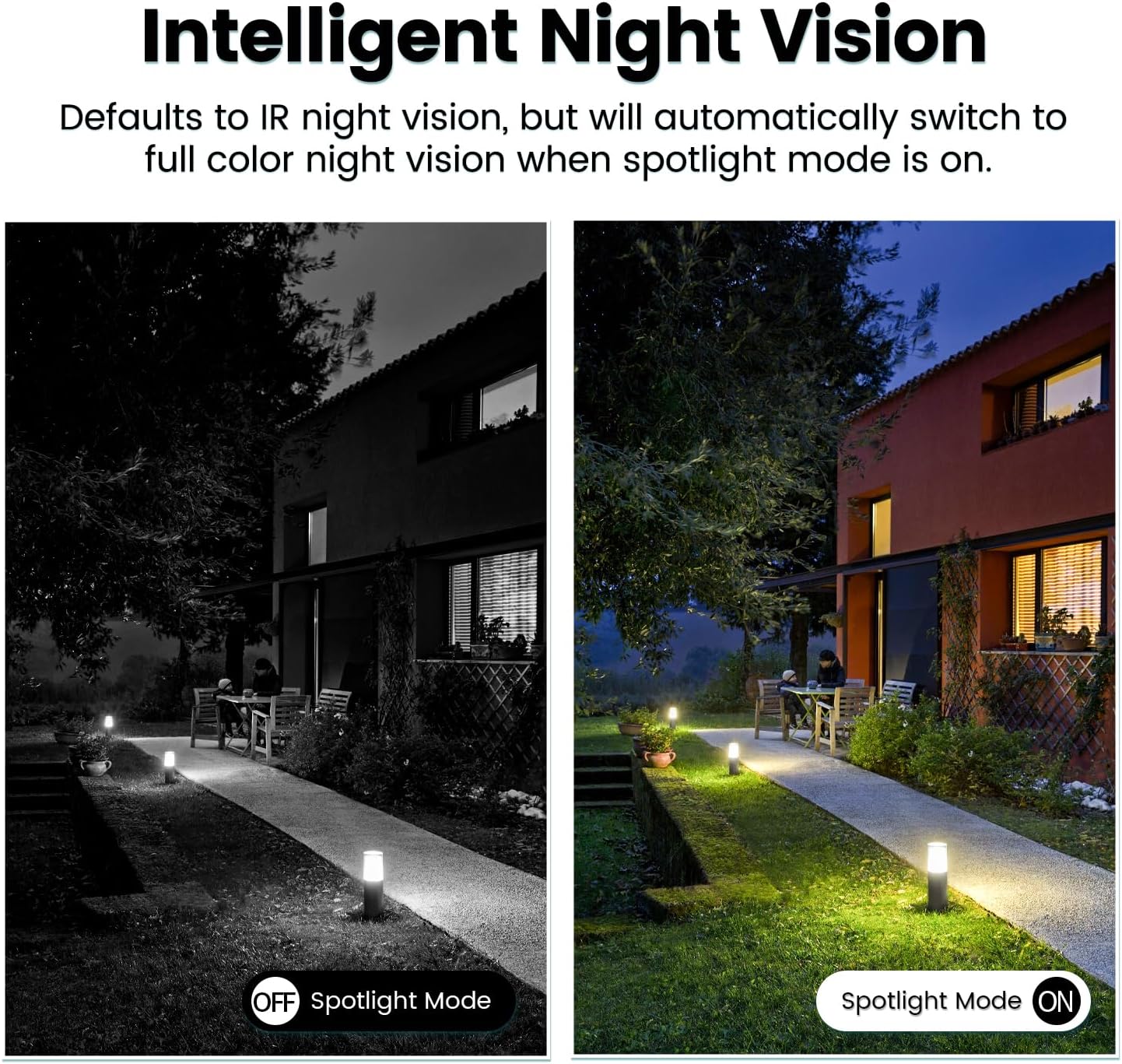
Image: Comparison of IR night vision (black and white, spotlight off) and color night vision (full color, spotlight on) from the VIMTAG カメラ。
6.4 AI Human/Motion/Sound Detection and Alarms
Configure detection settings in the VIMTAG app. The camera can detect human shapes, general motion, and sounds. Upon detection, you will receive notifications on your phone, and the camera can trigger a siren alarm or activate its spotlight to deter unwanted activity.

Image: An illustration of the VIMTAG camera detecting an intruder, triggering a spotlight and sending an alert to a smartphone.

Image: A smartphone displaying a "Motion Detection Alert" notification from the VIMTAG アプリ。
6.5 ビデオ録画と保存
カメラは次の 2 つのストレージ オプションをサポートしています。
- ローカルストレージ: Insert a Micro SD card (up to 512GB, not included) into the camera's SD card slot for continuous 24/7 recording. Recorded footage can be accessed and managed through the VIMTAG アプリ。
- クラウドストレージ: An optional cloud storage service is available through the VIMTAG app for secure, encrypted video storage. Subscription details can be found within the app.
6.6 Alexa統合
The VIMTAG camera is compatible with Amazon Alexa. To integrate:
- Enable the VIMTAG skill in the Alexa app.
- Link your VIMTAG アカウント。
- デバイスを検出します。
You can then use voice commands such as, "Alexa, show me the [camera name]" to view the live feed on compatible Alexa-enabled devices with screens (e.g., Echo Show).

Image: A person interacting with an Amazon Echo Show to view the VIMTAG camera feed using voice commands.
7. メンテナンス
- クリーニング: カメラのレンズと本体は、柔らかく乾いた布で優しく拭いてください。刺激の強い化学薬品や研磨剤入りの洗剤は使用しないでください。
- ファームウェアの更新: Regularly check the VIMTAG app for available firmware updates. Keeping your camera's firmware updated ensures optimal performance, security, and access to new features.
- SDカード管理: SDカードを使用している場合は、定期的にview 重要なfooをバックアップするtage. Format the SD card through the app if you experience recording issues or to clear old data.
8。 トラブルシューティング
| 問題 | 考えられる原因 | 解決 |
|---|---|---|
| カメラの電源が入りません。 | No power to the light socket; camera not screwed in properly. | Check the light socket's power supply; ensure the camera is securely screwed in. |
| Wi-Fiに接続できません。 | Wi-Fi パスワードが正しくありません。カメラがルーターから遠すぎます。5GHz Wi-Fi ネットワークが使用されています。 | Verify Wi-Fi password; move camera closer to router; ensure you are connecting to a 2.4GHz Wi-Fi network. |
| ビデオ品質が低い。 | Wi-Fi 信号が弱い、レンズが汚れている。 | Wi-Fi 信号強度を改善し、カメラのレンズを清掃します。 |
| モーション検知が機能しない。 | Detection settings disabled or sensitivity too low; camera positioned incorrectly. | Check and adjust motion detection settings in the app; ensure camera has a clear view 地域の。 |
| SD カードに録画されません。 | SD カードがいっぱいか破損している、または録画設定が正しくありません。 | Format the SD card via the app; check recording schedule and settings. Replace SD card if necessary. |
9. 仕様
| 特徴 | 詳細 |
|---|---|
| モデル名 | 847 |
| ビデオ解像度 | 2.5K / 4MP (1440p) |
| パン/チルト範囲 | 横長、355°垂直°100 |
| デジタルズーム | 8x |
| ナイトビジョン | IR Night Vision & Color Night Vision with LED Spotlight |
| 双方向オーディオ | Yes (Built-in Microphone & Speaker) |
| 検出 | AI Human, Motion, Sound Detection |
| 接続性 | 2.4GHz Wi-Fi(IEEE 802.11b/g/n) |
| ストレージオプション | Micro SD Card (up to 512GB), Cloud Storage (optional subscription) |
| 電源 | Corded Electric (E27/E26 Light Bulb Socket) |
| 屋内/屋外での使用 | はい(IP66耐候性) |
| 対応デバイス | iOS, Android, Mac, iPad, Windows, Amazon Alexa |
| 寸法(長さ×幅×高さ) | 3.07 x 3.07 x 5.31インチ |
| アイテム重量 | 9.1オンス |
| フレームレート | 毎秒25フレーム |
| ビデオエンコーディング | 264/265 について |
10. 保証とサポート
ヴィムTAG products come with a standard manufacturer's warranty. For specific warranty terms and conditions, please refer to the warranty card included with your product or visit the official VIMTAG website. For technical support, troubleshooting assistance, or any product-related inquiries, please contact VIMTAG customer service through the VIMTAG app or their official webサイト。
オンラインリソース:
- ヴィムTAG 正式 Webサイト: Visit the VIMTAG Amazonで購入
- In-App Support: Access support features directly within the VIMTAG モバイルアプリケーション。
Ask a question about this manual
Ask about setup, troubleshooting, compatibility, parts, safety, or missing instructions. Manuals+ will review the question and use this page’s manual context to help answer it.