
Svetaecho A100
Svetaecho A100 Dual Controller Charger Station User Manual
Model: A100 | Brand: Svetaecho
製品終了view
The Svetaecho A100 Dual Controller Charger Station is designed to provide efficient and convenient charging for your Xbox controllers. Featuring a unique robot helmet-inspired design with LED indicators, it ensures your controllers are always ready for extended gaming sessions. This kit includes two high-capacity 5520mWh rechargeable battery packs, eliminating the need for disposable batteries.

Image: The Svetaecho A100 Dual Controller Charger Station, showcasing its design with two Xbox controllers docked and two rechargeable battery packs.
箱の中身
- 2 x 5520mWh Xbox One Rechargeable Batteries
- 1 x Charger Dock for Xbox Series X Rechargeable Battery Pack
- 1 x USB-C充電ケーブル
- 4 x Battery Covers (for various Xbox controller models)
- ユーザーマニュアル x 1

画像: 完全な view of all items included in the package: the charging dock, two rechargeable batteries, a USB-C cable, and four different battery covers.
セットアップ手順
- バッテリーパックの取り付け:
Open the battery compartment on your Xbox controller. Insert one of the provided 5520mWh rechargeable battery packs, ensuring proper alignment with the contacts. Close the compartment with the appropriate battery cover for your controller model.

Image: Visual instructions demonstrating how to remove the old battery cover, insert the new rechargeable battery pack, and attach the compatible battery cover.
- 充電ステーションを接続する:
Connect the included USB-C charging cable to the port on the back of the charger dock. Plug the other end of the USB-C cable into a compatible USB power source (e.g., Xbox console, USB wall adapter).
- Place Controllers on Dock:
Carefully place your Xbox controllers onto the charging slots of the dock. Ensure the controllers are seated correctly and the charging contacts align. The robot helmet's LED indicators will illuminate to show the charging status.
操作手順
LEDインジケーター
The charger station features clear LED indicators on the robot helmet design to show the charging status of each controller:
- Red Breathing Light: コントローラーが現在充電中であることを示します。
- 緑色の点灯: Indicates that the controller is fully charged or in standby mode.
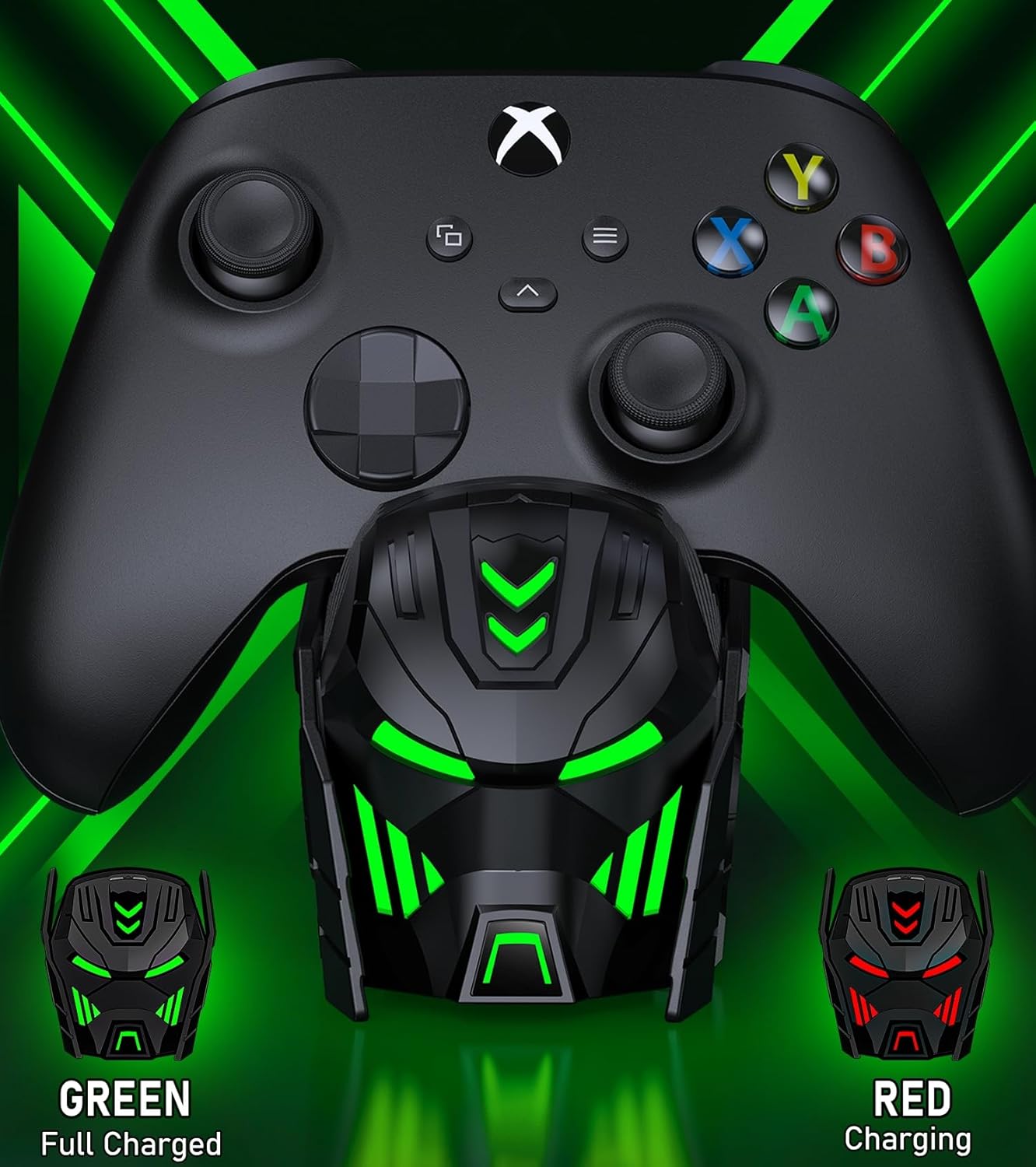
Image: Close-up of the charger station's robot helmet face, illustrating the red light for charging and the green light for a fully charged or standby state.
ライトコントロールボタン
A touch button is integrated into the design, allowing you to control the LED ambient light. You can switch between charging indicators (red/green) or turn the LED lights off completely.
製品の特徴と利点
- 延長プレイタイム: Each 5520mWh battery pack provides 18-25 hours of continuous playtime, ensuring uninterrupted gaming sessions.
- 急速充電: It takes approximately 4-5 hours to fully charge both battery packs simultaneously.
- 長いバッテリー寿命: The rechargeable batteries can be recharged up to 2000 times, offering a cost-effective and environmentally friendly alternative to disposable AA batteries.
- インテリジェントな保護: Built with an intelligent charging board, the dock provides overheating, short-circuit, over-voltage, and over-current protection to safeguard your batteries and controllers.
- スタイリッシュなデザイン: The robot helmet-inspired aesthetic with cool LED ambient light adds a unique and appealing look to your gaming setup.

Image: Key performance metrics of the charger, highlighting its fast charging, high battery capacity, and long playing time.
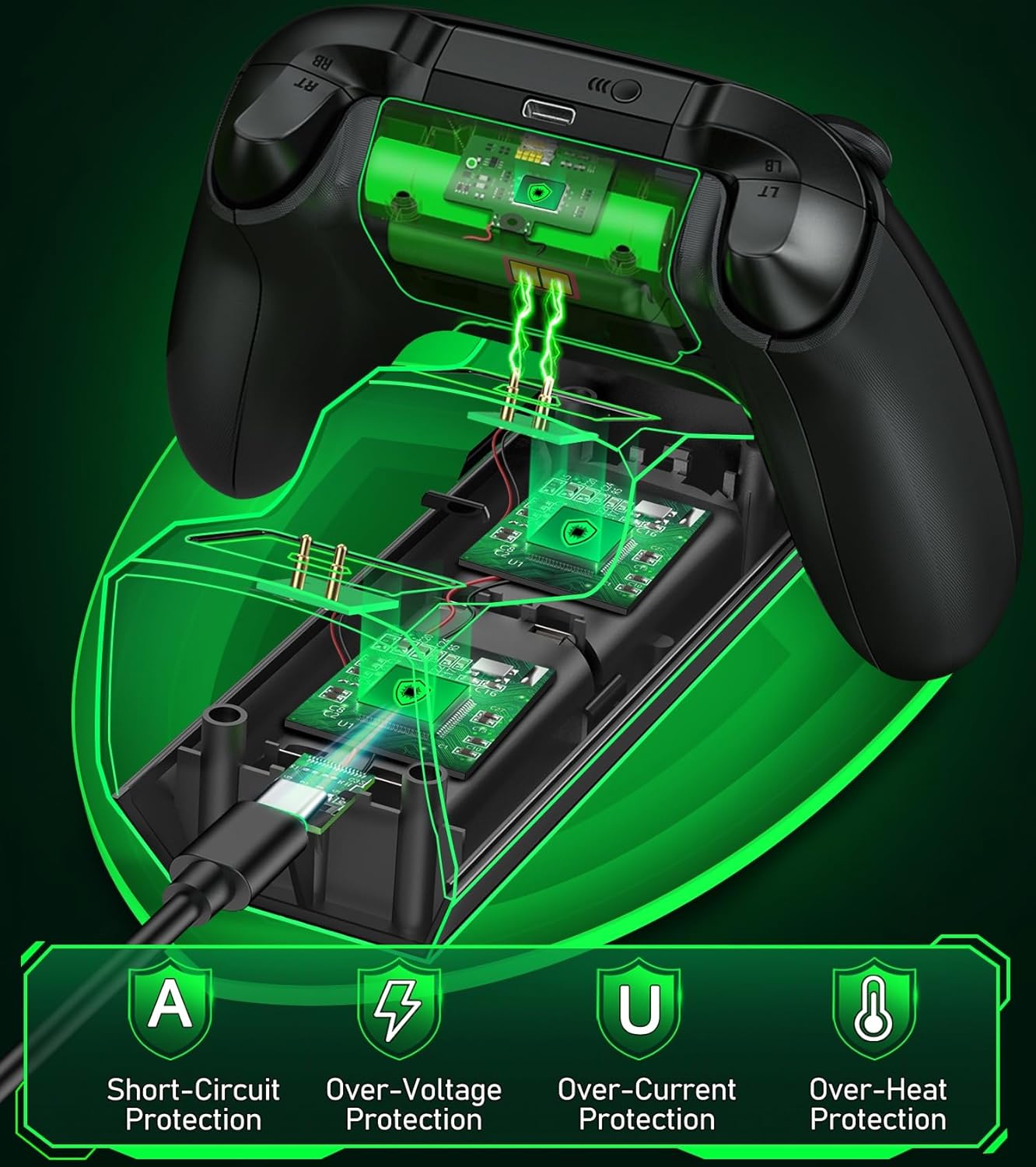
Image: A visual representation of the multiple safety protections integrated into the charging station, including short-circuit, over-voltage, over-current, and over-heat protection.
互換性
The Svetaecho A100 Dual Controller Charger Station is compatible with a wide range of Xbox controllers, including:
- Xbox Series X/S コントローラー
- Xbox One コントローラー
- Xbox One X コントローラー
- Xbox One S コントローラー
- Xbox Elite Controllers

Image: A compatibility chart illustrating different Xbox controller models and the corresponding battery covers provided for each, ensuring broad compatibility.
メンテナンス
- Keep the charging station and batteries dry and clean.
- Wipe surfaces with a soft, dry cloth. Avoid using abrasive cleaners or solvents.
- 直射日光や極端な温度を避け、涼しく乾燥した場所に保管してください。
- Do not disassemble the product or attempt repairs yourself. Contact customer support if issues arise.
トラブルシューティング
- コントローラーが充電されない:
- Ensure the USB-C cable is securely connected to both the charging station and the power source.
- 電源がアクティブであり、十分な電力を供給していることを確認します。
- Check if the battery packs are correctly inserted into the controllers and the controllers are properly seated on the charging dock.
- Ensure the charging contacts on both the controller and the dock are clean and free of debris.
- LEDインジケーターが動作しない:
- Press the light control button to ensure the LEDs are not turned off.
- Confirm the charging station is receiving power.
- Short battery life after charging:
- Ensure the batteries are fully charged (solid green LED).
- 長時間使用すると、時間の経過とともにバッテリーのパフォーマンスが低下する可能性があります。
仕様
| 特徴 | 詳細 |
|---|---|
| モデル番号 | A100 |
| バッテリー容量 | 2 x 5520mWh |
| 充電時間 | 約4~5時間 |
| 1充電あたりの再生時間 | 18~25時間 |
| 充電サイクル | 最大2000回 |
| 入力 | USB-C |
| 製品寸法 | 7.99 x 3.5 x 2.83インチ |
| アイテム重量 | 15.2オンス |
| メーカー | スヴェタエチョ |
公式製品ビデオ
Video: An official product video from Svetaecho demonstrating the features and functionality of the Xbox Controller Charger Station with Robot Helmet design, including LED indicators, battery storage, and fast charging capabilities.
保証とサポート
For warranty information and customer support, please refer to the warranty card included in your package or visit the official Svetaecho store on Amazon:
保護プランは、拡張された補償範囲でもご利用いただけます。
- 2 年間の保護プラン: ご購入いただけます。
- 3 年間の保護プラン: ご購入いただけます。
- Complete Protect: 対象となる過去および将来の購入をカバーする月額プラン。
Ask a question about this manual
Ask about setup, troubleshooting, compatibility, parts, safety, or missing instructions. Manuals+ will review the question and use this page’s manual context to help answer it.