
導入
Thank you for choosing the Baseus Bowie MA10S Wireless Earbuds. This manual provides detailed instructions on how to set up, operate, and maintain your earbuds to ensure optimal performance and longevity. Please read this manual thoroughly before using the product.

Image: The Baseus Bowie MA10S Wireless Earbuds, showing both earbuds and their open charging case with a digital battery display.
パッケージ内容
パッケージにすべてのアイテムが揃っていることを確認します。
- Baseus Bowie MA10S Wireless Earbuds (Left and Right)
- 充電ケース
- S/M/L Eartips (Left and Right pairs)
- S/M/L Earwings (Left and Right pairs)
- USB-C充電ケーブル
- ユーザーマニュアル(このドキュメント)

Image: All components included in the Baseus Bowie MA10S package: the earbuds in their charging case, a USB-C charging cable, and various sizes of ear tips and ear wings.
設定
1. 初期充電
Before first use, fully charge the earbuds and the charging case. Connect the USB-C charging cable to the charging case and a power source. The digital display on the case will show the battery percentage. イヤホンはケース内に置くと自動的に充電されます。

Image: The Baseus Bowie MA10S charging case demonstrating both USB-C wired charging and wireless charging capabilities, with a clear view of the digital power display showing "100%".
The charging case supports both wired USB-C charging and wireless charging. A full charge provides up to 38 hours of total playtime with the charging case, and 8 hours on a single charge for the earbuds.
2.Bluetoothペアリング
- 充電ケースを開けると、イヤホンは自動的にペアリングモードになります。
- デバイス(スマートフォン、タブレット、ラップトップ)で Bluetooth を有効にします。
- 検索する "Baseus Bowie MA10S" in the list of available Bluetooth devices.
- Select "Baseus Bowie MA10S" to connect. Once connected, a voice prompt will confirm the successful pairing.
The earbuds feature Bluetooth 5.3 for instant pairing, stable connection, and better interference resistance. They also support multipoint connection, allowing seamless pairing to two devices simultaneously.

Image: A visual representation of the Bluetooth 5.3 chip, highlighting its role in providing instant pairing and stable connections.

Image: A man seamlessly connected to both a smartphone and a laptop with the Baseus Bowie MA10S earbuds, illustrating the multipoint connection feature.
3. Baseus App Installation
For enhanced features and customization, download the official Baseus App from your device's app store. The app allows you to:
- Adjust Noise Cancelling levels (10 levels available)
- Select from 12 Preset Equalizers (EQs) or create custom ones
- Customize touch gestures for controls

Image: Screenshots of the Baseus App interface, demonstrating options for ambient sound control, equalizer presets, and custom gesture settings.
操作手順
タッチコントロール
The Baseus Bowie MA10S earbuds feature intuitive touch controls. Refer to the following table for default functions. Custom gestures can be configured via the Baseus App.
| アクション | 関数 | 注記 |
|---|---|---|
| Put on / Take off | 再生と一時停止 | 自動検出 |
| シングルタップ(LまたはR) | Toggle Track / Adjust Volume | Customizable in App |
| Long Press (1.5s, L or R) | Noise Cancellation Cycle | ANC > Normal > Transparency mode (default) |
| Long Press (1.5s, L or R) | Spatial Audio Cycle | Music > Theater > Normal (default) |
| Long Press (1.5s, L or R) | 通話を拒否 | |
| シングルタップ(LまたはR) | 通話の応答/終了 |

Image: A visual guide to the easy tap controls on the Baseus Bowie MA10S earbuds, showing functions like play/pause, track/volume adjustment, call management, and mode cycling.
Active Noise Cancellation (ANC) & Transparency Modes
The earbuds feature Hybrid Active Noise Cancelling technology, reducing disturbing noise by up to 95% (-48dB). Long press either earbud to cycle through ANC, Normal, and Transparency modes.
- ANCモード: Ideal for noisy environments like travel or office, blocking out ambient sound.
- 通常モード: Standard audio experience without noise cancellation.
- 透明モード: Allows you to hear your surroundings while listening to audio, useful for safety or conversations.

Image: A man wearing the Baseus Bowie MA10S earbuds, with a visual overlay indicating the -48dB Hybrid Active Noise Cancellation feature, suggesting a quiet listening experience.

Image: A man walking outdoors while wearing the Baseus Bowie MA10S earbuds, illustrating the Transparent Mode feature which allows awareness of surroundings.
Audio Modes & Spatial Audio
The Bowie MA10S offers three tailored audio modes and immersive spatial audio:
- 低音モード: Enhanced bass for sports or music genres that benefit from powerful low frequencies.
- 音楽モード: 毎日没入感のあるリスニングを実現するバランスの取れたオーディオ。
- ゲームモード: Low-latency audio (0.038s) for synchronized audio and video during gaming.
Activate the Dual Channel Low-Latency (DCLL) mode for gaming to ensure audio and video are in full sync.

Image: The Baseus Bowie MA10S earbuds positioned next to a smartphone displaying a racing game, emphasizing the 0.038s low-latency feature for smooth and seamless gaming.
Experience Baseus Immersive Spatial Audio (BISA) which creates a virtual soundscape, keeping you at the center of the sound. Long press either earbud to cycle through Spatial Audio modes (Music > Theater > Normal).
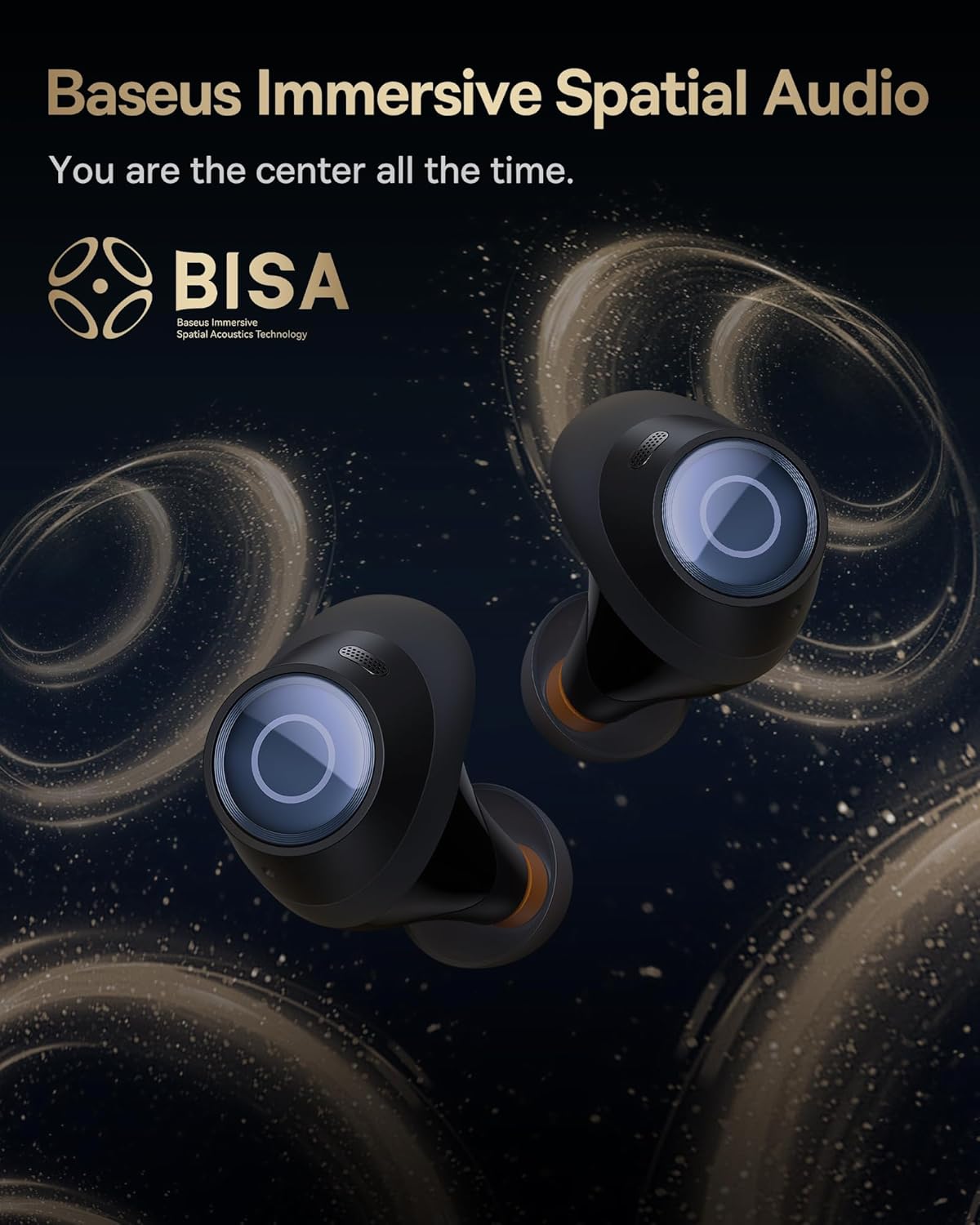
Image: The Baseus Bowie MA10S earbuds highlighted with the "BISA" (Baseus Immersive Spatial Audio) logo, indicating their advanced audio positioning capabilities.
クリアな通話
The earbuds are equipped with 4 Environmental Noise Cancelling (ENC) microphones. These mics capture ambient noise, and an AI algorithm cancels it, ensuring crystal-clear call quality even in noisy environments.

画像: X線のような view of the Baseus Bowie MA10S earbuds, illustrating the placement of the 4 Environmental Noise Cancelling (ENC) microphones designed for crystal-clear phone calls.
充電
イヤフォンの充電
Place the earbuds into the charging case. They will automatically begin charging. The case's digital display will show the charging status and battery level.
Case Charging (Wired & Wireless)
- 有線充電: Connect the provided USB-C cable to the charging port on the case and a USB power adapter.
- ワイヤレス充電: Simply place the charging case on a compatible wireless charging pad.
The case features a smart power display, showing the exact battery percentag一目でわかります。

画像: クローズアップ view of the Baseus Bowie MA10S charging case's built-in digital display, clearly showing "100%", indicating a full charge.
A quick 10-minute wired charge can provide up to 2 hours of playtime.

Image: The Baseus Bowie MA10S charging case connected for fast wired charging, with a graphic indicating "10m = 2H", signifying 10 minutes of charge provides 2 hours of playtime.
メンテナンス
クリーニング
- イヤホン、特にイヤーチップと充電接点を、柔らかく乾いた糸くずの出ない布で定期的に清掃してください。
- イヤーチップを取り外し、小さなブラシまたは綿棒を使用してイヤホンのノズルから耳垢やゴミを取り除きます。
- Clean the charging case with a soft, dry cloth.
- 研磨剤入りの洗剤、アルコール、化学溶剤は使用しないでください。
ストレージ
使用しないときは、イヤホンを保護し、充電を保つために充電ケースに収納してください。ケースは涼しく乾燥した場所に保管し、極端な温度を避けてください。
防水性能(IPX4)
The Baseus Bowie MA10S earbuds are IPX4 waterproof, meaning they are resistant to splashing water from any direction. This makes them suitable for workouts and light rain. However, they are not designed for swimming or submersion in water. Do not expose them to pressurized water or high-velocity water, such as showering or bathing.

Image: The Baseus Bowie MA10S earbuds shown with water splashing over them, indicating their IPX4 waterproof rating, suitable for sweat and light rain.
トラブルシューティング
If you encounter issues with your Baseus Bowie MA10S earbuds, please refer to the following common solutions:
- イヤホンがペアリングされない:
- イヤホンが充電されていることを確認します。
- デバイスの Bluetooth をオフにしてからオンにします。
- イヤホンをケースに戻し、蓋を閉じて数秒待ってから再度開けてペアリング モードを再度開始します。
- Forget "Baseus Bowie MA10S" from your device's Bluetooth list and try pairing again.
- 音が出ない、または音量が低い:
- デバイスとイヤホンの両方の音量レベルを確認してください。
- イヤホンが耳に正しく装着され、イヤーチップがしっかりと密着していることを確認してください。
- イヤホンのノズルからゴミを取り除きます。
- Try resetting the earbuds (refer to Baseus App or online resources for specific reset instructions if needed).
- 充電に関する問題:
- USB-C ケーブルがケースと電源の両方にしっかりと接続されていることを確認します。
- 別の USB-C ケーブルまたは電源アダプターを試してください。
- For wireless charging, ensure the case is correctly placed on the wireless charging pad.
- イヤホンとケース内部の両方の充電接点を清掃してください。
- ANCは効果がない:
- Ensure ANC mode is activated (long press earbud).
- Check that the ear tips provide a proper seal in your ear canal. Try different sizes of ear tips for a better fit.
さらにサポートが必要な場合は、Baseus の公式サポート チャネルを参照してください。
仕様
| 特徴 | 詳細 |
|---|---|
| モデル名 | ベースス ボウイ MA10S |
| 接続技術 | ワイヤレス(Bluetooth 5.3) |
| Bluetooth範囲 | 10メートル |
| 騒音制御 | ハイブリッドアクティブノイズキャンセレーション(最大-48dB) |
| マイク | 4 ENC Mics for Clear Calls |
| オーディオドライバータイプ | Dynamic Driver (Titanium-plated PU composite diaphragm) |
| 周波数範囲 | 20 Hz - 20,000 Hz |
| バッテリー寿命(イヤホン) | 8時間(1回の充電) |
| バッテリー寿命(ケース込み) | 38時間 |
| 充電 | USB-C Wired, Wireless Charging |
| 音声遅延 | 38ミリ秒(ゲームモード) |
| 耐水性 | IPX4防水 |
| 制御方法 | タッチ、アプリ |
| 対応デバイス | 携帯電話、Bluetoothオーディオ機能搭載デバイス(iOS、Android、Windows、Mac OS、Switch)、ノートパソコン、タブレット |
| アイテム重量 | 4.6オンス |
| 欧州連合 | 850060076268 |
保証とサポート
For information regarding product warranty, returns, or technical support, please visit the official Baseus webご購入の際は、ウェブサイトをご覧いただくか、カスタマーサービスまで直接お問い合わせください。保証請求の際は、購入証明としてレシートを保管してください。
公式Baseusストア: Baseus Amazonストア