
1. はじめに
This manual provides detailed instructions for the installation, operation, and maintenance of your EZoneTronics RM-26VW93-2G32 9-inch Android 11 Car Stereo. This universal car radio is designed for various VW models including Passat, Golf MK5, Golf MK6, Jetta, T5, EOS, POLO, Touran, Seat, and Sharan. It features an Android 11 operating system, integrated CarPlay and Android Auto, Bluetooth 5.0, FM/RDS radio, and GPS navigation. Please read this manual thoroughly before using the product to ensure proper function and safety.
2. 安全情報
- 常に責任を持って、地域の交通法規を遵守してデバイスを操作してください。不注意な運転は事故につながる可能性があります。
- 資格をお持ちでない場合は、ご自身でユニットの取り付けや修理を試みないでください。不適切な取り付けは、車両の電気系統やユニット自体に損傷を与える可能性があります。
- 短絡を防止するために、すべての配線が正しく接続され、絶縁されていることを確認してください。
- ユニットを水や過度の湿気から遠ざけてください。
- ユニットを極端な温度にさらさないでください。
3. パッケージ内容
以下にリストされているすべてのアイテムがパッケージに含まれていることを確認してください。
- 1 x EZoneTronics Android Car Stereo Unit
- GPSアンテナ x 1
- 1 x VW Wiring Harness
- 1 x CANBUSボックス
- ラジオアンテナアダプター x 1
- USBアダプタ x 1
- ユーザーマニュアル (本書) x 1
4.製品オーバーview
The EZoneTronics RM-26VW93-2G32 is a 9-inch universal car stereo designed to enhance your driving experience with advanced features and seamless integration. Key features include:
- Android 11 システム: Provides a fast, stable, and user-friendly operating environment.
- 9-inch TFT Capacitive Touchscreen: High-definition display with 1280 x 720 pixels for clear visuals.
- Integrated CarPlay & Android Auto: Connect your smartphone via USB for navigation, music, calls, and messages.
- Bluetooth 5.0: For hands-free calling, phonebook access, and audio streaming (A2DP).
- GPSナビゲーション: Built-in receiver compatible with various navigation apps like Waze, Navfree, and Google Maps.
- FM/RDSラジオ: Automatic memory and preset scanning for your favorite stations.
- ステアリングホイールコントロールサポート: Retains original vehicle steering wheel control functionality via CANBUS.
- マルチメディアプレーヤー: Supports various audio and video formats.
- リアカメラ入力: Supports CVBS/AHD cameras for parking assistance.
- 32GBフラッシュメモリ: Ample storage for music, map data, and videos.
- 4 x 45W Output Power: クリアでパワフルなオーディオを実現します。
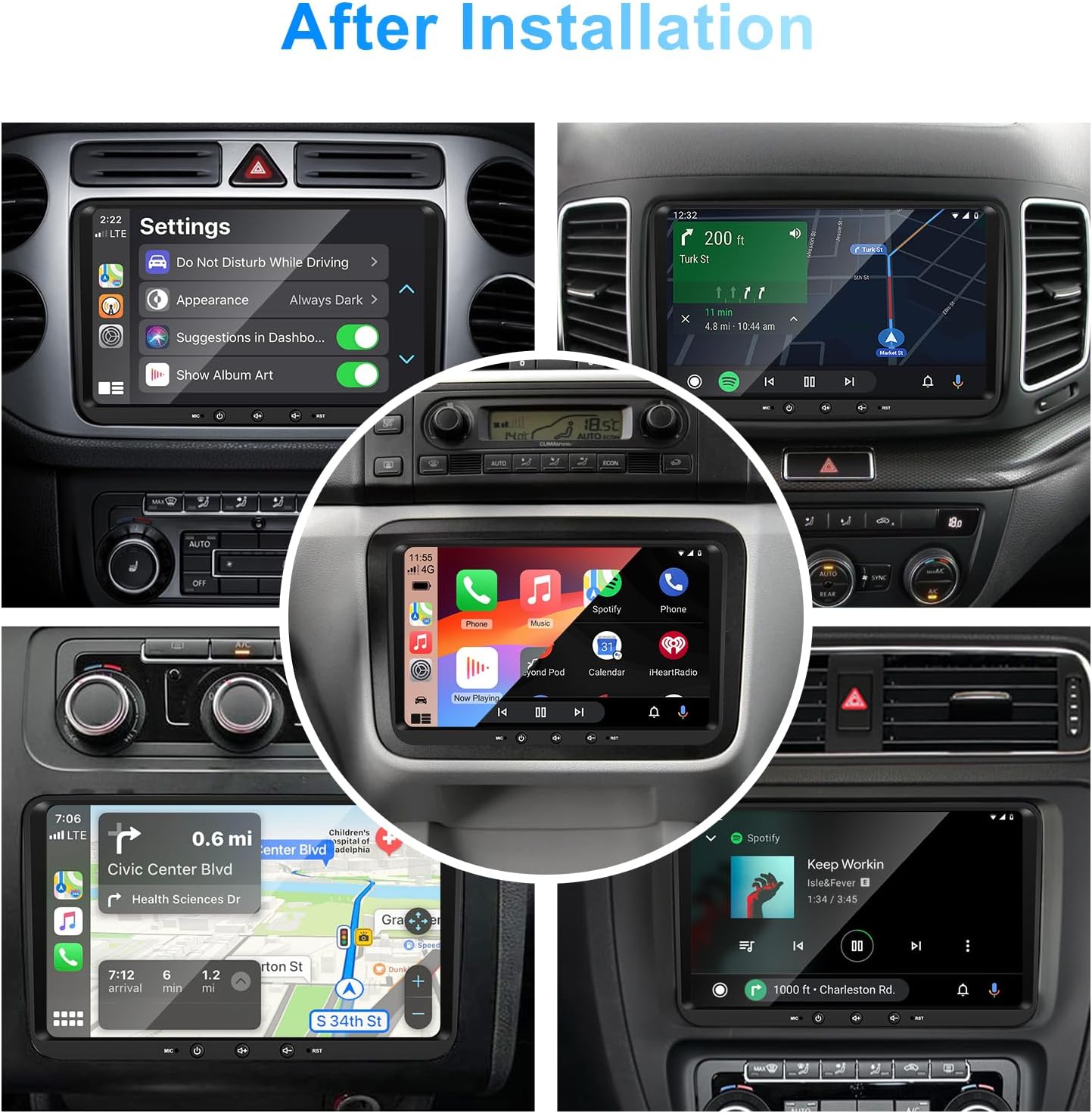
画像1:正面 view of the EZoneTronics 9-inch Android 11 Car Stereo unit, showcasing its large touchscreen display and sleek design.
5. セットアップとインストール
専門家による取り付けをお勧めします。取り付けを始める前に、車両の電源が切断されていることを確認してください。
5.1 配線図
Refer to the following diagram for proper wiring connections. Each connector is labeled for clarity.

Image 2: Detailed wiring diagram illustrating connections for the power harness, CANBUS box, USB extension, backup camera video input, radio antenna adapter, and GPS antenna.
5.2 インストール手順(一般)
- 元のユニットを削除します: 車両の既存のカーステレオ ユニットとトリム パネルを慎重に取り外します。
- 電源ハーネスを接続します: Connect the provided VW wiring harness to the vehicle's wiring and then to the car stereo unit. Ensure all connections are secure.
- Connect CANBUS Box: Integrate the CANBUS box as shown in the wiring diagram. This enables steering wheel controls and other vehicle data integration.
- GPSアンテナを接続します: GPSアンテナは、障害物のない場所に設置してください。 view of the sky (e.g., dashboard or windshield corner) and connect it to the unit.
- Connect Radio Antenna: Use the provided radio antenna adapter to connect the vehicle's radio antenna to the unit.
- Connect USB Adapters: Connect the USB extension harnesses for external USB devices.
- オプションの接続: Connect any optional accessories such as a backup camera (CVBS/AHD), external amplifier (RCA output), or additional video inputs/outputs.
- テスト機能: Before fully reassembling the dashboard, temporarily connect the unit and test all functions (power, audio, radio, GPS, Bluetooth, steering wheel controls, camera).
- セキュアユニット: Once all functions are verified, secure the car stereo unit in the dashboard and reassemble all trim panels.
6. 操作手順
This section details the primary functions and operations of your EZoneTronics car stereo.
6.1 基本操作
- 電源オン/オフ: 電源ボタン(通常は前面パネルにあります)を長押しすると、本体の電源のオン/オフを切り替えることができます。短く押すと、通常、音声がミュート/ミュート解除されます。
- 音量コントロール: 物理的な音量ノブまたは画面上のコントロールを使用して、オーディオ レベルを調整します。
- タッチスクリーンインターフェイス: Navigate through menus and applications by tapping, swiping, and pinching on the 9-inch capacitive touchscreen.
6.2 Android 11 システム
The unit runs on Android 11, providing a familiar smartphone-like experience. You can download and install various applications from the Google Play Store.

Image 3: Screenshot of the Android 11 system interface, showing various applications and media options available on the car stereo.
6.3 CarPlayとAndroid Auto
Connect your iPhone or Android smartphone via USB to access CarPlay or Android Auto. This allows for safe and convenient use of phone features while driving.
- 繋がり: Connect your smartphone to one of the unit's USB ports using a certified USB cable.
- アクティベーション: The unit should automatically detect and prompt you to launch CarPlay or Android Auto. Follow on-screen instructions.
- 特徴: Access navigation, make calls, send/receive messages, and play music using voice commands (Siri or Google Assistant) or the touchscreen.

Image 4: Display showing the CarPlay interface with Siri voice commands and the Android Auto interface with Google Assistant commands, demonstrating smartphone integration.
6.4GPSナビゲーション
The unit includes a built-in GPS receiver and supports various navigation applications.
- Pre-installed Maps: Sygic Maps are typically pre-installed. For offline use, download regional map data as needed.
- オンラインナビゲーション: Connect to Wi-Fi or use a mobile hotspot to access real-time traffic information and online map services like Google Maps.
- External GPS Antenna: Ensure the external GPS antenna is properly connected and positioned for optimal signal reception.

Image 5: The car stereo displaying an online navigation map, showing a route and real-time traffic conditions within a vehicle dashboard.
6.5 ブルートゥース 5.0
Connect your smartphone via Bluetooth for hands-free communication and audio streaming.
- ペアリング: Enable Bluetooth on your smartphone and search for the car stereo (e.g., "EZoneTronics"). Select the device and confirm the pairing code.
- ハンズフリー通話: Make and receive calls directly from the car stereo. Access your phonebook and recent call history.
- オーディオストリーミング(A2DP): Play music from your smartphone through the car stereo's speakers.

Image 6: The car stereo displaying music playback via Bluetooth 5.0, with a smartphone shown next to it also playing music, illustrating the wireless audio connection.
6.6 FM/RDSラジオ
Access local radio stations with the built-in FM/RDS tuner.
- チューニング: Use the on-screen controls to manually tune to frequencies or perform an automatic scan for available stations.
- プリセット: お気に入りの放送局をプリセット ボタンに保存して、すぐにアクセスできるようにします。
- RDS (無線データ システム): Displays station information such as song title, artist, or program type where available.
6.7 ステアリングホイールコントロール
The unit supports your vehicle's original steering wheel controls through the CANBUS box, allowing you to manage audio and other functions without taking your hands off the wheel.
- 機能性: Control volume, change tracks, answer calls, and switch modes directly from your steering wheel.
- 構成: In some cases, steering wheel controls may require initial configuration in the unit's settings menu.

Image 7: Illustration showing a steering wheel with control buttons and corresponding icons on the car stereo display, indicating seamless integration of steering wheel controls.
6.8 Audio Settings (32-Band EQ)
Customize your audio experience with the built-in 32-band equalizer and other sound controls.
- イコライザー: 周波数帯域を調整して、好みに応じてサウンド出力を微調整します。
- プリセットEQモード: Select from various preset equalizer modes (e.g., Pop, Rock, Jazz, Classic).
- フェーダー/バランス: Adjust the audio distribution between front/rear and left/right speakers.
- ラウドネス: Enhance bass and treble at low volume levels.

Image 8: Screenshot of the car stereo's 32-band equalizer interface, showing adjustable frequency sliders and preset sound modes, along with a visual representation of sound distribution in a car cabin.
6.9 After Installation Overview
Once installed, the unit provides a comprehensive interface for various functions, including system settings, navigation, media playback, and vehicle information.
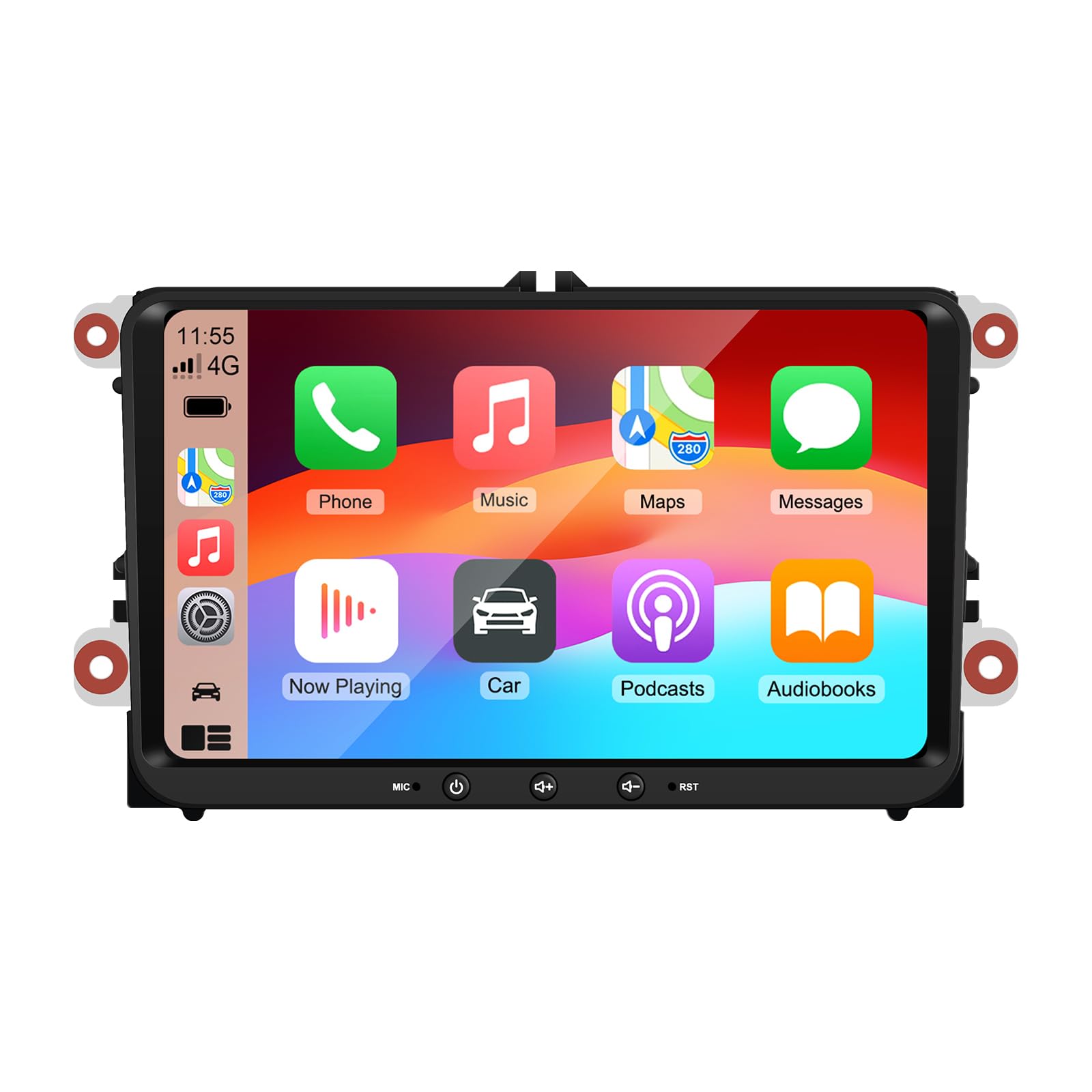
Image 9: A collage of various screen displays from the car stereo after installation, showing settings, navigation, CarPlay, Spotify, and vehicle information screens.
7. メンテナンス
- 画面の掃除: 柔らかく糸くずの出ない布でタッチスクリーンを優しく拭いてください。頑固な汚れには、軽くamp布を水またはスクリーンに安全なクリーナーで拭いてください。刺激の強い化学薬品は避けてください。
- ソフトウェアアップデート: 定期的に本体の設定メニューまたはメーカーの web最適なパフォーマンスと新機能へのアクセスを確保するために、サイトを更新してください。
- システムリセット: If the unit experiences persistent issues, a factory reset option is available in the settings. Note that this will erase all user data and settings.
8。 トラブルシューティング
If you encounter problems with your EZoneTronics car stereo, refer to the following common issues and solutions:
| 問題 | 考えられる原因 | 解決 |
|---|---|---|
| ユニットの電源が入りません。 | 配線が間違っている、ヒューズが切れている、車両の電源に問題がある。 | 電源接続とヒューズを確認してください。専門の設置業者にご相談ください。 |
| 音が出ません。 | Volume muted; Speaker wiring incorrect; Ampライフルの問題。 | Check volume and mute settings. Verify speaker connections. |
| GPS 信号が失われたか不正確です。 | GPS アンテナが不適切に設置されているか、接続されていません。 | GPSアンテナがクリアであることを確認する view 空の上で安全に接続されます。 |
| Bluetoothのペアリングが失敗します。 | Bluetooth not enabled on phone/unit; Incorrect pairing process. | Ensure Bluetooth is active on both devices. Restart pairing process. |
| ステアリングホイールのコントロールが機能しません。 | CANBUS box not connected; Incorrect configuration. | Verify CANBUS box connection. Check steering wheel control settings in the unit. |
9. 仕様
Technical specifications for the EZoneTronics RM-26VW93-2G32 car stereo:
| 特徴 | 仕様 |
|---|---|
| モデル番号 | RM-26VW93-2G32 |
| オペレーティング·システム | アンドロイド11 |
| 画面サイズ | 9インチ |
| ディスプレイ解像度 | 1280 x 720 ピクセル |
| プロセッサ | Quad Core 1.5G |
| ラム | 2G DDR4 |
| 内部ストレージ | 32GBフラッシュメモリ |
| Bluetoothバージョン | 5.0 |
| 出力電力 | 4 x 45W (180 Watts total) |
| チャンネル数 | 2 |
| GPS受信機 | Built-in, with external antenna |
| Wi-Fi | 内蔵 |
| USB入力 | 2x背面USB |
| カメラ入力 | CVBS/AHD compatible |
| メーカー | Rhythm Electronics Limited |
10.保証とサポート
10.1 保証情報
The EZoneTronics RM-26VW93-2G32 car stereo comes with a 1年間保証 ご購入日から1年間有効です。本保証は、通常の使用における製造上の欠陥および故障を対象としています。不適切な取り付け、誤用、事故、または不正な改造による損傷は保証の対象外となります。
10.2 カスタマーサポート
For technical assistance, warranty claims, or any questions regarding your product, please contact our customer support team:
- メールアドレス: support@ezonetronics.com
When contacting support, please provide your product model number (RM-26VW93-2G32) and a detailed description of the issue.