
1. はじめに
Thank you for choosing the Zeblaze Crystal 3 Smartwatch. This manual provides essential information for setting up, operating, maintaining, and troubleshooting your device. Please read it carefully to ensure proper use and optimal performance.
2.製品オーバーview
The Zeblaze Crystal 3 is a versatile smartwatch designed for fitness tracking and daily use. It features a vibrant HD color display and high-precision sensors to monitor various health metrics.
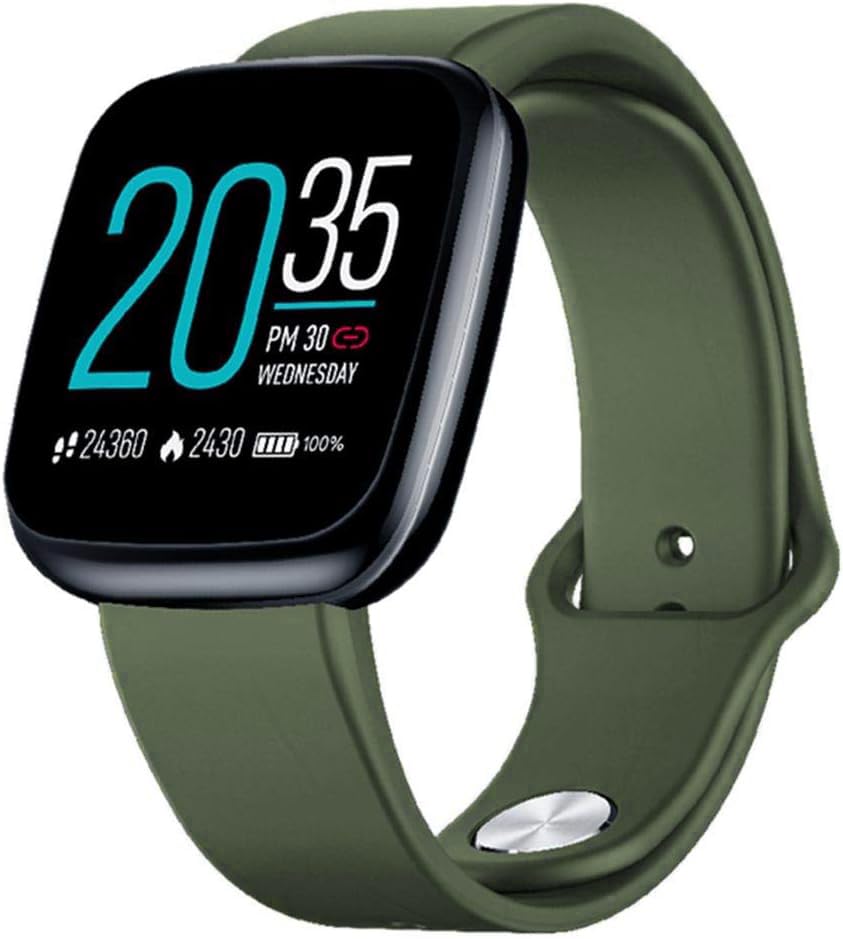
Image: Zeblaze Crystal 3 Smartwatch, showing the main display and green strap.
主な特徴:
- 1.3インチHDカラースクリーン: A vibrant IPS display with 240x240 pixel resolution for clear visuals.
- 高精度センサー: Equipped with a heart rate sensor, proximity sensor, and accelerometer for accurate data collection.
- IP67防水性能: Designed to withstand daily water exposure, such as splashes and rain.
- 長いバッテリー寿命: Up to 7 days of use on a single 2-hour charge, thanks to its 200 mAh battery.
- アクティビティ追跡: Monitors steps, distance, calories burned, and supports various sports modes.
- 健康モニタリング: Includes heart rate and sleep tracking.
- スマートフォンの互換性: Works with Android 4.4 or newer and iOS 8.0 or newer devices.
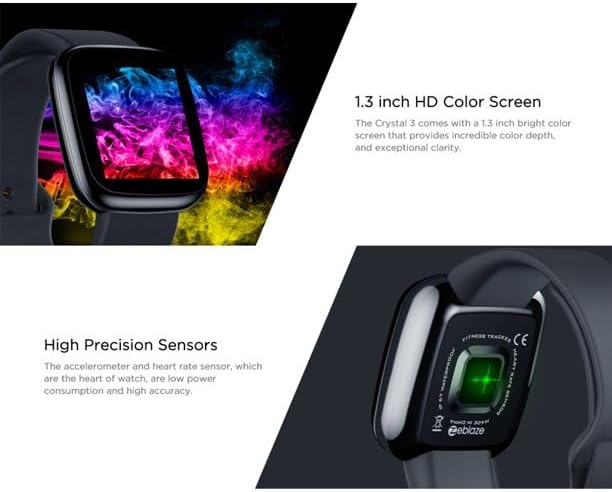
Image: Close-up of the 1.3-inch HD color screen and the high-precision heart rate sensor on the back of the watch.
3. セットアップ
3.1 スマートウォッチの充電
Before first use, fully charge your Zeblaze Crystal 3. Connect the charging cable to the watch's charging port and a USB power source (e.g., computer USB port or a 5V/1A USB adapter). A full charge typically takes about 2 hours.
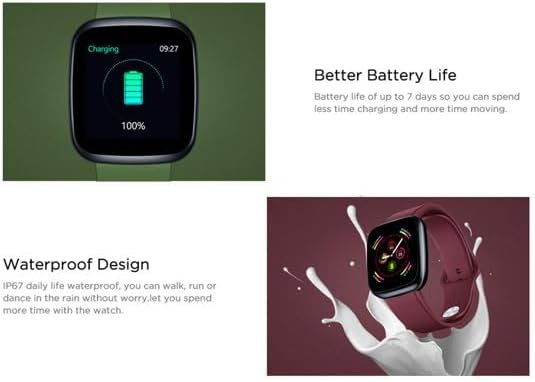
Image: Illustration showing how to connect the smartwatch to a USB port for charging.
3.2 アプリのインストールとペアリング
- アプリをダウンロード: 検索する the official Zeblaze companion app on your smartphone's app store (Google Play Store for Android or Apple App Store for iOS).
- アカウントを作成する: アプリを開き、画面の指示に従ってアカウントを作成するか、ログインします。
- ペアデバイス: Ensure Bluetooth is enabled on your smartphone. In the app, navigate to the device pairing section and select "Zeblaze Crystal 3" from the list of available devices. Confirm the pairing request on both your phone and the smartwatch.
- プロfile 設定: 個人のプロを完成させるfile within the app to ensure accurate tracking of health and fitness data.
4. 操作手順
4.1 基本的なナビゲーション
- ウェイクスクリーン: 手首を上げるか、サイドボタンを押して画面を起動します。
- 上/下にスワイプ: 通知またはクイック設定にアクセスします。
- 左/右にスワイプ: Navigate through different functions and widgets (e.g., heart rate, activity data, weather).
- タップ: 項目を選択するか、アクションを確認します。
- 長押し: On the main watch face, long press to change watch faces.
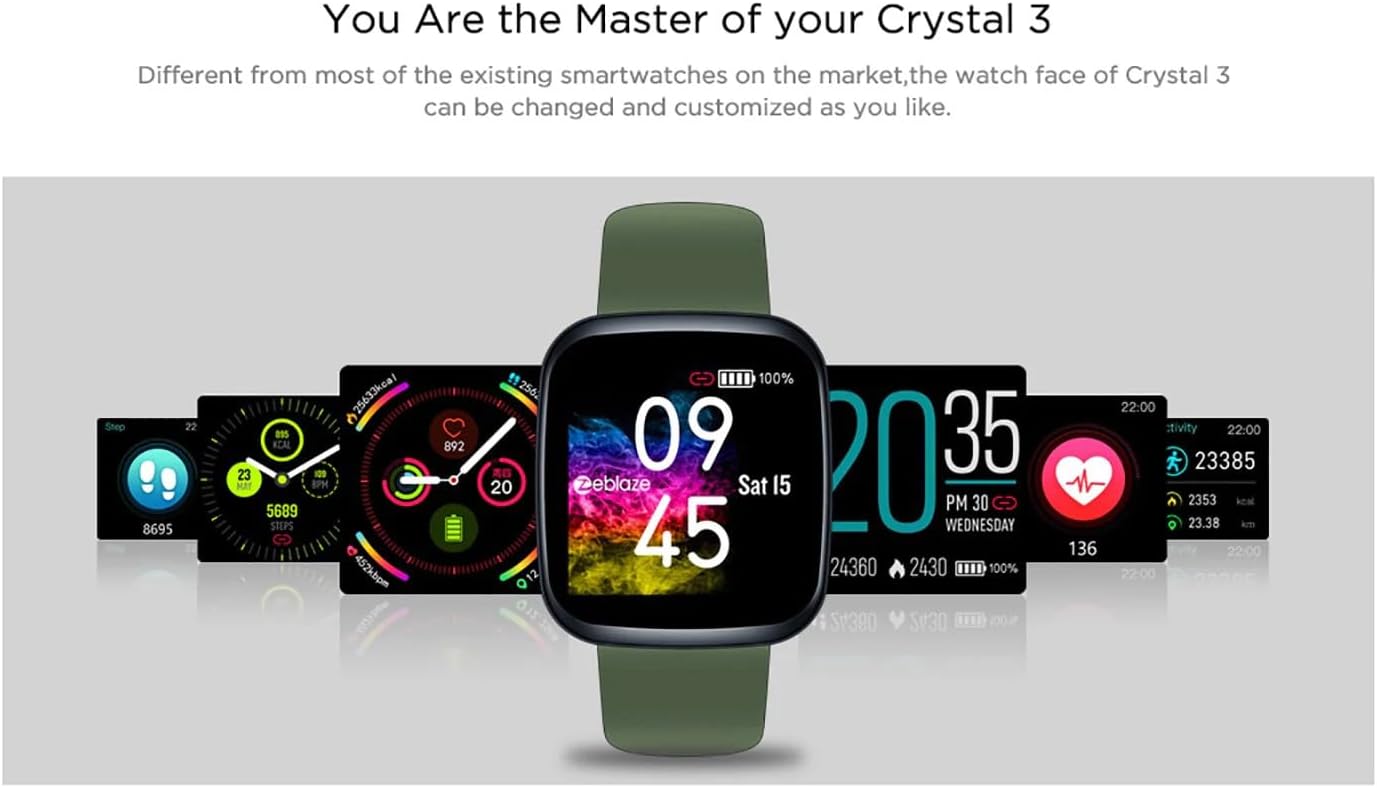
Image: The Zeblaze Crystal 3 displaying different customizable watch faces and data screens.
4.2 アクティビティの追跡
The smartwatch automatically tracks your daily steps, distance, and calories burned. You can view this data directly on the watch or in more detail within the companion app.
4.3心拍数のモニタリング
The built-in heart rate sensor continuously monitors your heart rate. Ensure the watch is worn snugly on your wrist for accurate readings. View your current and historical heart rate data in the app.
4.4睡眠モニタリング
Wear the smartwatch to bed to track your sleep patterns. The device records sleep duration and quality, which can be reviewed in the app to help you understand and improve your sleep habits.
5. メンテナンス
5.1デバイスのクリーニング
スマートウォッチとストラップは、皮膚への刺激を防ぎ、機能を維持するために定期的にお手入れしてください。柔らかくて清潔な布を使用してください。amp 画面とストラップを拭く際は布を使用してください。刺激の強い化学薬品や研磨剤の使用は避けてください。
5.2 耐水性(IP67)
The Zeblaze Crystal 3 is IP67 water-resistant, meaning it is protected against dust and can withstand immersion in water up to 1 meter for up to 30 minutes. It is suitable for daily use, such as washing hands, rain, or light splashes. It is not recommended for swimming, showering with hot water, or diving.

Image: Illustration highlighting the waterproof design of the Zeblaze Crystal 3 Smartwatch.
5.3バッテリーケア
- バッテリー寿命を低下させる可能性のある極端な温度を避けてください。
- デバイスを完全に放電した状態で長期間放置しないでください。
- 付属の充電ケーブルまたは認定された同等品のみを使用してください。
6。 トラブルシューティング
6.1 デバイスの電源が入らない
- デバイスが完全に充電されていることを確認してください。充電器に少なくとも30分間接続してください。
- 強制的に再起動するには、サイドボタンを 10 ~ 15 秒間押し続けます。
6.2 スマートフォンとペアリングできない
- Make sure Bluetooth is enabled on your phone and the smartwatch is within range.
- スマートフォンとスマートウォッチの両方を再起動します。
- アプリが最新バージョンに更新されているかどうかを確認してください。
- 携帯電話の Bluetooth 設定からデバイスを削除し、アプリから再度ペアリングを試みてください。
6.3 Inaccurate Heart Rate/Activity Data
- 時計が手首にぴったりとフィットし、きつすぎたり緩すぎたりしていないことを確認してください。
- 時計の裏側にあるセンサーを清掃してください。
- Update the smartwatch firmware via the companion app if an update is available.
7. 仕様
| 特徴 | 詳細 |
|---|---|
| ブランド | ゼブレイズ |
| モデル名 | クリスタル3 |
| 画面 | 1.3インチIPSカラースクリーン |
| 解決 | 240×240ピクセル |
| センサー | Heart Rate Sensor, Proximity Sensor, Accelerometer |
| 耐水性 | IP67 |
| バッテリー容量 | 200mAh |
| 充電時間 | 約2時間 |
| バッテリー寿命 | 最長7日間 |
| 互換性 | Android 4.4以降 / iOS 8.0以降 |
| 寸法 | 4.05 x 3.55 x 1.2 cm(1.59 x 1.39 x 0.47インチ) |
| 重さ | 27グラム(0.95オンス) |
| 接続性 | Bluetooth (for app pairing), USB (for charging) |
| 特集 | アクティビティトラッカー、心拍数モニター、睡眠モニター |
8. 保証とサポート
For warranty information and customer support, please refer to the documentation included with your purchase or visit the official Zeblaze website. If you encounter any issues not covered in this manual, please contact Zeblaze customer service for assistance.