
1. はじめに
Thank you for choosing the OSCAL PowerMax 3600 Portable Power Station and PM200 Solar Panel. This manual provides essential information for the safe and efficient operation, setup, and maintenance of your device. Please read this manual thoroughly before use and retain it for future reference.
安全上の注意
- ユニットを分解、修理、改造しないでください。
- ユニットを火気、水、極端な温度から遠ざけてください。
- 使用中および充電中は適切な換気を行ってください。
- 落としたり、強い衝撃を与えたりしないでください。
- お子様やペットの手の届かない場所に保管してください。
2.製品オーバーview
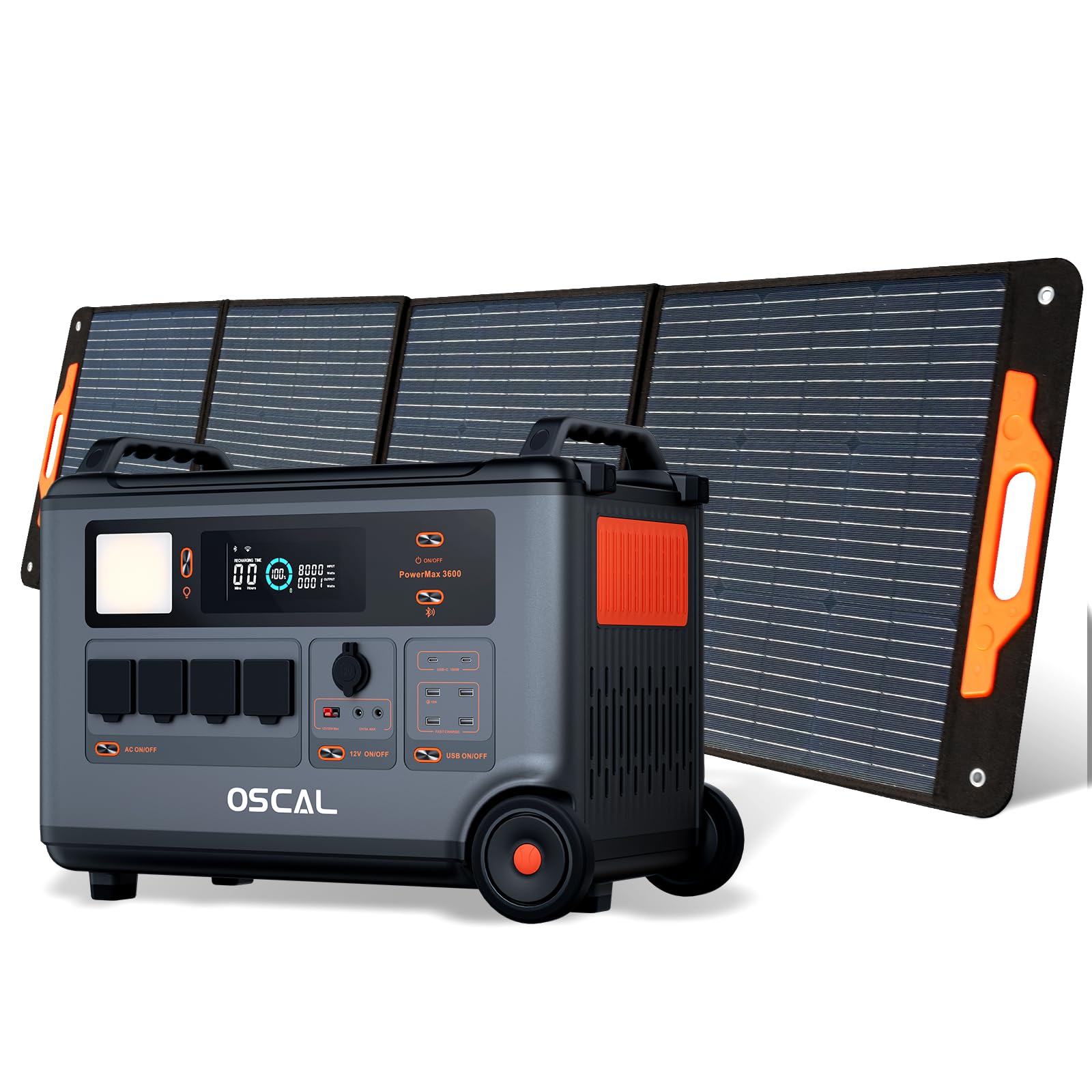
The OSCAL PowerMax 3600 is a high-capacity portable power station designed for various applications, from outdoor adventures to emergency home backup. It features a robust LiFePO4 battery and multiple output ports.
主な特徴:
- 大容量: 3600 Wh base capacity, expandable up to 57,600 Wh with additional batteries.
- 強力な出力: 6000 W peak output, capable of powering most household appliances.
- LiFePO4バッテリー: Safe, stable, and durable with over 3500 charge cycles (to 80% capacity).
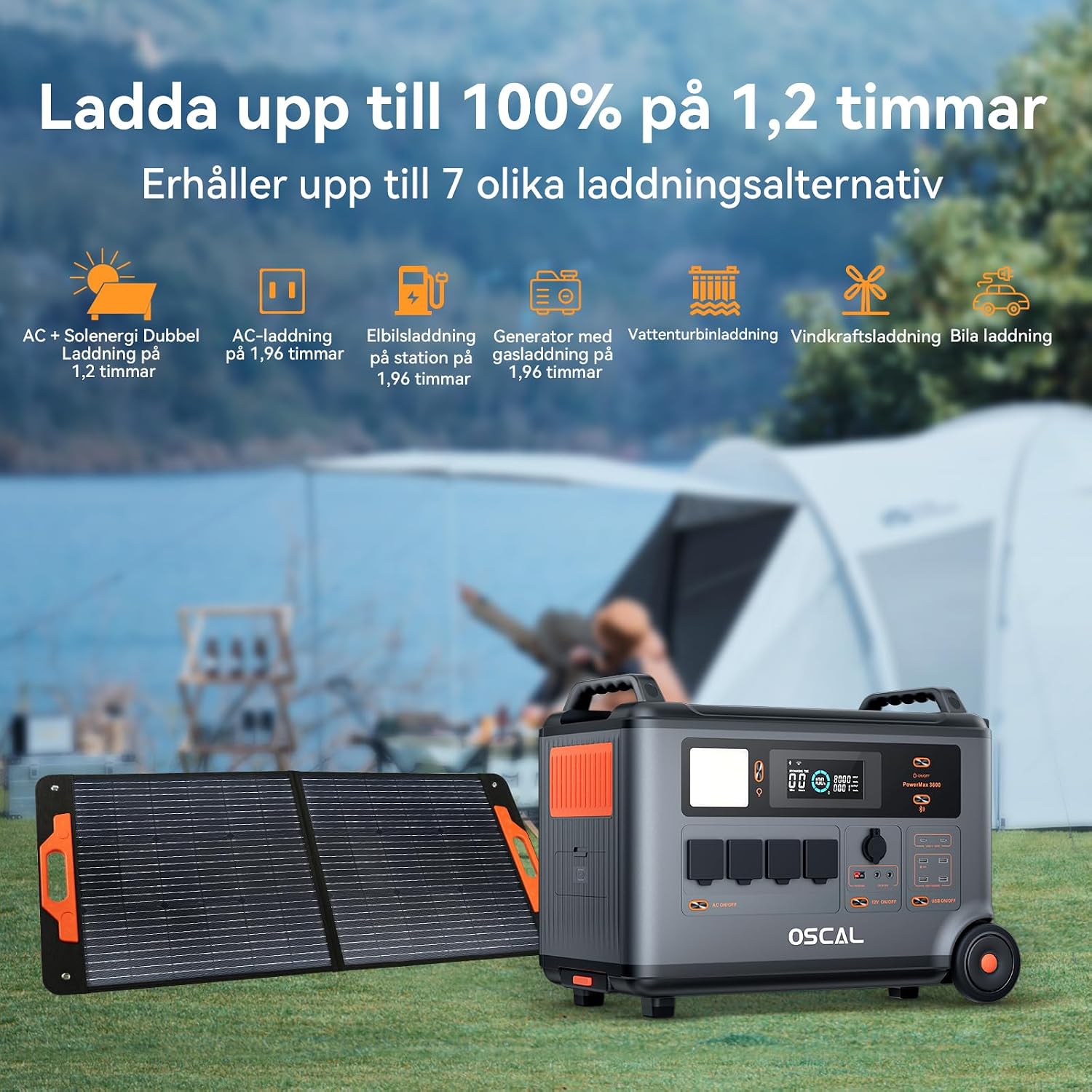
- 急速充電: Fully charged in 1.2 hours with dual AC and solar input.
- 無停電電源装置(UPS): Automatic switchover in 5-8 ms during power outages。
- スマートコントロール: Monitor and control via the OSCAL smartphone application (Wi-Fi/Bluetooth).
- 耐久性に優れたデザイン: Splash-proof, dust-proof, 0.8M vertical drop protection, UV-resistant, and UL94V-0 fire rating.

3. セットアップ
3.1 開梱と初期検査
Carefully remove all components from the packaging. Verify that all items listed in the 'What you will get' section are present and undamaged. If any items are missing or damaged, contact customer support immediately.
3.2 初期充電
Before first use, fully charge the PowerMax 3600. Connect the AC charging cable to the unit's AC input port and then to a standard wall outlet. The display will indicate the charging status. A full charge typically takes 1.2 hours with combined AC and solar input, or 1.96 hours with AC only.
3.3 Connecting the PM200 Solar Panel
To charge using solar power, unfold the PM200 solar panel and position it in direct sunlight. Connect the MC4 to Anderson cable (or other compatible cable) from the solar panel to the PowerMax 3600's solar input port. The unit will automatically detect the solar input and begin charging.

4. 操作手順
4.1 電源のオン/オフ
主電源ボタンを数秒間押し続けると、本体の電源をオンまたはオフにできます。電源がオンになるとディスプレイが点灯します。
4.2 AC出力の使用
Press the AC power button to activate the AC outlets. Plug your devices into the available AC ports. The PowerMax 3600 provides a pure sine wave output, suitable for sensitive electronics. The unit has 4 AC outlets.
4.3 Using DC Outputs (USB-A, USB-C, 12V)
Press the DC power button to activate the DC outputs. Connect your USB-powered devices to the 4 USB-A ports or 2 USB-C ports (100W each). The 12V car port and other DC outputs are also available for compatible devices.

4.4 表示の見方
The integrated display shows real-time information including battery level, input/output wattage, remaining run time, and active ports. Refer to the on-screen icons for specific indicators.
4.5 無停電電源装置(UPS)機能
When connected to an AC wall outlet and powering devices, the PowerMax 3600 acts as a UPS. In the event of a power outage, it automatically switches to battery power within 5 to 8 milliseconds, ensuring continuous operation for connected devices like computers or medical equipment (e.g., CPAP machines).

4.6 Smart Remote Control (OSCAL App)
Download the OSCAL application from your smartphone's app store. Pair the PowerMax 3600 via Wi-Fi or Bluetooth to monitor battery status, control outputs, and perform firmware updates remotely.

5. 充電方法
The PowerMax 3600 supports multiple charging methods to ensure you always have power.
- ACコンセント: Connect the included AC charging cable to a standard wall outlet.
- ソーラー充電: Use the PM200 solar panel or other compatible solar panels via the MC4 input.
- 車の充電: Charge from your vehicle's 12V cigarette lighter port using the included car charging cable.
- EV 充電ステーション: The unit can be charged at an electric vehicle charging station (up to 2200W input).
- ジェネレータ: Connect to a gasoline generator for charging (up to 2200W input).
- 鉛蓄電池: Supports charging from lead-acid batteries for emergency situations.


6. メンテナンス
6.1バッテリーケア
The PowerMax 3600 uses LiFePO4 batteries, known for their longevity. To maximize battery lifespan:
- バッテリーを頻繁に完全に放電することは避けてください。
- 長期間使用しない場合は、充電レベルを 50% ~ 80% の状態でユニットを保管してください。
- 過放電を防ぐため、保管中は 3 ~ 6 か月ごとにユニットを充電してください。

6.2 クリーニング
Use a dry, soft cloth to clean the exterior of the unit. Do not use abrasive cleaners or solvents. Ensure all ports are free from dust and debris.
6.3 ストレージ
Store the PowerMax 3600 in a cool, dry place, away from direct sunlight and extreme temperatures. Ensure the unit is turned off during storage.
7。 トラブルシューティング
PowerMax 3600 で問題が発生した場合は、次の一般的な問題と解決策を参照してください。
| 問題 | 考えられる原因 | 解決 |
|---|---|---|
| ユニットがオンにならない | バッテリーが完全に放電しています。電源ボタンが十分に長く押されていません。 | AC 電源を使用してユニットを充電します。電源ボタンを 3 ~ 5 秒間押し続けます。 |
| AC/DCポートからの出力なし | AC/DC output not activated; Device draws too much power; Overload protection triggered. | Press the respective AC/DC button; Check device wattage; Restart the unit and reduce load. |
| ソーラー充電が機能しない | Insufficient sunlight; Incorrect panel connection; Damaged solar panel/cable. | Ensure direct sunlight; Verify cable connections; Test with another solar panel/cable if possible. |
| アプリの接続の問題 | Bluetooth/Wi-Fi がオフになっています。ユニットが電話機から遠すぎます。アプリが更新されていません。 | Ensure Bluetooth/Wi-Fi is on; Move phone closer to unit; Update the OSCAL app. |
問題が解決しない場合は、OSCAL カスタマー サポートにお問い合わせください。
8. 仕様
| 特徴 | 詳細 |
|---|---|
| ブランド | オスカル |
| モデル番号 | BP3600-PM3600 (PowerMax 3600) |
| 電池のタイプ | リン酸鉄リチウム |
| 容量 | 3600 Wh (expandable up to 57,600 Wh) |
| AC出力電力 | 3600 W (Rated), 6000 W (Peak) |
| ACコンセント合計 | 4 |
| USB-A出力 | 4 |
| USB-C出力 | 2 (100 W each) |
| 入力ボリュームtage | 12 Volts (DC input for car/solar) |
| 頻度 | 60Hz |
| 充電時間(AC + ソーラー) | 1.2時間(100%まで) |
| Charging Time (AC only) | 1.96時間(100%まで) |
| UPSの切り替え時間 | 5~8ミリ秒 |
| 寿命 | 3500サイクル以上(容量の80%まで) |
| 寸法(長さ×幅×高さ) | 48 cm x 44 cm x 35 cm |
| 重さ | 44.45キログラム |
| 材料 | アブソリュート |
| 特集 | Extra-long battery life, Energy efficient, BMS protection (over-voltage、under-voltage, over-current, over-charge, low/high temperature, short-circuit) |
9. 保証とサポート
9.1 保証情報
OSCAL PowerMax 3600には、 5年間のメーカー保証この保証は、通常の使用状況における材料および製造上の欠陥を対象としています。保証請求の際は、購入証明書を保管してください。
9.2 含まれるコンポーネント
パッケージには以下が含まれます:
- PowerMax 3600 Portable Charging Station
- PM200 Portable Solar Panel
- AC充電ケーブル
- 車用充電ケーブル
- Solar Charging Cable (MC4 to Anderson, MC4 to 7909, 6530, XT60, 5521)
- ユーザーマニュアル
- 保証書
9.3 カスタマーサポート
For technical assistance, warranty claims, or any questions regarding your OSCAL PowerMax 3600, please refer to the contact information provided on your warranty card or visit the official OSCAL website. 24-hour after-sales support is available.