
1. Introduction to Your OURA Ring Gen3 Heritage
The OURA Ring Gen3 Heritage is a revolutionary smart ring designed to provide accurate and personalized daily health data, insights, and guidance. It tracks your sleep, activity, recovery, heart rate, and more with advanced sensor technology and offers up to 7 days of battery life. This manual will guide you through setting up, operating, and maintaining your OURA Ring to ensure the best experience.
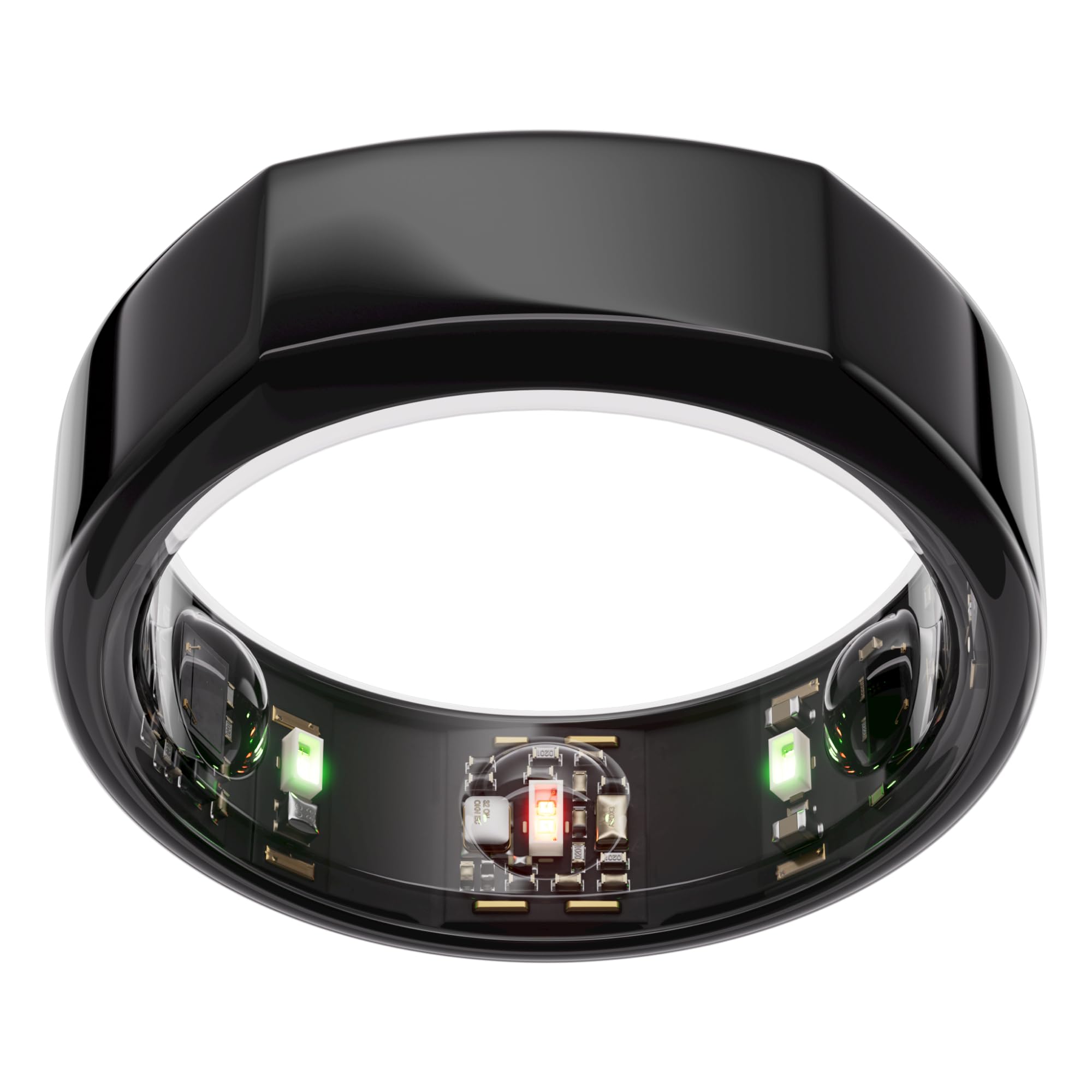
Image: OURA Ring Gen3 Heritage in Black, showcasin洗練されたデザイン。
2. Sizing Your OURA Ring
Accurate sizing is crucial for optimal performance and data collection. OURA Ring Gen3 uses a unique sizing system that differs from standard US ring sizes. It is highly recommended to use the OURA Ring Gen3 Sizing Kit before purchasinあなたの指輪をgします。
2.1 Using the Sizing Kit
- Obtain the Sizing Kit: If you haven't already, acquire an OURA Ring Gen3 Sizing Kit.
- Try Multiple Sizes: The kit contains various plastic rings. Try on different sizes on your preferred finger (index, middle, or ring finger are recommended for best biometric results).
- 24時間着用可能: Wear the most comfortable size for at least 24 hours to ensure it fits well throughout the day and night, accounting for natural finger swelling.
- 適合確認: The ring should be snug but comfortable, allowing for full finger movement without being too tight or too loose.

Image: OURA Ring Gen3 Sizing Kit, showing various plastic ring sizes.
2.2 Important Sizing Notes
- The OURA Ring is designed to be worn on the index, middle, or ring finger for the most accurate pulse readings.
- Ensure the sensors (small bumps on the inside of the ring) are in full contact with your skin.
3. セットアップと開始
Once you have your OURA Ring, follow these steps to set it up and begin tracking your health data.
3.1 初期充電
Before first use, fully charge your OURA Ring. Place the ring on its charging dock, ensuring the sensors align with the charging contacts. The indicator light on the charger will confirm charging status.

Image: OURA Ring charger with USB cable. The ring sits on the circular platform for charging.
3.2 Downloading the OURA App
- Download the OURA App from the Apple App Store (for iOS devices) or Google Play Store (for Android devices).
- Open the app and follow the on-screen instructions to create your OURA account.
- Pair your OURA Ring with the app via Bluetooth.

Image: Screenshot of the OURA App interface, showing health data.
3.3 OURA Membership
An OURA Membership is required to access all features and personalized insights. The first month of membership is included with your purchase (for new members only). After the initial period, a monthly subscription fee applies. Register for your OURA Membership directly within the OURA App.
4. Operating Your OURA Ring
Your OURA Ring continuously monitors various biometrics to provide a holistic view of your health. The OURA App is your primary interface for viewing and understanding this data.
4.1 Key Features and Tracking
- 睡眠追跡: 睡眠を監視するtages (Awake, REM, Light, Deep), heart rate variability (HRV), resting heart rate, and respiratory rate to provide a comprehensive sleep score.
- アクティビティ追跡: Tracks steps, calories burned, and activity levels throughout the day.
- Recovery & Readiness: Provides a daily Readiness Score based on your sleep, activity, and physiological signals, guiding you on when to push yourself or prioritize rest.
- 心拍数モニタリング: Continuously monitors your heart rate, including resting heart rate and average heart rate during sleep.
- 温度検知: Tracks body temperature trends, which can be useful for illness detection and menstrual cycle tracking.
- ストレスレベル: Monitors physiological signals to help you understand and manage your stress levels.

Image: OURA App displaying detailed sleep tracking data.
4.2 App Navigation and Insights
The OURA App provides a dashboard with your daily scores (Readiness, Sleep, Activity). Tap on each score to dive deeper into the contributing factors and receive personalized insights and recommendations. The app also integrates with over 40 other health apps like Apple Health and Google Health Connect.
Video: A user demonstrating the OURA App's multi-functional tracking capabilities, including sleep, activity, and heart rate.
5. Charging Your OURA Ring
Your OURA Ring Gen3 offers up to 7 days of battery life. To charge, use the provided OURA charger and USB cable.
5.1 充電プロセス
- Connect the USB cable to the OURA charger and plug it into a power source.
- Place your OURA Ring onto the charging dock. Ensure the small indentation on the ring aligns with the indicator light on the charger.
- The indicator light will illuminate to show charging status (e.g., pulsing white for charging, solid green for fully charged).
- A full charge typically takes 20-80 minutes.
Video: A user demonstrating how to place the OURA Ring on its charger, highlighting the alignment for proper charging.
6. メンテナンスとケア
To ensure the longevity and optimal performance of your OURA Ring, follow these maintenance guidelines.
6.1 クリーニング
- Clean your OURA Ring regularly with mild soap and water.
- Gently wipe the ring, especially the sensor area, with a soft, lint-free cloth.
- Avoid harsh chemicals or abrasive materials that could damage the ring's finish or sensors.
6.2 耐水性
The OURA Ring is water-resistant up to 100 meters (330 feet), making it suitable for swimming, showering, and recreational diving (e.g., snorkeling). However, it is not recommended for high-pressure water activities or prolonged submersion beyond its rating.
6.3 Avoiding Scratches
Like regular jewelry, the OURA Ring can scratch. Consider removing the ring during activities that involve friction, impact, or contact with hard surfaces (e.g., weightlifting, handling metal objects, gardening).
7。 トラブルシューティング
If you encounter issues with your OURA Ring, try the following common troubleshooting steps.
- データ同期なし: Ensure your ring is charged, Bluetooth is enabled on your device, and the OURA App is open and running in the background. Try restarting your phone and the app.
- 不正確な読み取り: Verify that your ring is correctly sized and worn on the recommended finger (index, middle, or ring finger) with the sensors facing your palm. Clean the sensors to ensure good skin contact.
- 充電の問題: Check that the charger is properly connected to a power source and the ring is correctly seated on the dock, aligning the indentation with the indicator light. Try a different USB port or power adapter.
- アプリが応答しない: Force close the OURA App and reopen it. If the issue persists, try uninstalling and reinstalling the app.
Video: A user addressing frequently asked questions about the OURA Ring, which may include troubleshooting tips.
8. 仕様
| 特徴 | 詳細 |
|---|---|
| 製品寸法 | 1.1 x 1.1 x 0.31インチ |
| アイテム重量 | 7.7オンス |
| 商品型番 | JZ90-1001-06 |
| バッテリー | 1 リチウムイオン電池が必要 (付属) |
| その他の表示機能 | 無線 |
| 色 | 黒 |
| メーカー | 大浦 |
| バッテリー寿命 | 最長7日間 |
| 耐水性 | 最大100m(330フィート) |
9. 箱の中身
Your OURA Ring Gen3 Heritage package includes:
- OURA Ring
- 充電器
- USBケーブル
- 情報冊子
- クイックスタートガイド
10. 保証とサポート
For warranty information, product support, or further assistance, please refer to the official OURA website or contact OURA customer service. Details can typically be found in the included Information Booklet or Quick Start Guide.
The OURA Ring Gen3 is HSA/FSA eligible for the ring and additional chargers. Please check with your employer/provider plans for coverage details.


