
1. はじめにview
This manual provides essential information for the safe and efficient operation, maintenance, and troubleshooting of your Voltas Slimm 35 Tower Air Cooler. Please read these instructions carefully before using the appliance and retain them for future reference.

画像1.1:正面 view of the Voltas Slimm 35 Tower Air Cooler.
ビデオ1.1:製品終了view of the Voltas Slimm 35 Tower Air Cooler.
2. 安全に関する注意事項
火災、感電、または怪我のリスクを軽減するために、常に次の基本的な安全上の注意事項に従ってください。
- 電源のボリュームを確認してくださいtage は機器の定格ラベルと一致します。
- Do not operate the cooler with a damaged cord or plug. Contact qualified service personnel for repair.
- Always unplug the cooler before filling or draining water, cleaning, or performing any maintenance.
- 機器、コード、プラグを水やその他の液体に浸さないでください。
- Keep the cooler away from heat sources, direct sunlight, and flammable materials.
- 転倒を防止するために、クーラーを安定した水平な面に置いてください。
- 吸気口や排気口を塞がないでください。適切な空気の流れを確保するために、ユニットの周囲に十分なスペースを確保してください。
- この機器は家庭用のみです。屋外や業務用には使用しないでください。
- 子供たちがアプライアンスで遊んでいないことを確認するために子供たちを監督します。
3. パッケージ内容
開梱したら、次の品目が含まれていることを確認してください。
- Voltas Slimm 35 Tower Air Cooler Unit
- ユーザーマニュアル
4. セットアップ
Follow these steps to set up your air cooler:
- 配置: Place the air cooler on a firm, level surface. Ensure there is sufficient space around the unit for proper air circulation. The cooler is designed for freestanding placement.
- 水の充填: Open the water inlet and fill the tank with clean water. The maximum capacity is 35 liters. Monitor the water level indicator to avoid overfilling. For enhanced cooling, you may add ice to the dedicated ice chamber.
- 電源接続: Plug the power cord into a suitable electrical outlet. Ensure the outlet matches the voltage requirements of the cooler.
- モビリティ: The cooler is equipped with castor wheels for easy movement. Ensure the cooler is unplugged before moving it.

Image 4.1: Dimensions of the Voltas Slimm 35 Tower Air Cooler (32D x 32W x 110H cm).
5. 操作手順
The Voltas Slimm 35 features mechanical controls for straightforward operation.

Image 5.1: Key features including Ice Chamber, Dust Filter, Water Level Indicator, and Castor Wheels.

Image 5.2: Additional features such as Oscillating Swing Control, Inverter compatibility, and Motor with Thermal Overload Protection.
- 電源オン/オフ: Use the main power knob to turn the cooler on or off.
- スピードコントロール: Select your desired fan speed using the speed control knob. Options include High, Medium, and Low.
- スイング機能: Activate the auto swing louvers for wider air distribution across the room.
- 冷却機能: Ensure the water tank is filled for the cooling function to operate effectively. The honeycomb cooling pads facilitate efficient evaporation.
- Ice Chamber: For enhanced cooling, add ice cubes to the ice chamber. This helps to lower the water temperature and provide cooler air.
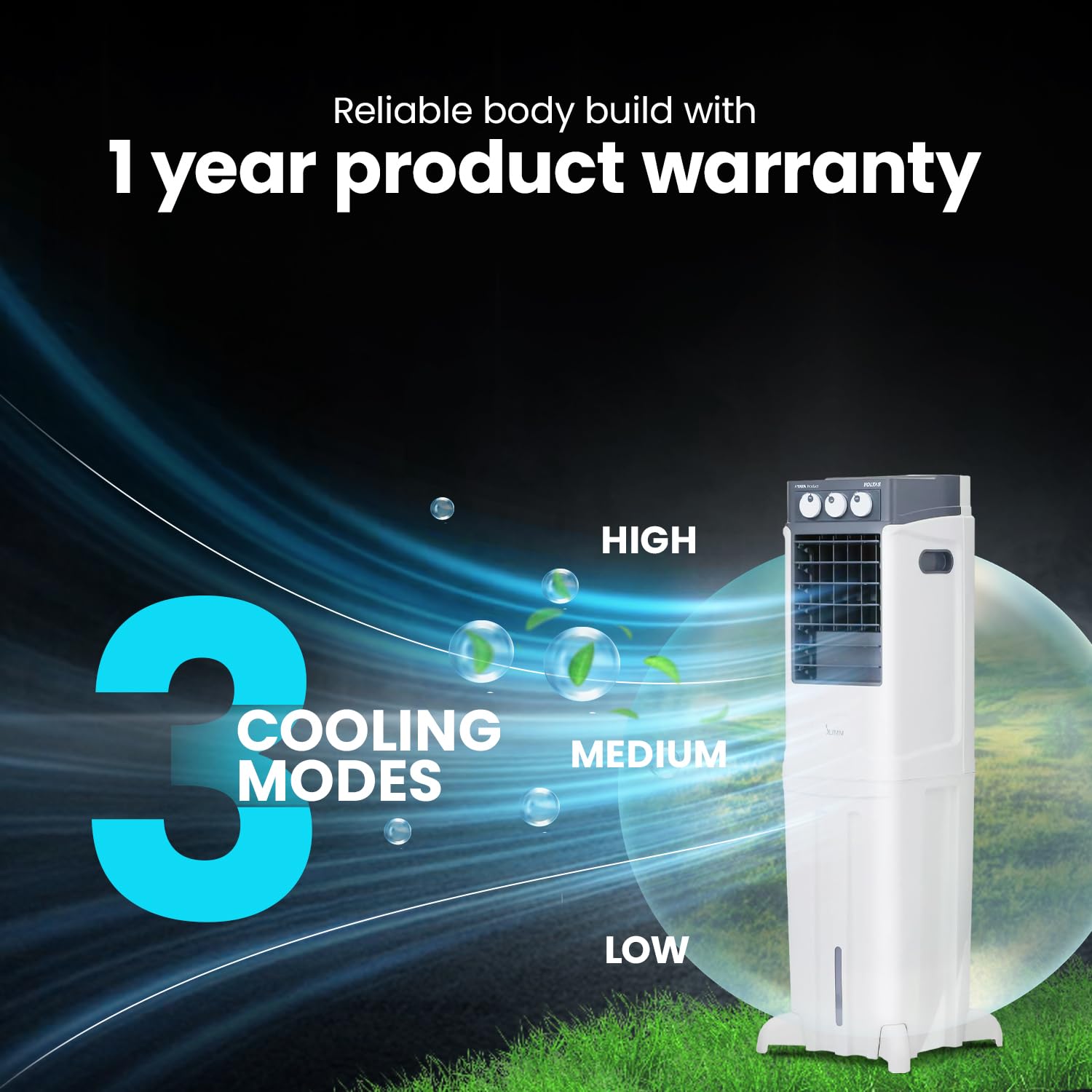
Image 5.3: Illustration of the three cooling modes: High, Medium, and Low.
6. メンテナンス
定期的なメンテナンスにより、エア クーラーの最適なパフォーマンスと寿命が確保されます。
- 水タンクのクリーニング: Periodically drain and clean the water tank to prevent algae growth and maintain hygiene. Unplug the cooler before draining.
- Cleaning Honeycomb Pads: The honeycomb cooling pads should be cleaned regularly. Refer to the specific instructions in the full user manual for removal and cleaning procedures. Ensure they are dry before reinstallation.
- ダストフィルターの掃除: The integrated dust filter captures airborne particles. Clean the filter regularly by rinsing it under running water. Allow it to dry completely before placing it back into the unit.
- 外装清掃: Wipe the exterior surfaces of the cooler with a soft, damp 布で拭いてください。研磨剤や溶剤は使用しないでください。
7。 トラブルシューティング
If you encounter issues with your air cooler, refer to the following common problems and solutions:
| 問題 | 考えられる原因 | 解決 |
|---|---|---|
| Cooler does not turn on | 電源が供給されていない、電源コードが差し込まれていない、ヒューズが切れている | コンセントを確認してください。コードがしっかりと差し込まれていることを確認してください。家庭用ヒューズ/ブレーカーを確認してください。 |
| 冷却効果なし | Water tank empty; Cooling pads dry; Pump malfunction | Fill water tank; Ensure water pump is operating; Contact service if pump is faulty |
| 風量が弱い | Air inlets/outlets blocked; Dust filter clogged; Fan speed set too low | Clear obstructions; Clean dust filter; Increase fan speed |
| 不快な臭い | Stagnant water; Dirty cooling pads | Drain and clean water tank; Clean or replace cooling pads |
If the problem persists after attempting these solutions, please contact Voltas customer support.
8. 仕様
Key technical specifications for the Voltas Slimm 35 Tower Air Cooler:
| 特徴 | 仕様 |
|---|---|
| ブランド | ボルタス |
| モデル名 | Slimm 35 |
| モデル番号 | 4810358 |
| タイプ | タワーエアクーラー |
| タンク容量 | 35リットル |
| エアスロー | 7.5メートル |
| 気流 | 950 センチメートル |
| エリアカバレッジ | 19平方メートル |
| 冷却媒体 | Honeycomb Pads |
| 操作モード | 機械 |
| 速度の数 | 3(高/中/低) |
| 特集 | Auto Restart, Auto Swing Louvers, Ice Chamber, Dust Filter, Works on Inverter, Motor with Thermal Overload Protection |
| 水位計 | はい |
| 取り付けタイプ | フリースタンディング |
| 材料 | プラスチック |
| 色 | 白 |
| アイテム重量 | 12キログラム |
| 商品の寸法(奥行き x 幅 x 高さ) | 奥行き32cm x 幅32cm x 高さ110cm |

Image 8.1: Cooling performance metrics and honeycomb pad detail.
9. 保証とサポート
Your Voltas Slimm 35 Tower Air Cooler comes with a 1年間の製品保証 ご購入日より1年間有効です。保証の証明として、ご購入時のレシートを保管してください。
For warranty claims, technical assistance, or any other inquiries, please contact Voltas customer support. Refer to the contact information provided in your warranty card or visit the official Voltas webサイト。