
製品終了view
The Nerf Zombie Corrupter dart blaster is designed for active play, featuring a unique graffiti-style decoration. This bolt-action blaster is engineered to provide an engaging experience for users aged 8 and up. It includes an 18-dart removable clip and additional onboard dart storage.
- ユニークなデザイン: Features colorful, eye-grabbing graffiti decorations on both sides, creating the look of battle gear engineered by zombie fighters.
- ダーツ容量: Comes with an 18-dart removable clip and 22 Nerf Elite foam darts.
- Ambidextrous Bolt: Equipped with a bolt on each side for easy priming, suitable for both right-handed and left-handed users.
- オンボードストレージ: Includes 6-dart onboard storage on the stock for quick access to extra darts.
- タクティカルレール: Features 2 tactical rails for attaching compatible Nerf accessories (sold separately).
パッケージ内容
- ナーフ ゾンビコラプター ダーツブラスター
- 18-Dart Removable Clip
- 22 Nerf Elite Foam Darts
セットアップと組み立て
- 開梱: Carefully remove all components from the packaging. Ensure all listed contents are present.
- Loading the Clip: Insert the 22 Nerf Elite foam darts into the 18-dart removable clip. Ensure darts are fully seated.
- クリップの取り付け: Insert the loaded 18-dart clip into the blaster's magazine well until it clicks securely into place.
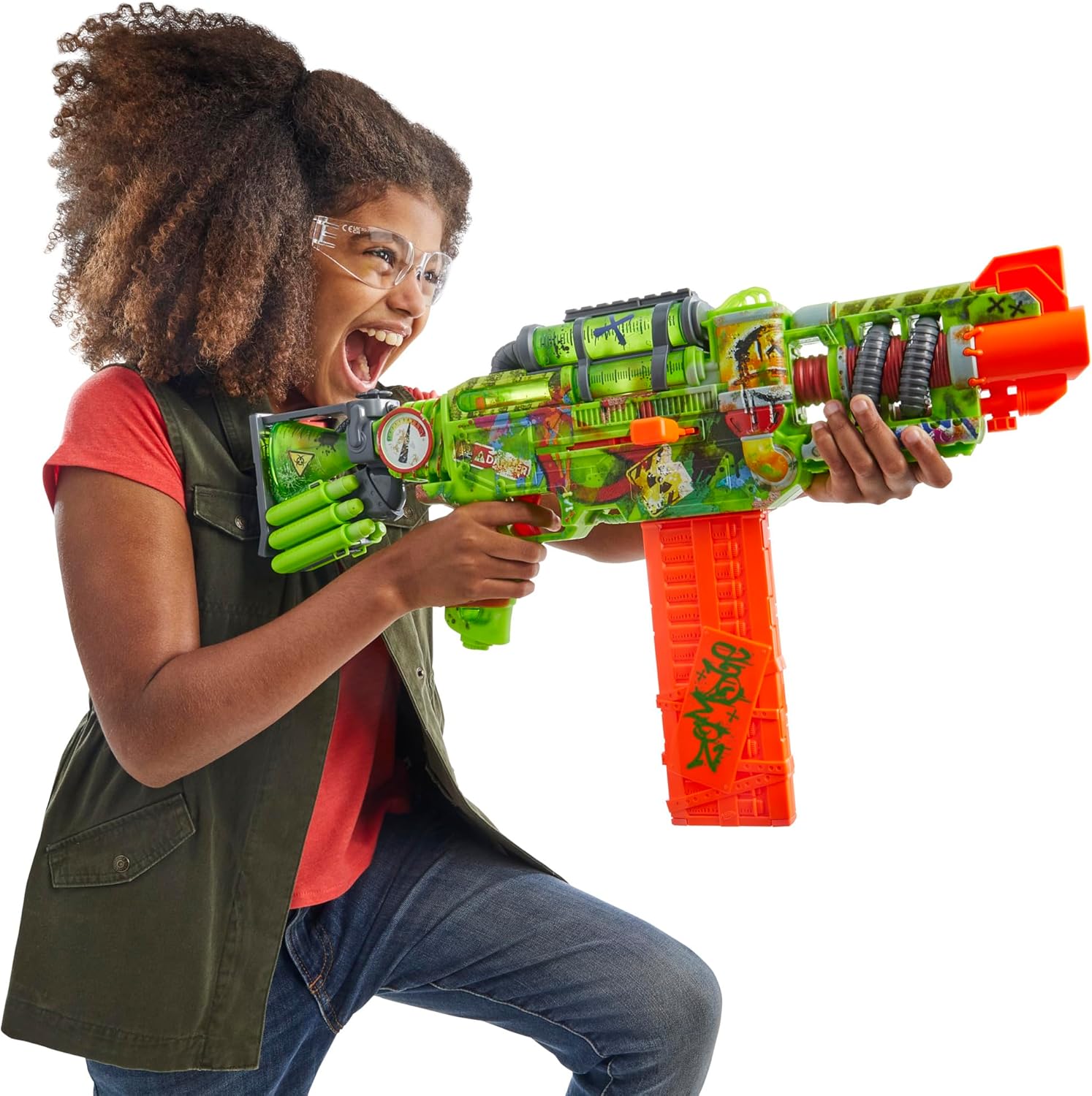
Figure 1: Child holding the Nerf Zombie Corrupter Dart Blaster with the 18-dart clip attached.

図 2: 拡大図 view of the 18-dart clip being inserted into the Nerf Zombie Corrupter Blaster.
- Using Onboard Dart Storage: The blaster features 6-dart onboard storage on the stock. Load extra darts into these slots for quick reloading during play.
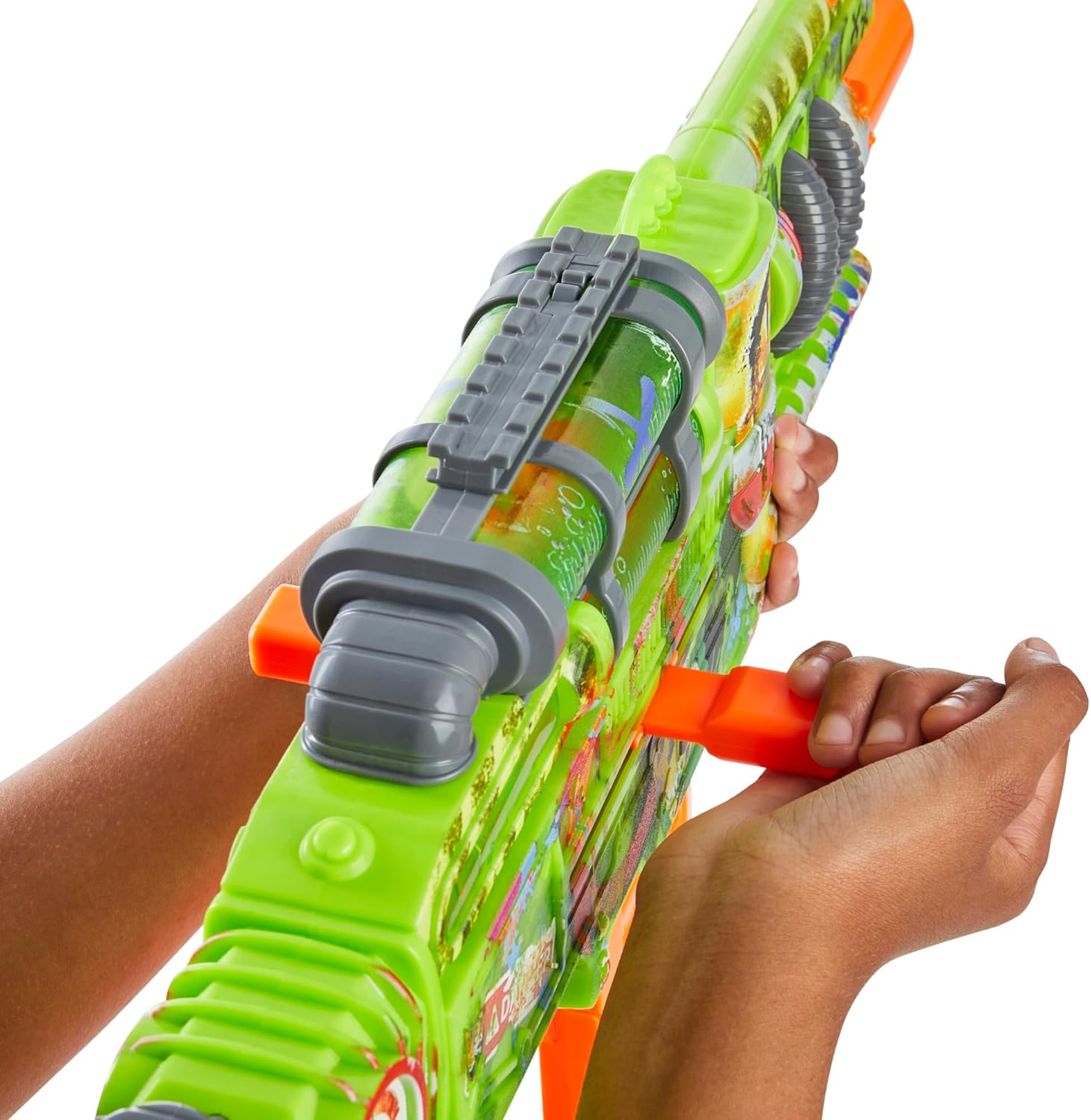
図 3: 拡大図 view of the onboard 6-dart storage on the stock of the Nerf Zombie Corrupter Blaster.
操作手順
- ブラスターの準備: Pull the bolt handle (located on either side of the blaster) all the way back until it locks into place. This action prepares a dart for firing.

図 4: 拡大図 view of the bolt-action priming mechanism on the Nerf Zombie Corrupter Blaster.
- Firing a Dart: Aim the blaster at your target. Press the trigger to fire a dart.
- 速射: To fire another dart, repeat the priming and firing steps.
Video 1: Official demonstration of the Nerf Zombie Corrupter Dart Blaster in action, showing priming and firing.
お手入れとメンテナンス
- クリーニング: ブラスターを広告で拭くamp cloth to remove dirt and debris. Do not submerge the blaster in water.
- Dart Inspection: Regularly inspect darts for damage. Discard any torn or damaged darts to prevent jamming and ensure optimal performance.
- ストレージ: Store the blaster and darts in a cool, dry place away from direct sunlight when not in use.
トラブルシューティング
- ダーツが発射されない: Ensure the blaster is fully primed by pulling the bolt handle all the way back until it locks. Check that the dart clip is securely inserted.
- Dart Jamming: Remove the dart clip and inspect the firing mechanism for any lodged darts. Clear any obstructions carefully. Use only official Nerf Elite darts.
- パフォーマンスの低下: Ensure darts are not damaged or worn. Replace old darts with new ones for best performance.
製品仕様
- モデル番号: F8962
- 製品寸法: 2.63 x 24 x 9.75インチ
- 商品の重量: 3.44ポンド
- 推奨年齢: 8歳以上
- ダーツの種類: ナーフ エリート フォームダーツ
- メーカー: ハズブロ
- 発売日: 27年2024月XNUMX日
安全ガイドライン
警告:小さな部品が飛び散る場合があります。3歳未満のお子様には適していません。
- アイウェア: このブラスターを使用する際は、必ず保護眼鏡(付属していません)を着用してください。
- 目的: 目や顔を狙わないでください。
- ダーツ: Use only official Nerf darts. Other darts may not meet safety standards. Do not modify darts or blaster.
- 監督: 年少のユーザーには大人の監督をお勧めします。
保証とサポート
保証情報や製品サポートについては、製品パッケージに記載されている連絡先を参照するか、公式Nerfウェブサイトをご覧ください。 webサイトでご確認ください。購入証明として購入レシートを保管してください。