
導入
ヴォックス amPlug 3 Boutique is a compact headphone guitar amplifier designed to deliver the sophisticated tones of high-end boutique amplifiers directly to your headphones. This portable device offers versatile sound options, built-in rhythms, and an auxiliary input for an enhanced practice experience without disturbing others. Its innovative design and analog circuitry ensure rich, nuanced sound quality for both home and on-the-go practice sessions.

画像: 正面 view VOXの amPlug 3 Boutique Headphone Guitar Ampライフファイア、ショーasing its compact design and classic aesthetic.
主な特徴
- ブティック Ampリファイアートーン: Designed to deliver the sophisticated tones of high-end boutique amplifiers, perfect for discerning players.
- Three Versatile Modes: Boutique OD for smooth overdrive, Boutique Clean for pristine clarity, and Boutique High-Gain for soaring leads.
- Built-in Rhythm Patterns: Equipped with nine selectable rhythm patterns including jazz, rock, and funk, providing an ideal practice companion.
- Custom Analog Circuitry: Ensures rich, nuanced sound, capturing the warmth and character of premium boutique amps.
- コンパクトで軽量: Weighing only 40 grams (excluding batteries), making it easy to take anywhere.
- 長いバッテリー寿命: Operates on two AAA batteries, offering up to 17 hours of continuous playtime.
- 補助入力: Allows you to connect external audio sources for jamming along with your favorite tracks.
- Foldable Plug Mechanism: Innovative design rotates 180 degrees for optimal positioning and easy storage.
- 自動電源オフ: Helps conserve battery life by automatically shutting down when not in use.
設定
1. バッテリーの取り付け
の amPlug 3 requires two AAA batteries for operation. These are typically included with the product.
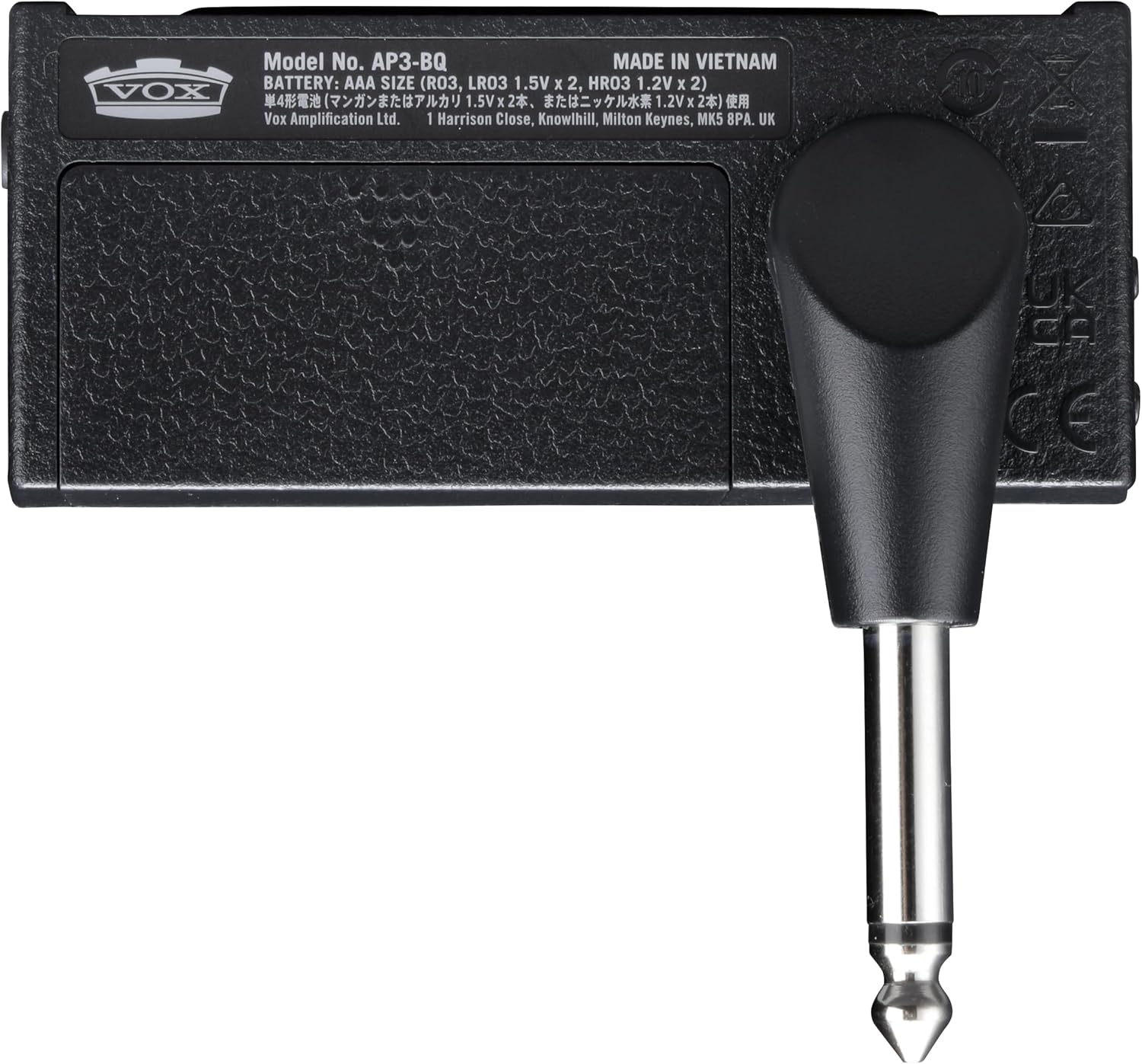
- 背面の電池ボックスを見つけます amPlug unit.
- バッテリーコンパートメントカバーをスライドさせて開きます。
- 電池ボックス内の指示に従って、極性 (+/-) が正しいことを確認して、単 4 電池 2 本を挿入します。
- 電池カバーをしっかりと閉じてください。

画像: 背面 view の amPlug 3, highlighting the battery compartment and the 1/4-inch jack.
2. ギターへの接続
- Rotate the integrated 1/4-inch jack on the amPlug 3 to align with your guitar's output jack. The plug can rotate 180 degrees for optimal positioning.
- しっかりと挿入します amPlug 3's jack into your guitar's output jack.

画像: amPlug 3 unit securely plugged into the output jack of an electric guitar.
3. ヘッドフォンの接続
- Plug your headphones into the 3.5mm headphone jack located on the amPlug 3 unit.

画像: amPlug 3 connected to an electric guitar, with headphones plugged into the unit, ready for silent practice.
操作手順
1. 電源のオン/オフ
電源を入れるには amPlug 3, slide the POWER switch to the 'ON' position. The LED indicator will light up. To power off, slide the switch to 'OFF'. The unit features an auto power-off function to conserve battery life when not in use.
2. コントロール
の amPlug 3 features several controls for shaping your sound:
- 利得: オーバードライブ/ディストーションの量を調整します。
- トーン: Adjusts the tonal characteristics, from bright to warm.
- ボリューム: ヘッドフォンへの全体的な出力音量を制御します。
- FX/RHYTHM: This button cycles through the available effects and rhythm patterns.
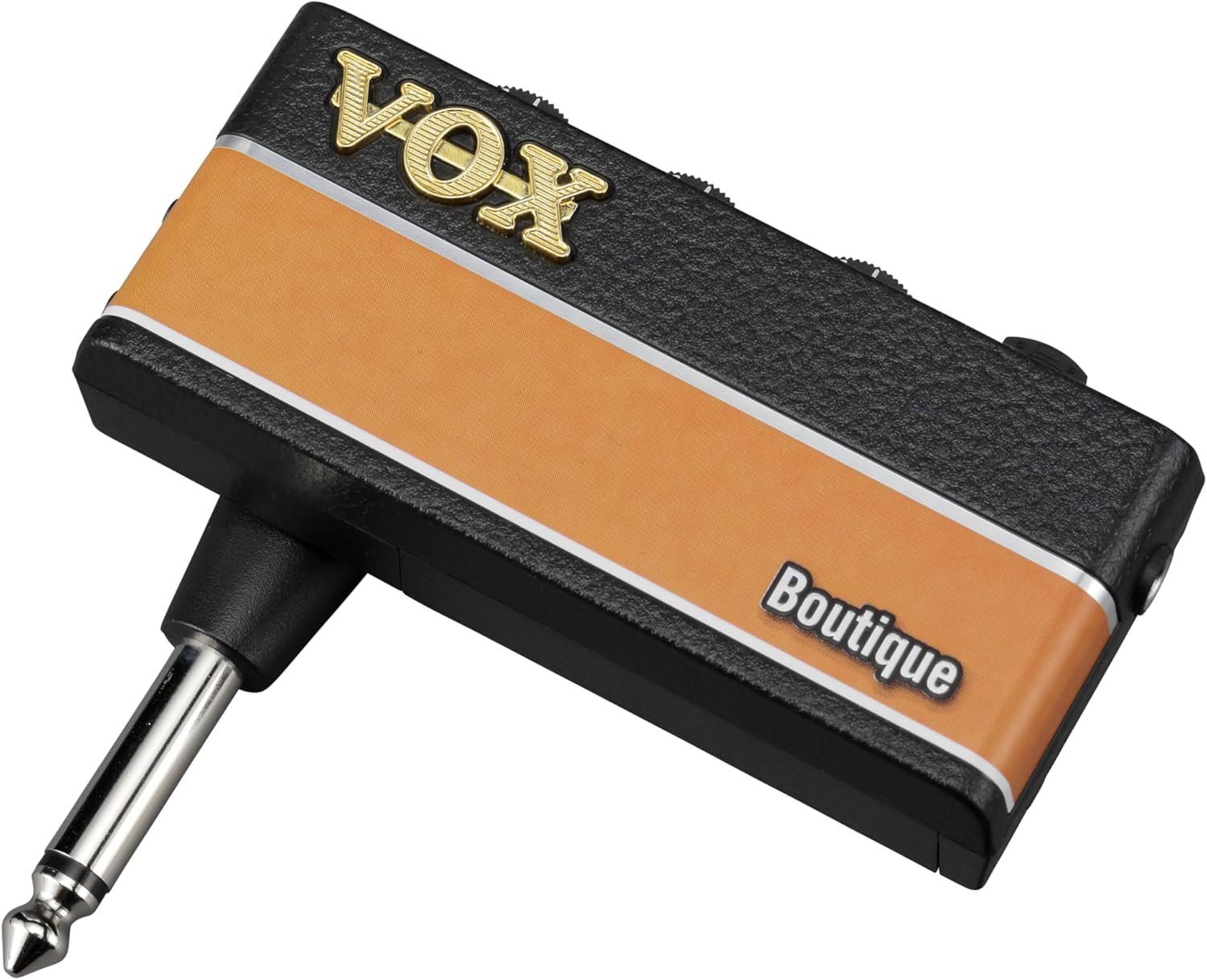
画像: 詳細 view of the top-mounted controls on the amPlug 3, including Gain, Tone, Volume, and the FX/Rhythm button.
3. 選択 Ampリファイアモード
The Boutique model offers three distinct ampライフモード:
- Boutique OD: Provides a smooth, rich overdrive tone.
- Boutique Clean: Delivers pristine, clear tones.
- Boutique High-Gain: Offers powerful, soaring lead tones.
Refer to the product's quick start guide for specific instructions on how to switch between these modes, typically involving holding down the power button or a combination of controls.
4. Using Effects and Rhythm Patterns
を押す FX/RHYTHM button to cycle through the available effects (e.g., Chorus, Delay, Reverb) and nine rhythm patterns. Adjust the controls to blend the effects and rhythms with your guitar sound.
5. 補助入力(AUX IN)
Connect an external audio player (e.g., smartphone, MP3 player) to the 3.5mm AUX IN jack on the amPlug 3 using an audio cable. This allows you to jam along with your favorite tracks through your headphones.
画像: サイド view の amPlug 3, clearly showing the AUX input jack and the control knobs for Gain, Tone, and Volume.
Video Demonstration: Sound and Playability
Video: A demonstration of the VOX amPlug 3's sound quality and playability, showcasinさまざまなトーンと機能。
Video Demonstration: AC30 Sound Through Headphones
Video: An audio demonstration of the VOX amPlug AC30 model's sound as heard through headphones, providing insight into the tonal characteristics of the amPlug series.
Video Demonstration: Up-Close Look at amPlug Features
Video: A detailed close-up video showcasing the physical features and controls of an amPlug unit, demonstrating its ease of use and portability.
メンテナンス
- クリーニング: 柔らかく乾いた布で拭いてください。研磨剤入りの洗剤や溶剤は使用しないでください。
- ストレージ: 保存する amPlug 3 in a cool, dry place away from direct sunlight and extreme temperatures. Remove batteries if storing for extended periods to prevent leakage.
- 取り扱い: ユニットを落としたり、強い衝撃を与えたりしないでください。
トラブルシューティング
| 問題 | 考えられる原因 | 解決 |
|---|---|---|
| 音が出ない | Low or dead batteries; headphones not connected; volume too low; amPlug not fully inserted into guitar. | Replace batteries; ensure headphones are securely plugged in; increase volume; firmly insert amPlug into guitar jack. |
| 音質が悪い/ノイズが多い | Loose connections; interference; faulty headphones. | Check all connections; move away from other electronic devices; try different headphones. |
| ユニットの電源が入らない | 電池切れ、または電池の取り付けが間違っている。 | Replace batteries; ensure batteries are inserted with correct polarity. |
仕様
- 製品寸法: 奥行き1.42インチ x 幅5.12インチ x 高さ7.2インチ
- 商品の重量: 3.2オンス
- 商品モデル番号: AP3BQ
- 電池: 2 AAA batteries required (up to 17 hours continuous playtime)
- 対応デバイス: ギター
- 材料: プラスチック
- メーカー: ヴォックス
保証とサポート
保証情報およびカスタマーサポートについては、製品に付属のマニュアルを参照するか、VOXの公式ウェブサイトをご覧ください。 Amp化 webサイトでご確認ください。保証請求に備えて購入証明書を保管してください。