
1. はじめにとシステムview
This manual provides detailed instructions for the installation, operation, and maintenance of your GRSICO Wireless Home Alarm System 15-Piece Kit. This system is designed to enhance home security with easy DIY setup, remote control via a smartphone application, and compatibility with smart home assistants.
主な特徴:
- 簡単なDIY取り付け: Set up the system in minutes without the need for complex wiring or drilling.
- 月額料金なし: Enjoy comprehensive 24-hour home security protection with a one-time purchase.
- リモート制御: Arm, disarm, and monitor your system anytime, anywhere using the Smart Life App.
- インスタントアラート: Receive immediate notifications on your smartphone and deter intruders with a 120dB alarm siren.
- スマートホーム統合: Alexa および Google アシスタントと連携して、便利な音声コントロールを実現します。
2. What's Included in Your Kit
Your GRSICO Wireless Home Alarm System 15-Piece Kit includes the following components:
- 1x Base Station (Alarm Siren)
- 2x Keypads
- 2xリモコン
- 2x Motion Sensors
- 8x Contact Sensors (for doors/windows)
- 電源アダプター x 1
- 1x USB充電ケーブル
- 取り付けアクセサリ(例:両面テープ)
- ユーザーマニュアル

Image: All components included in the GRSICO 15-Piece Home Alarm System Kit, including the base station, keypads, remote controls, motion sensors, and contact sensors.
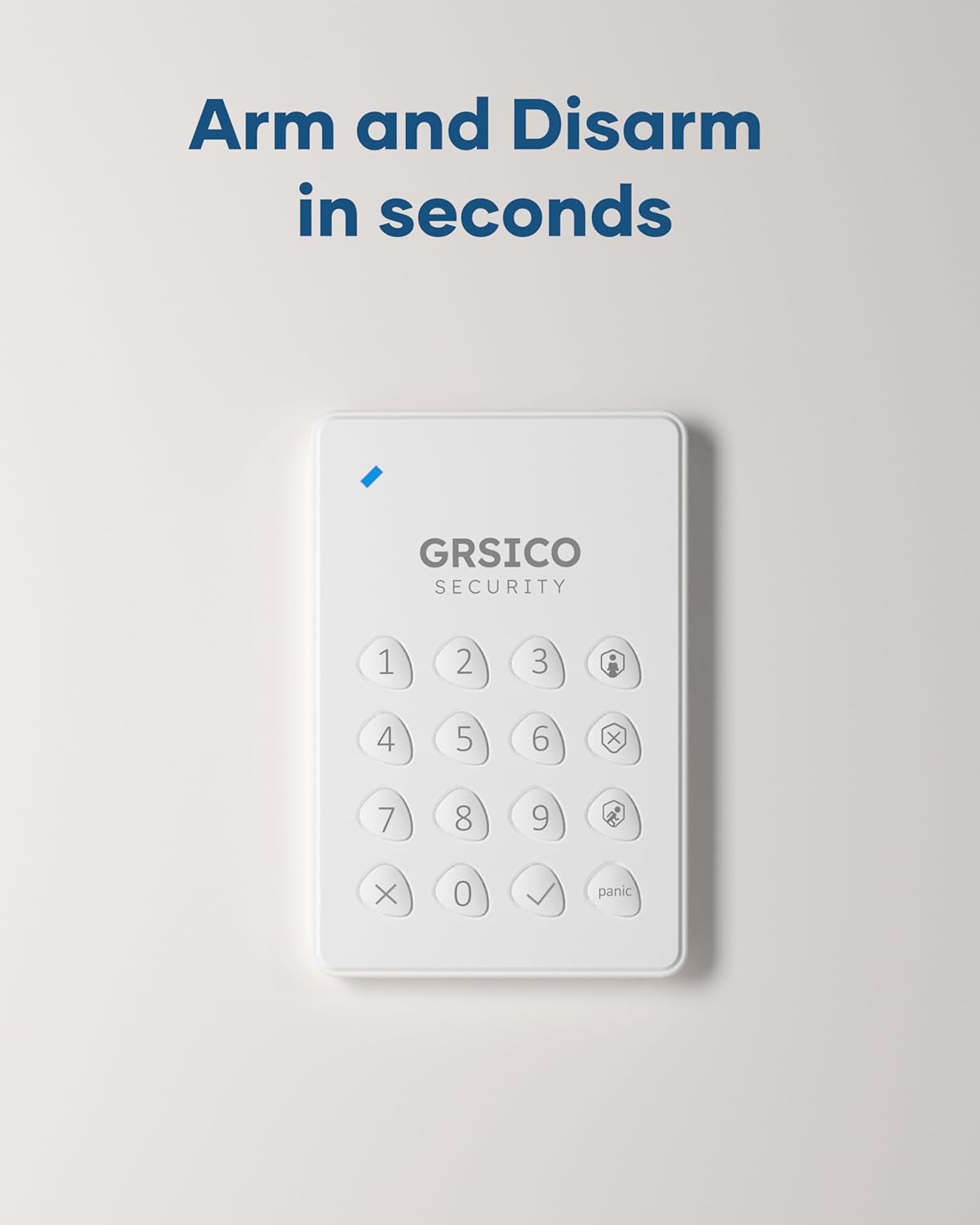
Image: Close-up of the GRSICO keypad and two remote controls, used for arming and disarming the system.

Image: A GRSICO motion sensor, designed to detect movement within a room.

Image: A GRSICO contact sensor, consisting of two parts that detect when a door or window is opened.
3. セットアップとインストール
The GRSICO Wireless Home Alarm System is designed for easy, do-it-yourself installation. Follow these steps to set up your system:
3.1. Powering the Base Station
- 電源アダプターをベースステーションに接続し、壁のコンセントに差し込みます。
- The base station has an internal backup battery that provides up to 8 hours of power during outages。

Image: The GRSICO base station, which serves as the central hub for the alarm system.
3.2. Installing Sensors
All sensors come with pre-installed batteries and can be easily mounted using the provided double-sided tape. No drilling is required.
モーションセンサー:
- Choose a location where the motion sensor can cover a wide area, such as a corner of a room or a hallway.
- Ensure the sensor is placed at an appropriate height (typically 6-8 feet from the floor) to optimize detection.
- Peel off the backing from the double-sided tape and firmly press the motion sensor onto a clean, dry surface.
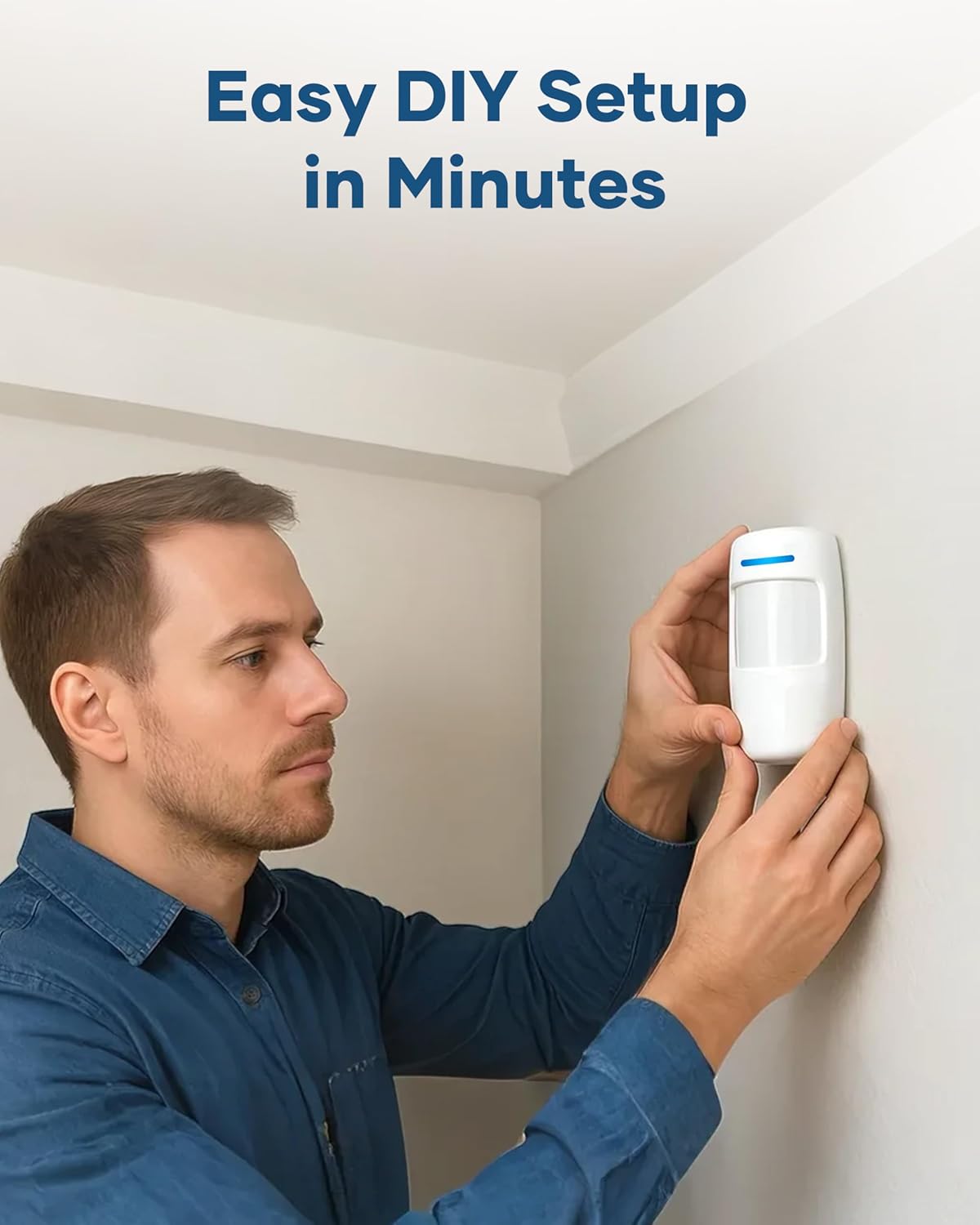
Image: A person demonstrating the easy installation of a GRSICO motion sensor on a wall.
Contact Sensors (Door/Window Sensors):
- Attach one part of the contact sensor to the door or window frame and the other part to the moving door or window.
- Ensure the two parts are aligned and are no more than 1 cm apart when the door/window is closed.
- Use the provided double-sided tape for secure attachment.

Image: A GRSICO door sensor installed on a window, designed to trigger an alarm if the window is opened.
3.3. Pairing Devices and App Setup
- ダウンロード スマートライフアプリ from your smartphone's app store (available on iOS and Android).
- Follow the in-app instructions to create an account and add your GRSICO Home Alarm System.
- The app will guide you through pairing the base station, keypads, remote controls, and all sensors.
- Ensure your home Wi-Fi network is stable for optimal performance.
4. 操作手順
Your GRSICO Home Alarm System offers multiple ways to arm and disarm, providing flexibility for your security needs.
4.1. システムの武装と解除
キーパッドの使用:
- Enter your personalized PIN code.
- Press the appropriate button for your desired mode:
• アームアウェイ: Activates all sensors.
• Arm Home: Activates perimeter sensors (e.g., doors/windows) while allowing movement inside.
• 武装解除: 警報システムを無効にします。
Image: A GRSICO keypad with numerical buttons and mode selection for arming and disarming the system.
リモコンの使用:
The remote control allows for quick arming and disarming with dedicated buttons:
- を押す ロック button to Arm Away.
- を押す 家 button to Arm Home.
- を押す ロック解除 button to Disarm.
4.2. パニック機能
緊急の場合は、 パニック button on the keypad or remote control to immediately trigger the 120dB alarm siren and send instant alerts to your smartphone.
4.3.アプリ制御
The Smart Life App provides full control over your alarm system from anywhere with an internet connection. You can:
- Arm or disarm the system.
- Switch between Home and Away modes.
- View real-time status of all sensors.
- Receive instant notifications for triggered alarms or system status changes.
- Set schedules for arming and disarming.

Image: A smartphone showing the Smart Life App interface, allowing remote control of the home security system.
5. スマートホーム統合
The GRSICO Home Alarm System is compatible with popular smart home platforms, allowing for convenient voice control.
5.1. Voice Control with Alexa and Google Assistant
Integrate your alarm system with Amazon Alexa or Google Assistant for hands-free operation:
- Enable the Smart Life skill/action in your Alexa or Google Home app.
- Smart Life アカウントをリンクします。
- Use voice commands such as "Alexa, arm my system" or "Hey Google, disarm the alarm."
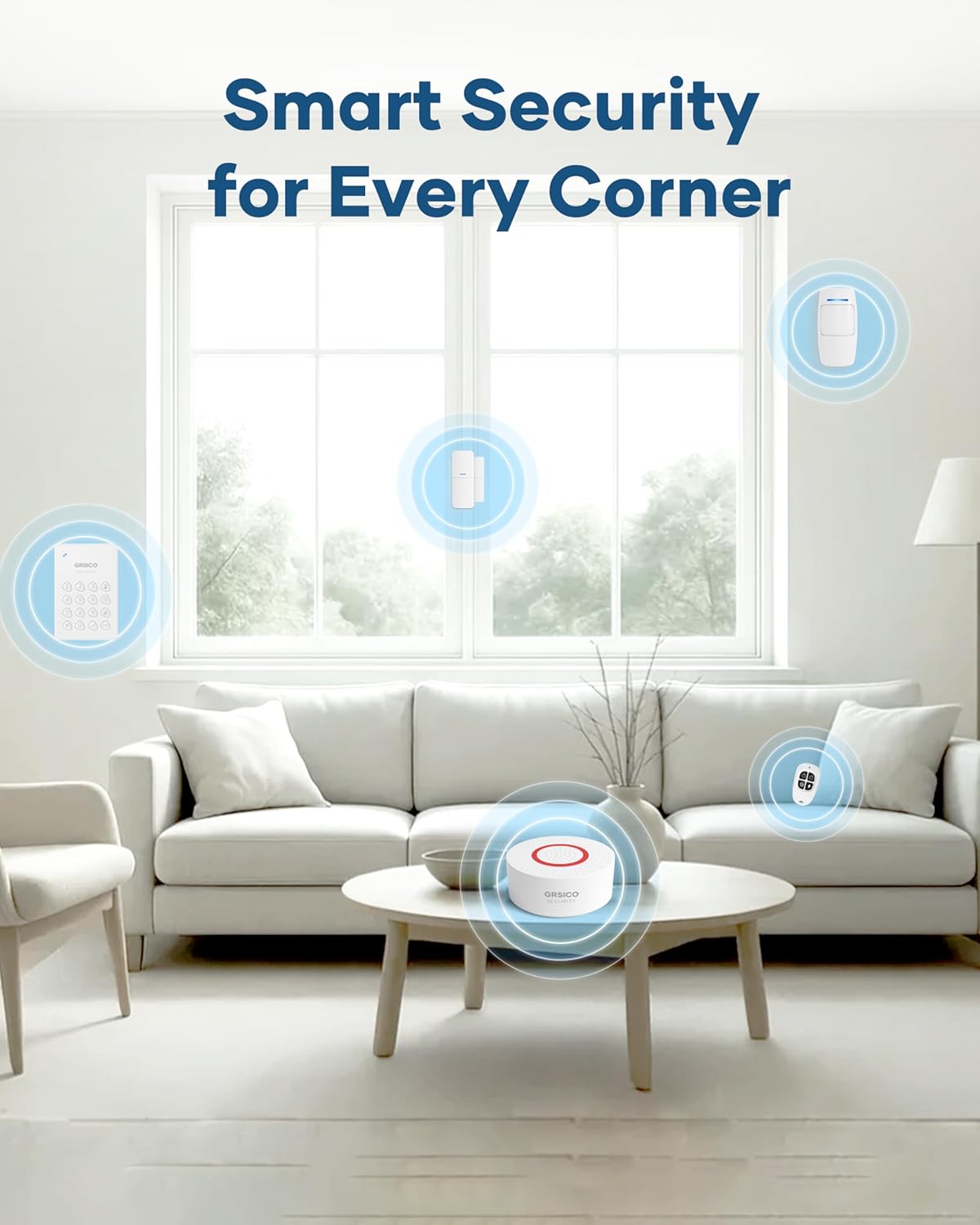
Image: A woman interacting with an Alexa device to arm her GRSICO home alarm system using voice commands.
6. メンテナンス
Regular maintenance ensures the optimal performance and longevity of your alarm system.
6.1. バッテリーの交換
- Sensors, keypads, and remote controls are battery-powered. The Smart Life App will notify you when batteries are low.
- Refer to the individual sensor/device instructions for specific battery types and replacement procedures.
6.2. Base Station Charging
- The base station has a built-in backup battery. Ensure it is regularly connected to power to keep the backup battery charged.
- Use the provided USB-C charging cable and power adapter for charging.
7。 トラブルシューティング
If you encounter any issues with your GRSICO Home Alarm System, please refer to the following common solutions:
- デバイスが応答しない: Check battery levels and ensure the device is within range of the base station. Re-pair the device if necessary.
- アプリの接続の問題: Ensure your smartphone has a stable internet connection and that the Smart Life App is updated to the latest version. Restart the app or your phone.
- 誤報: Verify that motion sensors are not placed in areas with pets or moving objects. Ensure contact sensors are securely attached and properly aligned.
- アラームが作動しない: Check if the system is armed in the correct mode (e.g., Arm Away for motion sensors). Verify sensor battery levels.
For further assistance, please contact GRSICO customer support.
8. 仕様
| 特徴 | 詳細 |
|---|---|
| ブランド | グリシコ |
| モデル番号 | GRA15 |
| 電源 | 電池駆動 |
| 対応デバイス | Smartphone (Smart Life App), Alexa, Google Assistant |
| 商品の寸法 (長さ x 幅 x 高さ) | 10 x 7 x 4インチ |
| 接続技術 | 無線 |
| インストールタイプ | 粘着式 |
| アラートの種類 | Motion, Siren (120 Decibels) |
| 制御方法 | App, Keypad, Remote Control, Voice |
| バッテリーセルの構成 | アルカリ |
| 含まれるコンポーネント | 1* Base Station, 2* Keypads, 2* Remote Controls, 2*Motion Sensors, 8* Contact Sensors |
| 騒音レベル | 120デシベル |
| アイテム重量 | 2.55ポンド |
9. 製品ビデオ
ビデオ: オーバーview of the GRSICO Home Alarm System components and a demonstration of its easy installation and features.
Video: A detailed look at the GRSICO Home Alarm System, showcasing the keypad, motion sensor, and contact sensors, along with their simple setup.
10. 保証とサポート
For warranty information or technical support, please refer to the contact details provided in your product packaging or visit the official GRSICO webサイト。ご質問や問題が発生した場合には、弊社のサポートチームがお手伝いいたします。