
1. はじめに
Thank you for choosing the Tosuny Full HD 1080P 16MP Digital Camera Camcorder. This device is designed for capturing high-quality photos and videos, featuring a 2.4-inch rotatable screen, 16X digital zoom, and a built-in fill light. This manual provides essential information for the safe and effective use of your new camera. Please read it thoroughly before operation and retain it for future reference.
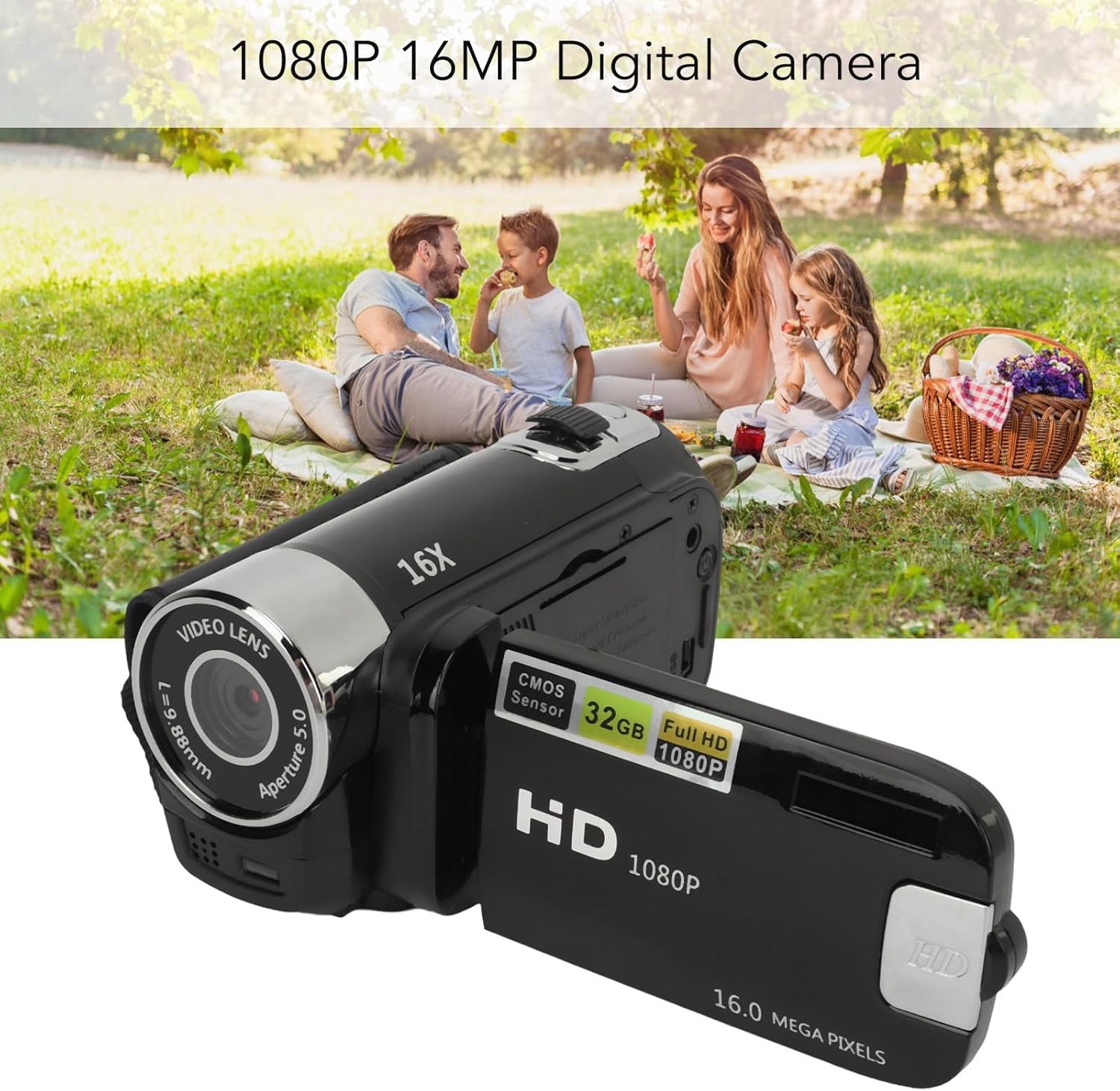
Image 1.1: Tosuny 1080P 16MP Digital Camera Camcorder capturing family moments.
2. 安全情報
- カメラを水や湿気にさらさないでください。
- カメラを落としたり、強い衝撃を与えたりしないでください。
- カメラを極端な温度や直射日光から遠ざけてください。
- カメラをご自身で分解したり修理したりしないでください。資格のあるサービス担当者にご相談ください。
- Use only the specified battery type (BL-5C) and charging cable.
- お子様の手の届かない場所に保管してください。
3. パッケージ内容
パッケージにすべてのアイテムが揃っていることを確認します。
- 1 x Digital Video Recorder (Camera)
- USB充電ケーブル x 1
- ユーザーマニュアル x 1
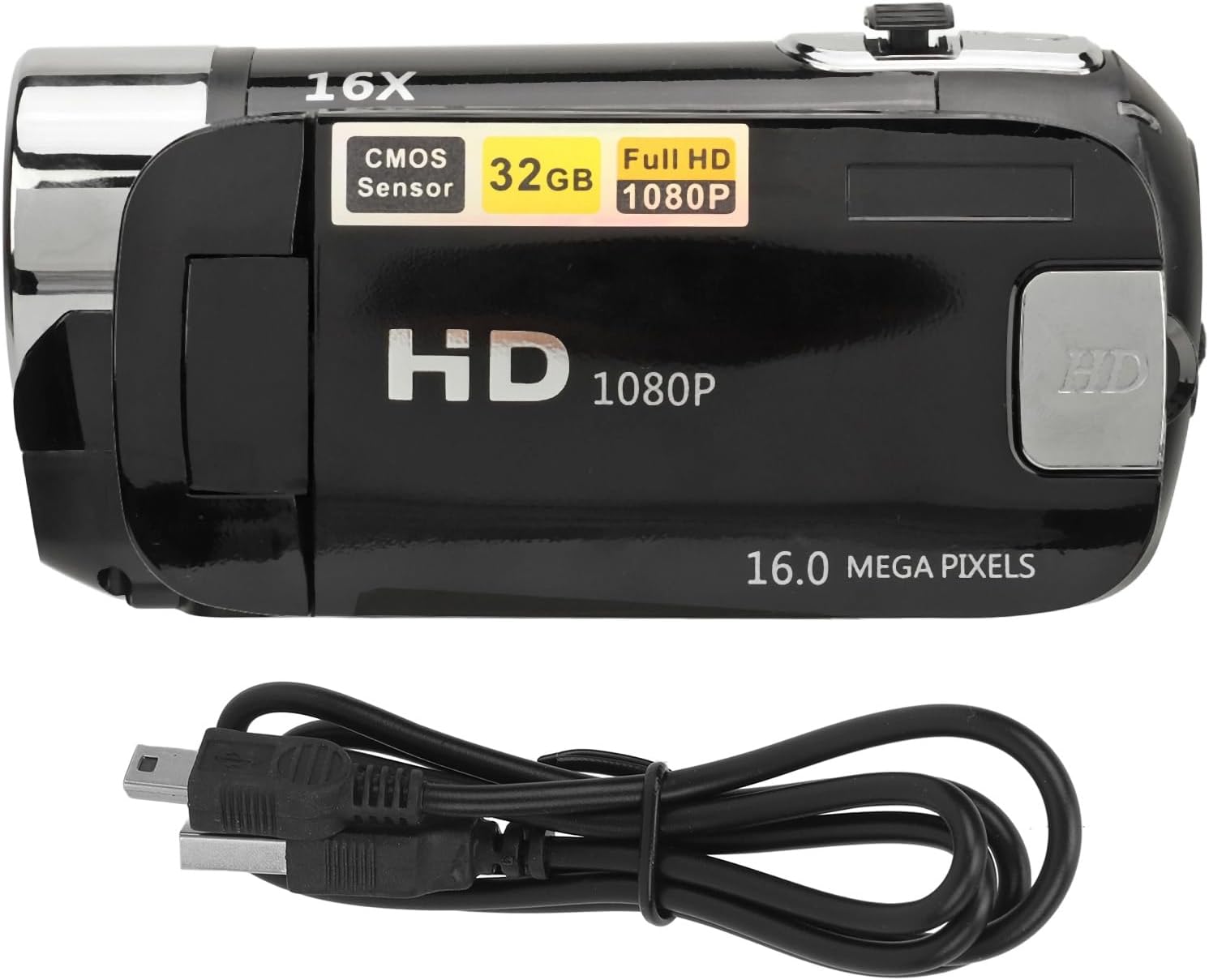
Image 3.1: Tosuny Digital Camera Camcorder and included USB charging cable.
4.製品オーバーview
カメラの主なコンポーネントについて理解しておきましょう。

画像4.1:リア view of the camera with the rotatable screen open, showing ports and controls.
- Video Lens: Main lens for capturing images and videos.
- フィルライト: Provides additional illumination in low-light conditions.
- 2.4-inch Rotatable Screen: ライブ表示 view, menus, and playback. Can be rotated for selfies.
- 電源ボタン: カメラのオン/オフを切り替えます。
- シャッター/録音ボタン: 写真のキャプチャまたはビデオの録画を開始します。
- ズームコントロール: デジタルズームのレベルを調整します。
- USBポート: 充電やデータ転送に。
- メモリーカードスロット: For inserting a standard memory card (up to 32GB).
5. セットアップ
5.1. バッテリーの取り付けと充電
The camera comes with an integrated BL-5C lithium battery (1020 mAh). Ensure the battery is charged before first use.
- Connect the camera to a power source using the provided USB charging cable.
- 充電インジケーターが点灯します。完全に充電されると、インジケーターの色が変わったり消灯したりすることがあります。
5.2. メモリーカードの取り付け
A standard memory card (up to 32GB, not included) is required to store photos and videos.
- カメラのメモリカードスロットを見つけます。
- Insert the memory card with the metal contacts facing the correct direction (refer to the diagram near the slot if available) until it clicks into place.
- 取り外すには、カードが飛び出すまでゆっくりと押し込みます。
5.3.電源のオン/オフ
To power on the camera, press and hold the Power button for 2 to 3 seconds. To power off, press and hold the Power button again.
5.4.言語設定
The camera supports 17 languages. To change the language, navigate through the camera's menu settings using the directional buttons and select your preferred language.
6. 操作手順
6.1. 写真を撮る
- Ensure the camera is in photo mode (if applicable, check the screen icon).
- 2.4 インチ スクリーンを使用してショットをフレーミングします。
- シャッターボタンを押して画像を撮影します。
6.2.ビデオの録画
- カメラをビデオ録画モードに切り替えます。
- Press the Record button to start recording. A timer or indicator will appear on the screen.
- 録音ボタンをもう一度押すと、録音が停止します。

Image 6.1: The camera is suitable for capturing outdoor activities.
6.3. デジタルズームの使用
Use the Zoom control buttons (usually marked with 'W' for Wide and 'T' for Telephoto) to adjust the 16X digital zoom. Press 'T' to zoom in and 'W' to zoom out.

Image 6.2: Demonstrating the 16X digital zoom feature.
6.4. フィルライトの使用
The camera features a built-in fill light for improved visibility in dark environments. Activate the fill light via the dedicated button or through the camera's menu settings.
6.5. Selfie Mode with Rotatable Screen
The 2.4-inch screen can be rotated to face forward, allowing for easy self-portraits and vlogging.

Image 6.3: The rotatable screen enables convenient selfie and vlogging.
6.6.再生モード
再するためにview your captured photos and videos, switch to playback mode. Use the directional buttons to navigate through your media files.
6.7. コンピューターへの接続(USB)
Connect the camera to your computer using the provided USB cable to transfer files. The camera will appear as a removable disk drive on your computer.
6.8. 高度な機能
The camera supports various functions accessible through the menu:
- Electronic Anti-shake: 食べ物を安定させるのに役立ちますtage.
- ループ録音: 継続的にビデオを録画し、古いビデオを上書きします file■メモリーカードがいっぱいになったとき。
- 時間透かし: Adds a date and time stamp to your photos and videos.
- 外部マイクサポート: Allows connection of an external microphone for enhanced audio quality.
7. メンテナンス
- クリーニング: カメラ本体のクリーニングには、柔らかく乾いた布をご使用ください。レンズのクリーニングには、専用のレンズクリーニングクロスと洗浄液をご使用ください。
- ストレージ: Store the camera in a cool, dry place away from dust and direct sunlight when not in use. Remove the memory card if storing for extended periods.
- バッテリーのケア: Charge the battery regularly, even if the camera is not in frequent use, to maintain battery health.
8。 トラブルシューティング
- カメラの電源が入らない: Ensure the battery is charged. Press and hold the power button for 2-3 seconds.
- 写真/ビデオを撮影できません: Check if a memory card is inserted and has sufficient free space. Ensure the camera is in the correct mode.
- 画像/ビデオの品質が悪い: Ensure the lens is clean. Check lighting conditions and use the fill light if necessary.
- コンピュータがカメラを認識しません: USBケーブルが正しく接続されていることを確認してください。別のUSBポートまたはケーブルをお試しください。
- 画面が空白またはフリーズしている: 電源ボタンを長押ししてカメラを再起動してください。反応しない場合は、バッテリーを完全に使い切ってから充電してください。
9. 仕様
| 特徴 | 仕様 |
|---|---|
| 画像解像度 | 1MP、2MP、3MP、5MP、12MP、16MP |
| 画像フォーマット | 画像 |
| ビデオ解像度 | 1080p (maximum) |
| ビデオフォーマット | 動画 |
| 画面サイズ | 2.4インチ液晶 |
| デジタルズーム | 16倍 |
| シャッター | 電子 |
| ストレージ | Supports standard memory card up to 32GB (not included) |
| バッテリー | 1 x BL-5C Lithium Battery, 1020 mAh (integrated) |
| 言語 | 17言語 |
| 接続性 | USB |
| 画像安定化 | 電子 |
| 材料 | アブソリュート |
10. 保証とサポート
保証情報およびテクニカルサポートについては、ご購入時に付属の説明書をご参照いただくか、販売店にお問い合わせください。保証請求の際に必要となるため、購入証明書は保管してください。