
導入
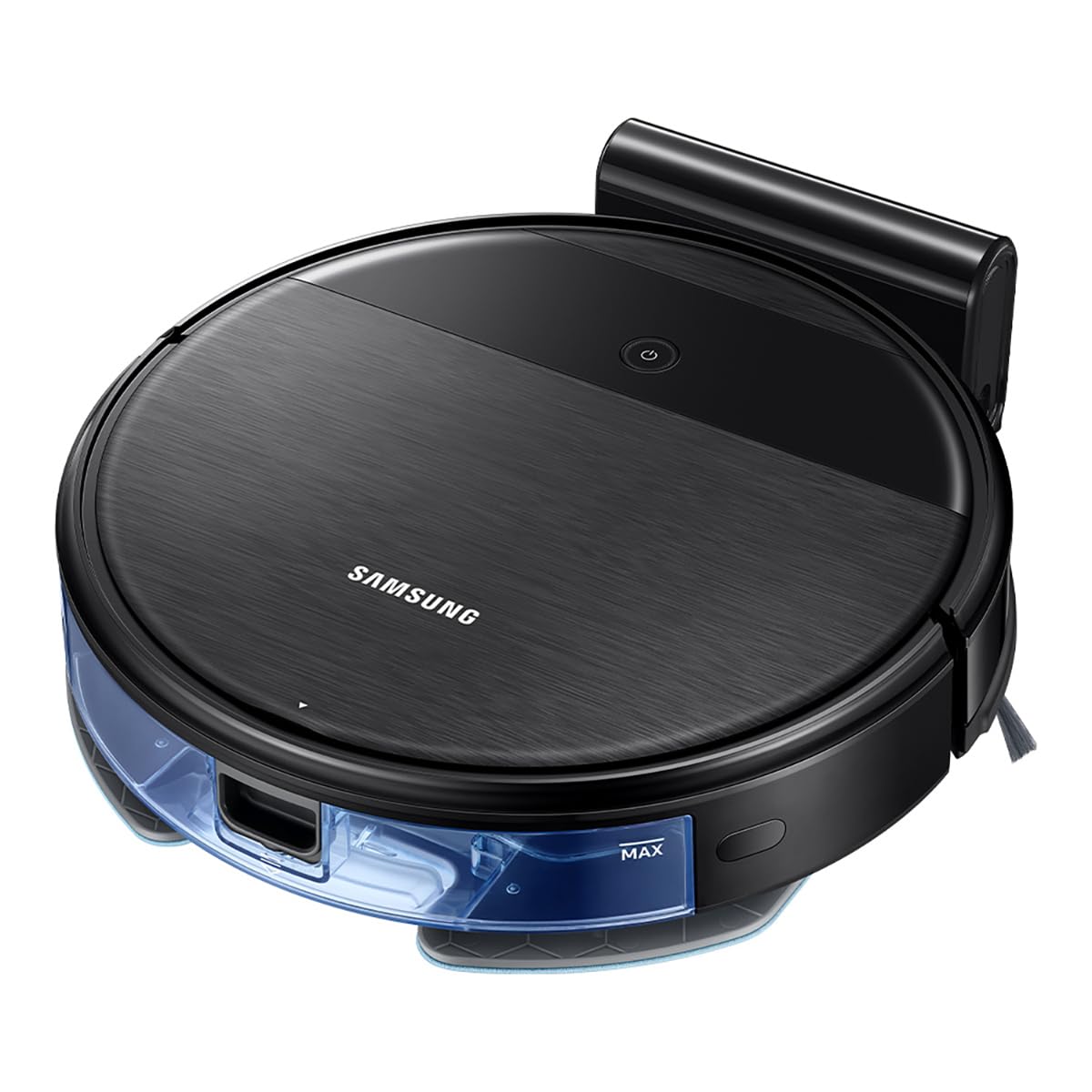
This manual provides essential information for the safe and efficient operation, maintenance, and troubleshooting of your Samsung PowerBot-E Smart Robot Vacuum Cleaner, model VR05R5050WK/AX. Please read this manual thoroughly before using the appliance and retain it for future reference.
The Samsung PowerBot-E is designed to clean and mop floors simultaneously, offering a 2-in-1 cleaning system. It features Wi-Fi control for remote operation and a smart sensing system to prevent collisions and falls.
パッケージ内容
パッケージにすべてのコンポーネントが含まれていることを確認します。
- PowerBot-E Robot Vacuum Cleaner
- ドッキングステーション
- Filter (1 installed, 1 extra)
- Mop (2 units)
- リモートコントロール
- Side Brush (1 installed, 1 extra)

重要な安全情報
火災、感電、または怪我のリスクを軽減するために、電気製品を使用するときは常に基本的な安全上の注意事項に従ってください。
- Do not operate the vacuum cleaner near flammable materials or liquids.
- Ensure the charging dock is placed on a flat, stable surface away from water.
- 髪の毛、ゆったりとした衣服、指、および体のすべての部分を開口部や可動部分から遠ざけてください。
- 大きな物体、鋭利な物体、液体を掃除機で吸い取らないでください。
- 掃除機が作動しているときは、子供やペットから目を離さないでください。
- Only use manufacturer-recommended attachments and accessories.
設定
1. バッテリーの充電
- Place the docking station against a wall in an open area, ensuring there are no obstacles within 0.5 meters to either side and 1.5 meters in front.
- 電源アダプターをドッキング ステーションに接続し、壁のコンセントに差し込みます。
- Place the PowerBot-E onto the docking station. Ensure the charging contacts on the vacuum align with those on the dock. The indicator light will show charging status.
- Allow the vacuum to fully charge before first use (approximately 4 hours). A full charge provides up to 150 minutes of cleaning time.

2. Installing Side Brushes and Mop Pad
- ロボット掃除機を逆さまにします。
- Align the side brushes with the corresponding posts and press them down until they click into place.
- Attach a clean mop pad to the mop holder. Fill the water tank if using the mopping function.
- Slide the mop holder with the attached pad into the slot at the rear of the vacuum until it clicks.


3. Wi-Fi Connection (SmartThings App)
- Download the Samsung SmartThings app from your device's app store.
- Create a Samsung account or log in.
- Follow the in-app instructions to add your PowerBot-E device. This will enable remote control and scheduling features.
操作手順
クリーニングサイクルの開始
- 手動スタート: Press the Power button on the top of the vacuum. The vacuum will begin cleaning in Auto mode.
- リモートコントロール: Use the provided remote control to start, stop, or select cleaning modes.
- SmartThings アプリ: Use the app to start cleaning, set schedules, or choose specific cleaning modes from your smartphone.
クリーニングモード
- 自動モード: The vacuum cleans systematically until the battery is low, then returns to the docking station.
- スポットモード: 特定のエリアをより強力に洗浄します。
- エッジ モード: 壁や家具の端に沿って掃除します。
- 最大モード: 最大限の吸引力で徹底的な清掃を実現します。
掃除機とモップが1台で2役
The PowerBot-E can vacuum and mop simultaneously. When the mop pad is attached and the water tank is filled, the vacuum automatically detects the mop and adjusts water flow for optimal mopping.

Smart Sensing System
The integrated smart sensing system helps the vacuum navigate around obstacles and avoid falling down stairs. For optimal performance, ensure the floor is clear of small objects, cables, and thick rugs that could obstruct its path.
メンテナンス
定期的なメンテナンスにより、最適なパフォーマンスが確保され、ロボット掃除機の寿命が延びます。
1. ゴミ箱を空にする
- ダストビンリリースボタンを押してダストビンを引き出します。
- ゴミ箱の蓋を開けて、中身をゴミ箱に捨てます。
- 必要に応じてゴミ箱を水で洗い流し、完全に乾いてから再度挿入してください。
2.フィルターの清掃
- ゴミ箱からフィルターを取り出します。
- フィルターを軽くたたいてほこりを取り除いてください。HEPAフィルターは水で洗わないでください。
- Replace the filter every 3-6 months, or as needed, to maintain suction power.
3. メインブラシとサイドブラシの清掃
- メインブラシカバーを取り外し、メインブラシを持ち上げて取り出します。
- Use the cleaning tool (if provided) or scissors to cut and remove any hair or debris wrapped around the brush.
- Pull off the side brushes and remove any tangled hair or debris. Reattach them securely.

4. モップパッドと水タンクの清掃
- Remove the mop pad after each use and wash it thoroughly. Allow it to air dry completely.
- Empty any remaining water from the water tank and rinse it. Ensure the tank is dry before storage.
5. センサーと充電接点のクリーニング
- Wipe the cliff sensors (located on the bottom of the vacuum) and charging contacts (on the vacuum and docking station) with a clean, dry cloth.
トラブルシューティング
| 問題 | 考えられる原因 | 解決 |
|---|---|---|
| Vacuum does not start or respond. | 電池残量が少ない、電源スイッチがオフ、障害物がある。 | Charge the vacuum; Ensure power switch is ON; Remove any obstructions. |
| 掃除機が頻繁に詰まってしまいます。 | Cables, small objects, or thick rugs on the floor. | Clear the cleaning area of obstacles. Avoid using on very thick carpets. |
| 洗浄性能が悪い。 | ゴミ箱がいっぱい、フィルターが詰まっている、ブラシが絡まっている。 | Empty dustbin; Clean or replace filter; Clean main and side brushes. |
| Vacuum does not return to charging dock. | Docking station obstructed; Vacuum too far from dock; Dirty charging contacts. | Ensure clear path to dock; Manually place on dock; Clean charging contacts. |
| モップ機能が動作しません。 | Water tank empty; Mop pad not attached correctly. | 水タンクを満たし、モップパッドがしっかりと取り付けられていることを確認します。 |
If the problem persists, please refer to the Samsung support webサイトをご覧いただくか、カスタマーサービスにお問い合わせください。
仕様
| 特徴 | 詳細 |
|---|---|
| モデル名 | Aspiradora Robot PowerBot-E (VR05R5050WK/AX) |
| ブランド | サムスン |
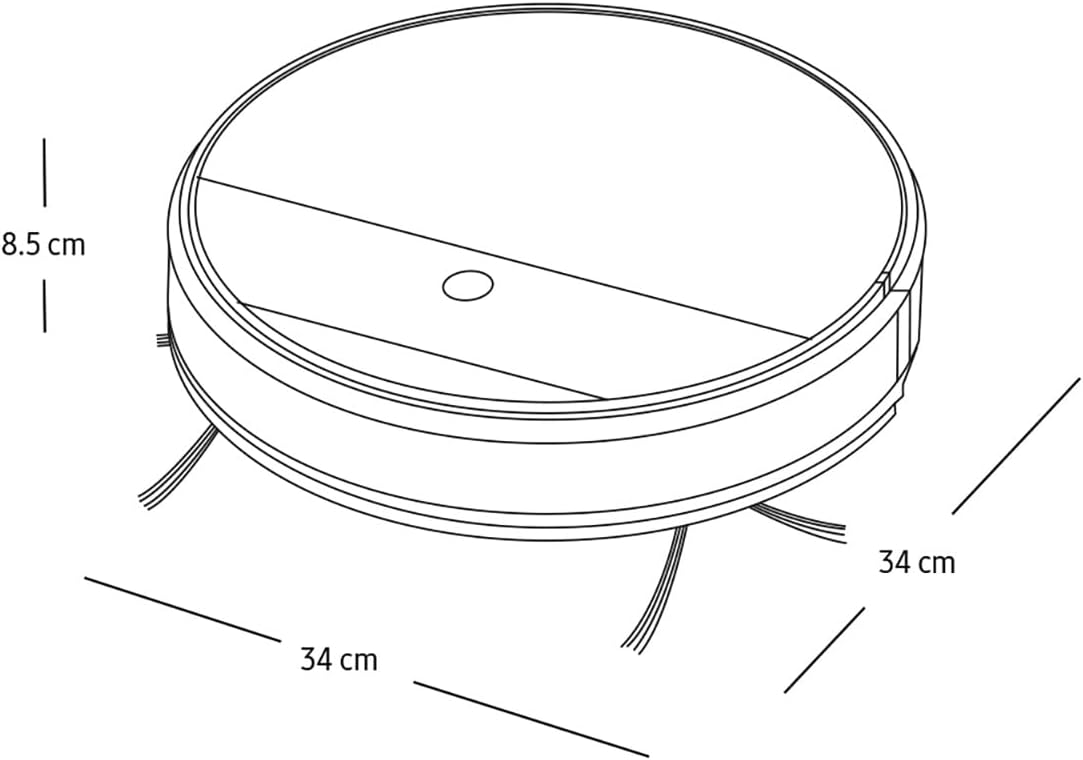
| 寸法(長さ×幅×高さ) | 長さ34 x 幅34 x 高さ8.5センチメートル |
| 重さ | 3キログラム |
| バッテリー寿命 | 最大150分 |
| 制御方法 | Remote Control, App Control (SmartThings) |
| 表面の推奨事項 | All Floor Types |
| 騒音レベル | 77デシベル |
| 含まれるコンポーネント | Docking Station, Filter, Mop, Remote Control, Side Brush |
保証とサポート
保証情報については、製品に付属の保証書を参照するか、Samsungの公式ウェブサイトをご覧ください。 webサイトでご確認ください。保証請求の際は購入証明として領収書を保管してください。
For technical support, spare parts, or service inquiries, please contact Samsung Customer Service or visit their support portal:
- サムスン公式 Webサイト: サムスン
- カスタマーサポート: お住まいの地域のSamsungにお問い合わせください web地元の連絡先電話番号のサイト。