
1.製品オーバーview
The FOSA HD 1080P Door Peephole Camera is designed to enhance home security by providing a wide-angle view of your doorstep. It features 1080P HD video resolution, a 220-degree wide-angle lens, and supports both 5.0GHz and 2.4GHz Wi-Fi networks for seamless integration with the Tuya Smart APP. Equipped with infrared night vision and motion detection, this camera ensures clear monitoring day and night, with real-time notifications sent to your smartphone.

Image 1.1: The FOSA Door Peephole Camera demonstrating its day and night vision functionality.
ビデオ1.1: オーバーview of the FOSA Door Peephole Camera, highlighting its design and features.
2. パッケージ内容
パッケージにすべてのアイテムが揃っていることを確認します。
- 1 x Door Peephole Camera
- 電源ケーブル(マイクロUSB)×1
- ユーザーマニュアル x 1
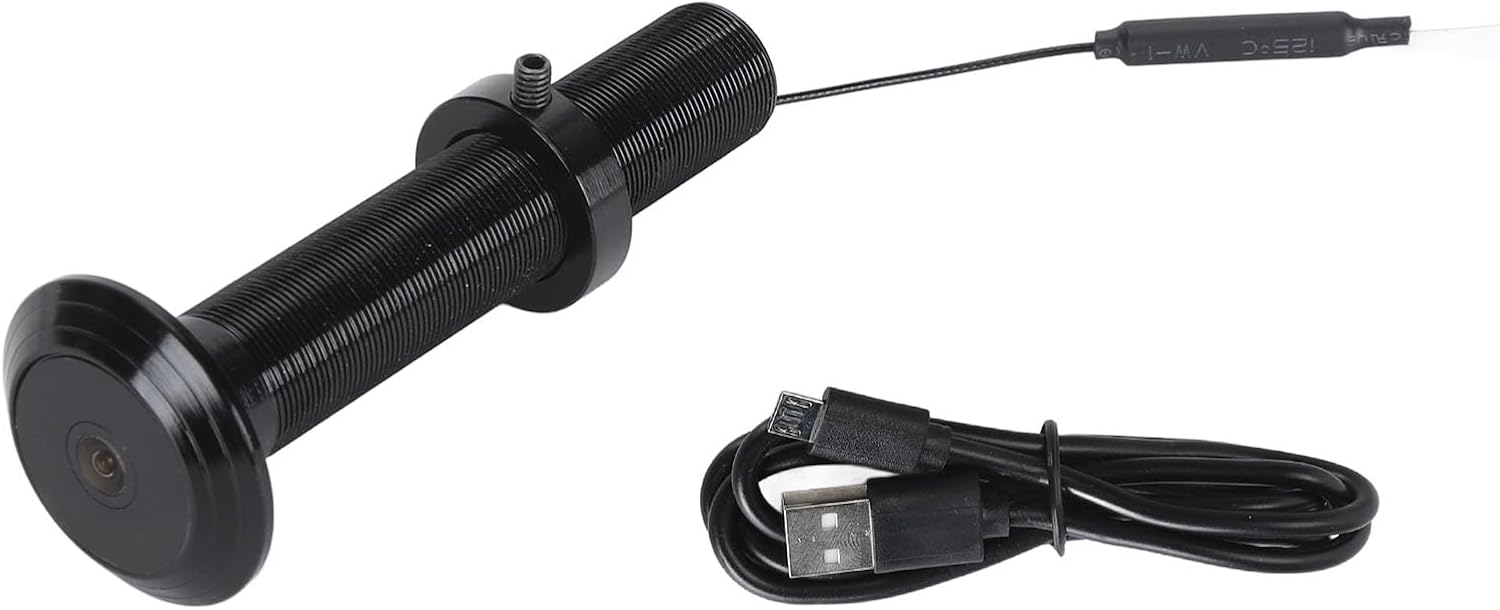
Image 2.1: The FOSA Door Peephole Camera and its included Micro USB power cable.
3. インストール
取り付ける前に、ドアが次の要件を満たしていることを確認してください。
- ドアパネルの厚さ: 2 cm to 7.9 cm (with a 0.5 cm error tolerance).
- のぞき穴の直径: 15 mm to 30 mm (with a maximum error of 2 mm).
インストール手順:
- Rotate and unscrew the fixing ring from the camera body.
- From the outside of the door, insert the camera lens into the existing peephole. Ensure there are no gaps between the lens and the door panel.
- From the inside of the door, rotate and install the fixing ring onto the camera's tail bolt. Tighten the fixings securely to hold the camera in place.
- Connect the power cable to the camera's Micro USB interface.

画像3.1: クローズアップ view of the camera lens, which is inserted from the outside of the door.

Image 3.2: The threaded body of the camera where the fixing ring is attached from the inside.

Image 3.3: Detail of the camera's cable, connecting to the power supply.
4. 操作手順
The FOSA Door Peephole Camera operates via the Tuya Smart APP, providing remote monitoring and control.
4.1 アプリのセットアップ
- Scan the QR code provided in the physical user manual with your smartphone to download the Tuya Smart APP.
- Open the Tuya Smart APP and register or log in to your account.
- Click the "+" icon in the upper right corner of the app to add a new device.
- Follow the on-screen instructions within the Tuya Smart APP to complete the device setup and connect the camera to your Wi-Fi network (supports both 5.0GHz and 2.4GHz).
4.2 リモート監視と通知
Once connected, you can remotely monitor your front door from anywhere using the Tuya Smart APP. The camera provides a 220-degree wide-angle view包括的なカバレッジを保証します。
- モーション検出: The camera is equipped with motion detection. When someone approaches your door, you will receive real-time notifications on your smartphone via the Tuya Smart APP.
- ナイトビジョン: High-power infrared night vision lights and an ICR infrared filter enable the camera to automatically switch between day and night modes, capturing clear footage even in low-light or pitch-black conditions.

Image 4.1: The camera's remote detection feature sending alarm messages to a mobile app.
4.3 ストレージ
The camera supports both cloud storage and built-in storage options for recording video footage. If using built-in storage (e.g., a microSD card, if supported by the specific model), the system will automatically cover previous video fileストレージがいっぱいになったとき。

Image 4.2: Illustration of the camera's storage capabilities, including recording and playback.
5. 仕様
| 特徴 | 仕様 |
|---|---|
| アイテムタイプ | ドアのぞき穴カメラ |
| 材料 | Aluminum Alloy, Glass |
| 重さ | Approx. 84g / 2.96 ounces |
| 解決 | 1920 x 1080 (1080P HD) |
| レンズ角度 | 220度 |
| ナイトビジョン | サポートあり(赤外線) |
| 繋がり | Mobile App (Tuya Smart) |
| Wi-Fiバージョン | 5.0GHz or 2.4GHz (Both Compatible) |
| ストレージ | Cloud Storage or Built-in Storage |
| 充電インターフェース | マイクロUSB |
| Door Panel Thickness Support | 2 cm to 7.9 cm (0.5 cm error tolerance) |
| Peephole Diameter Support | 15 mm to 30 mm (2 mm error tolerance) |
| モデル番号 | fosac08mf3yipr-11 |
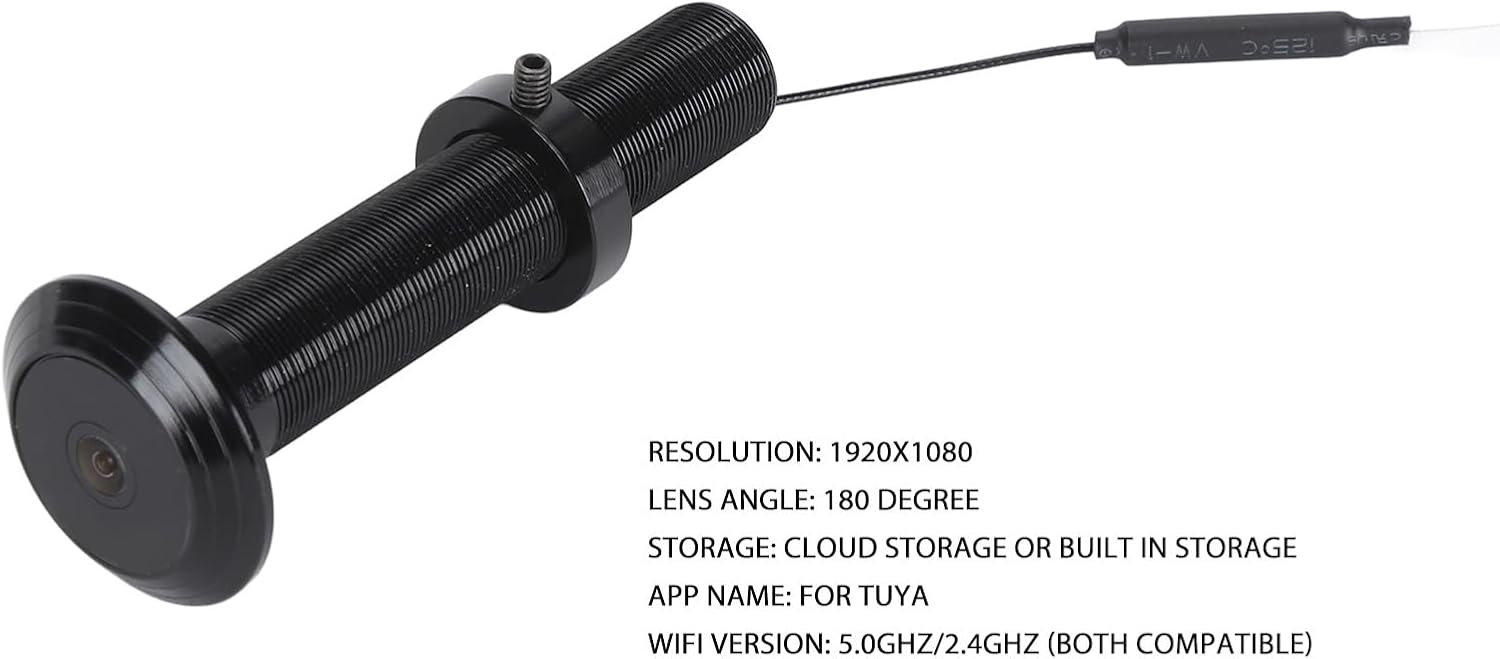
Image 5.1: The FOSA Door Peephole Camera highlighting its resolution, lens angle, storage, and app compatibility.
6. メンテナンス
To ensure optimal performance and longevity of your FOSA Door Peephole Camera, follow these maintenance guidelines:
- クリーニング: Gently wipe the camera lens and body with a soft, dry cloth. Avoid using abrasive cleaners or solvents that could damage the surface or lens.
- ファームウェアの更新: Regularly check the Tuya Smart APP for any available firmware updates for your camera. Keeping the firmware updated ensures you have the latest features and security enhancements.
- 電源: Ensure the camera is connected to a stable power source. Avoid frequent disconnections or power fluctuations.
- 環境条件: While the camera is designed for outdoor use, extreme weather conditions (e.g., heavy rain, snow, direct prolonged sunlight) may affect its performance. Ensure proper installation to minimize exposure to harsh elements.
7。 トラブルシューティング
If you encounter issues with your FOSA Door Peephole Camera, refer to the following common troubleshooting steps:
- カメラが Wi-Fi に接続していない:
- Wi-Fi ネットワークがアクティブであり、範囲内にあることを確認してください。
- 正しい Wi-Fi パスワードを入力していることを確認してください。
- Confirm your router supports either 2.4GHz or 5.0GHz, and the camera is attempting to connect to a compatible band.
- Restart your router and the camera, then attempt to reconnect via the Tuya Smart APP.
- 画像なし/画質が悪い:
- Check the camera lens for any obstructions or dirt and clean it if necessary.
- Ensure adequate lighting conditions. If it's dark, verify that night vision is activating automatically.
- インターネット接続速度を確認してください。接続速度が遅いとライブ ストリームの品質に影響する可能性があります。
- 動き検出が機能しない:
- Ensure motion detection is enabled in the Tuya Smart APP settings for your camera.
- Adjust the motion detection sensitivity settings within the app.
- カメラの視野を確認してください view 邪魔されません。
- アプリ通知を受信できません:
- Check your smartphone's notification settings to ensure the Tuya Smart APP has permission to send notifications.
- Verify that notifications are enabled within the Tuya Smart APP for your camera.
- 携帯電話にインターネット接続が有効であることを確認してください。
8. 保証とサポート
For warranty information and technical support, please refer to the documentation included with your purchase or contact FOSA customer service through their official channels. Keep your purchase receipt as proof of purchase for warranty claims.
さらにサポートが必要な場合は、次のサイトを参照してください。 FOSA Store on Amazon.