
Hysoon HS71-60
Hysoon レジ ユーザーマニュアル
モデル: HS71-60
1. はじめに
This manual provides comprehensive instructions for the setup, operation, maintenance, and troubleshooting of your Hysoon Cash Register, Model HS71-60. Please read this manual thoroughly before using the device to ensure proper functionality and longevity.
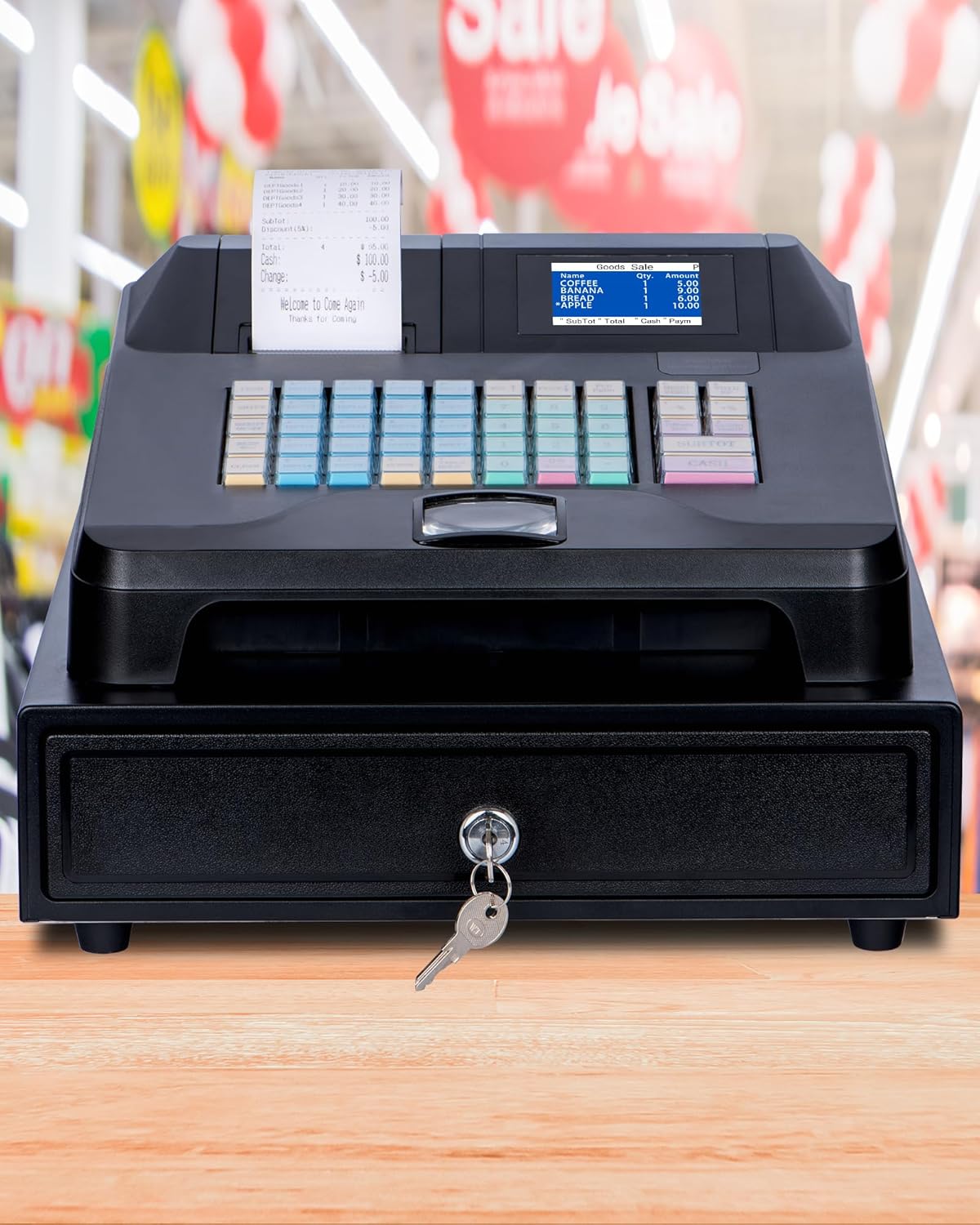
Figure 1.1: The Hysoon Cash Register, Model HS71-60, featuring an integrated cash drawer and receipt printer, designed for small businesses.
2 製品の特徴
The Hysoon Cash Register is designed with several key features to enhance efficiency and ease of use in various business environments:
- Integrated Cash Drawer & Printer: Comes with a 4-bill, 5-coin automatic cash drawer and a built-in receipt printer, streamlining operations and reducing the need for separate purchases.
- デュアルディスプレイ画面: Equipped with a 2.8-inch TFT LCD display for the cashier and an 8-digit display for the customer, ensuring clear transaction visibility for both parties.
- Multifunctional External Interfaces: Includes two RS232 ports for external receipt printers and barcode scanners, a USB port for computer software connection, and a PS2 interface for keyboard input, offering versatile connectivity.
- One-Click Tax Exemption: Features a quick tax exemption function for applicable transactions. Refer to the tax settings section in this manual for configuration details.
- 大容量ストレージ: Supports configuration for up to 50 cashiers, 100 sales, 36 departments, and 60,000 storage records, suitable for diverse business needs.
- Management Software Support: Compatible with management software for goods, receipts, and other data entry, facilitating comprehensive business management.

Figure 2.1: Key components of the Hysoon Cash Register, highlighting the built-in receipt printer, 2.8-inch color display, and integrated cash drawer.
3. セットアップと初期設定
3.1 開梱と検査
Carefully unpack all components from the box. Verify that all items listed below are present and undamaged:
- 1 x Hysoon Cash Register with Cash Drawer
- USBケーブル1本
- 電源ケーブル x 1
- 1x感熱紙ロール
- 2 x Cash Drawer Keys
不足または破損した商品がある場合は、すぐにカスタマーサポートにご連絡ください。

Figure 3.1: Contents included in the Hysoon Cash Register package.
3.2 Connecting the Cash Register
- Place the cash register on a stable, flat surface.
- Connect the power cable to the power input port on the back of the cash register and plug it into a standard electrical outlet.
- Insert the thermal paper roll into the built-in receipt printer. Ensure the paper feeds correctly.
- If connecting to a computer for software management, use the provided USB cable to connect the cash register to your computer.
- For external devices like barcode scanners or additional printers, use the appropriate RS232 ports. A PS2 interface is available for keyboard input.

Figure 3.2: Rear panel connections for external devices, including RS232 ports for barcode scanners and printers, USB for computer software, and PS2 for keyboard.
4. 操作手順
4.1 基本操作
The Hysoon Cash Register is designed for ease of use. Simply plug it in, and it is ready for basic transactions.
- 電源オン: Ensure the power cable is connected and the power switch (located on the rear panel) is in the 'ON' position.
- Cashier Display: The 2.8-inch TFT LCD display will show transaction details for the cashier.
- Customer Display: The 8-digit display provides transaction information to the customer.
4.2キーパッド機能
The keypad is intuitively designed for quick and efficient operation:
- 青いボタン: Represent departments. These can be used as separate product entries or as categories.
- Green Buttons: Represent product codes. These can also be scanned using a barcode scanner.
- Red and Yellow Buttons: Function keys for various operations (e.g., SUBTOTAL, CASH, CLEAR).

図4.1:詳細 view of the user-friendly keypad layout, indicating the purpose of different colored keys.
4.3 Tax Settings
The cash register includes a one-click tax exemption feature. For detailed instructions on setting up and managing tax rates, please refer to the dedicated tax settings section within the management software or contact technical support.
4.4 Management Software
The Hysoon Cash Register supports connection to management software for advanced control over goods, receipts, and other data. This software allows for:
- マシン管理
- データ管理
- Report Center
Connect the cash register to your computer via the USB port to utilize these features.

Figure 4.2: The Hysoon Cash Register connected to a computer running the intelligent management software.
5. メンテナンス
5.1 クリーニング
The cash register features a waterproof and oil-proof design, making it easy to clean.
- 柔らかくてamp 外側の表面を拭くための布。
- 研磨剤入りの洗剤や溶剤は仕上げを傷める可能性があるため、使用しないでください。
- Ensure no liquids enter the internal components or ports.

Figure 5.1: The cash register's waterproof and oil-proof design allows for easy cleaning with a simple wipe.
5.2 Thermal Paper Replacement
When the thermal paper roll is depleted, replace it with a new 57mm thermal paper roll. Follow the instructions provided with the paper roll or refer to the printer section of the management software for guidance.
5.3 Cash Drawer Maintenance
The cash drawer is designed for durability. Keep the coin and bill slots clean and free of debris. Use the provided keys for secure locking and unlocking.

Figure 5.2: The cash drawer features 4 bill slots and 5 coin slots for organized cash management.
6。 トラブルシューティング
This section addresses common issues you might encounter with your Hysoon Cash Register. For problems not listed here, please contact technical support.
| 問題 | 考えられる原因 | 解決 |
|---|---|---|
| レジスターの電源が入りません。 | 電源ケーブルが接続されていない、電源スイッチがオフになっている、電源コンセントに問題がある。 | Ensure power cable is securely connected. Check power switch position. Test power outlet with another device. |
| Receipt printer not printing. | No thermal paper; Paper jammed; Printer error. | Replace thermal paper. Clear any paper jams. Check printer status on display or management software. |
| キャッシュドロワーが開きません。 | Not properly connected; Key not used correctly; Obstruction. | Ensure cash drawer cable is connected. Use the correct key and turn fully. Check for any obstructions inside the drawer. |
| External device (scanner/printer) not recognized. | Incorrect port; Driver issue; Device not powered. | Verify connection to the correct RS232 port. Install necessary drivers if using management software. Ensure external device is powered on. |
7. 製品仕様
Below are the detailed specifications for the Hysoon Cash Register, Model HS71-60:
| 特徴 | 仕様 |
|---|---|
| モデル番号 | HS71-60 |
| 寸法(長さ×幅×高さ) | 13.19 Inches x 15.28 Inches x 8.27 Inches (335 mm x 388 mm x 210 mm) |
| 重さ | 約5.99kg |
| Cashier Capacity | 最大50 |
| Sales Capacity | 最大100 |
| Department Capacity | 最大36 |
| 製品容量 | 最大10000 |
| Storage Records | 最大60000 |
| オペレーターディスプレイ | 2.8-inch Color Display (TFT LCD) |
| カスタマーディスプレイ | 8-digit Display |
| キーボード | 48 Keys with Dust Proof Cap |
| Printing Specific | 57MM Thermal Printing |
| 外部インターフェース | 2 x RS232 (for external receipt printer & barcode scanner), 1 x USB (for computer software), 1 x PS2 (for keyboard input) |
| キャッシュドロワー | 4 Bill Slots, 5 Coin Slots |

Figure 7.1: Physical dimensions and key specifications of the Hysoon Cash Register.
8. 保証とサポート
Hysoon provides comprehensive support for your cash register:
- 保証: One-year warranty service from the date of purchase.
- テクニカルサポート: 24-hour technical support is available. If you have any questions or require assistance, please refer to the contact information provided in the user manual (if available) or on the product packaging.
- 月額料金なし: This product does not require any monthly fees, contract fees, or software fees for its operation.