
1. はじめに
Thank you for choosing the Micool BT-X Bluetooth V5.3 Clip-On Wireless Headphones. This manual provides essential information for setting up, operating, and maintaining your headphones to ensure optimal performance and longevity. Please read this manual thoroughly before first use and retain it for future reference.
2. パッケージ内容
- Micool BT-X Wireless Headphones (Left and Right)
- 充電ケース
- USB-C充電ケーブル
- ユーザーマニュアル
3.製品オーバーview
The Micool BT-X headphones are designed for comfort and high-quality audio, featuring an open-ear design with earhooks. They incorporate Bluetooth 5.3 technology for stable connections and 28mm speakers for clear stereo sound and powerful bass. Four integrated microphones enhance call clarity by reducing ambient noise.

Image: Micool BT-X Headphones and Charging Case

Image: Internal structure highlighting the 28mm neodymium magnetic horn for enhanced sound quality.

Image: User demonstrating clear call functionality with Micool BT-X headphones, featuring 4 microphones for noise cancellation.
4. Getting Started: First Use and Pairing
4.1 初期設定
Before first use, ensure you remove the charging protection insulation film from both earbuds. This film prevents charging during shipping.
Video: Demonstrates removing the charging protection insulation film and initiating Bluetooth pairing for first-time use.
4.2Bluetoothペアリング
- Ensure the headphones are fully charged and the insulation film has been removed.
- Open the charging case lid. The headphones will automatically enter Bluetooth pairing mode, indicated by a green light flashing intermittently on the earbuds.
- デバイス(スマートフォン、タブレット、ラップトップ)で Bluetooth を有効にします。
- 検索する available Bluetooth devices and select 'Micool BT-X' from the list.
- Once connected, the green light on the earbuds will stop flashing, indicating successful pairing.
The headphones will automatically reconnect to the last paired device when removed from the charging case and within range.
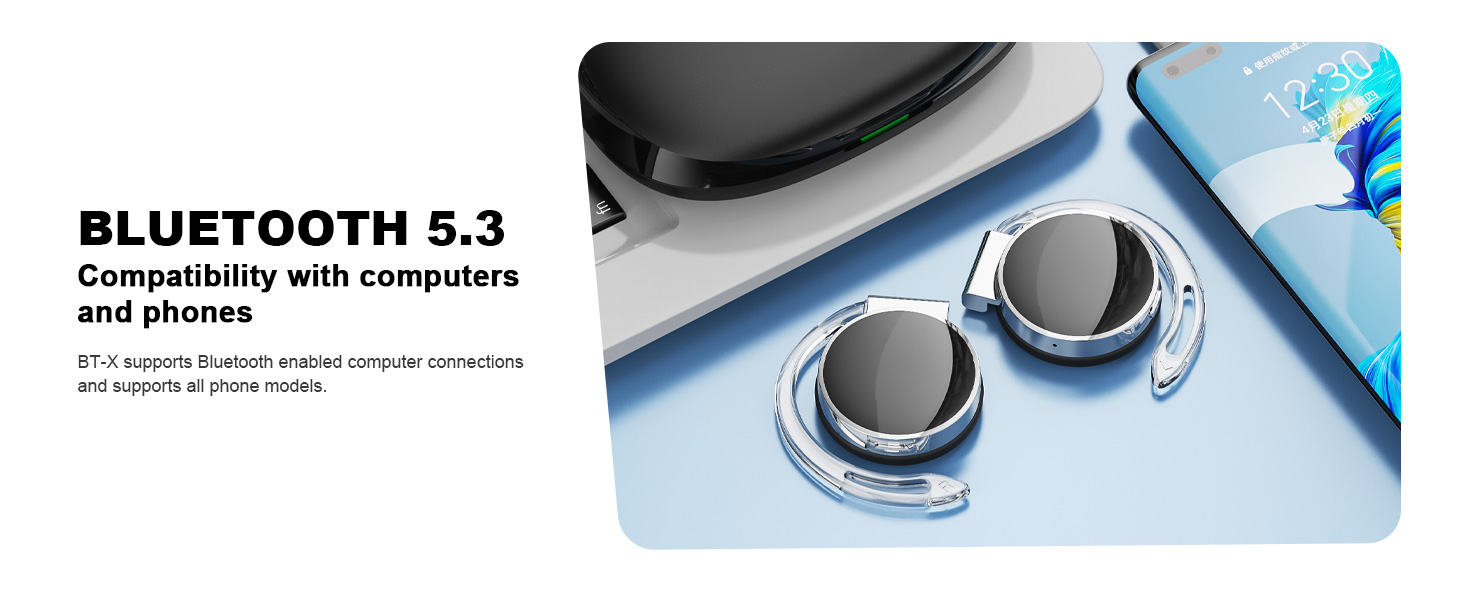
Image: Micool BT-X headphones demonstrating compatibility with various devices including laptops and smartphones via Bluetooth 5.3.
5. ヘッドホンの装着
For optimal sound and comfort, wear the headphones correctly as shown below:

Image: Step-by-step guide on how to wear the Micool BT-X headphones.
- ステップ1: Separate the earhooks at a 30-degree angle.
- ステップ2: Rotate the earhook along the inside of your ear to the bottom.
- ステップ3: Press the headphones gently until they feel secure on your ears.
- ステップ4: Adjust for a comfortable and stable fit. The sponge earmuffs are designed for comfort during extended wear.
6. 操作手順
The Micool BT-X headphones feature multi-function buttons on each earbud for easy control.
6.1 音楽コントロール
- 再生/一時停止: どちらかのイヤホンの多機能ボタンを 1 回押します。
- 次の曲: 右のイヤホンの多機能ボタンを2回押します。
- 前の曲: 左のイヤホンの多機能ボタンを2回押します。
- ボリュームアップ: 右のイヤホンの多機能ボタンを3回押します。
- ボリュームダウン: 左のイヤホンの多機能ボタンを3回押します。
6.2 通話制御
- 通話の応答/終了: どちらかのイヤホンの多機能ボタンを 1 回押します。
- 通話を拒否: どちらかのイヤホンの多機能ボタンを 2 秒間押し続けます。
6.3音声アシスタント
- 音声アシスタントを有効にする: どちらかのイヤホンの多機能ボタンを 3 秒間押し続けます。
7. 充電
The Micool BT-X headphones offer extended battery life with their charging case.
- Headphone Battery Life: Up to 15 hours of music playback on a single full charge.
- ケース付きバッテリー総寿命: The charging case provides approximately 3 additional full charges, extending total listening time up to 42 hours.
- ケースの充電: Connect the provided USB-C cable to the charging port on the case and a power source. The battery indicator on the case will show the charging status and remaining battery capacity.
- ヘッドホンの充電: ヘッドホンを充電ケースに入れてください。自動的に充電が始まります。

Image: Visual representation of the extended battery life for Micool BT-X headphones and their charging case.
8. 仕様
| 特徴 | 仕様 |
|---|---|
| ブランド | ミクール |
| モデル番号 | BT-X |
| Bluetoothバージョン | 5.3 |
| 接続技術 | 無線 |
| 耳の位置 | 耳に |
| バッテリーの平均寿命 | 15 Hours (Headphones), 42 Hours (with Charging Case) |
| コントロールタイプ | 音声コントロール |
| 制御方法 | タッチ、ボイス |
| オーディオドライバータイプ | ダイナミックドライバー(28mmスピーカー) |
| マイク | 4 (with Noise Cancelling) |
| 対応デバイス | 携帯電話、タブレット、ノートパソコン、デスクトップ |
9。 トラブルシューティング
- デバイスとペアリングできません:
Ensure the headphones are charged and the insulation film is removed. Turn off Bluetooth on other nearby devices. Restart your device and try pairing again. If issues persist, reset the headphones (refer to manufacturer's webマニュアルに記載されていない場合は、具体的なリセット手順についてはサイトを参照してください。 - 音が出ない、または音量が小さい:
Check the volume levels on both your device and the headphones. Ensure the headphones are properly connected to your device. Try playing audio from a different application or device. - 断続的な接続:
Ensure there are no obstructions between the headphones and your device. Stay within the Bluetooth range (up to 10 meters). Avoid environments with strong electromagnetic interference. - ヘッドホンが充電されない:
Verify the USB-C cable is securely connected to both the charging case and the power source. Ensure the headphones are correctly seated in the charging case. Check the charging case's battery level.
10. 安全情報
- ヘッドフォンや充電ケースを極端な温度、湿度、または液体にさらさないでください。
- 製品を落としたり、衝撃を与えたり、分解したりしないでください。
- 充電には付属の充電ケーブルまたは認定された USB-C ケーブルのみを使用してください。
- ヘッドホンは柔らかく乾いた布で拭いてください。刺激の強い化学薬品は使用しないでください。
- 大音量で長時間聴くと聴覚障害を引き起こす可能性があります。安全な音量に調整してください。
- Be aware of your surroundings when using headphones, especially in traffic or hazardous situations.
11. 保証とサポート
Micool products come with a standard warranty. For detailed warranty information, product support, or service inquiries, please refer to the official Micool webサイトをご覧いただくか、購入プラットフォームを通じてカスタマー サービスにお問い合わせください。
Micool is committed to providing 24-hour after-sales service for all purchased items.
Webサイト: Visit the Micool Store on Amazon