
導入
The BSIDE S20 Digital Multimeter is a high-speed, automatic intelligent multimeter designed for precise electrical measurements. It features an integrated EMF detector, a large EBTN color LCD, and a rechargeable battery. This manual provides detailed instructions for safe and effective use of your device.
主な特徴
- High-Speed Digital Multimeter: Equipped with a powerful chip for rapid and accurate measurements, including capacitance.
- 大型カラーLCDディスプレイ: Features a 3.5-inch EBTN color screen showing test values, analog bars, and frequency/ambient temperature for enhanced readability.
- 自動識別: Smart technology automatically identifies tested parameters and selects the appropriate range, making it user-friendly for beginners.
- 充電式バッテリー: Includes a built-in 800mAh Li-ion rechargeable battery and charging cable for convenient power.
- Integrated EMF Detector: Detects electromagnetic fields from various electronic devices, providing an alarm and analog bar display.
- Versatile Measurements: DC/AC電圧測定可能tage, resistance, capacitance, frequency, diode, and continuity.
- 追加機能: Auto-ranging, auto power-off, data hold, and low battery indication.
パッケージ内容
パッケージにすべてのアイテムが含まれていることを確認します。
- BSIDE S20 Smart Multimeter EMF
- テストリード
- キャリングケース
- USB充電ケーブル
- ユーザーマニュアル(英語)

Image: The BSIDE S20 Multimeter shown with its included test leads, USB charging cable, and protective carrying case.
設定
1. バッテリーの充電
The BSIDE S20 Multimeter is equipped with a built-in rechargeable Li-ion battery. Before first use, ensure the device is fully charged.
- 付属の USB 充電ケーブルをマルチメーターの充電ポートに接続します。
- USB ケーブルのもう一方の端を標準の USB 電源アダプタ (別売) またはコンピュータの USB ポートに接続します。
- The charging indicator on the display will show the charging status. A full charge typically takes a few hours.

Image: The BSIDE S20 Multimeter being charged via a USB cable connected to a laptop, illustrating the rechargeable battery feature.
2. テストリードの接続
Properly connect the test leads for accurate measurements.
- 黒いテストリード線を「COM」(共通)入力ジャックに挿入します。
- 赤いテストリードを「INPUT」入力ジャックに挿入します。
- Ensure connections are secure before performing any measurements.
操作手順
The BSIDE S20 features an intelligent automatic mode for most measurements. It can also be manually switched to specific functions.
1. 電源のオン/オフ
Press and hold the power button (usually located on the top right of the device) to turn the multimeter on or off. The device will automatically power off after a period of inactivity to conserve battery.
2. 自動モード選択
自動モードでは、マルチメーターは測定の種類(AC/DC電圧)をインテリジェントに識別します。tage, resistance, continuity) and displays the result. This is the default mode upon power-on.
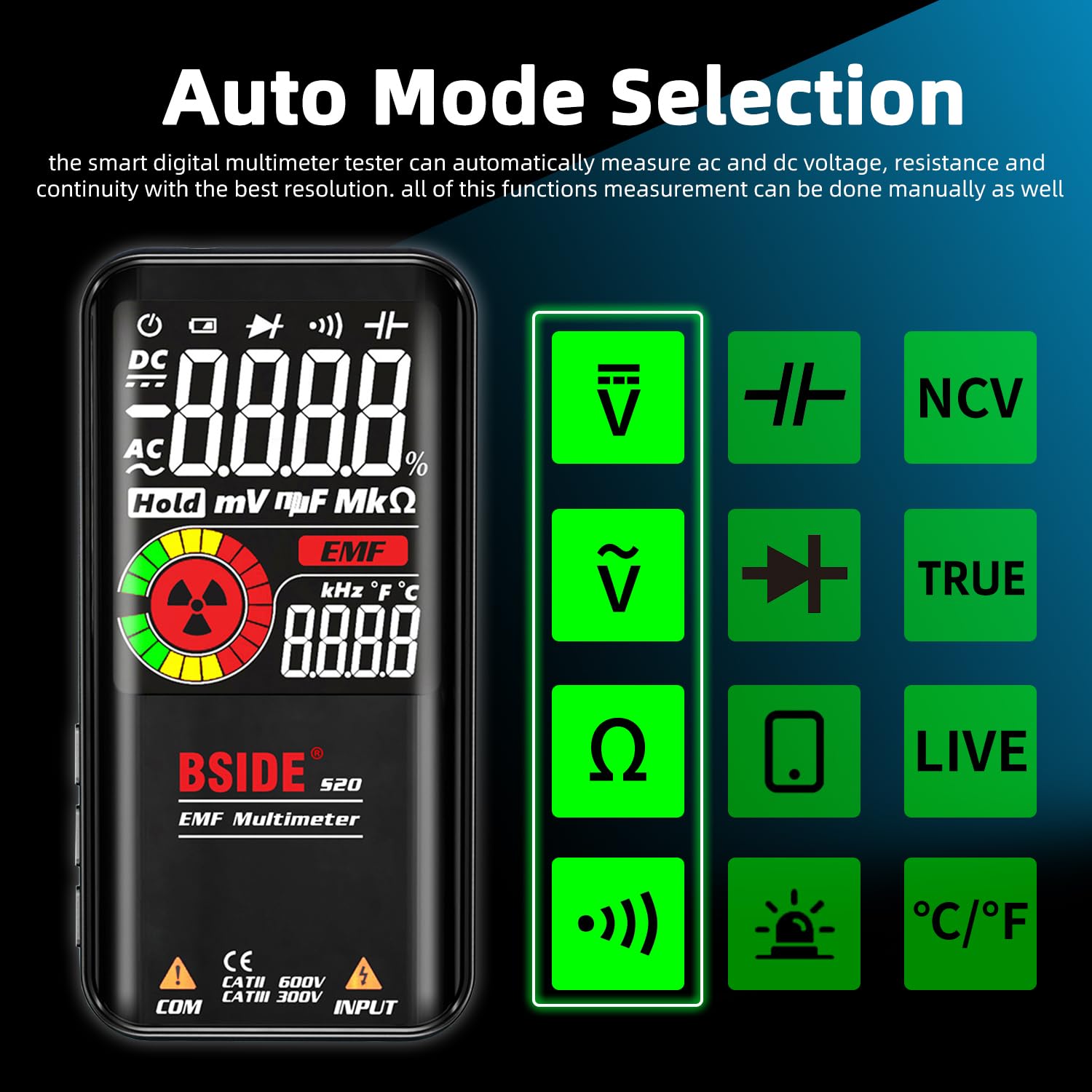
Image: The BSIDE S20 Multimeter display highlighting the automatic mode selection feature, with icons for different measurement types.
3. ディスプレイの理解
The 3.5-inch EBTN color LCD provides clear readings with three main results:
- テスト値: The primary numerical measurement.
- アナログバー: A graphical representation of the measurement, useful for quick trend observation.
- Frequency/Ambient Temperature: Additional contextual information displayed simultaneously.

Image: The BSIDE S20 Multimeter display showing a voltage reading of 110.0V AC, a frequency of 60.00 Hz, and an analog bar graph.
4. Performing Measurements (General Steps)
- Ensure the test leads are correctly connected to the multimeter.
- Turn on the multimeter. It will typically start in automatic mode.
- Select the desired measurement function if not using automatic mode (refer to the device's buttons for mode selection).
- Carefully connect the test probes to the circuit or component you wish to measure.
- ディスプレイ上の測定値を読み取ります。
- Always disconnect the test probes from the circuit before changing functions or turning off the device.
5.巻tage測定(AC/DC)
体積を測定するtage, connect the test probes in parallel with the circuit or component. The multimeter will automatically detect AC or DC voltag自動モードではe。
Video: Demonstration of the BSIDE S20 Multimeter measuring AC and DC voltage, resistance, continuity, capacitance, live wire detection, and EMF detection in an electrical setup.
6.抵抗測定
To measure resistance, ensure the circuit is de-energized. Connect the test probes across the component.
Note: The video above also shows a resistance measurement of 100.0 kΩ.
7.導通テスト
For continuity, ensure the circuit is de-energized. Connect the test probes across the path to be tested. If the resistance is below 30Ω, an audible beep will sound, indicating continuity.
Note: The video above also shows a continuity test with an audible beep.
8. 静電容量測定
To measure capacitance, ensure the capacitor is discharged before connecting the test probes. The BSIDE S20 offers high-speed capacitance measurement.

Image: The BSIDE S20 Multimeter connected to a capacitor on a circuit board, displaying a capacitance reading of 68.00 uF.
Note: The video above also shows a capacitance measurement of 37.1 uF.
9. EMF検出
The integrated EMF detector helps identify electromagnetic fields. Move the multimeter near potential sources of EMF radiation.
- The display will show an EMF reading and an analog bar.
- An audible alarm will sound if a significant EMF is detected.
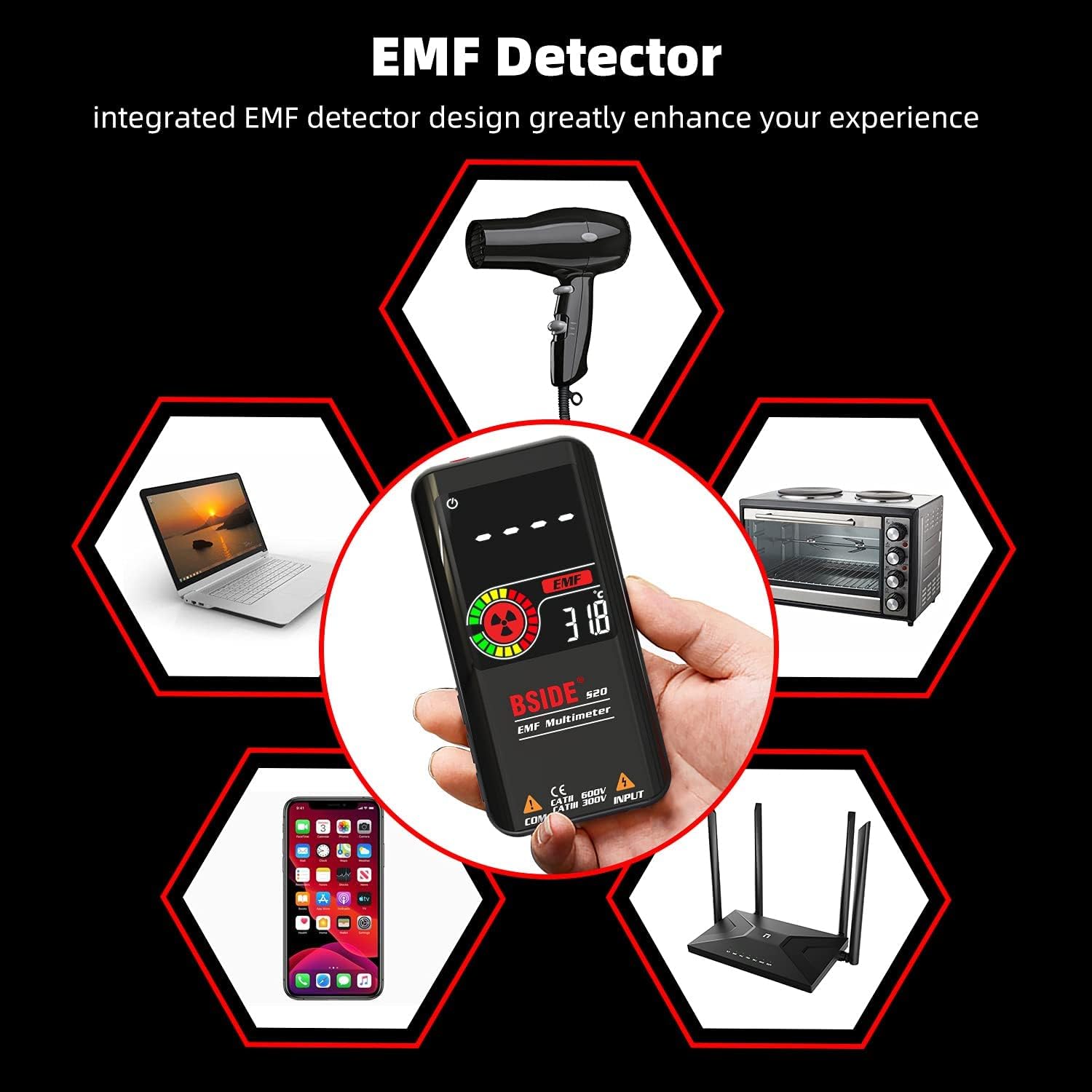
Image: The BSIDE S20 Multimeter displaying an EMF reading, surrounded by common household electronics that emit electromagnetic fields.
Note: The video above also shows the EMF detection feature with an audible alarm.
10.ライブワイヤ検出
To detect live wires, select the "LIVE" function. Use the red test probe to approach the wire. The multimeter will indicate the presence of live voltage with an alarm and display changes.
Note: The video above also shows the live wire detection feature.
メンテナンス
クリーニング
乾いた柔らかい布でデバイスを拭いてください。研磨剤入りの洗剤や溶剤は使用しないでください。清掃する前に、デバイスの電源がオフになっており、すべての回路が取り外されていることを確認してください。
ストレージ
Store the multimeter in its protective carrying case in a cool, dry place, away from direct sunlight and extreme temperatures. If storing for extended periods, ensure the battery is partially charged (around 50%) to prolong its lifespan.

画像: クローズアップ view of the BSIDE S20 Multimeter, highlighting its durable protective case.
トラブルシューティング
| 問題 | 考えられる原因 | 解決 |
|---|---|---|
| デバイスの電源が入りません。 | バッテリー残量が少ない、または消耗しています。 | 付属の USB ケーブルを使用してバッテリーを充電します。 |
| 不正確な測定値。 | Incorrect mode selection; poor test lead connection; external interference. | Ensure correct mode (Auto or specific function). Check test lead connections. Move away from strong electromagnetic fields. |
| 導通ビープ音はありません。 | Resistance is too high; circuit is open. | Verify the circuit path. The beep activates for resistance below 30Ω. |
| EMF detector not responding. | No significant EMF source nearby; device not in EMF mode. | Ensure the device is in EMF detection mode. Move closer to known EMF sources. |
仕様
| パラメータ | 価値 |
|---|---|
| 最大表示 | 9999カウント |
| 表示タイプ | Color LCD EBTN |
| 画面サイズ | 3.5インチ |
| DCVol。tage | 0.5V-620V ±(0.8%+3); 分解能: 0.001V |
| ACVol。tage | 1.0V-620V ±(1.2%+5); 分解能: 0.001V |
| 抵抗 | 1Ω-10.0MΩ ±(1.2%+3); Resolution: 0.1Ω |
| キャパシタンス | 0.5uF-1000uF ±(3.5%+8), 1000uF-6000uF ±(4.5%+10); Resolution: 0.1uF |
| 頻度 | 10Hz~1000Hz ±(2.0%+10); 分解能: 1Hz |
| ダイオード試験 | 1.0V以内のダイオードを測定 |
| EMF検出 | Alarm beep, LCD with analog bars |
| 活線チェック | Alarm beep, LCD with analog bars |
| 連続 | Audible signal if resistance is less than 30Ω |
| 電源 | 3.7V Rechargeable Battery (included) |
| 寸法 | 143 x 69 x 17 mm (5.63 x 2.72 x 0.67 インチ) |
| 重さ | 143g(0.31ポンド) |
| 安全コンプライアンス | CE |
保証とサポート
保証情報およびテクニカルサポートについては、BSIDEの公式ウェブサイトをご覧ください。 web当サイトをご覧いただくか、販売店にお問い合わせください。保証請求のために購入時の領収書を保管してください。