
1. はじめに
Thank you for choosing the SZELAM Projection Alarm Clock. This device combines a digital alarm clock with a rotatable time projector, an RGB night light, and convenient USB charging ports. This manual provides detailed instructions for setup, operation, and maintenance to ensure optimal performance and longevity of your product.

Image 1.1: The SZELAM Projection Alarm Clock displaying time on its mirror surface and projecting it onto a wall, with its RGB base light illuminated.
2. パッケージ内容
- SZELAM Projection Alarm Clock
- USB電源ケーブル
- ユーザーマニュアル
3.製品オーバーview
Familiarize yourself with the various components and features of your alarm clock.
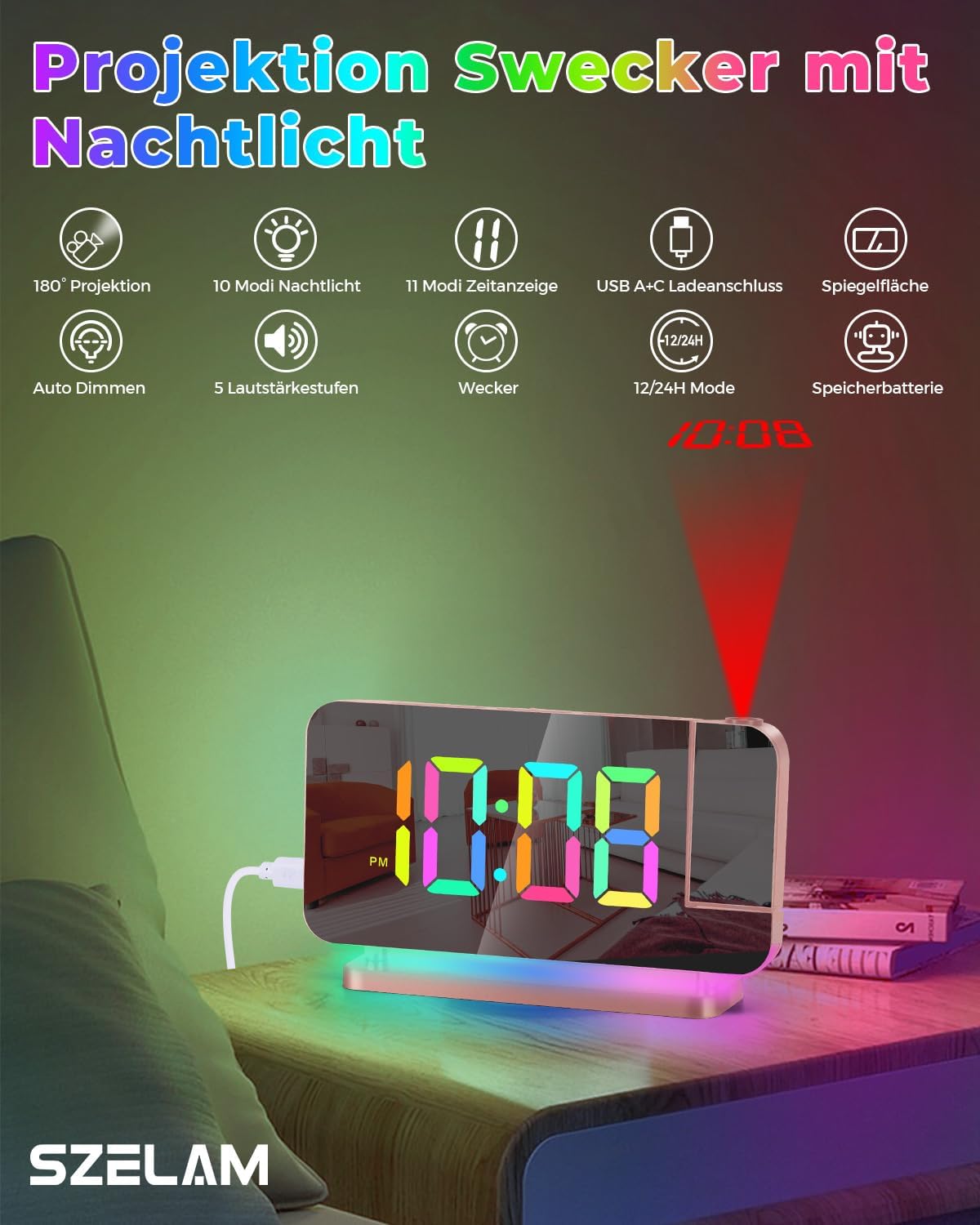
画像3.1: オーバーview of the alarm clock's features, including 180° projection, 10 night light modes, 11 time display modes, USB A+C charging ports, mirror surface, auto dimming, 5 volume levels, alarm function, 12/24H mode, and backup battery capability.
4. セットアップ
4.1電源接続
- Connect the provided USB power cable to the USB-C input port on the back of the alarm clock.
- Plug the other end of the USB cable into a standard USB power adapter (not included) and then into a wall outlet.
- The clock display will illuminate, indicating it has power.
4.2 初期時間設定
Upon initial power-up, the clock may display a default time. Refer to the 'Operating Instructions' section for detailed steps on setting the correct time and date.
5. 操作手順
5.1 Time Display Settings
The clock features an 11-color RGB digital display with adjustable brightness.

Image 5.1: The clock display showcasing 11 different color modes for the time digits, along with options for auto dimming and 6 brightness levels.
- 設定時間: Press the 'SET' button to enter time setting mode. Use the '+' and '-' buttons to adjust hours and minutes. Press 'SET' again to confirm each step.
- 12/24時間形式: In time setting mode, press the '12/24H' button to switch between 12-hour (with AM/PM indicator) and 24-hour formats.
- ディスプレイの明るさ: Press the 'DIMMER' button repeatedly to cycle through 6 brightness levels or activate auto-dimming mode.
- Display Color Modes: Press the 'COLOR' button to cycle through 4 dynamic RGB colors and 7 fixed color modes for the digital display.
5.2 アラーム設定
- アラーム設定: Press the 'ALARM' button to enter alarm setting mode. Use '+' and '-' to set the desired alarm time. Press 'ALARM' again to confirm.
- アラームの有効化/無効化: Press the 'ALARM' button briefly outside of setting mode to toggle the alarm on or off. An alarm icon will appear/disappear on the display.
- スヌーズ機能: When the alarm sounds, press the 'SNOOZE' button (usually a large button on top) to temporarily silence it for a set duration (e.g., 9 minutes). The alarm will sound again after the snooze period.
- 停止アラーム: To stop the alarm completely, press any other button (except 'SNOOZE') when it is sounding.
5.3 投影関数
The clock features a 180° rotatable projector to display time on your wall or ceiling.

Image 5.2: The 180° rotatable projector lens and examples of the four adjustable brightness levels for the projected time (Off, Dimmed, Medium, Bright).
- 投影を有効にする: Locate the projector lens on the side of the clock. Press the 'PROJECTOR' button to turn the projection on/off.
- 投影角度の調整: Manually rotate the projector lens up to 180° to direct the time display to your desired surface (wall or ceiling).
- 投影の明るさを調整する: Press the 'PROJECTOR' button repeatedly to cycle through 4 brightness levels for the projected time.
- Flipping Projected Time: If the projected time appears upside down, press the 'FLIP' button (often combined with the projector button) to rotate the display 180°.
5.4 夜間照明の操作
The alarm clock includes a built-in LED night light with multiple color modes.

Image 5.3: The clock's base illuminated with various dynamic RGB night light modes, demonstrating the 10 available color options and 5 adjustable brightness levels.
- オン/オフ: Press the 'LIGHT' button to turn the night light on or off.
- 色の変更: Press the 'LIGHT' button repeatedly to cycle through 3 dynamic RGB colors and 7 fixed color modes.
- 明るさの調整: Use the '+' and '-' buttons when the night light is active to adjust its brightness through 5 levels.
5.5つのUSB充電ポート
The clock is equipped with two USB output ports for charging external devices.
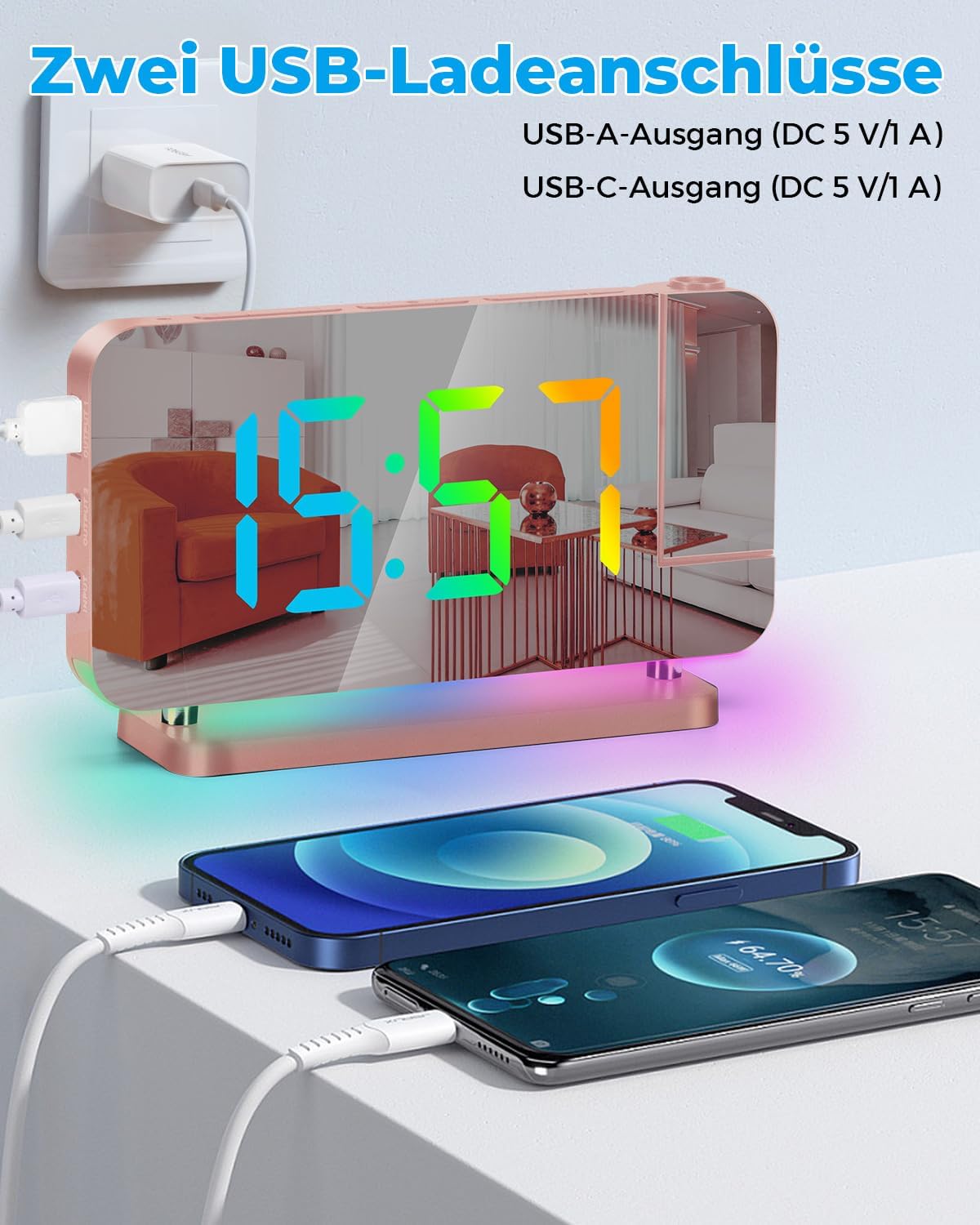
Image 5.4: The alarm clock featuring two USB charging ports, one USB-A and one USB-C, both providing 5V/1A output, shown charging two smartphones simultaneously.
- The clock includes one USB Type-C output port and one USB Type-A output port.
- Connect your electronic devices (e.g., smartphone, tablet) to these ports using their respective charging cables.
- Each port provides a 5V/1A output, allowing you to charge two devices simultaneously.
5.6 Mirror Display Function
The 7.4-inch LED display surface also functions as a mirror.

Image 5.5: The 7.4-inch LED mirror display of the alarm clock being used as a convenient makeup mirror.
- The acrylic mirror design allows the clock to double as a makeup mirror when not actively displaying time or when the display is dimmed.
6. メンテナンス
- クリーニング: Use a soft, dry cloth to clean the surface of the clock. For stubborn marks on the mirror display, lightly dampen the cloth with water and wipe gently. Avoid abrasive cleaners or solvents.
- 配置: 直射日光、過度の熱、湿気を避け、安定した平らな面の上に時計を置いてください。
- 力: Always use the provided USB cable and a compatible power adapter. Disconnect power during thunderstorms or when not in use for extended periods.
7。 トラブルシューティング
| 問題 | 考えられる原因 | 解決 |
|---|---|---|
| 時計の表示が消えたり、ちらついたりします。 | 電源が入っていないか、接続が緩んでいます。 | USB ケーブルがしっかりと接続され、電源アダプタが機能しているコンセントに差し込まれていることを確認します。 |
| Projection is blurry or too dim. | Incorrect distance or brightness setting. | Adjust the distance of the clock from the projection surface (effective distance 1.64-11.4 feet / 0.5-3m). Press the 'PROJECTOR' button to increase brightness. |
| アラームは鳴りません。 | アラームが作動していないか、または誤って設定されています。 | Verify the alarm time is set correctly and the alarm icon is visible on the display. |
| USB充電ポートが機能していません。 | デバイスに互換性がないか、ケーブルに問題があります。 | Ensure your device is compatible with 5V/1A charging. Try a different USB cable. Confirm the clock is powered on. |
| Time display colors are not changing. | 間違ったモードが選択されました。 | Press the 'COLOR' button repeatedly to cycle through the available color modes. |
8. 仕様
| 特徴 | 詳細 |
|---|---|
| ブランド | シェラム |
| 表示タイプ | デジタルLED(7.4インチ) |
| 投影 | 180° Rotatable, 4 Brightness Levels, 0.5-3m Effective Distance |
| 時間表示色 | 11 modes (4 dynamic RGB + 7 fixed), 6 Brightness Levels + Auto Dimming |
| 夜間照明の色 | 10 modes (3 dynamic RGB + 7 fixed), 5 Brightness Levels |
| 充電ポート | 1x USB-C Output (5V/1A), 1x USB-A Output (5V/1A) |
| 電源 | コード式電気 |
| 材料 | アクリル |
| 寸法(約) | 正確な寸法については製品パッケージを参照してください。 |
| 重さ | 1 Ounce (approximate) |
| 部屋タイプ | 寝室 |
9. 保証とサポート
This product is covered by a standard manufacturer's warranty. For specific warranty details, please refer to the warranty card included with your purchase or contact SZELAM customer support. If you encounter any issues or have questions regarding your SZELAM Projection Alarm Clock, please reach out to our customer service team for assistance.
Contact information for support can typically be found on the product packaging or the official SZELAM webサイト。