
1.製品オーバーview
The Phomemo Thermal Sticker Paper is designed for use with Phomemo thermal printers, providing a convenient solution for various printing needs. This self-adhesive paper comes in multiple colors (Purple, Pink, Blue) and is suitable for creating labels, notes, photos, and more.
主な機能は次のとおりです。
- BPAフリー: Ensures safe use for all ages.
- 耐水性: Provides durability against moisture.
- 耐油性: Resists smudges from oils.
- 強力な粘着剤: Ensures secure attachment to surfaces.

Image: Phomemo thermal sticker paper rolls highlighting key features.
2. 互換性
This thermal sticker paper is compatible with the following Phomemo printer models:
- フォメモ M03
- フォメモ M03AS
- Phomemo M04S
- フォメモ M04AS
- Phomemo M832, M833, M834, M835 portable printers
- Most mini 3-inch to 4-inch print width pocket printers

Image: Visual representation of compatible Phomemo printer models.
3. Setup: Loading the Paper Roll
Follow these steps to properly load the thermal sticker paper into your compatible Phomemo printer:
- Open the paper compartment of your Phomemo printer.
- Place the thermal paper roll into the compartment. Ensure the printing surface of the paper is facing the print head. For most Phomemo printers, the printing surface should face outwards.
- Pull out a small piece of paper (approximately 1-2 inches) from the paper outlet.
- Adjust the width of the roll holder within the printer to match the width of the paper roll (77mm) for optimal printing results and to prevent paper jams.
- 用紙カバーをしっかりと閉じてください。
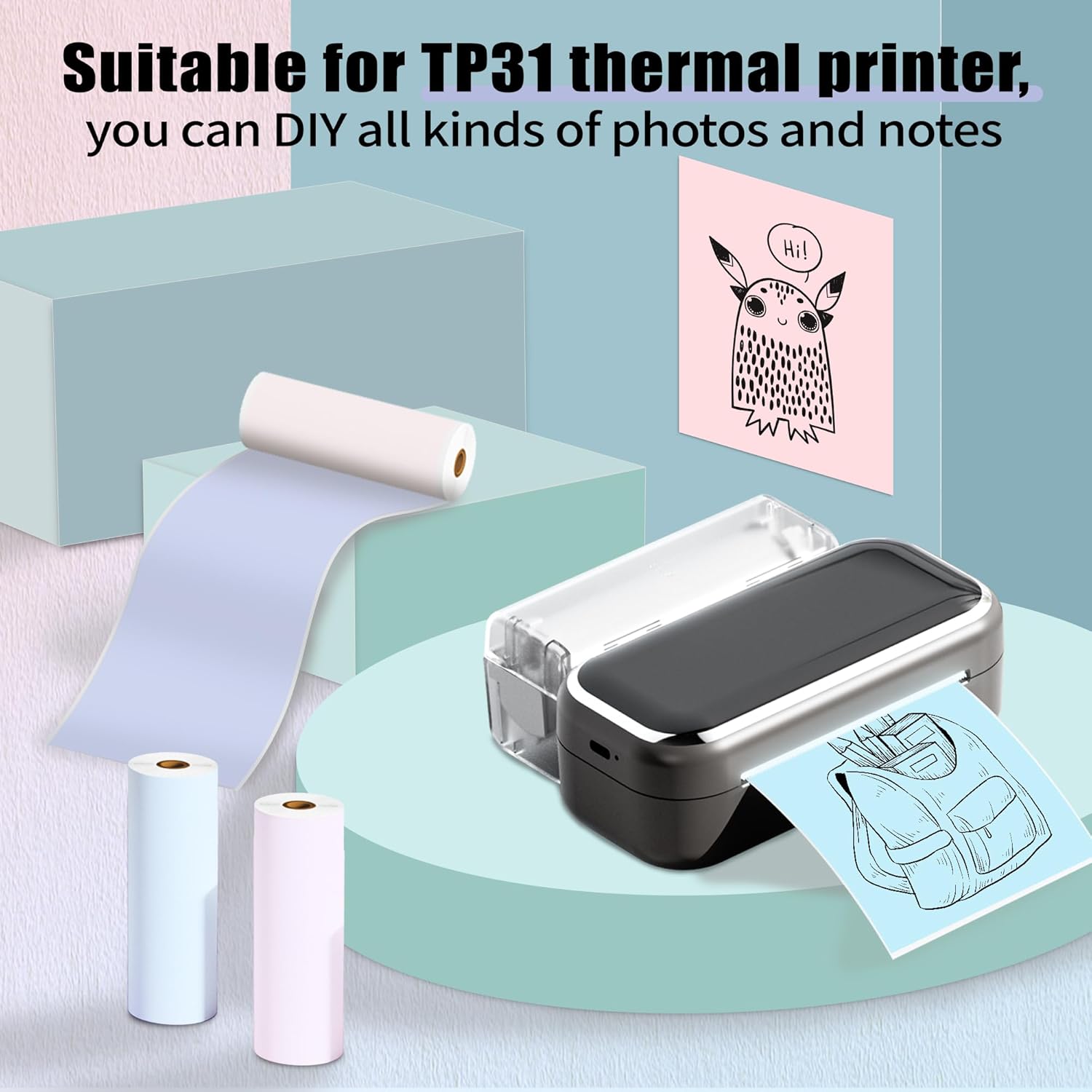
Image: Phomemo printer with thermal paper, illustrating typical usage.
4. 操作手順
Once the paper is loaded, you can begin printing using your Phomemo printer and its associated mobile application. Ensure your printer has sufficient power for clear prints.
General Printing Tips:
- Connect your Phomemo printer to your device via Bluetooth as per your printer's specific instructions.
- Use the Phomemo app to select your desired content (text, images, notes, lists).
- Confirm print settings such as density and size within the app before printing.
- After printing, gently tear the paper along the printer's cutting edge.

画像: Examples of diverse applications for Phomemo thermal sticker paper.
クリエイティブな用途:
The self-adhesive nature of this paper allows for versatile applications:
- DIY プロジェクト: Customize printouts by cutting them to desired sizes for crafts.
- 組織: Create labels for files, storage, or pantry items.
- Study Aids: Print notes, diagrams, or flashcards.
- パーソナライゼーション: Design gift tags, room decorations, or journal entries.
5.メンテナンスと保管
To ensure the longevity and quality of your thermal prints and paper, observe the following guidelines:
- ストレージ: Store unused thermal paper rolls in a cool, dry place away from direct sunlight.
- 高温を避けてください: Do not expose thermal paper to high temperatures, as this can cause premature fading or blackening.
- Avoid Acidic Environments: Keep thermal paper away from acidic materials or environments, which can also accelerate fading.
- プリンターのクリーニング: Regularly clean your printer's print head according to its specific manual to maintain print quality.

Image: Demonstrations of the paper's water resistance, oil proofing, and adhesive strength.
6。 トラブルシューティング
If you encounter issues with your Phomemo Thermal Sticker Paper, consider the following:
Unclear or Faded Prints:
- プリンター電源: Ensure your Phomemo printer has ample power. Low battery can affect print quality.
- Paper Orientation: Verify that the thermal paper is loaded with the printing surface facing the print head.
- 保管条件: Confirm the paper has not been exposed to high temperatures or acidic substances, which can degrade its thermal properties.
- Print Head Cleanliness: A dirty print head can cause streaks or faded areas. Refer to your printer's manual for cleaning instructions.
紙詰まり:
- Roll Holder Adjustment: Ensure the paper roll holder is adjusted correctly to the paper's width (77mm) to prevent misalignment.
- 適切な積載: Re-check that the paper roll is seated correctly in the compartment and not skewed.
7. 製品仕様
| 特徴 | 詳細 |
|---|---|
| モデル番号 | P-Q22-RMS-PBPU-77 |
| 用紙の種類 | Self-Adhesive Thermal Sticker Paper |
| ロール幅 | 3.03インチ(77mm) |
| ロールの長さ | 11.48フィート(3.5メートル) |
| ロール直径 | 1.1インチ(28mm) |
| Inner Core Diameter | 0.39インチ(10mm) |
| 量 | 3 Rolls per pack |
| 印刷色 | Black characters |
| Paper Colors | Purple, Pink, Blue |
| 材質タイプ | 紙 |
| 仕上げタイプ | コーティングなし |
| アイテム重量 | 4.2オンス(1パックあたり) |
| 製品寸法 | 1.1 x 3.03 x 1.1 inches (per roll) |
8. 保証とサポート
Phomemo offers an 18-month product replacement policy for this thermal sticker paper. For any inquiries, technical assistance, or to claim a replacement, please contact Phomemo customer support through the official Phomemo webサイトまたは購入プラットフォーム。
詳細とサポートについては、次のサイトをご覧ください。 AmazonのPhomemoストア.