
1.製品オーバーview
The ROCAM 11.5-inch Large Display Digital Calendar Clock (Model ROCAM-CR1005) is designed for clear readability, displaying time, period of the day, full day of the week, month, date, and indoor temperature. It features multiple alarm settings, a 5-level adjustable dimmer, and dual USB charging ports for convenience.
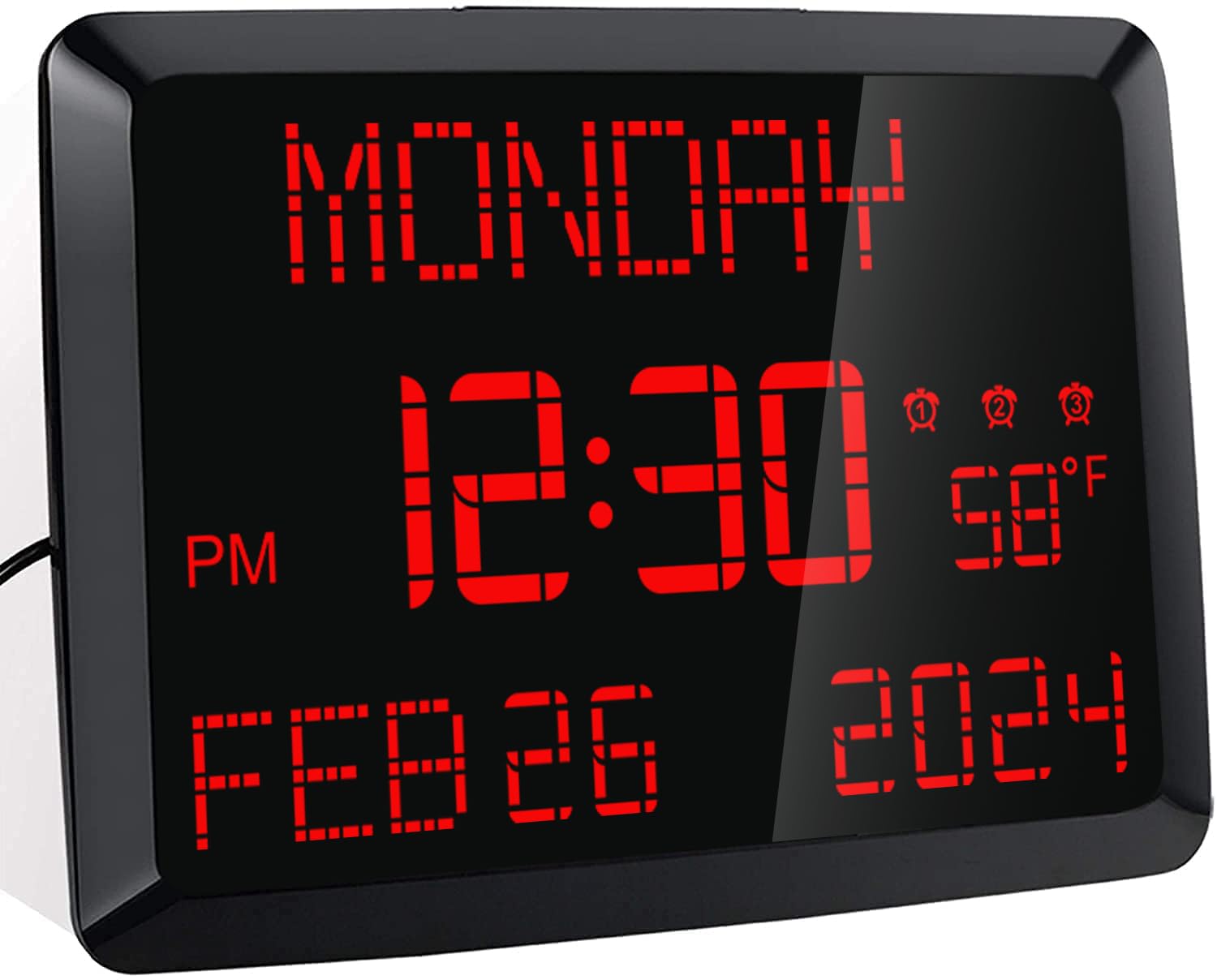
画像: 正面 view of the ROCAM 11.5-inch Digital Calendar Clock displaying time, date, day of the week, and temperature.
2. パッケージ内容
パッケージにすべてのアイテムが揃っていることを確認します。
- ROCAM 11.5" Digital Calendar Clock
- 電源アダプター
- USB電源ケーブル
- CR2032 Backup Battery (pre-installed or included separately)
- ユーザーマニュアル
- Desk Stand Bracket
- 壁取り付け用ハードウェア(該当する場合)
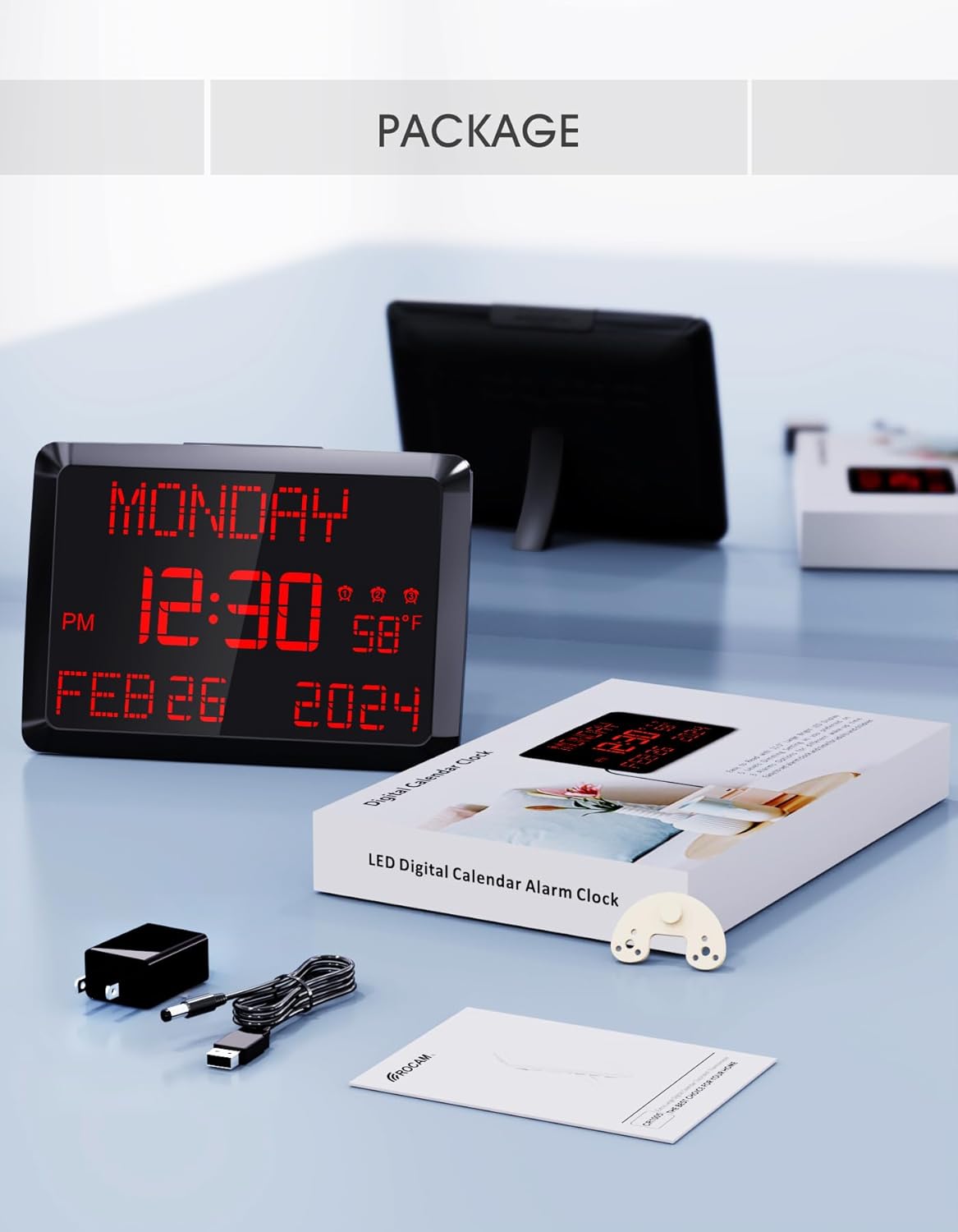
Image: The ROCAM Digital Calendar Clock and its accessories, including the power adapter, USB cable, and user manual.
3. セットアップ手順
3.1電源接続
- Connect the USB power cable to the clock's DC 5V input port.
- 電源アダプタを標準のコンセントに差し込みます。
- 時計の表示が点灯します。
Video: Demonstrates plugging in the power cord and connecting it to the clock, showing the clock's display activating. This video also shows the dual USB charging ports in use.
3.2 Backup Battery Installation (if not pre-installed)
The clock includes a CR2032 backup battery to retain time and settings during power outages. If not already installed, locate the battery compartment on the back of the clock and insert the CR2032 battery with the positive (+) side facing up.

Image: Detail of the CR2032 backup battery slot on the rear of the clock, indicating its location for power failure memory.
3.3 配置オプション
時計は机の上に置いたり、壁に取り付けたりできます。
- デスクの配置: Attach the provided stand bracket to the back of the clock.
- 壁掛け: Use the keyhole slot on the back of the clock to hang it on a screw or nail. Ensure the clock is securely mounted and level.

画像: 背面 view of the clock illustrating both the desk stand and the wall hanging hole. Dual USB charging ports are also visible.
4. 操作手順
4.1 時刻と日付の設定
Use the buttons on the back of the clock to adjust the time and date. Specific buttons are provided for 日, 月, 年, 時間、 そして 分 adjustments. Refer to the labels on the back panel for precise control.
- 12/24時間モード: Use the dedicated switch button on the back to toggle between 12-hour and 24-hour time formats.
- 夏時間 (DST): 'を押します夏時間' button to activate or deactivate Daylight Saving Time.

Image: The clock showing both 12-hour and 24-hour display options, highlighting the switch for changing modes.
4.2 アラームの設定
The clock supports up to three independent alarms. Use the alarm setting buttons on the back to configure each alarm.
- Press the corresponding alarm button (1, 2、 または 3)を押してアラーム設定モードに入ります。
- 「+' そして '-' buttons to adjust the alarm time.
- プレス 'OK' to confirm the time.
- Select the alarm frequency: Everyday, Weekdays Only (Mon-Fri), or Weekend Only (Sat-Sun).
- To turn off an alarm for 24 hours or permanently, use the 'アラームオフ' ボタン。
- スヌーズ機能: Press the large 'スヌーズ/ディマー' button on top of the clock to activate a 9-minute snooze.
- アラーム音量: The alarm volume is adjustable with 15 levels (60dB-108dB). Adjust using the volume controls during alarm setup.

Image: Visual guide to setting the three alarms, including options for daily, weekday, or weekend activation, and volume adjustment.
Video: Demonstrates setting the alarm time, adjusting volume, and selecting alarm frequency (Mon-Fri, Mon-Sun, Sat-Sun).
4.3 ディスプレイの明るさ(調光)
The clock features a 5-level adjustable dimmer. Press the 'スヌーズ/ディマー' button on the top of the clock to cycle through the brightness levels to suit your preference.

Image: The clock display at five different brightness settings, illustrating the dimmer function controlled by the top button.
4.4つのUSB充電ポート
The clock includes two USB charging ports (5V 1A) on the side, allowing you to charge compatible devices such as smartphones or tablets.

Image: The clock with two devices charging simultaneously via its dual USB ports.
5. メンテナンス
To ensure optimal performance and longevity of your ROCAM Digital Calendar Clock, follow these simple maintenance guidelines:
- クリーニング: Gently wipe the clock's surface with a soft, dry cloth. Avoid using abrasive cleaners, solvents, or chemical sprays, as these can damage the display or casing.
- 電源コード: Periodically check the power cord for any signs of damage. If the cord is damaged, discontinue use and contact customer support.
- 配置: Place the clock in a stable location, away from direct sunlight, excessive heat, or moisture.
6。 トラブルシューティング
If you encounter issues with your ROCAM Digital Calendar Clock, refer to the following common solutions:
| 問題 | 考えられる解決策 |
|---|---|
| 時計の表示がオフになっています。 |
|
| 電源を切ると時間/設定が失われますtage. |
|
| アラームが鳴らない、または音が小さすぎる。 |
|
| ディスプレイが明るすぎるか暗すぎます。 |
|
| USB充電ポートが機能していません。 |
|
7. 製品仕様
| 特徴 | 詳細 |
|---|---|
| モデル番号 | ROCAM-CR1005 |
| 表示タイプ | デジタルLED |
| 表示サイズ | 11.5インチ(対角) |
| 製品寸法 | 幅9.96インチ x 高さ7インチ |
| 電源 | Corded Electric, Outlet Powered (DC 5V) |
| バックアップバッテリー | 1 x CR2032 (included, for memory retention only) |
| アラーム | 3 independent alarms with 7-5-2 setting modes (Everyday, Weekdays, Weekends) |
| スヌーズ機能 | 9 minutes |
| 調光レベル | 5 levels (manual adjustment) |
| USB充電ポート | 2 ports, 5V 1A output each |
| 温度表示 | °F / °C 切り替え可能 |
| 時刻形式 | 12H / 24H switchable |
| 取り付けタイプ | 壁掛けと卓上 |
| 材料 | プラスチック |
| アイテム重量 | 16オンス(1ポンド) |
8. 保証とサポート
ROCAM provides an 18-month warranty for this product. For any questions, technical assistance, or warranty claims, please contact ROCAM customer support. Lifetime free user support is available.
Contact information can typically be found on the product packaging or the official ROCAM webサイト。