
midlocater HB02A
Midlocater HB02A Air Tracker Tag ユーザーマニュアル
Model: HB02A | Brand: midlocater
1. はじめに
The Midlocater HB02A Air Tracker Tag is an Apple MFi Certified smart Bluetooth item locator designed exclusively for iOS devices. It helps you effortlessly find your belongings by integrating with the Apple Find My app. Whether it's your keys, wallet, luggage, or bags, this tracker provides peace of mind by allowing you to locate items within Bluetooth range or pinpoint their last known location on a map via the Find My network.
This manual provides detailed instructions for setting up, operating, and maintaining your Midlocater Air Tracker Tag 最適なパフォーマンスと長寿命を保証します。
2. 安全情報
- 警告: 窒息の危険 - 小さな部品が含まれています。3歳未満のお子様には適していません。
- 摂取の危険性 - This product contains a button cell or coin battery. Hazardous if swallowed. Seek immediate medical attention if a battery is suspected to be swallowed or inserted into any part of the body.
- Keep the device and its components out of reach of young children and pets.
- ご自身でデバイスの分解、修理、改造を行なわないでください。保証が無効になり、損傷の原因となる可能性があります。
- デバイスを極端な温度、直射日光、火気にさらさないでください。
3. パッケージ内容
パッケージに以下の項目が含まれているか確認してください。
- Midlocater HB02A Air Tracker Tag
- CR2032電池(プリインストールまたは別途付属)
- Key Ring (may be included depending on package)
- ユーザーマニュアル(このドキュメント)
4. セットアップ
4.1. バッテリーの取り付け/起動
Your Midlocater Air Tracker Tag comes with a CR2032 battery. If not pre-installed, or if you need to replace it, follow these steps:
- Locate the small notch on the side of the tracker.
- Use a small tool (like the provided opening tool or a coin) to gently pry open the tracker casing.
- CR2032電池をプラス(+)側を上に向けて挿入します。
- Align the two halves of the tracker and press firmly until it clicks shut.

Figure 4.1: Opening the tracker for battery access.
4.2. Apple Find Myアプリとのペアリング
The Midlocater Air Tracker Tag works exclusively with the Apple Find My app on iOS devices. Ensure your iOS device is updated to the latest version for full functionality (iOS 17 or later for sharing features).
- 開く 私の検索 iPhone、iPad、またはMacでアプリを起動します。
- に移動 アイテム タブ。
- タップして + アイコンを選択して 他の項目を追加する.
- Press and hold the button on your Midlocater Air Tracker Tag for 3 seconds until you hear a beep, indicating it's in pairing mode.
- Your iOS device will detect the tracker. Follow the on-screen prompts to name your item and link it to your Apple ID.

Figure 4.2: Midlocater Air Tracker Tag working with Apple Find My.
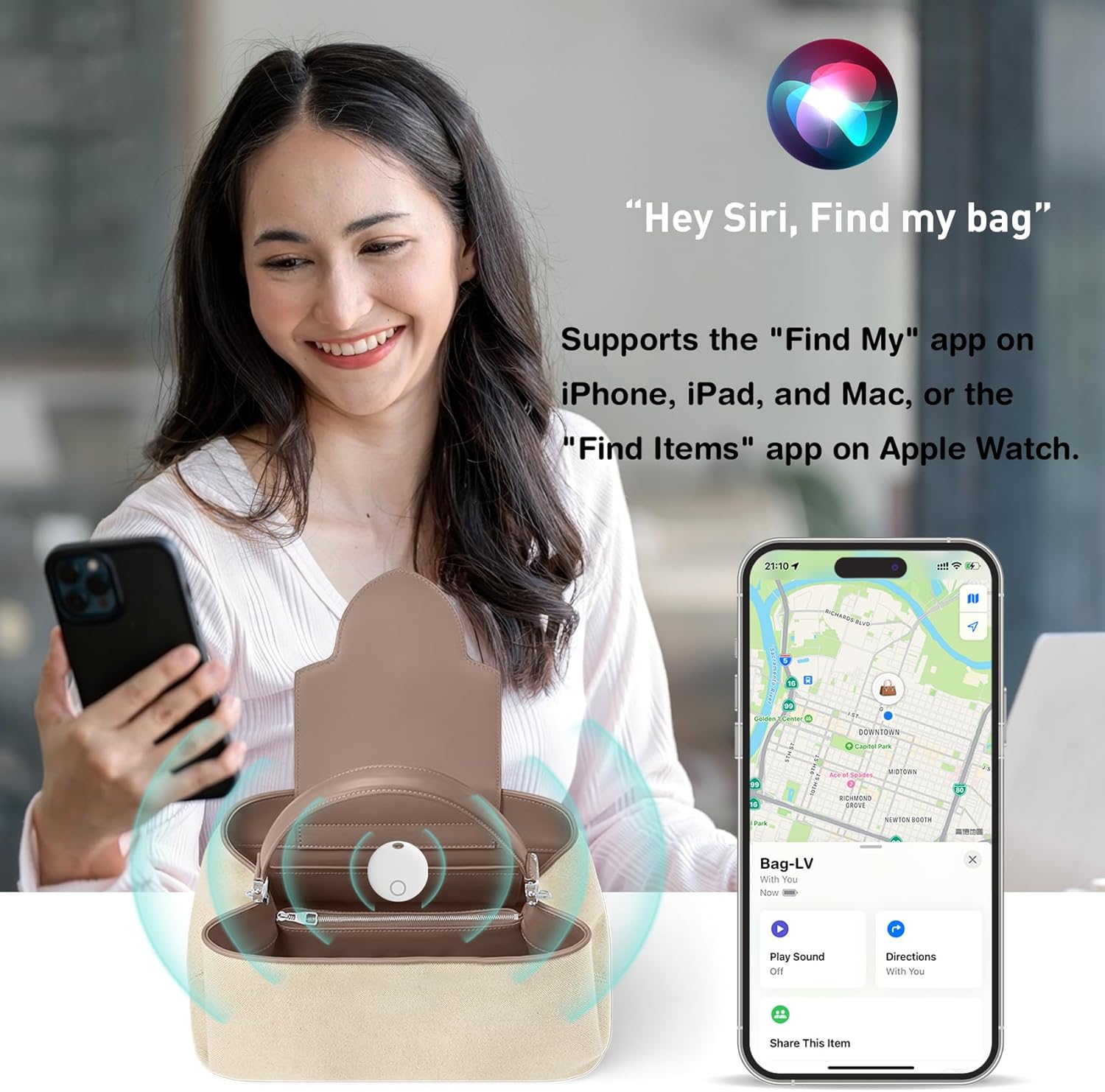
Figure 4.3: Locating an item using the Find My app and Siri.
Video 4.1: Official product video demonstrating the Midlocater Smart Tag Tracker, Bluetooth Luggage Tracker with Keychain, and its compatibility with iOS Find My.
5. 操作手順
5.1. アイテムを見つける
Once your Midlocater Air Tracker Tag is paired, you can locate your items in several ways:
- 音を出す: If your item is within Bluetooth range (up to 100m/350ft), open the Find My app, select your item, and tap 'Play Sound'. The tracker will emit a loud beep (up to 90dB) to help you locate it.
- View 地図上: If your item is out of Bluetooth range, the Find My network (a vast network of Apple devices) will anonymously and securely update its last known location on the map in your Find My app.
- Siriに質問: You can also use Siri to locate your items by saying, for examp「Hey Siri、鍵を探して」
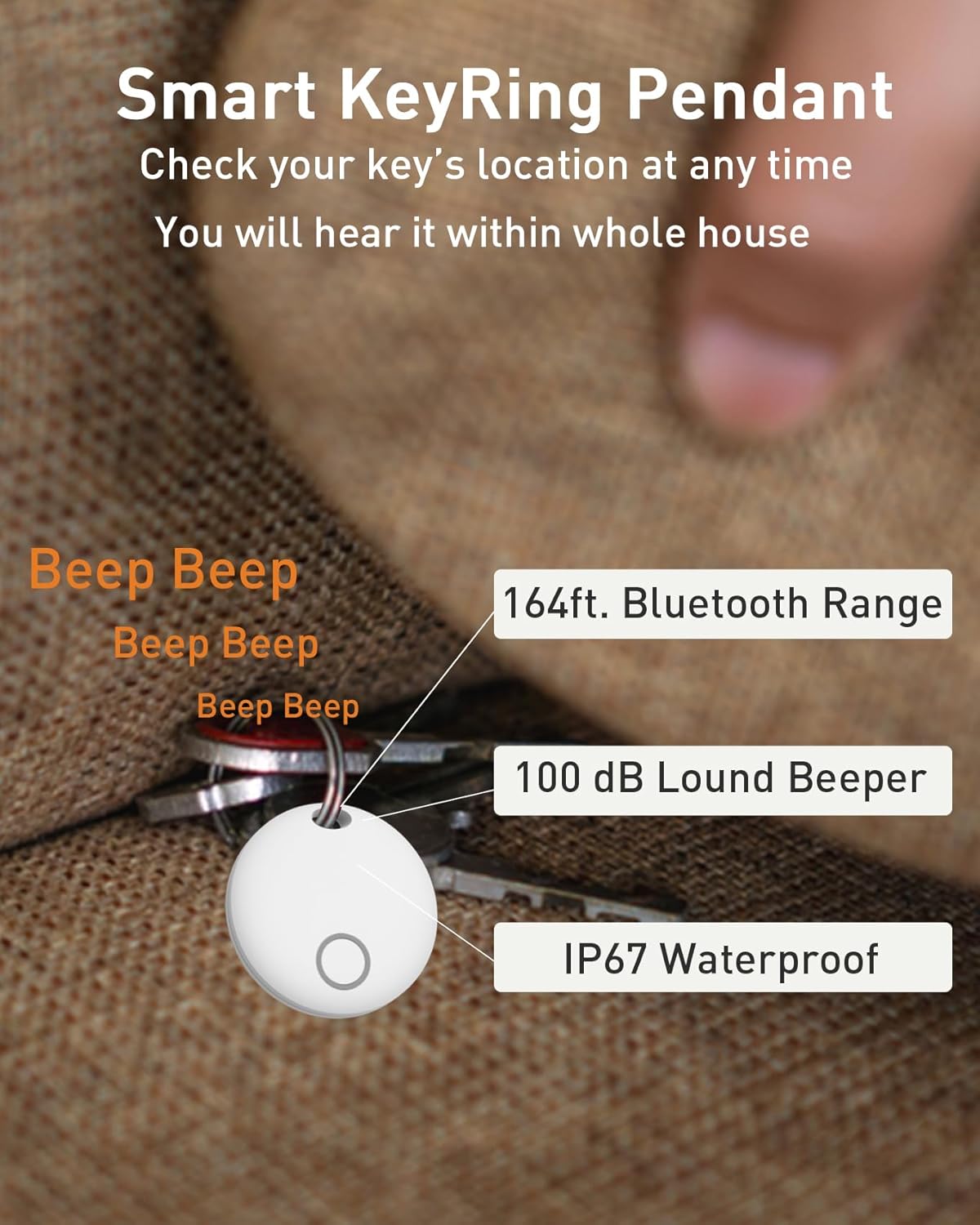
Figure 5.1: Smart KeyRing Pendant features.
5.2. Left-Behind Reminder Function
To prevent leaving your valuables behind, enable the 'Notify When Left Behind' feature in the Find My app. If your item moves out of Bluetooth range, the tracker will send a reminder notification to your iOS device within 10 minutes (ensure notifications are enabled for the Find My app).

Figure 5.2: Left-Behind Reminder notification.
5.3. Managing Multiple Trackers
You can link and manage up to 32 Midlocater Smart Tracker Tags simultaneously within the Find My app, allowing you to track multiple items efficiently.

Figure 5.3: Managing multiple devices in the Find My app.
5.4. Sharing Your Item's Location
With iOS 17 or later, you can share the location of your items with contacts. This allows all shared parties to locate the item within their Find My app. All communications on the Find My network are anonymous and encrypted to protect your privacy.

Figure 5.4: Sharing item location via the Find My app.
6. メンテナンス
6.1. バッテリーの交換
The Midlocater Air Tracker Tag uses a high-capacity CR2032 battery, providing continuous use for up to 12 months. You can check the battery status in the Find My app. When the battery is low, replace it by following the steps in Section 4.1. Battery Installation/Activation.
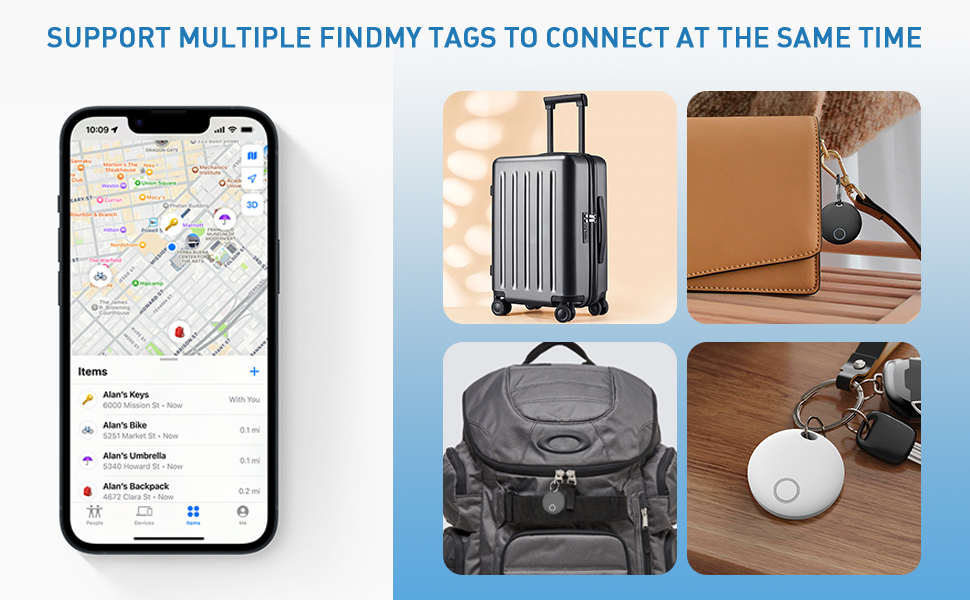
Figure 6.1: Long battery life and CR2032 battery type.
6.2. 防水ケア
The tracker features IP67 waterproof protection, meaning it is resistant to dust and can withstand immersion in water up to 1 meter for up to 30 minutes. While it can handle splashes and brief immersion, it is not recommended for prolonged underwater use. Ensure the casing is securely closed after battery replacement to maintain its waterproof integrity.

Figure 6.2: IP67 Waterproof Grade.
7。 トラブルシューティング
| 問題 | 考えられる原因 | 解決 |
|---|---|---|
| トラッカーがペアリングされない | Battery low or not installed correctly; not in pairing mode; iOS device out of range. | Check/replace battery; ensure tracker button is pressed for 3 seconds; bring iOS device closer; restart iOS device. |
| トラッカーから音が出ない | Tracker out of Bluetooth range; battery low; sound feature not activated in app. | Bring tracker closer to iOS device; replace battery; ensure 'Play Sound' is selected in Find My app. |
| 位置情報が更新されない | Tracker out of range of Find My network; low battery. | Ensure tracker is in an area with other Apple devices (for network updates); replace battery. |
| Left-behind reminders not working | Feature not enabled; notifications disabled for Find My app. | Enable 'Notify When Left Behind' in Find My app settings; check iOS notification settings for Find My. |
8. 仕様
- ブランド: midlocater
- モデル番号: HB02A
- 接続技術: ブルートゥース
- 特集: 防水(IP67)
- サポートされているアプリケーション: Apple Find My(iOS のみ)
- 含まれるコンポーネント: 電池(CR2032)
- バッテリーの平均寿命: 12ヶ月
- 対応デバイス: iPhone, iPad, Mac, Apple Watch (iOS 17+ for sharing)
- アイテムの寸法: 1.46 x 1.46 x 0.33インチ
- 国際コード: 749799981052
9.保証とサポート
保証の説明: 本製品には、ご購入日から12ヶ月間の製造上の欠陥に対する保証が付いています。保証請求の際は、購入証明書を保管してください。
For technical support, troubleshooting assistance, or warranty inquiries, please contact midlocater customer service through the retailer's platform or visit the official midlocater web連絡先情報のサイト。
Ask a question about this manual
Ask about setup, troubleshooting, compatibility, parts, safety, or missing instructions. Manuals+ will review the question and use this page’s manual context to help answer it.