
Anker T2080
Anker Eufy ロボット掃除機 Omni S1 Pro ユーザーマニュアル
モデル: T2080
1. はじめに
The Anker Eufy Robot Vacuum Omni S1 Pro is an advanced robotic cleaning system designed to provide comprehensive floor care. It combines powerful vacuuming with intelligent mopping capabilities, featuring an automatic self-cleaning station for minimal user intervention. This manual will guide you through the setup, operation, and maintenance of your device to ensure optimal performance.
2.製品オーバーview
The Eufy Omni S1 Pro consists of the robot vacuum cleaner and a multi-functional self-cleaning station. Key features include:
- Rotating Pressurized Mop: Applies approximately 1kg of pressure for effective stain removal.
- Automatic Self-Empty Station: Collects dust and debris from the robot, requiring bag replacement only every two months (depending on usage).
- Mop Self-Cleaning & Drying: Washes and dries the mop pads automatically with ozone water and 55°C hot air.
- 自動洗剤投入: Ensures optimal cleaning solution application.
- Mop Lift Function: Automatically lifts the mop when detecting carpets to prevent wetting.
- AI Mapping & Obstacle Avoidance: Utilizes 3D MatrixEye and TrueCourse mapping with ToF LiDAR for precise navigation and efficient cleaning paths.
- 強力な吸引力: Up to 8000Pa suction power for deep cleaning carpets and hard floors.

Figure 2.1: The Eufy Robot Vacuum Omni S1 Pro and its accompanying self-cleaning station.
3. セットアップ
3.1 開梱とコンポーネントの識別
Carefully remove all components from the packaging. Ensure all items listed in the package contents are present:
- Eufy Robot Vacuum Omni S1 Pro
- オールインワンクリーニングステーション
- 電源コード
- サイドブラシ(2組)
- フロアクリーナー
- Replacement Rotating Mop
- Replacement Dust Bag
- 交換用フィルター
- クリーニングツール
- クイックスタートガイド
- 安全マニュアル
3.2 ステーションの配置
Place the self-cleaning station on a hard, level surface against a wall. Ensure there is at least 0.5 meters (1.6 feet) of clear space on both sides and 1.5 meters (4.9 feet) in front of the station for optimal robot navigation.
3.3 初期充電
Connect the power cord to the station and plug it into a wall outlet. Place the robot onto the charging contacts of the station. The robot will begin charging automatically. Ensure the robot is fully charged before its first use.
3.4 アプリの接続と初期マッピング
Download the Eufy Clean app from your device's app store. Follow the in-app instructions to connect your robot vacuum to your home Wi-Fi network. Once connected, initiate the first mapping run. The robot will explore your home to create a detailed map, which can then be customized within the app for specific cleaning zones and no-go areas.
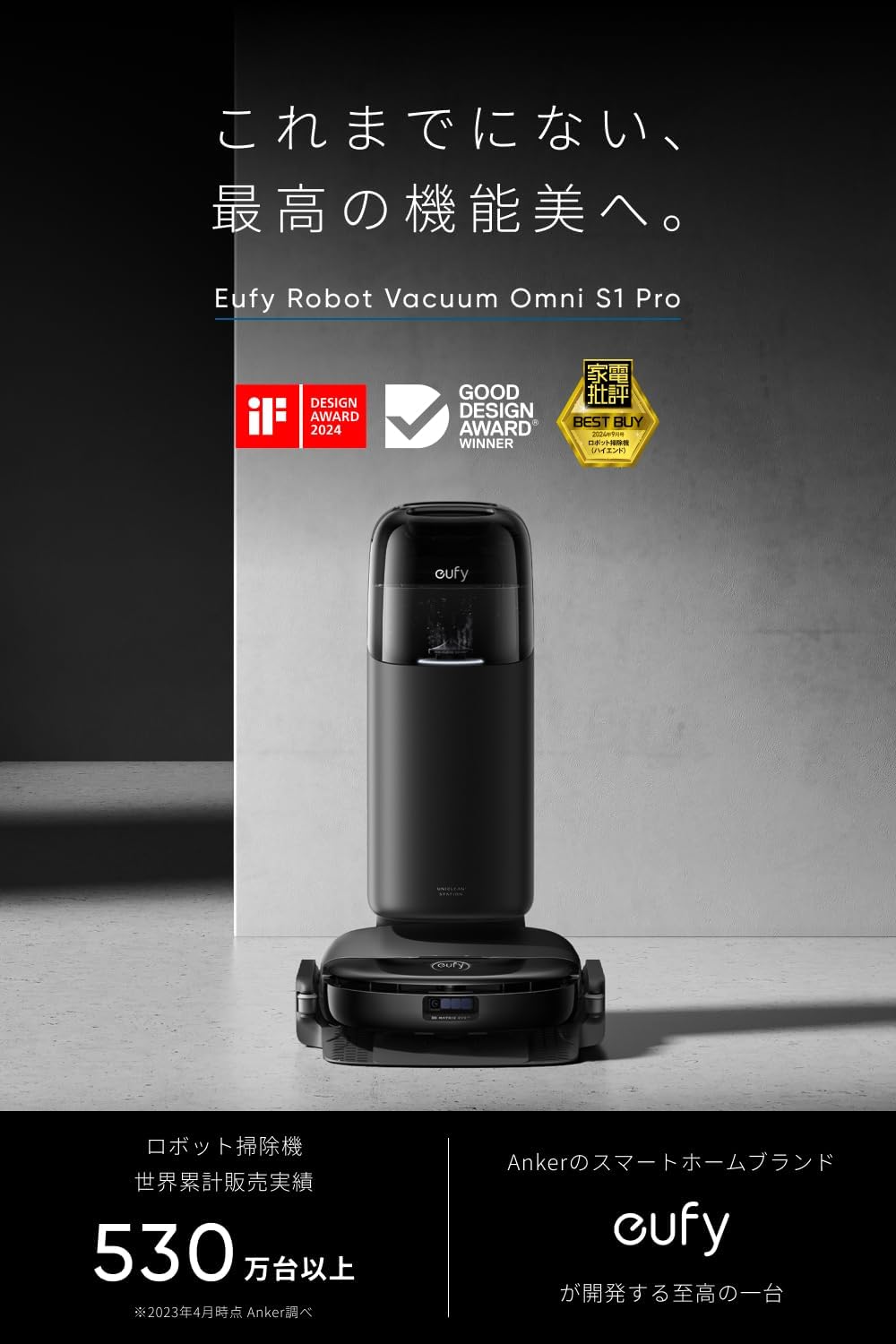
Figure 3.1: The Eufy Omni S1 Pro and its station, ready for setup.
4. ロボット掃除機の操作
4.1 クリーニングの開始と停止
To start a cleaning cycle, press the 'Clean' button on the robot or use the Eufy Clean app. To pause or stop cleaning, press the 'Clean' button again or use the app. The robot will return to its station automatically when cleaning is complete or when its battery is low.
4.2つのクリーニングモード
The Eufy Omni S1 Pro supports various cleaning modes, selectable via the app:
- 掃除機のみ: 乾燥したゴミの収集用。
- モップのみ: For wet mopping with water or floor cleaner.
- 掃除機とモップ: 掃除機がけとモップがけを同時に行うことで、徹底的に掃除できます。
- ゾーンクリーニング: Clean specific areas defined on the map.
- スポットクリーニング: Focus on a small, concentrated area.
4.3 Advanced Navigation and Cleaning
The robot utilizes 3D MatrixEye technology for superior obstacle avoidance, allowing it to navigate around furniture and other items with precision. TrueCourse mapping with ToF LiDAR ensures efficient and thorough cleaning coverage of your entire home. The robot's slim design (approx. 9.6 cm height) allows it to clean effectively under most furniture.
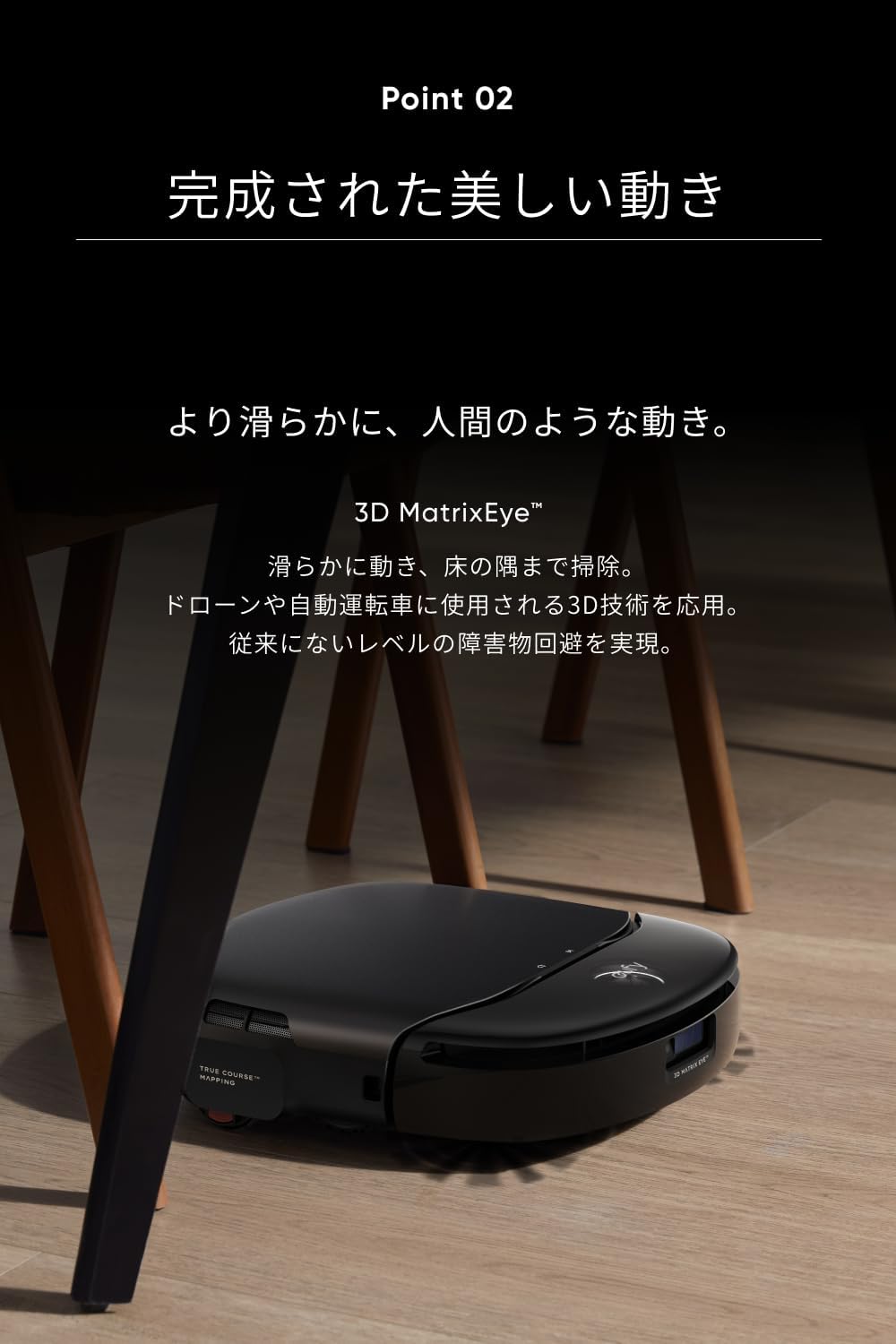
Figure 4.1: The robot vacuum cleaning under a chair, demonstrating its low profile.
With a maximum suction power of 8000Pa, the robot effectively removes dust, pet hair, and debris from various floor types. For mopping, the rotating mop applies approximately 1kg of downward pressure, ensuring stubborn stains are thoroughly cleaned. The automatic mop lift function detects carpets and raises the mop pads by about 12mm to prevent wetting.

Figure 4.2: The robot's powerful suction mechanism.
4.4 アプリの制御とカスタマイズ
The Eufy Clean app provides comprehensive control over your robot vacuum. You can:
- View 清掃マップを編集します。
- 仮想の壁と立ち入り禁止区域を設定します。
- 吸引力と水の流れのレベルを調整します。
- 掃除の時間をスケジュールします。
- クリーニングの進行状況とバッテリーの状態を監視します。
- Receive notifications and error alerts.

Figure 4.3: Customizing cleaning settings via the Eufy Clean app.
5. メンテナンス
Regular maintenance ensures the longevity and optimal performance of your Eufy Omni S1 Pro. The self-cleaning station automates much of the routine maintenance.
5.1 Automatic Maintenance by Station
The all-in-one cleaning station performs the following tasks automatically:
- 自動集塵: The robot's dustbin is automatically emptied into a sealed dust bag in the station. This bag typically needs replacement every 2 months, depending on usage.
- 自動モップ洗浄: The station uses ozone water to thoroughly wash the mop pads during and after cleaning cycles, preventing the spread of dirt.
- 自動モップ乾燥: After washing, the mop pads are dried with 55°C hot air to prevent mildew and odors.
- 自動洗剤投入: The station automatically adds the correct amount of floor cleaner from its reservoir to the clean water tank.

Figure 5.1: Internal components of the self-cleaning station.
5.2 手動メンテナンス
While the station automates much of the cleaning, some manual checks are necessary:
- 清水/汚水タンク: Regularly check and refill the clean water tank and empty the dirty water tank. The transparent design of the clean water tank allows for easy visual inspection.
- メインブラシ: Periodically remove and clean the main brush to remove tangled hair and debris.
- サイドブラシ: Check side brushes for wear and tear, and replace if necessary.
- フィルター: 使用状況に応じて、アプリの推奨に従って、または 2 ~ 3 か月ごとにフィルターを清掃または交換してください。
- センサー: 正確なナビゲーションを確保するために、ロボットのセンサーを清潔で乾いた布で拭いてください。
6。 トラブルシューティング
If you encounter issues with your Eufy Omni S1 Pro, refer to the following common problems and solutions:
| 問題 | 考えられる原因 | 解決 |
|---|---|---|
| ロボットが起動しない、または応答しません。 | バッテリー残量が少ない。電源スイッチがオフ。ロボットが動かない。 | ロボットを充電し、電源スイッチをオンにし、障害物を取り除きます。 |
| 洗浄性能が悪い。 | ゴミ箱がいっぱい、ブラシが絡まっている、フィルターが詰まっている、モップパッドが汚れている。 | Empty dustbin; Clean brushes; Clean/replace filter; Ensure mop pads are clean. |
| ロボットはステーションに戻ることができません。 | Station obstructed; Station not powered on; Robot too far from station. | Ensure clear path to station; Check power connection; Manually place robot near station. |
| アプリの接続の問題。 | Incorrect Wi-Fi password; Router issues; Robot out of Wi-Fi range. | Wi-Fi パスワードを確認し、ルーターを再起動し、ロボットをルーターに近づけます。 |
| モップパッドが適切に乾きません。 | Drying vent blocked; Excessive humidity. | Clear any blockages around the drying vent; Ensure proper ventilation in the room. |
For specific error codes or persistent issues, consult the Eufy Clean app for detailed explanations and troubleshooting steps. If the problem persists, contact customer support.
7. 仕様
| 特徴 | 仕様 |
|---|---|
| モデル番号 | T2080 |
| メーカー | アンカー |
| 色 | 黒 |
| パッケージ寸法 | 76.4 x 53 x 44.9 cm |
| パッケージ重量 | 20.27キロ |
| 吸引力 | Max 8000 Pa |
| モップ圧力 | 約1kg |
| 電池のタイプ | Lithium (Built-in) |
| 制御方法 | アプリコントロール |
| 特集 | Collision Prevention, Automatic Dust Collection, Mop Self-Cleaning & Drying, Mop Lift, Automatic Detergent Dispensing, AI Mapping, Obstacle Avoidance |
8. 保証とサポート
The Anker Eufy Robot Vacuum Omni S1 Pro comes with a maximum 24ヶ月保証 ご購入日から1年間。この保証は、製造上の欠陥および通常の使用に起因する問題を対象としています。
For warranty claims, technical support, or any questions regarding your product, please contact Anker customer service through the Eufy Clean app or visit the official Eufy support website. Please have your product model number (T2080) and purchase information ready when contacting support.
Ask a question about this manual
Ask about setup, troubleshooting, compatibility, parts, safety, or missing instructions. Manuals+ will review the question and use this page’s manual context to help answer it.