
導入
Welcome to the user manual for your Baseus Bowie EZ10 Wireless Bluetooth Earbuds. This guide provides detailed instructions on how to set up, operate, and maintain your earbuds to ensure optimal performance and a seamless audio experience. Please read this manual carefully before using your device.
製品終了view
パッケージ内容

Image: The package contents for the Baseus Bowie EZ10, including the two earbuds, the charging case, a USB charging cable, and multiple pairs of silicone ear tips in various sizes.
- Baseus Bowie EZ10 Wireless Earbuds (Left and Right)
- 充電ケース
- USB充電ケーブル
- 複数のイヤーチップ(さまざまなサイズ)
- ユーザーマニュアル(このドキュメント)
主な特徴
- Adaptive Noise Cancellation (ANC) up to -42dB: Experience high-quality, immersive audio regardless of your environment.
- ENC Noise Cancellation with 4 Microphones: Ensures clear and high-quality calls even in noisy surroundings.
- 超低遅延(0.038秒): Guarantees audio and video synchronization for an immersive experience, especially for gaming and video playback.
- バッテリー寿命の延長: Up to 30 hours of total playback with the charging case, and 5 hours on a single charge.
- 同時デバイス接続: Connect to two devices at the same time for seamless switching.
- カスタマイズ可能なアプリのサポート: Personalize your audio experience and controls via the dedicated Baseus application.
製品図
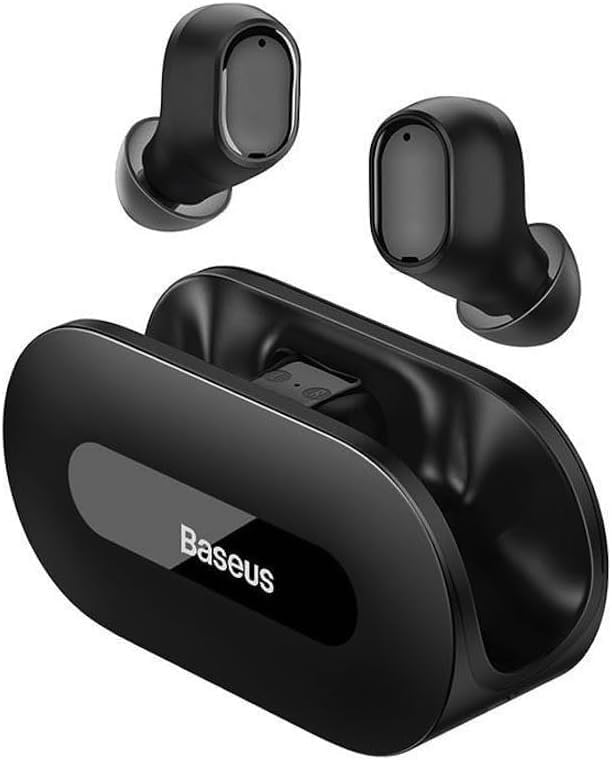
画像: クリアな view of the Baseus Bowie EZ10 wireless earbuds and their sleek black charging case, showcasinコンパクトなデザインが特徴。
The Baseus Bowie EZ10 earbuds feature a compact in-ear design for a comfortable and secure fit. The charging case is designed for easy portability and secure storage, with magnetic slots to hold the earbuds in place.
設定
イヤホンとケースを充電する

Image: A graphic illustrating the long battery life of the Baseus Bowie EZ10 earbuds, indicating extended listening time with the charging case and quick charging capabilities.
- 初期費用: Before first use, fully charge both the earbuds and the charging case. Place the earbuds into the charging case.
- 充電器を接続する: USB 充電ケーブルをケースの充電ポートに接続し、もう一方の端を互換性のある USB 電源 (壁のアダプター、コンピューターの USB ポートなど) に差し込みます。
- 充電インジケーター: The LED indicators on the charging case will show the charging status. Refer to the specific light patterns in your quick start guide for detailed information.
- 急速充電: The earbuds support fast charging, providing significant playback time with a short charge.
デバイスとのペアリング
Image: A visual representation of Bluetooth 5.3 technology, highlighting its role in providing a fast and stable wireless connection for the Baseus Bowie EZ10 earbuds.
- 電源オン: 充電ケースを開けると、イヤホンの電源が自動的にオンになり、ペアリングモードになります。
- Bluetooth を有効にする: デバイス(スマートフォン、タブレット、コンピューター)で Bluetooth を有効にします。
- 検索する デバイス: デバイスの Bluetooth 設定で、利用可能なデバイスを検索します。
- Select 'Baseus Bowie EZ10': From the list of found devices, select 'Baseus Bowie EZ10' to connect.
- 確認: 接続されると、イヤホンから音声プロンプトが聞こえ、デバイスの Bluetooth 設定には接続済みとして表示されます。
- マルチデバイス接続: The earbuds can connect to two devices simultaneously. After pairing with the first device, disable Bluetooth on it, then pair with the second device. Re-enable Bluetooth on the first device, and the earbuds should connect to both.
操作手順
イヤホンの装着
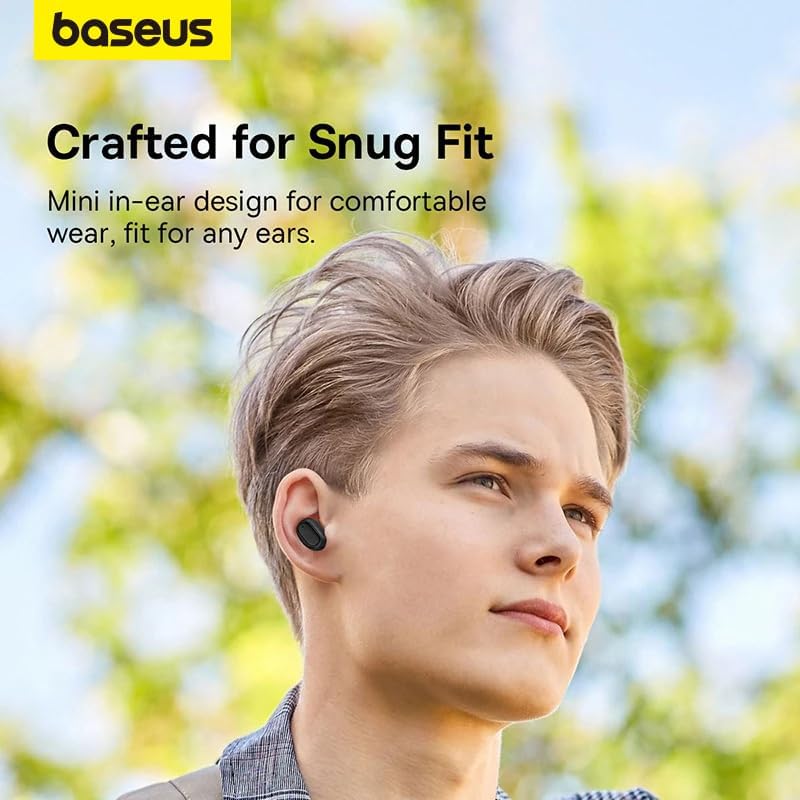
Image: A person wearing a Baseus Bowie EZ10 earbud, illustrating the comfortable and snug fit of the mini in-ear design.
- Choose Right Ear Tips: 耳に最もフィットし、快適に装着できるイヤーチップを選択してください。
- イヤホンを挿入します: 各イヤホンを耳の穴にゆっくりと挿入します。
- フィット感を調整: Rotate the earbuds slightly until they feel secure and comfortable, ensuring a good seal for optimal sound quality and noise cancellation.
タッチコントロール
The Baseus Bowie EZ10 earbuds feature intuitive touch controls on each earbud. Specific functions may vary or be customizable via the Baseus app.
- 再生/一時停止: どちらかのイヤホンを 1 回タップします。
- 次のトラック: 右のイヤホンをダブルタップします。
- 前のトラック: 左のイヤホンをダブルタップします。
- 通話の応答/終了: どちらかのイヤホンを 1 回タップします。
- 通話を拒否: どちらかのイヤホンを長押しします。
- 音声アシスタントを有効にする: どちらかのイヤホンをトリプルタップします。
- 音量コントロール: Specific gestures for volume control can often be set up in the Baseus app.
Noise Cancellation (ANC/ENC)
The Baseus Bowie EZ10 earbuds offer advanced noise cancellation features:
- アダプティブノイズキャンセレーション(ANC): Reduces ambient noise for an immersive listening experience. This mode can often be toggled on/off or adjusted via the touch controls or the Baseus app.
- ENC Noise Cancellation for Calls: The 4-microphone ENC system automatically works during calls to ensure your voice is clear and background noise is minimized for the person on the other end.
低遅延モード
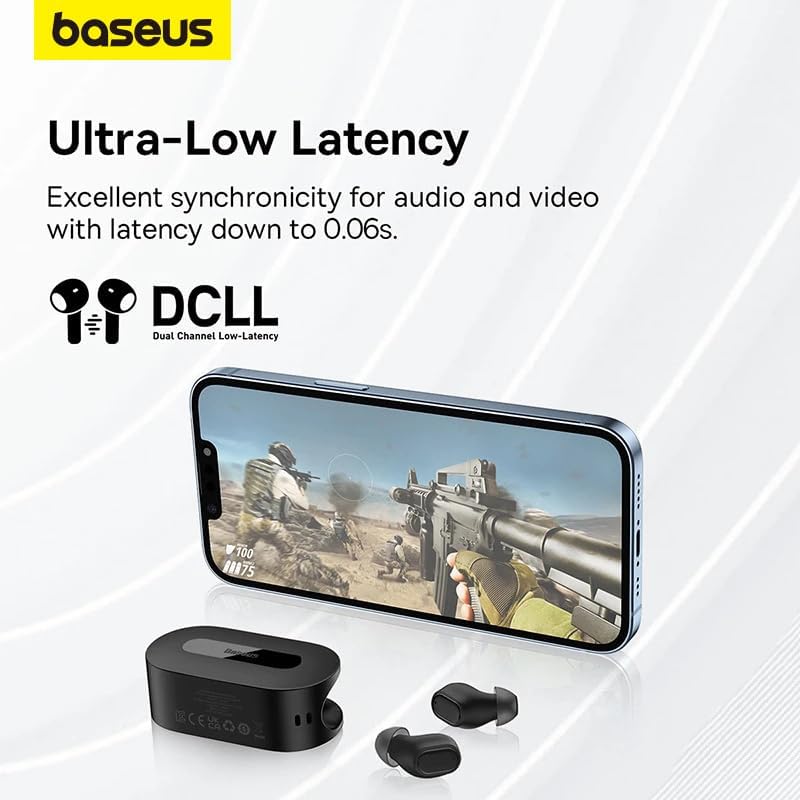
Image: The Baseus Bowie EZ10 earbuds and charging case positioned next to a smartphone displaying a gaming scene, emphasizing the ultra-low latency feature for synchronized audio and video.
For gaming or watching videos, activate the ultra-low latency mode to ensure perfect synchronization between audio and video. This mode can typically be activated via a specific touch gesture or through the Baseus app.
Baseusアプリの使用
Download the official Baseus app from your device's app store. The app allows you to:
- タッチ コントロールをカスタマイズします。
- EQ設定を調整します。
- Toggle noise cancellation modes.
- バッテリーレベルを確認してください。
- ファームウェアを更新します。
メンテナンス
クリーニング
- イヤホン: Use a soft, dry, lint-free cloth to wipe the earbuds. For earwax or debris, gently clean with a small, soft brush or cotton swab. Do not use liquids or abrasive cleaners.
- イヤーチップ: シリコン製のイヤーチップを取り外し、中性洗剤と水で洗ってください。よくすすぎ、完全に乾いてから再度取り付けてください。
- 充電ケース: Wipe the case with a soft, dry cloth. Ensure the charging contacts inside the case are clean and free of debris.
ストレージ
- イヤホンを保護し、充電を保つために、使用していないときは必ず充電ケースに保管してください。
- デバイスは、極端な温度や直射日光を避け、涼しく乾燥した場所に保管してください。
トラブルシューティング
| 問題 | 考えられる原因 | 解決 |
|---|---|---|
| イヤホンがペアリングされない | イヤホンがペアリングモードになっていません。デバイスの Bluetooth がオフになっています。以前ペアリングしたデバイスが干渉しています。 | Ensure earbuds are in pairing mode (open case); turn on Bluetooth on your device; forget previous connections on your device and try again. |
| XNUMXつのイヤフォンから音が出ない | バッテリー残量が少ない、イヤホンが正しく接続されていない、イヤホンが汚れている。 | Place both earbuds in the case to charge; ensure they are properly seated; clean earbud and charging contacts. |
| 充電の問題 | Cable or adapter faulty; charging contacts dirty; case battery empty. | Try a different USB cable and power adapter; clean charging contacts on earbuds and case; ensure charging case is charged. |
| 音質が悪い | Improper fit; ear tips dirty; interference. | Adjust earbud fit and try different ear tips; clean ear tips and earbuds; move closer to your device or away from sources of interference. |
仕様
| 特徴 | 詳細 |
|---|---|
| モデル名 | Bowie EZ10 |
| 接続技術 | ワイヤレス(Bluetooth 5.3) |
| 耳の位置 | インイヤー |
| 騒音制御 | Adaptive Noise Cancellation, ENC for calls |
| レイテンシー | 0.038s (Ultra-Low Latency Mode) |
| バッテリー寿命(イヤホン) | 最大5時間(1回の充電) |
| バッテリー寿命(ケース付き) | 最大30時間 |
| コントロールタイプ | Media Control, Volume Control (customizable) |
| 材料 | Plastic, Silicone/Memory Foam (ear tips) |
| 色 | 黒 |
| メーカー | Baseus_Inc |
| 認証 | CE |
保証とサポート
The Baseus Bowie EZ10 Wireless Bluetooth Earbuds come with a manufacturer's warranty. Please refer to the warranty card included in your package or visit the official Baseus web詳細な保証条件については、サイトをご覧ください。
For technical support, troubleshooting assistance, or any product-related inquiries, please contact Baseus customer service through their official webサイトまたは製品パッケージに記載されている連絡先情報を参照してください。