
1. はじめに
This manual provides instructions for the iTOMA Model CKS507 Clock Radio. This device combines an alarm clock with a large LED display, FM radio, dual alarms, two USB charging ports, a night light, and both automatic and manual dimmer functions. It also features APP control for enhanced functionality and ease of use.

Figure 1: iTOMA CKS507 Clock Radio overview.
2. 主な特徴
- Ultra Clear 1.4-inch White LED Display: Large numbers for easy readability from any angle, with 4-level manual and auto brightness adjustment.
- APPコントロール: Manage alarms, radio, and other settings via the dedicated iTOMA App for iOS and Android.
- デュアルアラーム: Set two independent alarms with customizable wake-up modes (radio or buzzer) and 4 alarm week modes (Every day, single day, weekdays, weekends).
- FMラジオ: Digital tuning with memory storage for up to 20 programmable stations (87.5-108MHz). Features a sleep-to-music timer (10-90 minutes).
- Bluetooth接続: Bluetooth 対応デバイスからワイヤレスでオーディオをストリーミングします。
- Two USB Charging Ports: Includes one USB Type-A and one USB Type-C port (2.1A 5V) for charging mobile devices.
- ナイトライト: Two-level night light for ambient illumination.
- スヌーズ機能: 9-minute snooze, up to 6 times.
- Crescendo Wake-up Control: アラーム音量は徐々に大きくなります。
3. パッケージ内容
パッケージにすべてのアイテムが揃っていることを確認します。
- 1 x iTOMA CKS507 Clock Radio
- 電源アダプター x 1
- ユーザーマニュアル (6 か国語) x 1
4. セットアップ
4.1電源接続
- Unpack the iTOMA CKS507 Clock Radio and its power adapter.
- Connect the power adapter to the DC input port on the back of the clock radio.
- Plug the power adapter into a standard electrical outlet. The clock will automatically set itself to the correct year, month, date, day, and time upon initial power-up and after any power interruption.
4.2 アプリコントロールの設定
The iTOMA App provides convenient control over various clock functions.
- アプリをダウンロード: 検索する "iTOMA" in the App Store (iOS) or Google Play Store (Android) and download the application.
- Power On and Bluetooth Activation: Ensure the clock radio is powered on. Press the BT button on the clock. The Bluetooth indicator on the clock display should flash, indicating it is in pairing mode.
- アプリ経由で接続:
- Open the iTOMA App on your mobile device.
- Tap "Connect" within the App.
- In the pop-up interface, select "Settings" and then connect to the Bluetooth device named "507".
- 確認: A successful connection will be indicated by an audible tone from the clock. The App and Bluetooth indicator lights on the clock will remain steadily on.
- 接続のトラブルシューティング: If the App cannot connect, ensure your mobile device's Bluetooth is enabled and the clock's Bluetooth is active (indicator flashing or steady).

Figure 2: Steps for connecting the iTOMA App.
5. 操作手順
5.1 時刻と日付の設定
The clock automatically sets the time upon power-up. Manual adjustment is also possible.
- 手動時間設定: 使用 時間設定 button to adjust the year, date, day of the week, and time. Refer to the detailed instructions in the included multi-language manual for specific button sequences.
- タイムゾーン: あなたの所在地に応じてタイムゾーンを調整してください。
- 12/24時間形式: Select your preferred time display format.
5.2つのアラーム機能
クロックラジオには 2 つの独立したアラーム機能が搭載されています。

Figure 3: Dual alarm clock functionality.
- アラームの設定: Use the dedicated alarm buttons or the iTOMA App to set Alarm 1 and Alarm 2.
- ウェイクアップモード: Choose to wake up to the FM radio or a buzzer sound.
- アラーム週モード: Select from four options: Every day, single day only, weekdays only, or weekends only.
- アラーム音量: Adjust the alarm volume (16 levels). The alarm sound will gradually increase (crescendo wake-up).
- スヌーズ: アラームが鳴ったら、 スヌーズ ボタンを押すと、9分間一時的に消音されます。この操作は最大6回まで繰り返すことができます。
- アラームを無効にする: To turn off an alarm, use the physical alarm switch on the back of the unit or disable it via the App. Remember to re-enable it for the next day if needed.
5.3FMラジオ
デジタルチューニングでお気に入りのラジオ局をお楽しみください。

Figure 4: FM Radio tuning and presets via App.
- チューニング: Use the tuning controls on the unit or the App to find FM stations (87.5-108MHz).
- プリセット: 最大 20 つのお気に入りのラジオ局を保存して、すぐにアクセスできるようにします。
- 音量: Adjust the radio volume from 0-16 levels.
- アンテナ: Ensure the external cable antenna is properly extended for optimal reception.
- 目覚まし時計: Set a programmable sleep-to-music timer (10-90 minutes) to fall asleep to your chosen radio station. The radio will automatically turn off after the set duration.
5.4 Bluetoothオーディオストリーミング
Connect your mobile device to stream music wirelessly.

図 5: Bluetooth 音楽ストリーミング。
- を押す BT button on the clock radio to enter Bluetooth pairing mode. The Bluetooth indicator will flash.
- On your mobile device, go to Bluetooth settings and select "507" from the list of available devices to pair.
- Once paired, the Bluetooth indicator on the clock will stop flashing and remain steady. You can now stream audio from your device to the clock radio.
5.5 ディスプレイ調光器
Adjust the display brightness for comfort.

Figure 6: Display brightness levels and auto dimmer.
- 手動調光器: 使用 ディマー button to cycle through 4 brightness levels (L-1, L-2, L-3, OFF).
- 自動調光器: The clock features an auto-dimmer function that adjusts the display brightness based on ambient light conditions, reducing brightness for uninterrupted sleep.
5.6 ナイトライト
内蔵ナイトライトにより柔らかな照明が提供されます。
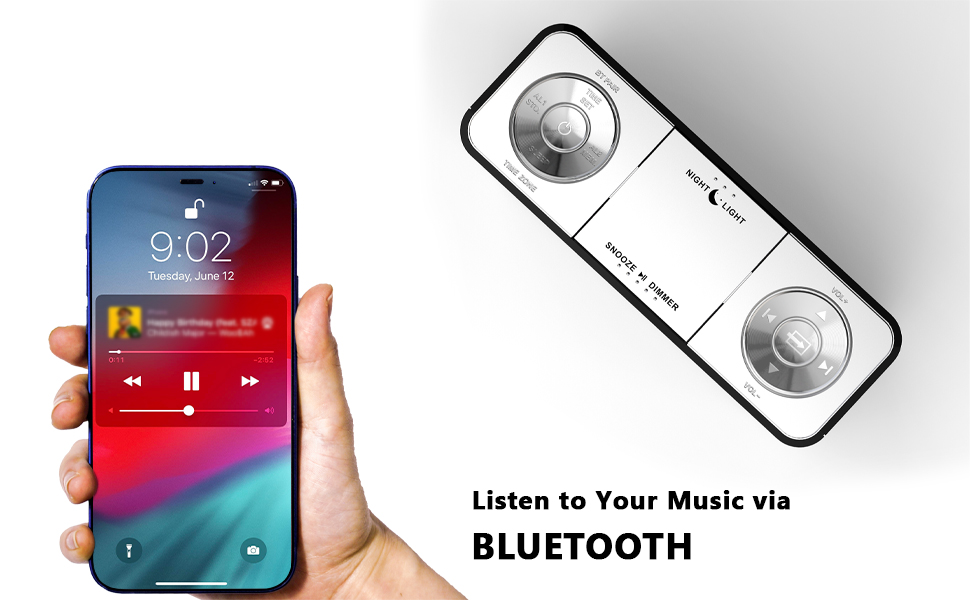
Figure 7: Night light feature.
- を押す ナイトライト button to activate or adjust the two-level night light.
5.7つのUSB充電ポート
モバイルデバイスを便利に充電できます。
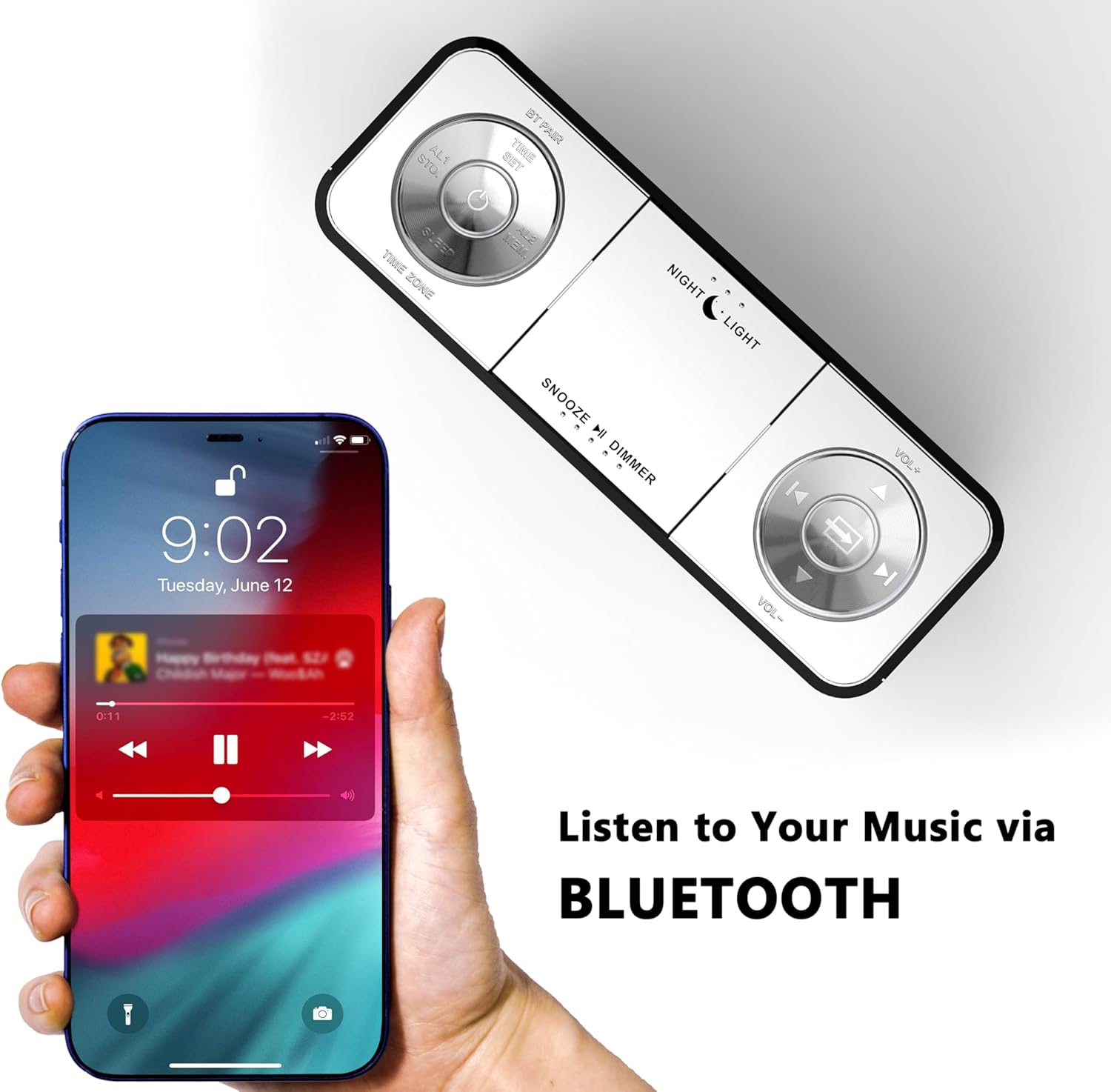
Figure 8: USB charging ports in use.
- The clock radio includes one USB Type-A and one USB Type-C charging port (2.1A 5V total output).
- Connect your mobile phone, tablet, or other USB-powered devices to these ports for charging.
6. メンテナンス
- クリーニング: 柔らかく乾いた布で拭いてください。研磨剤入りの洗剤や溶剤は使用しないでください。
- 電源切断: 長期間使用しない場合は、電源アダプターを壁のコンセントから抜いてください。
- 配置: Place the clock radio on a stable, flat surface away from direct sunlight, heat sources, and moisture.
7。 トラブルシューティング
| 問題 | 考えられる原因 | 解決 |
|---|---|---|
| 時計の表示が空白または機能しません。 | 電源が供給されていない、または停電が発生しています。 | 電源アダプタが時計と機能している電源コンセントにしっかりと差し込まれていることを確認します。 |
| Time/Date is incorrect after power interruption. | No battery backup for settings. | The clock automatically resets time upon power restoration. If manual settings were lost, re-enter them using the TIME SET button or App. |
| Cannot connect to the iTOMA App. | Bluetooth is off on the clock or mobile device; incorrect pairing process. | Ensure Bluetooth is enabled on your mobile device. Press the BT button on the clock to activate pairing mode. Follow App connection steps carefully. |
| FMラジオの受信状態が悪い。 | アンテナが拡張されていないか、信号エリアが弱い。 | Fully extend the external cable antenna. Try repositioning the antenna or the clock radio for better signal. |
| アラームは鳴りません。 | Alarm is not set, turned off, or volume is too low. | Verify alarm settings (time, mode, active days) via the clock or App. Ensure alarm volume is set to an audible level. Check the physical alarm switch on the back. |
| USB充電が機能しません。 | デバイスに互換性がないか、ケーブルに障害があります。 | Ensure your device is compatible with 5V USB charging. Try a different USB cable. Confirm the clock radio is powered on. |
8. 仕様
| ブランド | イトーマ |
| モデル番号 | CKS507 |
| 色 | ホワイトLED |
| 表示タイプ | デジタルLED |
| 製品寸法 | 幅6.22インチ x 高さ3.54インチ (158mm x 90mm) |
| 電源 | コード式電気 |
| フレーム素材 | プラスチック |
| アイテム重量 | 1.19ポンド |
| FM周波数範囲 | 87.5-108 MHz |
| USB充電出力 | 2.1A 5V (Type-A and Type-C ports) |

図9: 製品の寸法。
9. カスタマーサポート
For further assistance, troubleshooting, or warranty information, please contact iTOMA customer support.
- メーカー: イトーマ
- オンラインサポート: Refer to the official iTOMA web最新のサポート チャネルについては、当社のサイトまたは製品パッケージに記載されている連絡先情報を参照してください。