
FIFINE K688W
フィフィン AmpliTank K688W Dynamic USB/XLR Microphone User Manual
Model: K688W | Brand: FIFINE
1. はじめに
ご購入ありがとうございますasing the FIFINE AmpliTank K688W Dynamic USB/XLR Microphone. This microphone is designed for high-quality audio capture in various applications, including gaming, streaming, podcasting, and professional recording. Please read this manual carefully to ensure proper setup and operation.

画像: The FIFINE AmpliTank K688W microphone demonstrating its sound capture capabilities with a visual representation of sound waves.
2. パッケージ内容
以下にリストされているすべてのアイテムがパッケージに含まれていることを確認してください。
- フィフィン AmpliTank K688W Microphone Body
- USB-C to USB-A Cable (2.5m)
- 3/8インチから5/8インチのネジアダプター
- ユーザーマニュアル(日本語)
Note: A microphone stand and XLR cable are not included and must be purchased separately.

画像: The FIFINE AmpliTank K688W microphone and its included accessories: USB cable and screw adapter, alongside the user guide.
3.製品オーバーview (Components and Controls)
マイクのコンポーネントとコントロールについて理解しておきましょう。

画像: 背面 view FIFINEの AmpliTank K688W microphone, highlighting the XLR output terminal and USB connection port.
- XLR Output Terminal: For connecting to audio interfaces, mixers, or other professional audio equipment.
- USB Connection Port (USB Type-C): For direct connection to computers or game consoles.
- 3.5mmヘッドフォンジャック: リアルタイムのオーディオモニタリング用。
- Microphone Volume Control (Gain Knob): Adjusts the microphone's input sensitivity. (USB mode only)
- Headphone Jack Volume Control: Adjusts the monitoring volume through the 3.5mm headphone jack. (USB mode only)
- LED インジケーター付きミュート ボタン: Toggles microphone mute. LED indicates mute status. (USB mode only)
4. セットアップ
4.1 USB接続
For direct connection to a computer (Windows/Mac OS) or game console (PS4/PS5):
- Connect the USB-C end of the provided USB cable to the microphone's USB port.
- Connect the USB-A end of the cable to an available USB port on your computer or game console.
- The device will automatically recognize the microphone.
- Select "FIFINE K688W" as your input and output device in your system's sound settings or application settings.

画像: The FIFINE AmpliTank K688W microphone connected to a laptop via its USB-C port, illustrating plug-and-play functionality.
4.2 XLR Connection
For connecting to professional audio equipment (audio interfaces, mixers):
- Connect a standard XLR cable (not included) to the XLR output terminal on the microphone.
- Connect the other end of the XLR cable to an XLR input on your audio interface or mixer.
- オーディオ インターフェイスまたはミキサーが、接続された XLR チャンネルからの入力を受信できるように適切に設定されていることを確認します。
- Adjust gain levels on your audio interface/mixer as needed.

画像: 詳細な view FIFINEの AmpliTank K688W's connectivity panel, showing both USB and XLR ports for versatile audio setups.
5. 操作手順
5.1 Gain Control (USB Mode Only)
The gain knob on the microphone allows you to adjust the input sensitivity. Rotate the knob clockwise to increase gain and counter-clockwise to decrease it. Adjust this to achieve an optimal recording level without clipping or distortion.
5.2 Mute Function (USB Mode Only)
Press the touch-sensitive mute button on top of the microphone to instantly mute or unmute the audio input. The LED indicator will change color to show the microphone's status (e.g., green for active, red for muted).
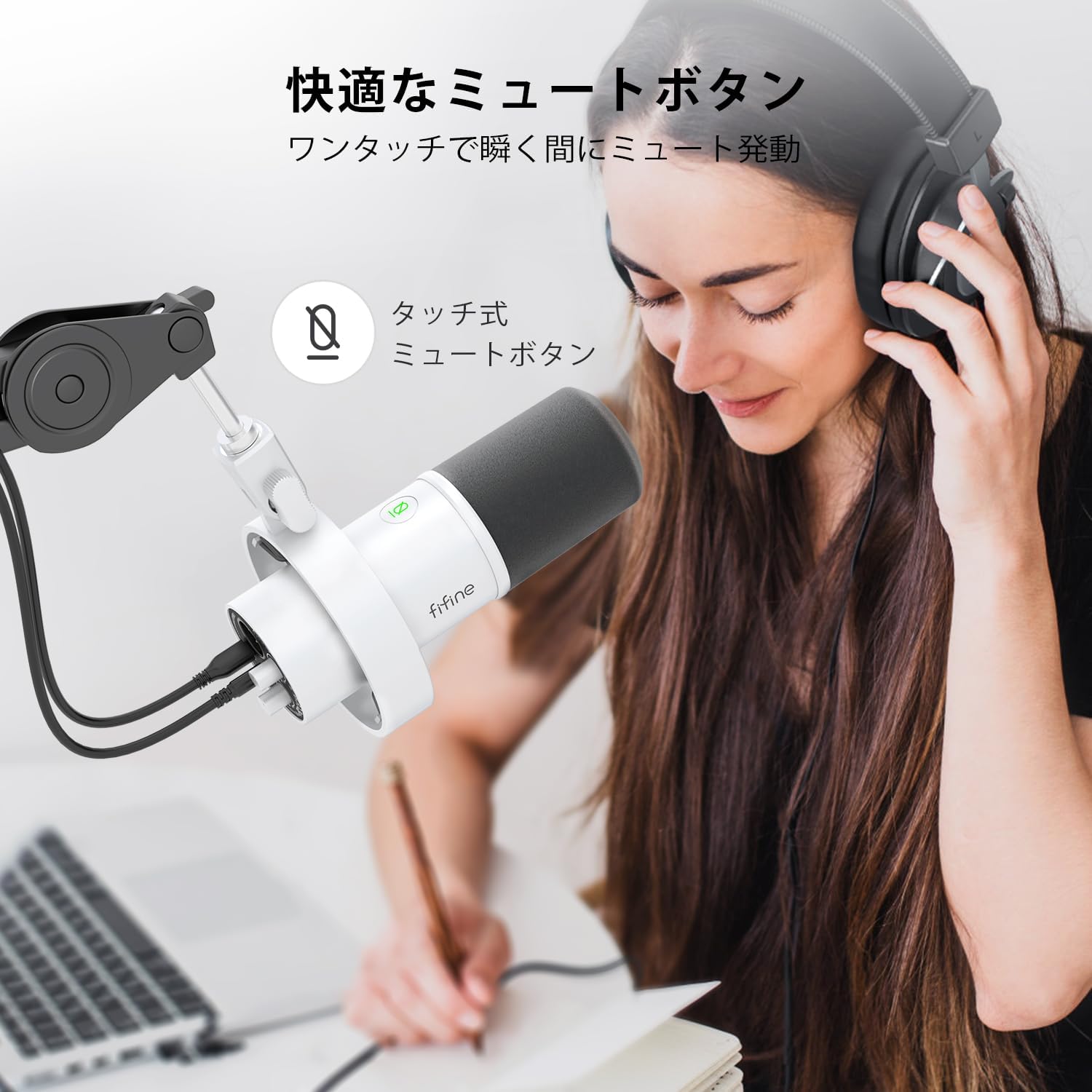
Image: A user interacting with the touch-sensitive mute button on the FIFINE AmpliTank K688W microphone, demonstrating its ease of use.
5.3 Headphone Monitoring (USB Mode Only)
Connect your headphones to the 3.5mm headphone jack on the microphone to monitor your audio in real-time with zero latency. Use the dedicated headphone volume knob to adjust the monitoring level to your preference.
6. メンテナンス
- 柔らかく乾いた布で拭いて、マイクを清潔に保ってください。
- マイクを極端な温度、湿度、直射日光にさらさないでください。
- 使用していないときは、ほこりや損傷を防ぐためにマイクを保護ケースに保管してください。
- マイクを分解しないでください。分解すると保証が無効になります。

画像: The FIFINE AmpliTank K688W microphone mounted on a boom arm, showcasing its integrated metal body design suitable for various recording environments.
7。 トラブルシューティング
| 問題 | 考えられる原因 | 解決 |
|---|---|---|
| サウンド出力なし(USB) |
|
|
| サウンド出力なし(XLR) |
|
|
| 歪んだオーディオ |
|
|
| 過度の背景ノイズ |
|
|
8. 仕様
| 特徴 | 詳細 |
|---|---|
| モデル | K688W |
| ブランド | フィフィン |
| マイクタイプ | 動的 |
| 極性パターン | 一方向(カーディオイド) |
| 接続性 | USB (Type-C), XLR |
| 周波数応答 | 70Hz - 15KHz |
| 信号対雑音比 (S/N) | 75デシベル |
| 電源タイプ | コード式電気(USB電源) |
| 対応デバイス | PC (Windows/Mac OS), Game Consoles (PS4/PS5), Audio Mixers, Audio Interfaces, Smartphones (with adapter, not included) |
| 特集 | Volume Control, Mute Function, Headphone Monitoring |
| 色 | 白 |
| 材料 | プラスチック、金属 |
| 欧州連合 | 850052511821 |
9. 保証とサポート
9.1 保証情報
この製品には、 1年間のメーカー保証 from the date of purchase. The warranty covers defects in materials and workmanship under normal use.
以下のものは保証の対象外となります:
- 誤用、乱用、事故、または怠慢によって生じた損害。
- 許可されていない修理または改造による損傷。
- 通常の消耗。
9.2 カスタマーサポート
If you encounter any issues with your FIFINE AmpliTank K688W microphone, such as packaging damage, color discrepancies, or product defects, please contact FIFINE Japan customer support immediately. Provide your purchase details and a description of the issue for prompt assistance.
For further support, please visit the official FIFINE webサイト。

Image: Information regarding FIFINE's customer support process, including steps to contact them via Amazon and their operating hours.
Ask a question about this manual
Ask about setup, troubleshooting, compatibility, parts, safety, or missing instructions. Manuals+ will review the question and use this page’s manual context to help answer it.