
1. はじめに
Welcome to the instruction manual for your TAGRY X08 True Wireless Earbuds. These earbuds are designed to provide a superior audio experience with advanced features such as an LED power display, extended playback time, wireless charging, and intuitive touch controls. This manual will guide you through the setup, operation, maintenance, and troubleshooting of your new earbuds to ensure optimal performance and longevity.
2.製品オーバーview
の TAGRY X08 earbuds come with a compact charging case, offering convenience and portability.
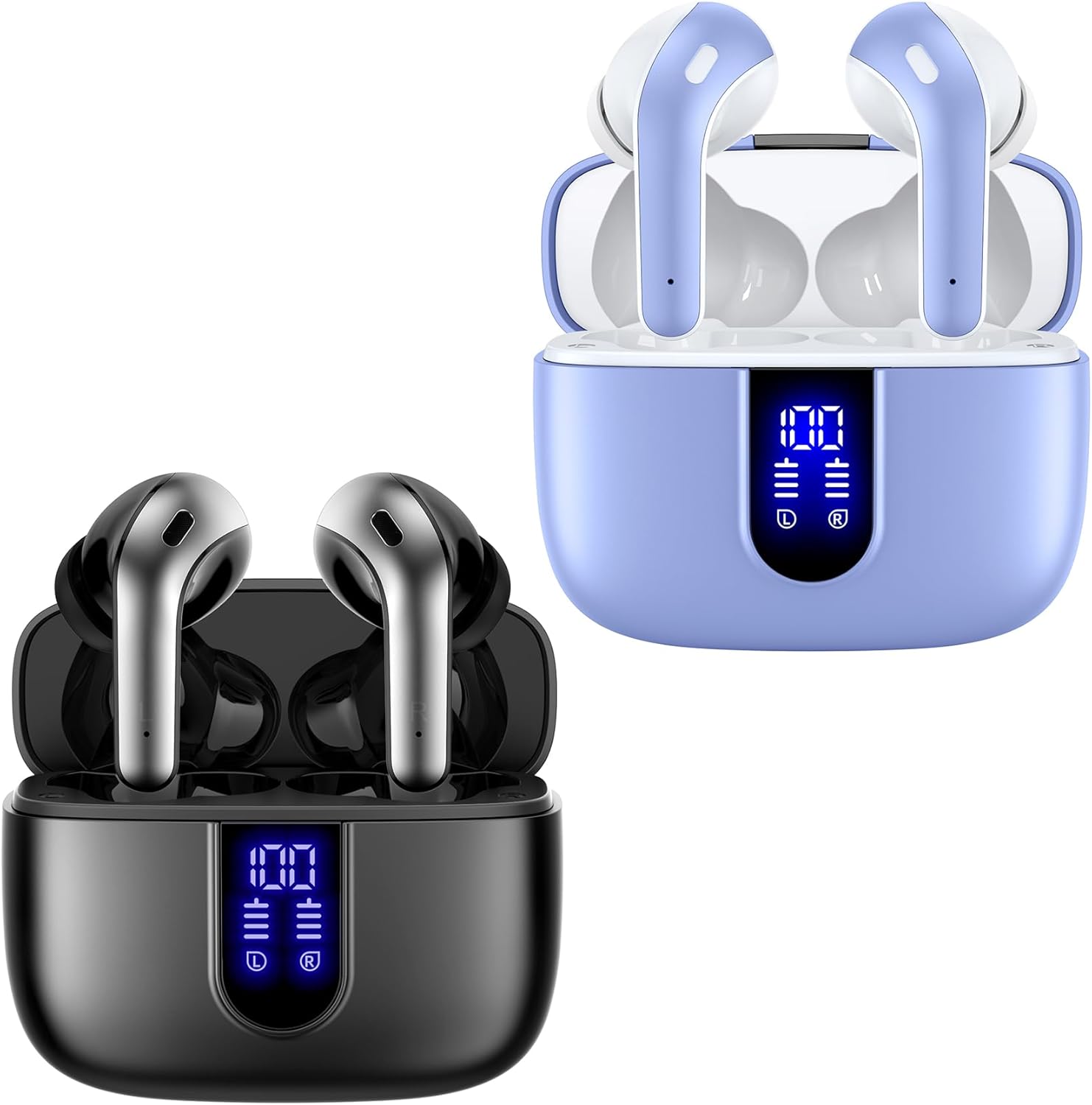
図2.1: TAGRY X08 True Wireless Earbuds and Charging Cases (Black and Purple variants shown).
2.1 主要コンポーネント
- イヤホン: Two independent true wireless earbuds (left and right).
- 充電ケース: Portable case for charging and storing the earbuds, featuring a digital LED power display.
- USB-C 充電ケーブル: ケースの有線充電用。
- イヤーチップ: Multiple sizes (Small, Medium, Large) for a comfortable and secure fit.
2.2 Digital Power Display
The charging case features a dual digital LED power display, showing the remaining battery level for both the charging case and each individual earbud. This allows for easy monitoring of charge status.

Figure 2.2: Digital Power Display on the Charging Case.
3. セットアップ
3.1 イヤホンとケースの充電
初めて使用する前に、イヤホンと充電ケースを完全に充電してください。
- ケースの充電:
- Connect the provided USB-C cable to the charging port on the case and to a power source. The LED display will flash from 1 to 100, indicating charging progress.
- Alternatively, place the charging case on a compatible wireless charging pad (not included). The LED display will show charging status.
- イヤホンの充電:
- Place the earbuds into their respective slots in the charging case. They will begin charging automatically. The LED display on the case will show the charging status of each earbud.

Figure 3.1: USB-C and Wireless Charging Options.
3.2 イヤホンのペアリング
の TAGRY X08 earbuds feature one-step auto pairing for convenience.
- Ensure Bluetooth is enabled on your device (smartphone, tablet, computer, TV).
- 充電ケースを開けると、イヤホンは自動的にペアリングモードになります。
- On your device's Bluetooth settings, search for "X08" and select it to connect.
- After the first successful connection, the earbuds will automatically pair with your device whenever you open the charging case.

Figure 3.2: One-Step Auto Pairing Process.
4. 操作手順
4.1 イヤホンの装着
Select the ear tip size that provides the most comfortable and secure fit for your ear canals. Insert the earbuds gently into your ears and adjust for optimal sound and comfort.
4.2 タッチコントロール
の TAGRY X08 earbuds feature intuitive touch controls on each earbud.
| 関数 | アクション |
|---|---|
| 再生/一時停止 | どちらかのイヤホンを 1 回タップします。 |
| 電話に出る | どちらかのイヤホンを 1 回タップします。 |
| 電話を切る | 通話中にどちらかのイヤホンを 1 回タップします。 |
| 前のトラック | 左のイヤホンを3回タップします。 |
| 次のトラック | 右のイヤホンを3回タップします。 |
| 音量を上げる | 右のイヤホンをダブルタップします。 |
| 音量を下げる | 左のイヤホンをダブルタップします。 |
| Voice Assistantをアクティブにする(Siri、Googleアシスタント) | どちらかのイヤホンを長押し(2秒)します。 |

図 4.1: スマートタッチコントロール機能。
4.3関数の呼び出し
Each earbud is equipped with a built-in microphone for clear phone calls. CVC noise reduction technology helps to minimize ambient noise, ensuring your voice is heard clearly by the other party.
4.4 モノラルおよびツインステレオモード
The earbuds support both mono mode (using a single earbud) and twin stereo mode (using both earbuds). This allows for flexible usage, such as sharing one earbud with a friend or using a single earbud for awareness of your surroundings.
5. メンテナンス
適切なメンテナンスは、あなたの車の寿命と最適なパフォーマンスを保証します。 TAGRY X08 earbuds.
- クリーニング: イヤホンと充電ケースは、柔らかく乾いた糸くずの出ない布で定期的に拭いてください。刺激の強い化学薬品や研磨剤は使用しないでください。
- 耐水性: The earbuds are rated IPX5 waterproof, meaning they are resistant to splashes and sweat. They are suitable for sports but should not be submerged in water. The nano-coating on the earbud surface helps prevent water penetration.
- ストレージ: 使用しないときは、イヤホンを充電ケースに入れて、ほこりや損傷から保護してください。涼しく乾燥した場所に保管してください。
- バッテリーのケア: バッテリー寿命を延ばすため、イヤホンとケースを頻繁に完全に放電することは避けてください。頻繁に使用しない場合でも、定期的に充電してください。
6。 トラブルシューティング
イヤホンで問題が発生した場合は、次の一般的な解決策を参照してください。
| 問題 | 考えられる解決策 |
|---|---|
| イヤホンがペアリングされない |
|
| イヤホンが XNUMX つしか機能していない |
|
| 音量が低い、または音質が悪い |
|
| 充電ケースが充電されない |
|
7. 仕様
| 特徴 | 詳細 |
|---|---|
| モデル名 | X08 |
| ブランド | TAGRY |
| 接続技術 | Bluetooth 5、ワイヤレス |
| 無線通信技術 | ブルートゥース |
| 含まれるコンポーネント | ワイヤレス充電ケース |
| イヤホンのバッテリー寿命 | 6時間(1回の充電) |
| 総再生時間(ケース付き) | 60時間 |
| 充電ケース容量 | 470mAh(4回分のフル充電が可能) |
| オーディオドライバータイプ | ダイナミックドライバ |
| オーディオドライバーのサイズ | 13ミリメートル |
| イヤフォンの重量 | 0.14オンス(イヤホン1個あたり) |
| イヤフォンの寸法 | 1.57 x 0.78 x 0.59インチ |
| 充電ケースの寸法 | 2.56 x 2.16 x 1インチ |
| 防水等級 | IPX5 |
| 制御方法 | タッチ、ボイス |
| 周波数範囲 | 20 Hz - 20,000 Hz |
| 色 | 紫、黒 |
8. 公式製品ビデオ
公式製品ビデオでビジュアルガイドをご覧ください TAGRY X08 完全ワイヤレスイヤホン。
ビデオ8.1: TAGRY X08 True Wireless Earbuds Overview. This video highlights key features and usage of the earbuds.
9. 保証とサポート
For warranty information, technical support, or any inquiries regarding your TAGRY X08 True Wireless Earbuds, please refer to the product packaging or visit the official TAGRY webサイトからご購入いただけます。商品をご購入いただいたプラットフォームを通じて、販売者に直接お問い合わせいただくこともできます。
メーカー: TAGRY