
1. はじめに
Thank you for choosing the AUBOR J10 Wireless Video Doorbell Camera. This manual provides essential information for setting up, operating, and maintaining your device. The J10 doorbell offers advanced features such as 1080P HD video, night vision, two-way audio with voice modification, AI motion detection, and seamless integration with your smart home system.

Image 1.1: The AUBOR J10 Video Doorbell allows you to see, hear, and speak to visitors from anywhere.
2. パッケージ内容
パッケージにすべてのアイテムが揃っていることを確認してください:
- AUBOR J10 Video Doorbell Camera
- ワイヤレスチャイム
- 3 AAA Batteries (for Chime)
- Screws & Installation Tool Kit
- Mounting Stickers
- タイプC充電ケーブル
- ユーザーマニュアル(このドキュメント)
3.セットアップガイド
3.1 ドアベルの充電
Before installation, fully charge the doorbell camera using the provided Type-C charging cable. The LED indicator will show charging status.
3.2 Installing the Chime
Insert the 3 AAA batteries into the wireless chime. Plug the chime into a standard power outlet in your desired location within your home. Ensure it is within range of the doorbell.
3.3 ドアベルの取り付け
The AUBOR J10 features a simple wire-free setup. Choose an ideal mounting location at your front door. The adjustable stand allows for angles of -45°, -22.5°, 0°, 22.5°, or 45° to optimize your viewing area. Use the provided screws and tools or mounting stickers for installation.

Image 3.1: The doorbell offers multi-angle adjustment for optimal viewing. Note: Supports 2.4GHz Wi-Fi only.
3.4 App Connection (CloudEdge App)
- ダウンロード CloudEdge アプリ Google Play ストアまたは Apple App Store から。
- アカウントを登録してログインします。
- Follow the in-app instructions to add your AUBOR J10 doorbell. Ensure your smartphone is connected to a 2.4GHz Wi-Fiネットワーク during setup. The doorbell does not support 5GHz Wi-Fi.
- Pair the doorbell with the wireless chime through the app settings.
4. 操作手順
4.1 ライブ View 録音
アクセス CloudEdge アプリ に view live 1080P HD video from your doorbell camera at any time. The 166° wide-angle lens provides a broad view of your doorstep. You can manually record video or capture screenshots directly from the live view.
4.2 ナイトビジョン
The doorbell automatically activates its built-in IR lights to provide clear black-and-white night vision in low-light conditions or complete darkness, ensuring continuous security.

Image 4.1: The doorbell provides clear visibility both day and night.
4.3 Two-Way Talk and Voice Modification
When a visitor presses the doorbell or motion is detected, you will receive an alert on your phone. Open the app to engage in real-time two-way audio communication. The voice-changing feature allows you to alter your voice for added privacy and security.

Image 4.2: Utilize two-way audio and voice modification features via the app.
4.4 スマートモーション検出とアラート
The integrated PIR sensor detects motion and sends instant notifications to your phone. Customize motion detection sensitivity (five levels) and define specific motion zones within the CloudEdge アプリ 誤報を減らすためです。
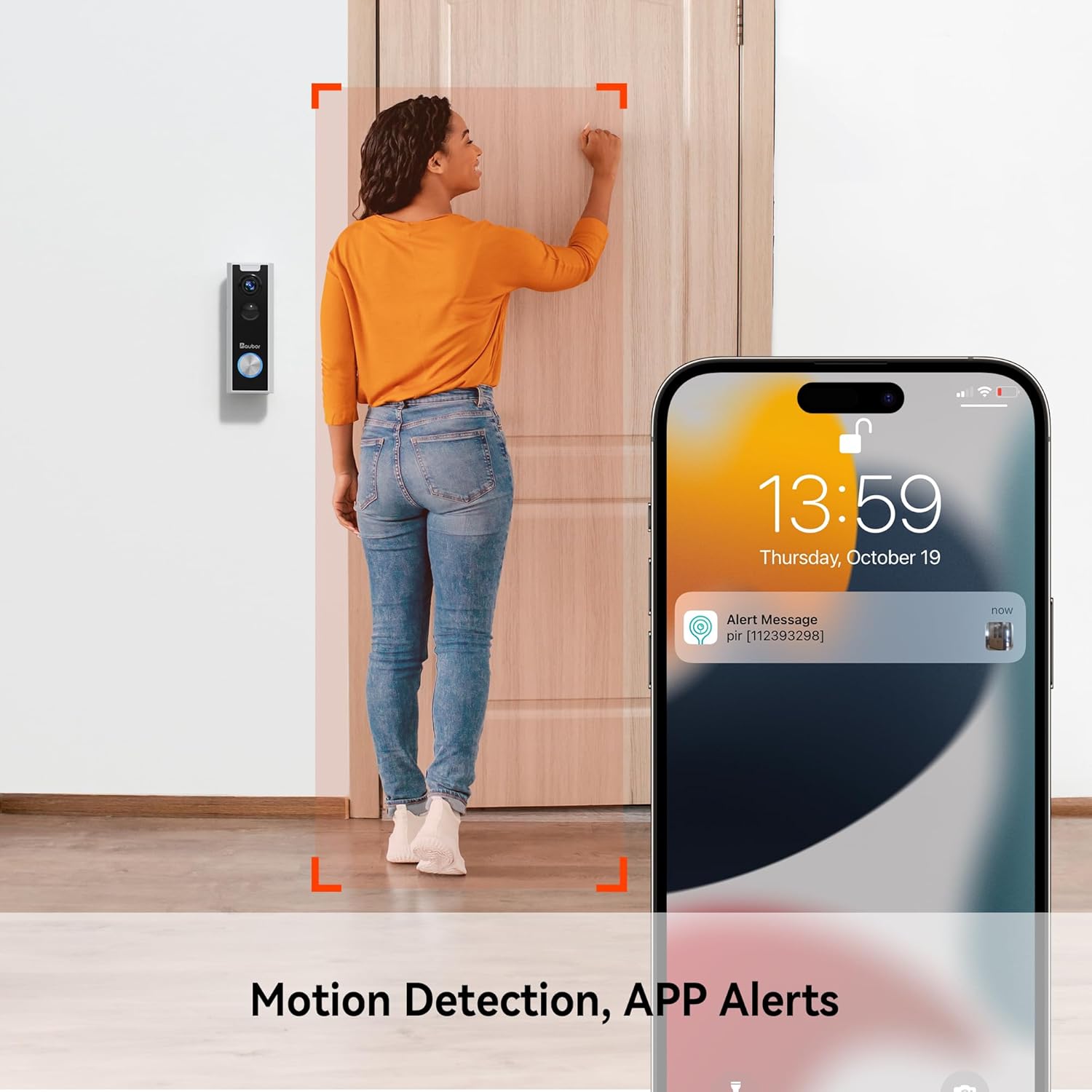
Image 4.3: Receive instant alerts on your phone when motion is detected.
4.5 クラウドストレージ
The AUBOR J10 offers cloud storage for your video footage without monthly fees. Access recorded events securely through the CloudEdge アプリ.
4.6 スマートホーム統合
The AUBOR J10 is compatible with Amazon Alexa and Google Assistant. Link your doorbell to these platforms through their respective apps to enable voice commands and view 互換性のあるスマート ディスプレイにライブ フィードを表示します。

Image 4.4: Integrate your doorbell with Amazon Alexa and Google Home for convenient control.
5. メンテナンス
5.1 バッテリー管理
The doorbell camera is powered by a rechargeable Lithium Ion battery. When the battery level is low, you will receive a notification via the CloudEdge アプリ. Recharge the doorbell using the provided Type-C cable. The wireless chime uses 3 AAA batteries, which should be replaced when depleted.
5.2 クリーニング
最適なパフォーマンスを維持するために、カメラのレンズとドアベルの外側を定期的に柔らかくて乾いた布で拭いてください。amp cloth. Avoid using harsh chemicals or abrasive materials. The doorbell is waterproof, suitable for outdoor use.
6。 トラブルシューティング
- ドアベルが Wi-Fi に接続できない: Ensure your Wi-Fi network is 2.4GHz. The doorbell does not support 5GHz networks. Check your Wi-Fi password and signal strength.
- モーション検出アラートなし: Verify that motion detection is enabled in the CloudEdge アプリ. Adjust sensitivity levels and ensure motion zones are correctly configured. Check battery level.
- ビデオ品質が悪い: Ensure the doorbell has a strong Wi-Fi signal. Move your Wi-Fi router closer or consider a Wi-Fi extender if necessary. Clean the camera lens.
- チャイムが鳴らない: Check if the chime batteries are installed correctly and are not depleted. Ensure the chime is plugged into a power outlet and is paired with the doorbell via the app.
- 双方向オーディオの問題: Check your phone's microphone and speaker permissions for the CloudEdge アプリ. Ensure a stable internet connection for both your phone and the doorbell.
7. 仕様
| 特徴 | 詳細 |
|---|---|
| モデル名 | J10 |
| 色 | 白 |
| ビデオ解像度 | 1080p HD |
| View角度 | 166度 |
| 接続性 | 2.4GHz Wi-Fi(5GHzはサポートしていません) |
| 電源 | 電池駆動(リチウムイオン) |
| 特集 | Waterproof, Night Vision, Two-Way Audio, Voice Changer, AI Motion Detection, Works with Alexa |
| 寸法(長さ×幅×高さ) | 14.48 x 5.59 x 5.59 cm(5.7 x 2.2 x 2.2インチ) |
| インストールタイプ | 壁掛け |
8. 保証とサポート
For warranty information and technical support, please refer to the official AUBOR web購入サイトをご覧いただくか、カスタマーサービスに直接お問い合わせください。購入証明書としてレシートを保管してください。