
導入
Thank you for choosing the LIORQUE S7509 Projection Alarm Clock. This manual provides detailed instructions for setting up and operating your new device. Please read it carefully to ensure proper use and to fully utilize all features.
パッケージ内容
開梱したら、以下の品目がすべて揃っていることを確認してください。
- LIORQUE S7509 Projection Alarm Clock
- 電源アダプター
- USB電源ケーブル
- ユーザーマニュアル

Image: The LIORQUE S7509 Projection Alarm Clock, its power adapter, USB cable, and user manual are displayed next to the product box. Product dimensions are indicated as 18cm (7.1in) width, 9.8cm (3.9in) height, and 5cm (2in) depth.
製品の特徴 以上view
The LIORQUE S7509 Projection Alarm Clock is designed to enhance your daily routine with its versatile features:
- 180° Rotatable Projection: Project the time onto your ceiling or wall with adjustable brightness.
- 大型LEDディスプレイ: Clear time display with 4 adjustable brightness levels.
- デュアルアラーム: Set two separate alarms for different schedules.
- FMラジオ: Enjoy your favorite radio stations with 15 preset memory slots and 15 adjustable volume levels.
- スヌーズ機能: 9分間の追加睡眠を提供します。
- 目覚まし時計: Automatically turns off the radio after a set duration (5-90 minutes).
- 12/24時間形式: 時間形式を簡単に切り替えることができます。
- 内蔵バッテリー: 外出時のバックアップ電源tages。

Image: The LIORQUE S7509 Projection Alarm Clock is shown with its digital display set to 22:30. Surrounding icons highlight key features including 12/24 hour time, adjustable brightness, FM radio, snooze function, dual alarms, time projection, built-in battery, and a sleep timer.
セットアップ手順
1. 電源接続
Connect the provided USB power cable to the alarm clock and plug the adapter into a standard wall outlet. The display will light up, indicating the device is powered on.

Image: The LIORQUE S7509 Projection Alarm Clock is shown on a bedside table, connected to a wall outlet via its power adapter. The clock displays 8:30, illustrating its readiness for use after power connection.
2. 初期時間設定
- を押し続けます 時間設定 button (usually labeled with a clock icon) for 3 seconds to enter time setting mode.
- 使用 時間 そして 分 buttons (often labeled with '+' and '-' or arrows) to adjust the current time.
- プレス 時間設定 もう一度確認して終了します。
3. 12/24時間形式
While in time setting mode, or by a dedicated button (refer to specific button labels on your device), you can toggle between 12-hour (with AM/PM indicator) and 24-hour formats.
操作手順
1.アラームの設定
時計は 2 つの独立したアラーム (アラーム 1 とアラーム 2) をサポートします。
- を押し続けます アラーム1 or アラーム2 button for 3 seconds. The alarm time will flash.
- 使用 時間 そして 分 ボタンを押して希望のアラーム時間を設定します。
- を押す アラーム もう一度ボタンを押して時間を確定します。
- You can then select the alarm sound (buzzer or FM radio) and alarm volume.
- を押す アラーム button one more time to save settings and activate the alarm. An alarm icon will appear on the display.

Image: Two LIORQUE S7509 Projection Alarm Clocks are displayed side-by-side. One shows an alarm set for 8:30, labeled 'Workday', and the other shows 10:00, labeled 'Weekend', demonstrating the dual alarm capability.
2. 投影関数
The projector allows you to display the time on your ceiling or wall.
- 有効化/無効化: を押す PROJECTION button (often labeled with a projection icon) to turn the projection on or off.
- 明るさを調整: 繰り返し押すと PROJECTION button to cycle through 3 brightness levels (Low, Medium, High) or turn it off.
- 回転投影: The projector lens can be physically rotated 180° to adjust the angle of the projected time.

Image: The LIORQUE S7509 Projection Alarm Clock is shown in a bedroom, projecting the time '22:30' onto the ceiling. Below, three smaller images illustrate the three adjustable brightness levels for the projection.

Image: The LIORQUE S7509 Projection Alarm Clock is depicted with its projection arm extended, casting the time '12:45' onto a nearby surface. This image demonstrates the adjustable angle and direction of the projection feature.
3.ディスプレイの明るさ
Adjust the main display brightness to your preference.
- を押す ディマー button (or similar, often labeled with a sun icon) to cycle through 4 levels of display brightness.
- The levels typically range from brightest to off, allowing for comfortable view昼も夜も。

Image: The LIORQUE S7509 Projection Alarm Clock shows the time 22:30. Below, four distinct panels illustrate the four adjustable levels of screen brightness, ranging from completely off to maximum illumination, allowing users to select the appropriate brightness for night vision.
4. FMラジオ
お気に入りの FM ラジオ局を聴きます。
- オン/オフ: を押す 無線 FM ラジオのオン/オフを切り替えるボタン。
- 自動スキャン: を押し続けます 無線 button for 3 seconds to automatically scan and save up to 15 FM stations.
- 乗り換え駅: 使用 前/次 buttons (or '+' and '-') to switch between saved stations.
- 音量を調整: 使用 ボリューム+/- buttons to adjust the radio volume through 15 levels.

Image: The LIORQUE S7509 Projection Alarm Clock displays 'FM 7.84' on its screen, surrounded by graphic representations of radio waves indicating different FM frequencies (e.g., FM90.2, FM95.6, FM96.8, FM97.5, FM98.5). The image also highlights that the device can store 15 favorite radio stations and has 15 adjustable volume levels.
5. スヌーズ機能
アラームが鳴ったら、大きな スヌーズ/ライト button on top of the clock. The alarm will pause for 9 minutes and then sound again.
6。 目覚まし時計
スリープ タイマーを使用すると、ラジオは設定された時間再生された後、自動的にオフになります。
- ラジオの再生中に、 寝る button (or similar).
- 繰り返し押すと 寝る button to cycle through preset sleep times (e.g., 5, 10, 15, 30, 60, 90 minutes).
- 選択した時間が経過するとラジオは自動的にオフになります。
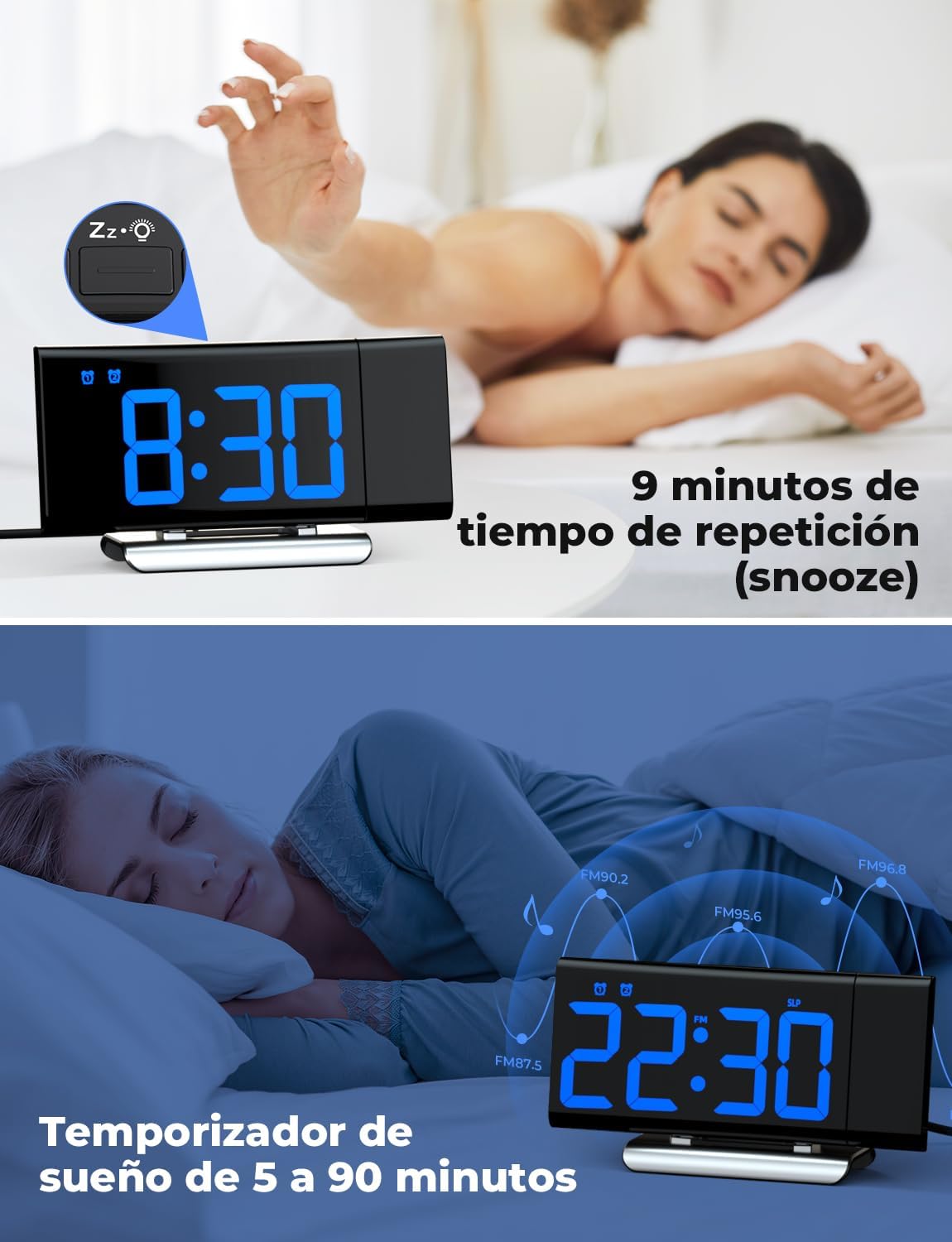
Image: The top section shows a person reaching for the snooze button on the LIORQUE S7509 Projection Alarm Clock, which displays 8:30, indicating a 9-minute snooze period. The bottom section features the clock displaying 22:30 with radio waves, illustrating the sleep timer function which can be set from 5 to 90 minutes, with a person sleeping peacefully in the background.
メンテナンス
To ensure the longevity and optimal performance of your LIORQUE S7509 Projection Alarm Clock, follow these simple maintenance guidelines:
- クリーニング: Use a soft, dry cloth to wipe the surface of the clock. Do not use abrasive cleaners, solvents, or chemical sprays, as these can damage the finish and electronic components.
- ほこりの除去: Gently wipe the projector lens with a soft, lint-free cloth to maintain clear projection quality.
- 配置: 時計は直射日光、熱源、過度の湿気を避け、安定した平らな場所に置いてください。
- 力: Always use the provided power adapter. If the clock is not used for an extended period, you may unplug it. The built-in battery will retain settings for a short duration.
トラブルシューティング
目覚まし時計に問題が発生した場合は、次の一般的な問題と解決策を参照してください。
| 問題 | 考えられる原因 | 解決 |
|---|---|---|
| 時計の表示が空白です。 | 電源が入らない、または電源が切れるtage. | Ensure the power adapter is securely plugged into the clock and a working outlet. Check if the display brightness is set to 'off'. |
| 投影がぼやけたり不鮮明になったりします。 | Incorrect focus or distance. | Adjust the distance of the clock from the projection surface. Ensure the projector lens is clean. |
| アラームは鳴りません。 | アラームが作動していないか、音量が低すぎます。 | Verify that the alarm icon is displayed on the screen. Check the alarm volume setting. Ensure the alarm time is correctly set. |
| FMラジオの受信状態が悪い。 | 信号またはアンテナの位置が弱い。 | Extend the FM antenna fully. Reposition the clock to improve reception. |
| ボタンが反応しません。 | 一時的なソフトウェアの不具合。 | Unplug the power adapter for a few seconds, then plug it back in to reset the device. |
仕様
| 特徴 | 詳細 |
|---|---|
| 製品寸法 | 10.5 x 3.81 x 6.2 cm; 340 g |
| モデル番号 | S7509 |
| ブランド | リオルク |
| 色 | 青 |
| 表示タイプ | デジタル |
| 電源 | Both: Battery and AC power (with adapter) |
| 形 | 長方形 |
| 使用法 | 屋内 |
| フレーム素材 | 金属 |
| 電池付属 | はい |
| 取り付けタイプ | テーブルトップ |
| 目覚まし時計 | はい |
| アイテム数 | 1 |
保証とサポート
The LIORQUE S7509 Projection Alarm Clock comes with a manufacturer's warranty. For specific details regarding warranty coverage and duration, please refer to the warranty card included in your package or contact LIORQUE customer support.
If you require further assistance, have questions, or encounter issues not covered in this manual, please contact LIORQUE customer support. Contact information can typically be found on the product packaging, the official LIORQUE webサイト、または小売店を通じてご購入いただけます。