
WEKOME VB04
WEKOME レトロゲームスタイル ワイヤレスイヤホン ユーザーマニュアル
モデル:VB04
ブランド: WEKOME
導入
Thank you for choosing the WEKOME Retro Game Style Wireless Bluetooth 5.3 Earbuds. These earbuds are designed to provide an immersive audio experience with advanced features such as Bluetooth 5.3 connectivity, Dual-Mic ENC technology for clear audio, and dedicated Game and Music modes. This manual will guide you through the setup, operation, and maintenance of your new earbuds.

Image: The WEKOME Retro Game Style Earbuds and their charging case, showcasing their unique design and key features.
箱の中身
パッケージの内容を確認し、すべてのアイテムが揃っていることを確認してください。
- WEKOME Retro Game Style Wireless Earbuds (Left and Right)
- ワイヤレス充電ケース
- 充電ケーブル(Type-C)
- 保護ケース
- ユーザーマニュアル(このドキュメント)
設定
1. 初期充電
初めて使用する前に、イヤホンと充電ケースを完全に充電してください。
- 付属のType-C充電ケーブルをケースの充電ポートに接続します。
- ケーブルのもう一方の端を USB 電源 (例: 壁のアダプタ、コンピュータの USB ポート) に接続します。
- The indicator lights on the charging case will show the charging status. A full charge takes approximately 1.2 hours for the case.
- イヤホンを充電ケースに入れると、自動的に充電が始まります。

Image: The charging case connected to a Type-C cable, illustrating the charging process.
A fully charged case provides up to 36 hours of total usage time for the earbuds, with the earbuds themselves offering up to 6 hours of continuous playback on a single charge.
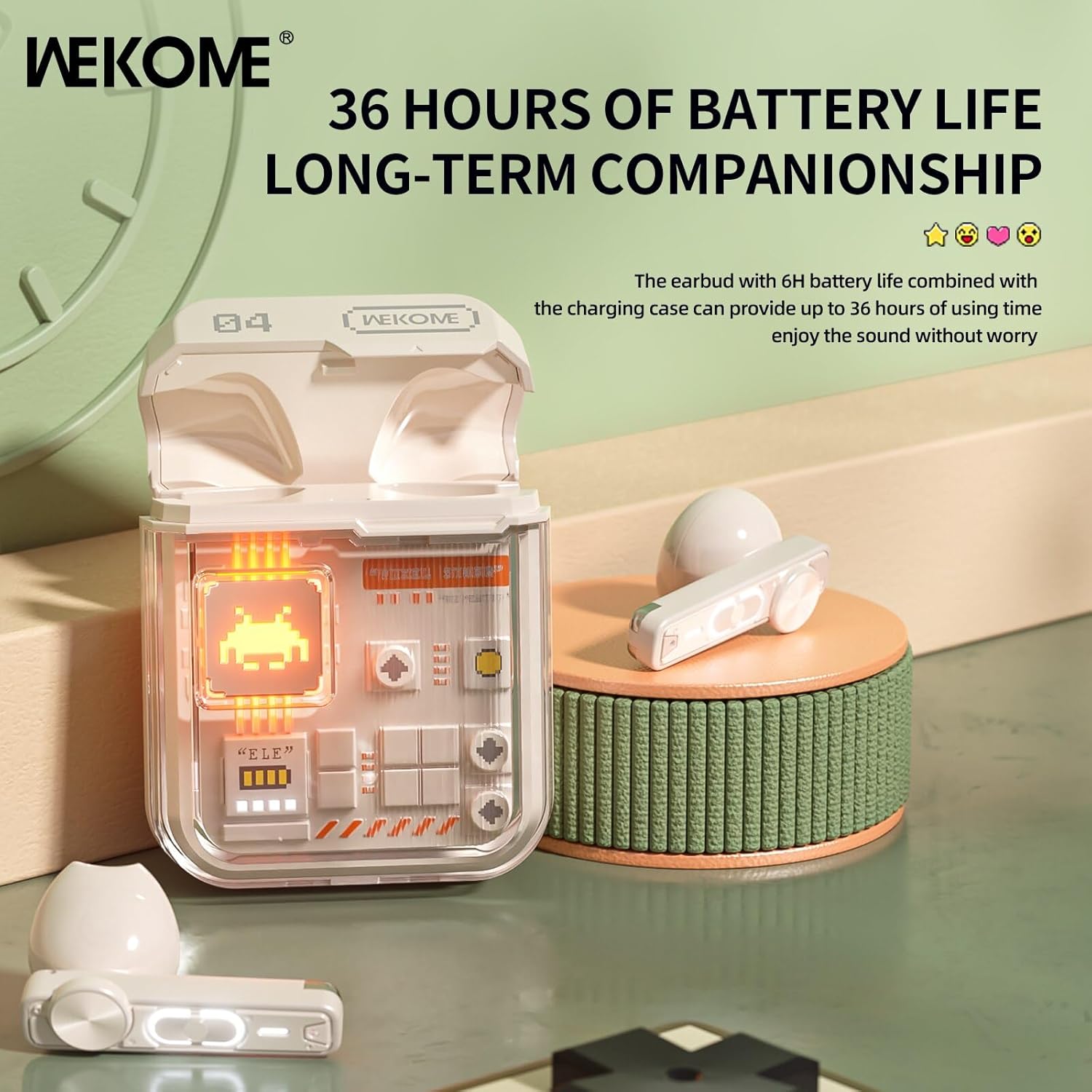
Image: The earbuds in their charging case, highlighting the extended battery life of up to 36 hours with the case.
2. デバイスとのペアリング
The earbuds feature an auto-connect function for hassle-free pairing.
- スマートフォン、タブレット、またはラップトップで Bluetooth が有効になっていることを確認します。
- 充電ケースを開けて両方のイヤホンを取り出します。自動的にペアリングモードになります。
- On your device, search for Bluetooth devices and select "WEKOME VB04" (or similar name) from the list.
- 接続されると確認音が聞こえ、イヤホンが使用できるようになります。
- 最初のペアリング後、イヤホンをケースから取り出すと、最後にペアリングしたデバイスに自動的に接続されます。
操作手順
スマートタッチコントロール
The WEKOME earbuds feature intuitive touch controls on each earbud for easy management of music and calls.
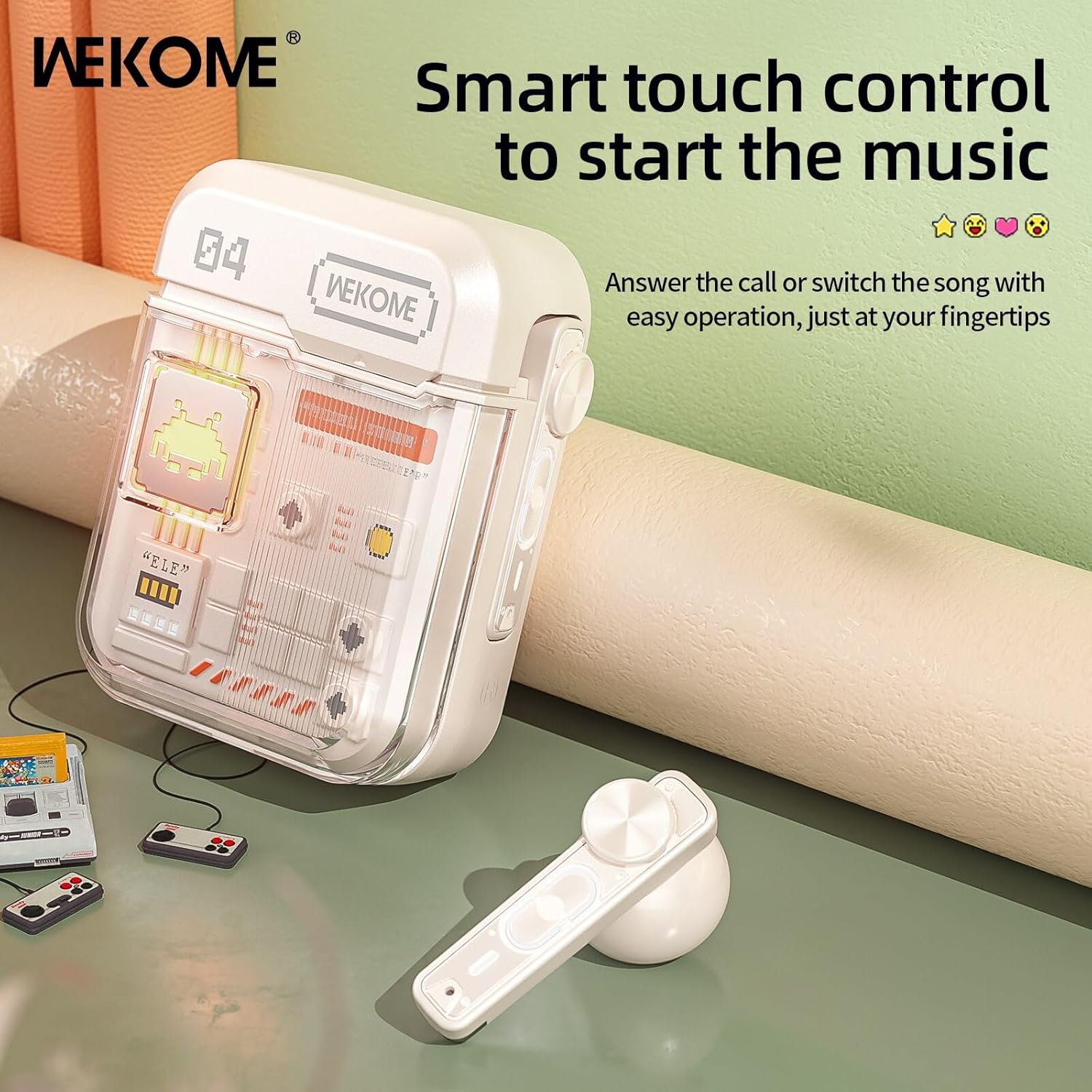
Image: The WEKOME earbuds demonstrating the touch control area for various functions.
| アクション | 関数 |
|---|---|
| シングルタップ(左/右) | 音楽の再生/一時停止、通話の応答/終了 |
| ダブルタップ(右) | 次の曲 |
| ダブルタップ(左) | 前の曲 |
| トリプルタップ(右) | 音量を上げる |
| トリプルタップ(左) | 音量を下げる |
| 押し続けます(2秒) | 通話を拒否し、音声アシスタントを起動する |
| Press and Hold (Right Earbud, 2 seconds) | ゲームモードと音楽モードを切り替える |
ゲームモードと音楽モード
The earbuds offer two distinct audio modes optimized for different uses.
- ゲームモード: Provides low latency (as low as 50ms) for synchronized picture and sound, crucial for gaming. This mode also activates cool lights on the earbuds.
- 音楽モード: Delivers balanced, high-resolution sound to restore more audio details, ideal for listening to music.
To switch between modes, press and hold the touch control area on the 右イヤフォン 2秒間。
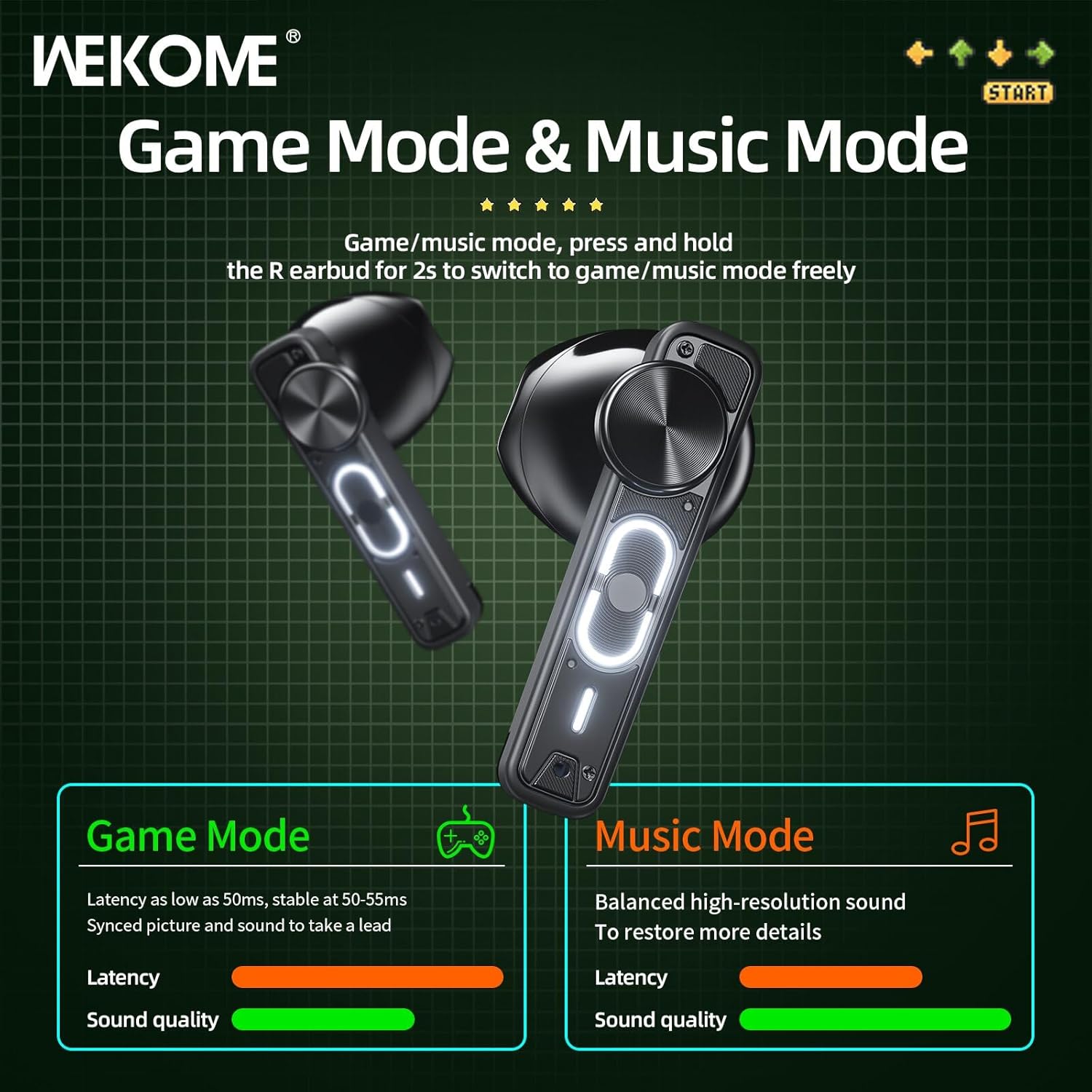
Image: Visual representation of the Game Mode and Music Mode, highlighting their respective benefits in latency and sound quality.
メンテナンス
- クリーニング: イヤホンと充電ケースは、柔らかく乾いた糸くずの出ない布で定期的に拭いてください。刺激の強い化学薬品や研磨剤は使用しないでください。
- ストレージ: 使用しないときは、イヤホンを保護し、充電を保つために充電ケースに保管してください。直射日光や極端な温度を避け、涼しく乾燥した場所に保管してください。
- 耐水性: このイヤホンは 防水ではありません. Avoid exposure to water, rain, sweat, or excessive moisture.
- 充電ポート: Type-C 充電ポートにほこりやごみが付かないようにしてください。
トラブルシューティング
| 問題 | 考えられる原因 | 解決 |
|---|---|---|
| イヤホンがペアリング/接続されない | Bluetooth is off, earbuds not in pairing mode, out of range, previously paired to another device. | Ensure Bluetooth is on. Place earbuds back in case, then take them out to re-enter pairing mode. Move closer to device. Forget "WEKOME VB04" from device's Bluetooth list and re-pair. |
| イヤホンが XNUMX つしか機能していない | Low battery on one earbud, earbuds not properly synced. | Place both earbuds back in the charging case, close the lid for a few seconds, then take them out again. Ensure both are charged. |
| 音が出ない | Volume too low, not connected, incorrect audio output selected on device. | Increase volume on both earbuds and connected device. Verify connection. Check device's audio output settings. |
| 充電ケースが充電されない | ケーブル/アダプタの故障、充電ポートの汚れ。 | Try a different Type-C cable and USB power adapter. Clean the charging port gently. |
仕様
| 特徴 | 詳細 |
|---|---|
| モデル名 | Wekome VB04 |
| Bluetoothバージョン | 5.3 |
| ワイヤレス範囲 | <10m |
| 周波数応答 | 20~20000Hz |
| ドライバーユニット | 13mm Composite Diaphragm Dynamic Unit |
| 騒音制御 | Dual-Mic ENC Technology (Sound Isolation) |
| イヤホンのバッテリー寿命 | 最大6時間 |
| バッテリー総寿命(ケース付き) | 最大36時間 |
| 充電時間 | 約1.2時間(ケース) |
| 充電方法 | タイプCポート |
| コントロールタイプ | スマートタッチコントロール |
| 材料 | ポリ塩化ビニル |
| 防水 | いいえ |
| 対応デバイス | Tablets, Telephones, iPhone, Laptops, Android |
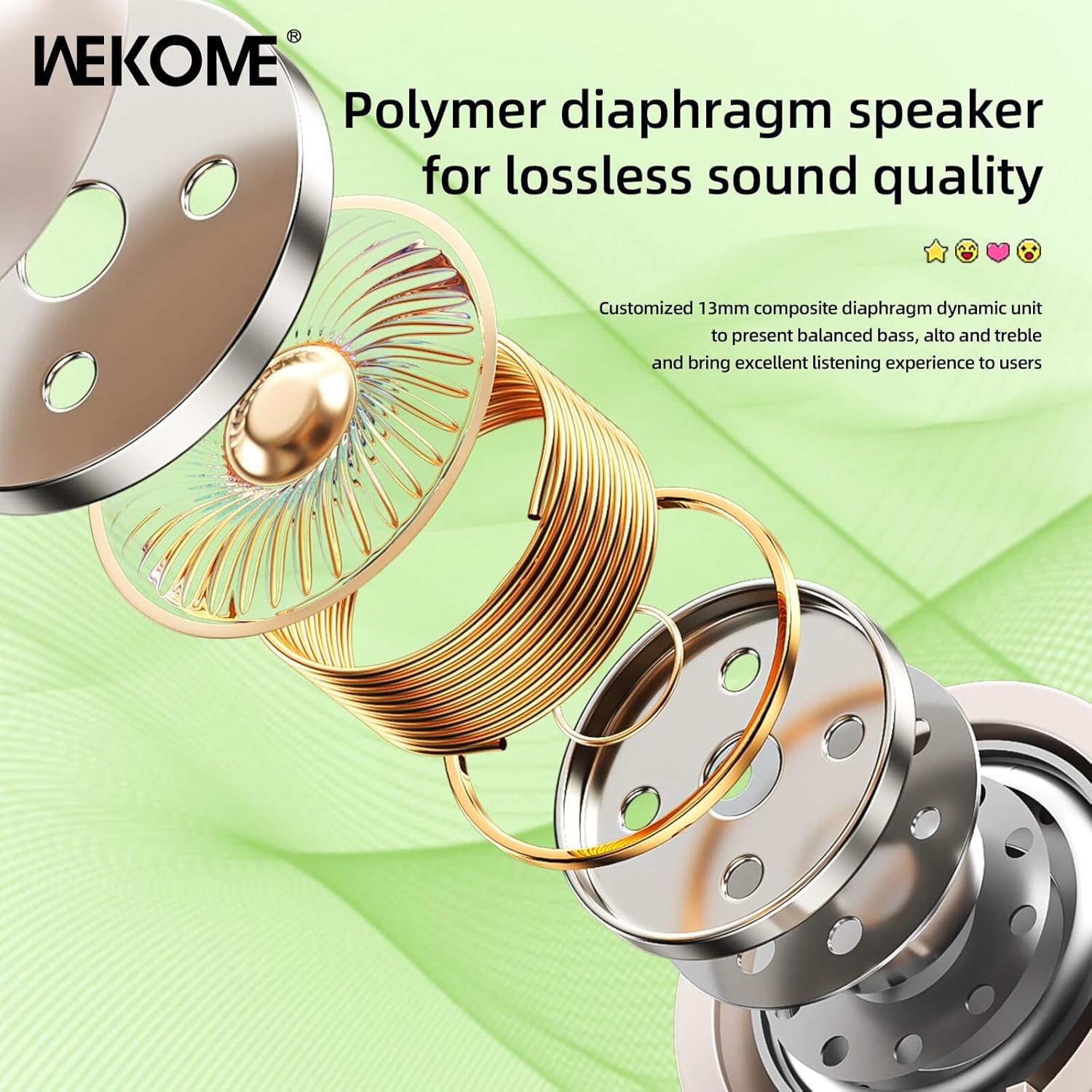
画像: 爆発した view illustrating the components of the 13mm composite diaphragm speaker, designed for lossless sound quality.
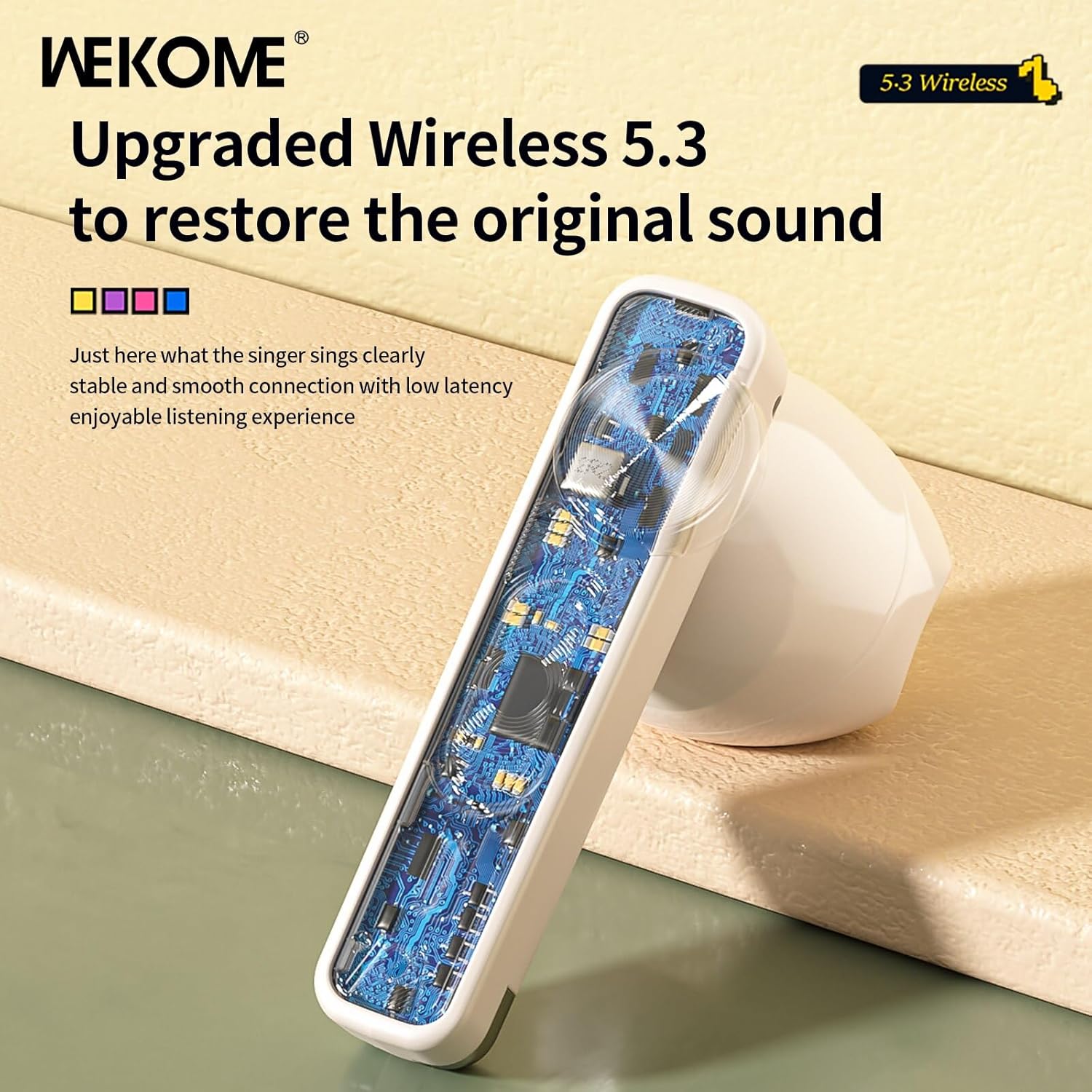
画像: クローズアップ view of an earbud's internal circuit board, highlighting the advanced Wireless 5.3 technology for stable and smooth connection.
保証とサポート
For warranty information and technical support, please refer to the contact details provided on the product packaging or the official WEKOME webサイトでご確認ください。保証請求の際は購入証明として領収書を保管してください。
関連文書 - VB04
 |
WEKOME V07 ワイヤレスイヤホン:ユーザーマニュアルと仕様 WEKOME V07 Vanguard シリーズ Starshards ワイヤレスイヤホンの包括的なガイド。セットアップ、操作、機能、トラブルシューティング、保証情報などを網羅しています。 |
 |
操作手順 Bluetooth WEKOME Beluga S9 TWS Bluetooth WEKOME Beluga S9 TWS のコンポーネントを説明します。 Zawiera は、パロワニウ、ファンクチャッハ、ロズヴィジワニウの問題に関する情報を提供しています。 |
 |
WEKOME WP-U39n Infinityシリーズ 65W GaN 伸縮式ケーブル充電器 - ユーザーマニュアルと仕様 WEKOME WP-U39n Infinityシリーズ 65W GaN充電器の包括的なユーザーマニュアルと技術仕様。巻き取り式USB-Cケーブル、複数のUSBポート(USB-A、USB-C)、急速充電機能、安全情報を備えています。ノートパソコン、タブレット、スマートフォンの充電に最適です。 |
 |
WEKOME Beluga S3 ワイヤレスイヤホン - デュアルマイク ENC TWS WEKOME Beluga S3ワイヤレスイヤホンは、クリアな通話を実現するデュアルマイクENC、HIFI高音質、Bluetooth V5.3、快適なインイヤーデザインを特徴としています。バッテリー容量、充電方法、インピーダンス、認証などの詳細な仕様もご確認ください。 |
 |
WEKOME V9 TWSイヤホン:ゲーミングにインスパイアされたBluetooth 5.0ワイヤレスイヤホン ゲーマー向けにデザインされたWEKOME V9 TWSイヤホンは、印象的なライトニングエフェクトとeスポーツスタイルが特徴です。Bluetooth 5.0接続、最大6時間のバッテリー駆動時間、そして音楽、通話、ゲームに最適なクリアな音質をお楽しみください。USB-C充電ポートを搭載し、CE、ROHS、FCC認証も取得しています。 |
 |
WEKOME WS-05 ANC+ENC搭載ワイヤレスイヤホン:仕様と機能 アクティブ ノイズ キャンセレーション (ANC) と環境ノイズ キャンセレーション (ENC)、スマート カラー スクリーン、Bluetooth 5.4 を搭載した WEKOME WS-05 ワイヤレス イヤホンの詳細な仕様。 |