
導入
Thank you for choosing the Fitop RGBCW Smart Corner Floor Lamp. This LED smart lamp offers a wide range of customizable lighting options, including 16 million colors, over 300 lighting modes, and features such as music synchronization, timer functions, and smart control via an app or voice assistants. This manual provides detailed instructions for assembly, operation, maintenance, and troubleshooting to ensure optimal performance and longevity of your product.
製品を使用する前にこのマニュアルをよくお読みになり、今後の参考のために保管してください。
安全情報
- 電源のボリュームを確認してくださいtageは製品の要件(120V)に適合します。
- 本製品は屋内使用のみを目的として設計されています。水や高湿度にさらさないでください。
- 分解したり改造したりしないでください。amp保証が無効になり、安全上のリスクが生じる可能性があります。
- lを維持amp 熱源や直射日光を避けてください。
- lをきれいにするamp 柔らかく乾いた布で拭いてください。研磨剤入りの洗剤や溶剤は使用しないでください。
- 損傷が発生した場合は、直ちに使用を中止し、カスタマー サポートにご連絡ください。
パッケージ内容
すべてのコンポーネントが存在し、良好な状態であることを確認します。
- LED Light Bar Sections (3 pieces)
- Lamp ベース
- 電源アダプター
- リモートコントロール
- ユーザーマニュアル
セットアップと組み立て
The Fitop Smart Corner Floor Lamp 簡単に組み立てられるように設計されています。以下の手順に従ってください。
- コンポーネントを解凍します: パッケージからすべての部品を慎重に取り出します。
- Assemble Light Bar: Connect the three LED light bar sections. Each section is designed to fit securely into the next. Ensure the connectors are properly aligned and pushed firmly together.
- ベースに取り付ける: Insert the assembled light bar into the lamp base. Ensure it is seated firmly and securely.
- 接続電源: 電源アダプタをコンセントに差し込みますamp その後、標準の電源コンセントに差し込みます。
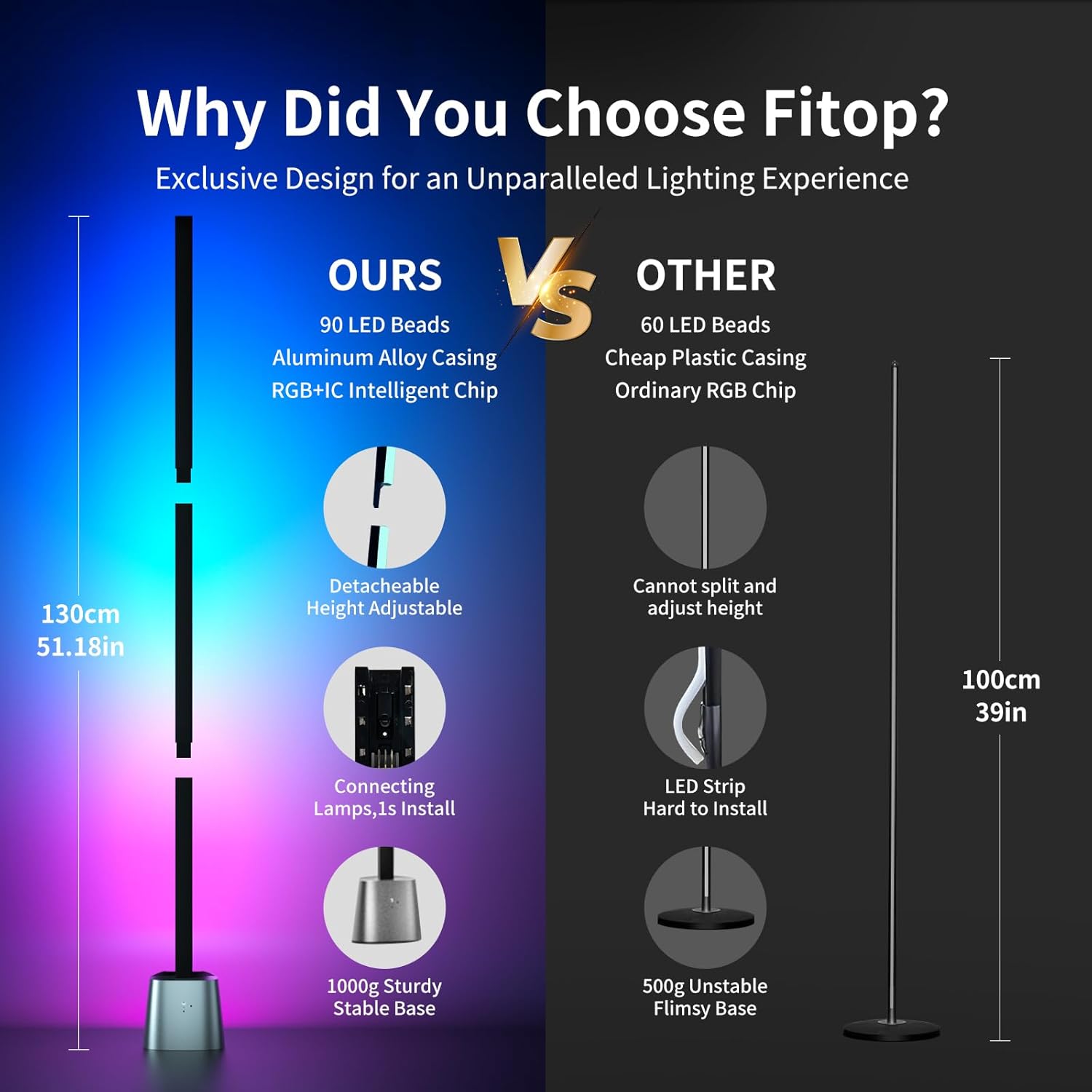
Figure 1: Detachable design for easy assembly and height adjustment.

Figure 2: Fully assembled lamp with app interface.
操作手順
Basic Operation (Physical Buttons)
Lamp base features physical buttons for basic control:
- 電源ボタン: 押してlを回すamp オンまたはオフ。
- モードボタン: Press to cycle through various preset lighting modes and colors.
リモコン操作
Use the included remote control to adjust settings from a distance. Refer to the remote control's specific button functions for detailed usage.
スマートアプリコントロール
For full functionality and customization, download the dedicated Fitop smart app (available on App Store and Google Play).
- アプリをダウンロードする: 検索する "Fitop" in your smartphone's app store and install it.
- Wi-Fiに接続します: Follow the in-app instructions to connect your lamp to your 2.4GHz Wi-Fi network.
- 機能の詳細: Once connected, you can access various modes:
- DIYモード: Customize colors and lighting effects from 16 million options.
- シーンモード: Choose from over 300 preset lighting scenes for different moods or occasions.
- 音楽モード: Lamp's built-in sensitive microphone allows it to react to sound and synchronize lighting changes with music, films, or games.
- タイミングモード: スケジュールを設定するamp to automatically turn on or off, promoting energy efficiency and convenience.
- グループコントロール: Control multiple Fitop smart lampアプリを通じて同時に。

図3:以上view of Smart App Control features.

図 4: 音楽同期機能の動作。
音声コントロール
The Fitop Smart Corner Floor Lamp is compatible with popular voice assistants:
- 統合: Link your Fitop account with Google Assistant, Amazon Alexa, or Apple Siri through their respective apps.
- コマンド: Use voice commands to control the lamp, such as turning it on/off, changing colors, adjusting brightness, or activating scenes.

Figure 5: Hands-free voice control with smart assistants.
製品ビデオ
The following videos demonstrate key features and functionality of the Fitop Smart Corner Floor Lamp:
Video 1: Demonstrates various ambient lighting effects and color changes of the floor lamp.
Video 2: Shows the Fitop Corner Floor Lamp in different settings, highlighting its versatility and smart features.
Video 3: Illustrates the smart floor lamp's ability to synchronize with music, creating dynamic lighting effects.
メンテナンス
- クリーニング: 定期的に拭いてくださいamp with a soft, dry cloth to remove dust. Do not use liquid cleaners or sprays directly on the lamp.
- ストレージ: lを保存する場合amp for an extended period, disassemble it and store it in its original packaging in a dry, cool place.
- 光源: LED 光源は統合されており、ユーザーが交換することはできません。
トラブルシューティング
| 問題 | 考えられる原因 | 解決 |
|---|---|---|
| Lamp オンになりません。 | 電源が入っていない、接続が緩んでいる、またはアダプタに障害がある。 | Check power outlet. Ensure power adapter is securely connected to both the lamp and the outlet. Verify all light bar sections are properly connected. |
| アプリはlに接続できませんamp. | Incorrect Wi-Fi network (not 2.4GHz), incorrect password, or lamp is too far from router. | Ensure your phone and lamp are on a 2.4GHz Wi-Fi network. Re-enter Wi-Fi password carefully. Move the lamp closer to the Wi-Fi router. Restart the lamp and try connecting again. |
| 音声制御が機能しません。 | Incorrect setup with voice assistant, or poor internet connection. | Verify the Fitop app is correctly linked to your voice assistant (Alexa, Google Assistant, Siri). Check your internet connection. Ensure the voice assistant device is within range and responsive. |
| 音楽の同期が応答しません。 | Microphone obstruction or low volume of music. | lを確保するamp's microphone is not obstructed. Increase the volume of the music source. |
仕様
| 特徴 | 詳細 |
|---|---|
| ブランド | Fitop |
| モデル名 | LF1500-24W |
| Lamp タイプ | L階amp |
| 光源の種類 | 導かれた |
| ワットtage | 24ワット |
| 輝度 | 1500ルーメン |
| カラーオプション | RGBCW (16 Million Colors) |
| 制御方法 | App, Voice (Alexa, Google Assistant, Siri), Remote Control, Physical Buttons |
| 接続性 | 2.4GHz WiFi |
| 材料 | アルミニウム合金、金属 |
| 製品寸法 | 奥行き5.51インチ x 幅4.72インチ x 高さ51.18インチ |
| アイテム重量 | 4.69ポンド |
| 屋内/屋外での使用 | 屋内のみ |
| 組み立てが必要 | はい |
保証とサポート
This Fitop product comes with a 1年間保証 ご購入日から1年間有効です。本保証は、通常の使用における製造上の欠陥および故障を対象としています。誤用、事故、不正な改造、不適切な取り付けによる損傷は保証の対象外となります。
For warranty claims, technical support, or any questions regarding your Fitop Smart Corner Floor Lamp, please contact Fitop customer service through the retailer where the product was purchased or visit the official Fitop web連絡先情報のサイト。