
1. はじめにview
The CLXEAST 24-inch LED Self-Illuminated Outdoor Metal Clock is designed for both indoor and outdoor use, offering precise timekeeping along with integrated temperature and humidity monitoring. Its unique AI smart light sensor technology automatically activates a warm, ambient dial backlight in low-light conditions, ensuring visibility day or night. The clock features a durable, waterproof, and UV-resistant construction, making it an ideal addition to patios, gardens, or any living space.
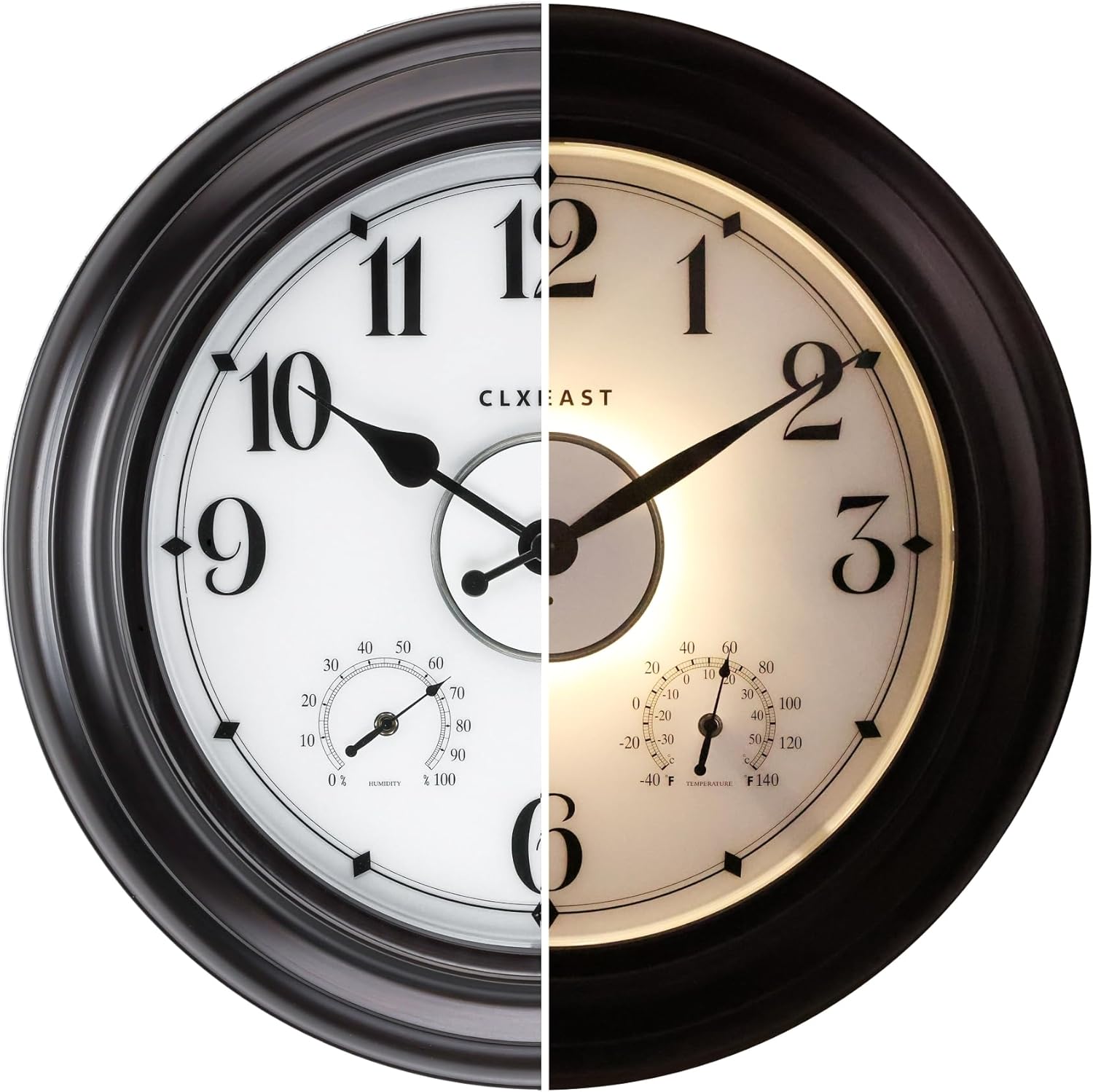
Figure 1: The CLXEAST outdoor clock, demonstrating its appearance in both daylight and illuminated night modes.
2. 主な特徴
- AI Smart Light Sensor Technology: Automatically activates dial backlight during dark conditions and shuts off in daylight. Offers three backlight modes: Always On, Always Off, and 4-hour timer.
- 正確な計時: Utilizes a precise Youngtown quartz movement, achieving a daily error rate of +/- 1 second.
- Integrated Thermometer & Hygrometer: Measures temperatures from -40°F to 140°F and humidity from 1% to 99% relative humidity. These are adjustable for calibration.
- 耐久性のある構造: Features an IP56 waterproof and UV-resistant design with a hand-brushed oil-rubbed bronze finish. Sealed with front and back rubberized gaskets for protection against outdoor elements.
- プレミアム素材: Constructed with acrylic, glass, and metal for longevity and aesthetic appeal.

Figure 2: Diagram illustrating the durable and precise features of the clock.

図3:詳細 view of the smart sensor and environmental gauges.
3. セットアップ手順
3.1 バッテリーの取り付け
The clock requires 1 AA battery for the quartz movement and 4 D batteries for the LED night light sensor. Batteries are not included. Ensure correct polarity when inserting batteries.
- Carefully remove the back cover of the clock.
- Locate the battery compartments. Insert 4 D-size batteries into the LED light sensor compartments.
- Insert 1 AA-size battery into the quartz movement compartment.
- 裏蓋をしっかりと取り付けてください。
Video 1: Demonstrates the battery installation process for the CLXEAST outdoor clock.
3.2 Initial Calibration of Thermometer & Hygrometer
Allow the thermometer and hygrometer at least 3 hours to fully adjust to the environment where the clock is placed before expecting accurate readings. These gauges are adjustable for calibration if needed.
3.3 時計の取り付け
The clock is designed for wall mounting. Use appropriate hardware for your wall type to ensure secure installation. Consider placing the clock in a location that is protected from direct, prolonged exposure to extreme heat, sunlight, and constant heavy rain for optimal performance and longevity.
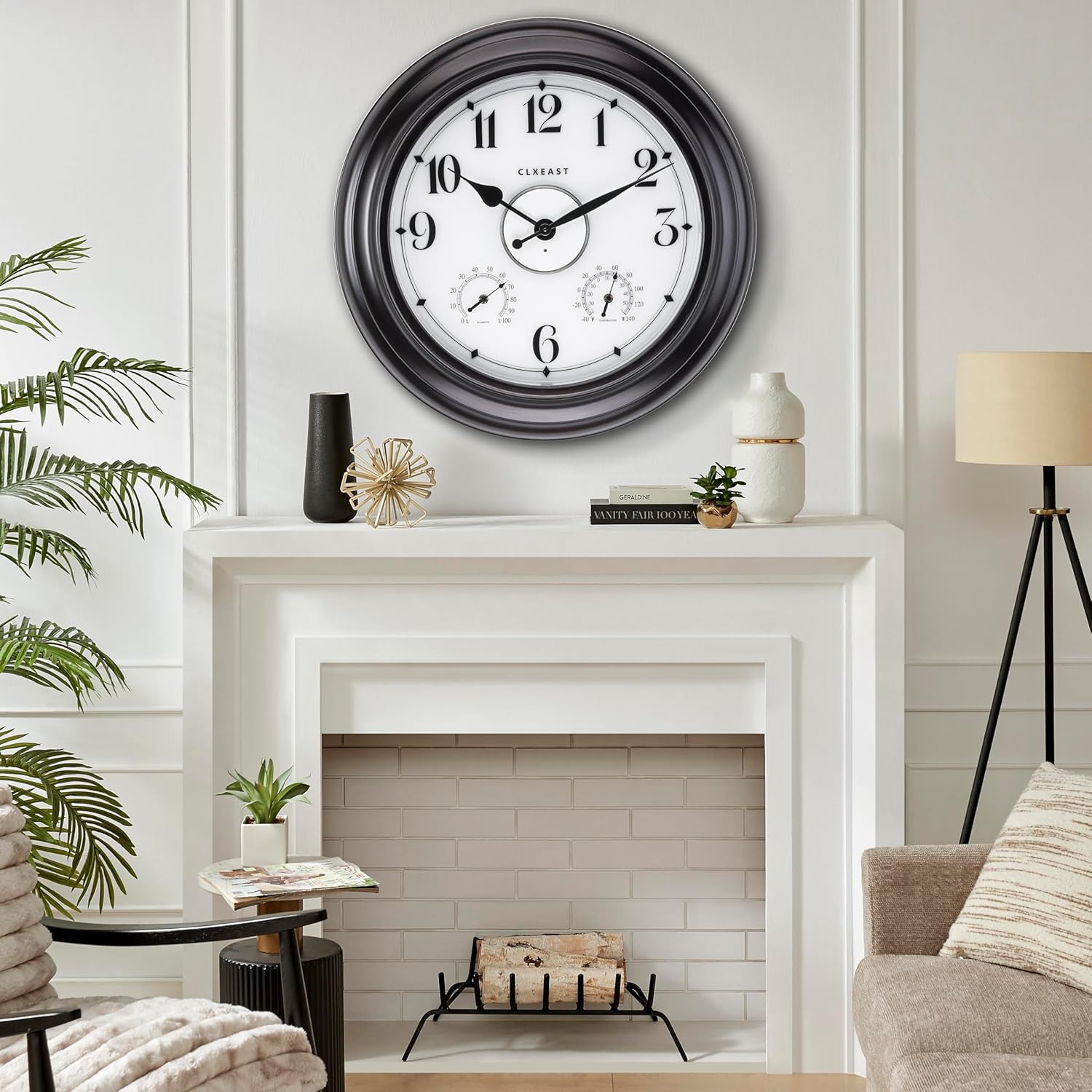
図4:例ample of the clock mounted indoors above a fireplace.
4. 操作手順
4.1時間の設定
To set the time, locate the time adjustment knob on the back of the clock's quartz movement. Rotate the knob to move the hands to the correct time.
4.2 バックライトモード
The LED backlight is controlled by a smart light sensor. There are three modes:
- 常時オン: バックライトは点灯し続けます。
- 常にオフ: バックライトはオフのままです。
- 4時間タイマー: The backlight will activate automatically in dark conditions and stay on for 4 hours before turning off.
Select your preferred mode using the switch located near the D-battery compartments on the back of the clock.

Figure 5: Visual representation of the clock's day and night illumination.
5. メンテナンス
- クリーニング: 時計の文字盤とフレームを柔らかくて乾いた布で拭いてください。amp cloth. Avoid abrasive cleaners or solvents that may damage the finish or acrylic lens.
- バッテリー交換: Replace batteries when the clock stops keeping accurate time or the backlight dims/stops working. It is recommended to replace all D batteries simultaneously for consistent backlight performance. The LED light sensor batteries typically last 6 to 12 months depending on usage and environment.
- 環境保護: While waterproof and UV resistant, prolonged exposure to extreme weather conditions (e.g., direct, intense sunlight, heavy downpours, or freezing temperatures) can affect the clock's lifespan. Position the clock in a sheltered area if possible.
6。 トラブルシューティング
| 問題 | 考えられる原因 | 解決 |
|---|---|---|
| Clock hands not moving or inaccurate time. | Dead or improperly installed AA battery. | Check and replace the AA battery, ensuring correct polarity. |
| バックライトが機能していないか暗い。 | Dead or improperly installed D batteries; incorrect backlight mode selected; insufficient darkness for sensor. | Check and replace D batteries. Verify backlight mode switch setting. Ensure ambient light conditions are dark enough for the sensor to activate. |
| 温度/湿度の測定値が不正確です。 | Not enough time for calibration; extreme environmental changes; sensor obstruction. | Allow at least 3 hours for sensors to adjust. Ensure sensors are not obstructed. Calibrate if necessary (refer to product manual for specific calibration steps if available, or contact support). |
| Condensation inside the clock face. | Extreme temperature fluctuations or high humidity. | Move the clock to a more stable environment. Ensure rubber gaskets are properly sealed. If persistent, contact customer support. |
7. 仕様
| 属性 | 詳細 |
|---|---|
| ブランド | CLXEAST |
| モデル番号 | TM2227B86-N-AR |
| 色 | Oil Rubbed Bronze&arabic Number |
| 表示タイプ | アナログ |
| 特集 | Illuminated Wall Clock with Smart Sensor, Temperature & Humidity Display, Waterproof Weather Station |
| 製品寸法 | 幅24インチ x 高さ24インチ |
| 電源 | Battery Powered (1 AA for clock, 4 D for LED) |
| 屋内/屋外での使用 | 屋内、屋外 |
| 材料 | アクリル、ガラス、金属 |
| アイテム重量 | 8.8 ポンド |
| 時計のムーブメント | 石英 |

図6: 製品の寸法。
8. 保証とサポート
This CLXEAST product comes with a Limited Warranty. For specific details regarding warranty coverage, duration, and terms, please refer to the documentation included with your purchase or visit the official CLXEAST webサイト。
For technical support, troubleshooting assistance, or to inquire about replacement parts, please contact CLXEAST customer service. You can find contact information on the CLXEAST brand store page or through your retailer.
Visit the official CLXEAST Store for more products and information: CLXEAST Store