
導入
Thank you for choosing the LEXIP Madara Design Headset. This manual provides detailed instructions for setting up, operating, and maintaining your headset. Please read this manual thoroughly before use to ensure optimal performance and longevity of your device.
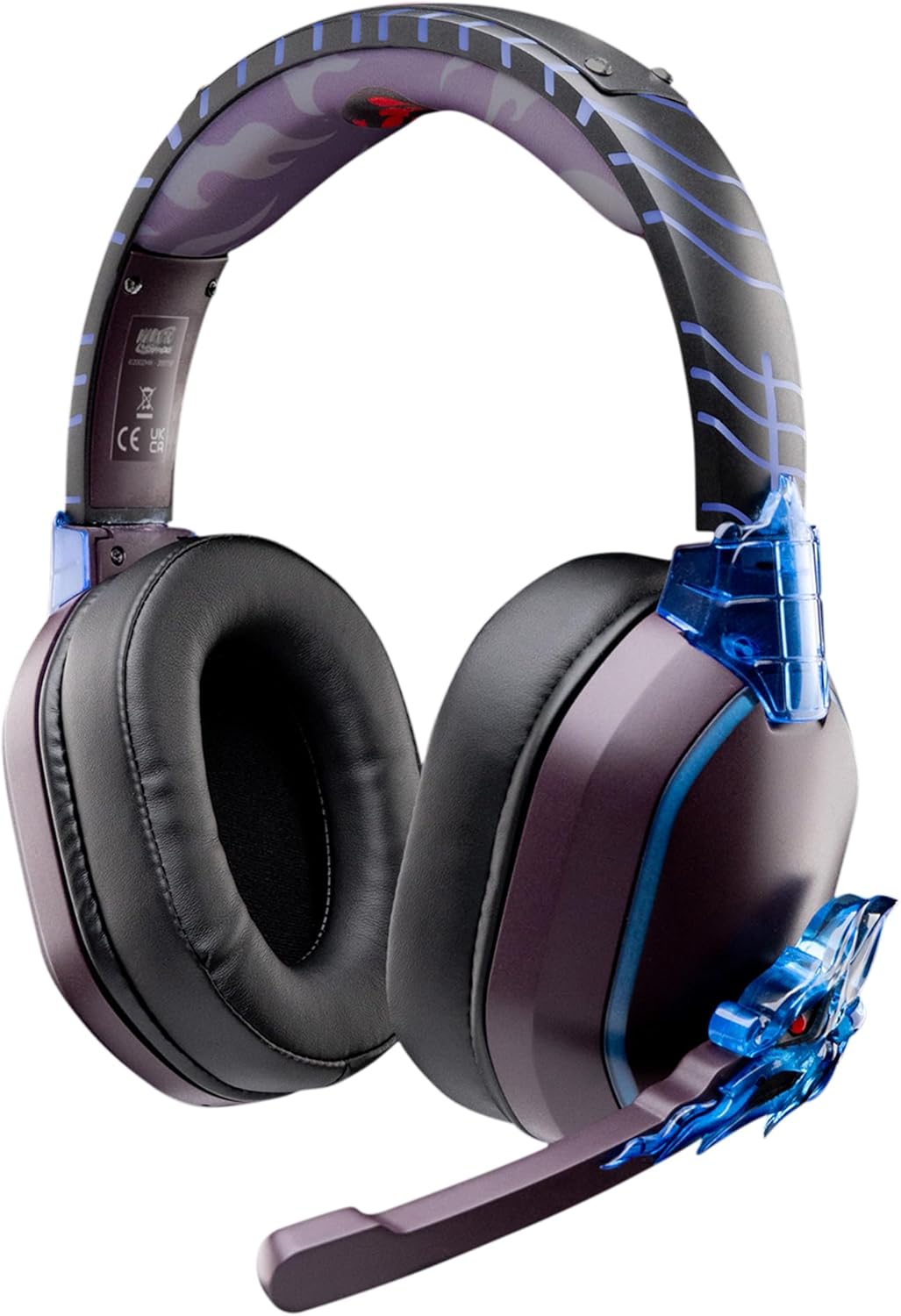
Image: The LEXIP Madara Design Headset, featuring a distinctive purple and blue color scheme with intricate design elements inspired by Madara.
パッケージ内容
パッケージにすべてのアイテムが揃っていることを確認します。
- LEXIP Madara Design Headset
- 取り外し可能なマイク
- 3.5mmオーディオケーブル
- USB充電ケーブル
- ユーザーマニュアル
製品終了view
ヘッドセットのコンポーネントと設計機能について理解しておきましょう。

Image: Close-up of the headset's ear cup, highlighting the intricate blue dragon design element.

画像: View of the soft earcups and adjustable headband, designed for comfort during extended use.
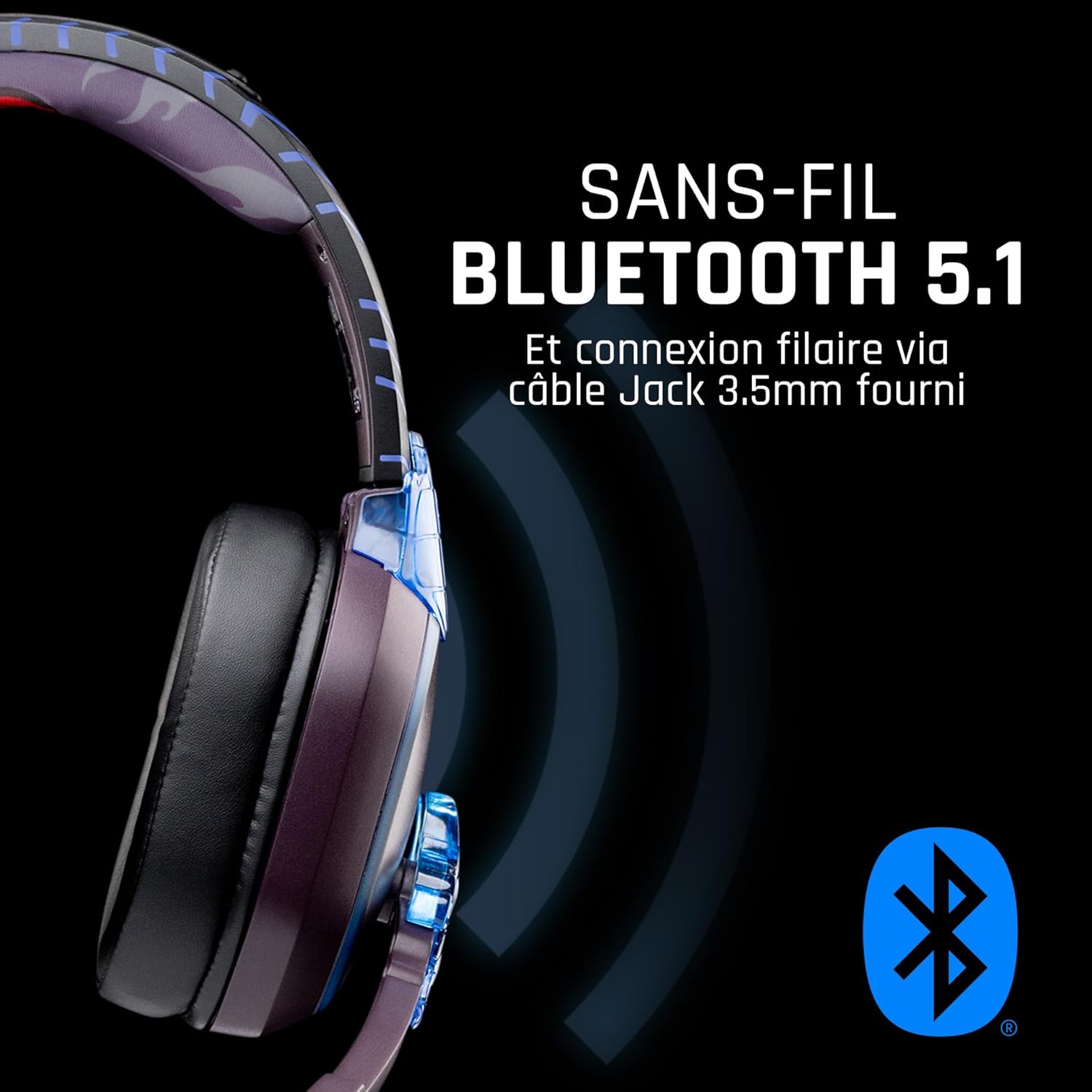
画像: サイド view of the headset, illustrating its wireless Bluetooth 5.1 capability and connection points.

Image: The headset displayed on a stand, alongside a matching game controller, showcasing its gaming application.
主な特徴:
- ワイヤレス Bluetooth 5.1: For seamless wireless audio.
- 有線接続: Via the included 3.5mm Jack cable.
- 取り外し可能なマイク: For clear communication and versatility.
- 音量コントロール: Integrated controls for easy audio adjustment.
- ノイズアイソレーション: Passive noise reduction for an immersive experience.
- 快適なデザイン: Adjustable headband and over-ear form factor.
設定
1. ヘッドセットの充電
- USB充電ケーブルをヘッドセットの充電ポートに接続します。
- USB ケーブルのもう一方の端を互換性のある USB 電源 (コンピューターの USB ポート、USB 壁アダプタなど) に接続します。
- The LED indicator on the headset will show the charging status. A full charge typically takes approximately 2-3 hours.
2. マイクの取り付け
- Locate the microphone input port on the headset, usually on the left earcup.
- Align the detachable microphone connector with the port and gently push it in until it clicks into place.
- 最適な音声収音のためにマイクの位置を調整します。
操作手順
1.電源のオン/オフ
- 電源を入れるには: LED インジケーターが点灯するまで、電源ボタンを約 3 秒間押し続けます。
- 電源を切るには: LED インジケーターが消えるまで、電源ボタンを約 5 秒間押し続けます。
2. Bluetoothペアリング(ワイヤレスモード)
- ヘッドセットの電源がオフになっていることを確認します。
- LED インジケーターが高速点滅してペアリング モードを示すまで、電源ボタンを約 5 ~ 7 秒間押し続けます。
- On your device (Windows 10/11, Mac, PS5, PS4, Xbox Series X/S, Xbox One, Nintendo Switch, Android, iOS, tablets), navigate to Bluetooth settings.
- 検索する available devices and select "LEXIP Madara Headset" (or similar name).
- ペアリングされると、LED インジケーターの点滅が停止し、青色に点灯します。
3. 有線接続(3.5mmジャック)
- Insert one end of the 3.5mm audio cable into the headset's audio jack.
- Insert the other end into the 3.5mm audio port of your desired device.
- The headset will operate in passive wired mode, even if the power is off.
4. 音量コントロール
- Use the volume control dial or buttons located on the headset to adjust the audio level.
メンテナンス
- クリーニング: ヘッドセットのクリーニングには、柔らかく乾いた布をご使用ください。研磨剤入りの洗剤や溶剤は使用しないでください。
- ストレージ: ヘッドセットは、直射日光や極端な温度を避け、涼しく乾燥した場所に保管してください。
- バッテリーのケア: バッテリー寿命を最適に保つために、ヘッドセットを頻繁に完全に放電することは避け、定期的に充電してください。
- 耐水性: ヘッドセットは防水ではありません。液体に濡らさないでください。
トラブルシューティング
| 問題 | 考えられる原因 | 解決 |
|---|---|---|
| ヘッドセットから音が出ない | Headset not powered on; Volume too low; Not paired/connected; Incorrect audio output selected on device. | Ensure headset is powered on and charged. Increase volume. Re-pair Bluetooth or check 3.5mm cable connection. Select headset as audio output on your device. |
| Bluetoothでペアリングできない | Headset not in pairing mode; Device Bluetooth off; Too far from device; Interference. | Ensure headset is in pairing mode (flashing LED). Turn device Bluetooth off and on again. Move headset closer to device. Avoid strong Wi-Fi signals or other Bluetooth devices. |
| マイクが機能しない | Microphone not properly attached; Muted on headset/device; Incorrect input selected on device. | Ensure microphone is securely attached. Check if microphone is muted. Select headset microphone as input device in your device's sound settings. |
| バッテリー寿命が短い | Headset not fully charged; Old battery. | Ensure headset is fully charged before use. Battery performance may degrade over time. |
仕様
| モデル番号 | TSXLXHS0003 |
| ブランド | レキシプ |
| 接続技術 | ワイヤレス(Bluetooth 5.1)、有線(3.5mmジャック) |
| 周波数範囲 | 20 Hz - 20,000 Hz |
| インピーダンス | 3オーム |
| 感度 | 116デシベル |
| ノイズ遮断 | パッシブノイズリダクション |
| マイクロフォン | 取り外し可能 |
| コントロール | 音量調節、リモコン |
| 対応デバイス | Windows 10/11, Mac, PS5, PS4, Xbox Series X/S, Xbox One, Nintendo Switch, Android, iOS, tablets |
| フォームファクター | Over-ear, Extra-aural |
| 材料 | 混合材料 |
| 年齢範囲 | アダルト |
| 耐水性レベル | 耐水性はありません |
| バッテリー | 非標準バッテリー1個(付属) |
保証とサポート
The LEXIP Madara Design Headset comes with a 2年間のメーカー保証 購入日から。この保証は通常の使用における材料および製造上の欠陥をカバーします。
For warranty claims, technical support, or further assistance, please contact LEXIP customer service through their official website or the retailer where the product was purchased. Please have your proof of purchase and model number (TSXLXHS0003) ready when contacting support.
注: 現時点では、スペアパーツの入手可能性およびソフトウェアの更新に関する情報は入手できません。