
1. はじめに
The NearStream VK10 Vlogging Kit is designed to enhance your smartphone content creation experience. This comprehensive kit includes essential tools such as an adjustable LED fill light, a high-quality wireless microphone, a versatile phone mount, a flexible tripod, and a Bluetooth remote control. This manual provides detailed instructions for assembly, operation, maintenance, and troubleshooting to help you maximize the kit's potential.
2. 箱の中身
Carefully unpack your NearStream VK10 Vlogging Kit and ensure all components are present:
- Phone Holder (1)
- 三脚 (1)
- Product Bag (1)
- USB-Cケーブル(1)
- USB C to Lightning Adapter (1)
- 2-in-1 Type-C Cable (1)
- ユーザーマニュアル (1)
- 保証書(1)
- クイックスタートガイド(1)
- ワイヤレス ラベリアマイク (1)
- Streaming Light (1)
- Bluetooth Remote Control (1)
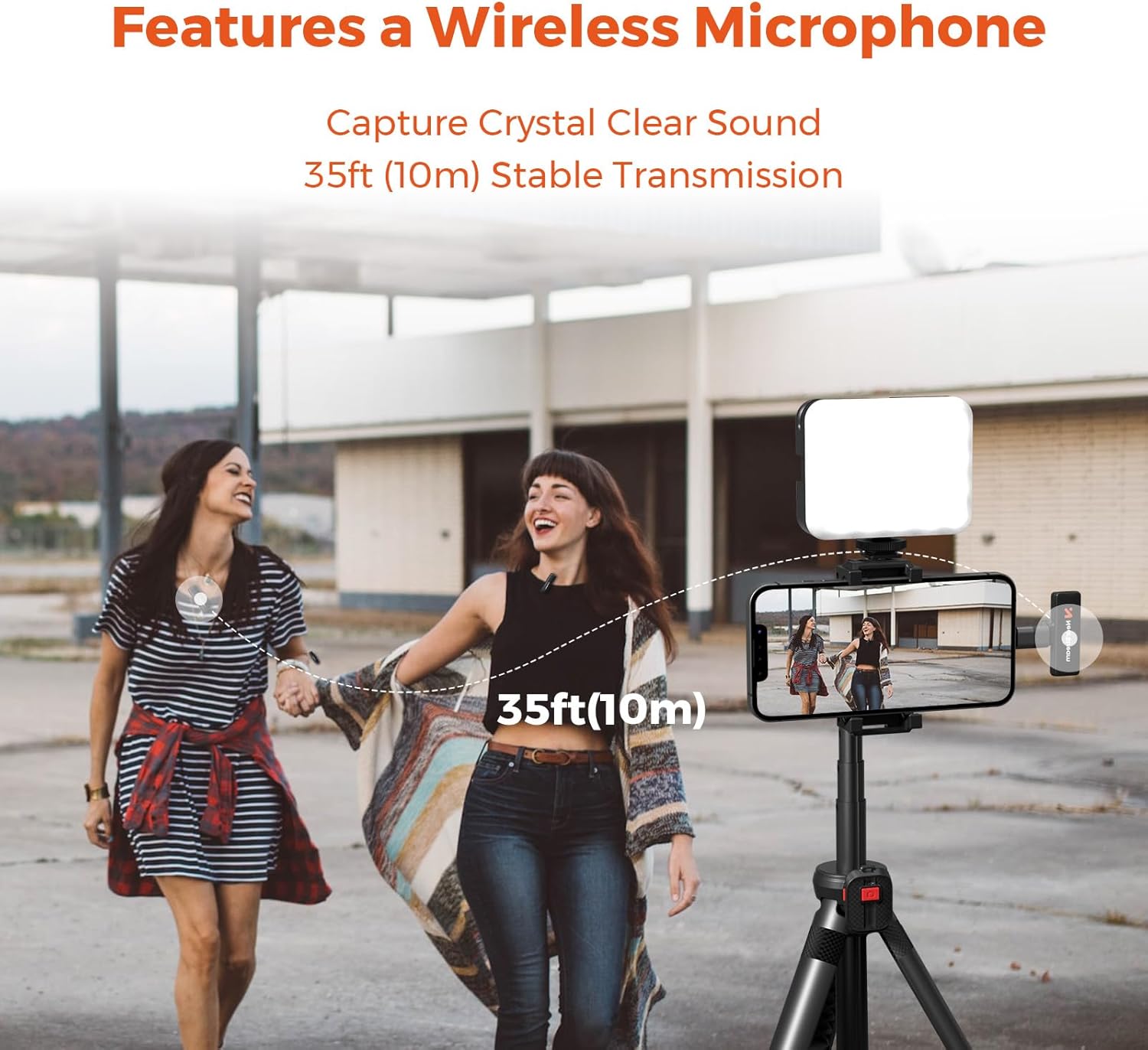
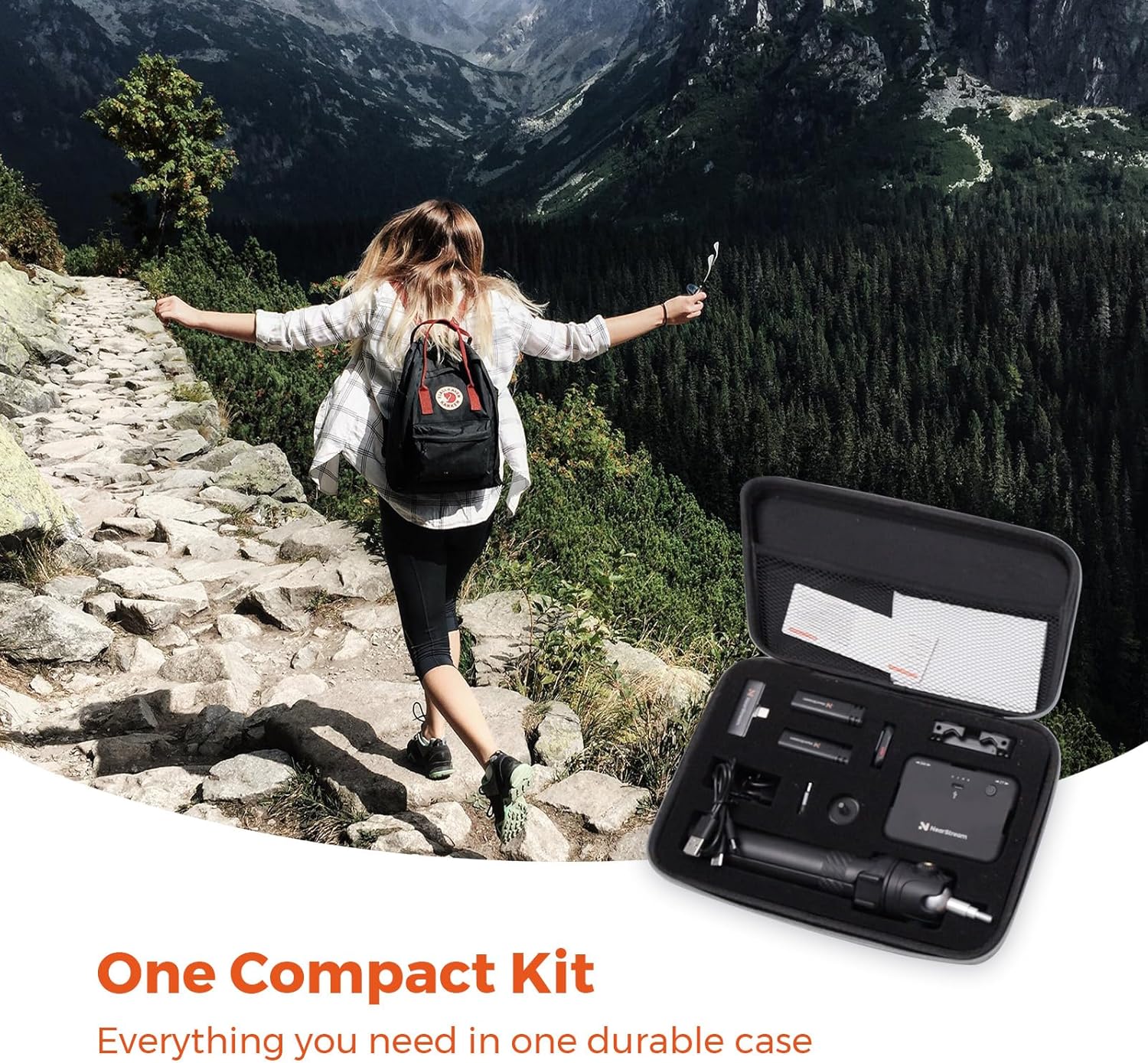
Image: All components included in the NearStream VK10 Vlogging Kit, neatly arranged in their carrying case.
3.製品オーバーview
Familiarize yourself with the key components of your vlogging kit:
3.1. Rechargeable & Adjustable LED Fill Light
- 輝度: 0~100%の範囲で調整可能です。
- 色温度: 2700K(暖色)から6500K(寒色)まで調整可能です。
- クリ: 95 for accurate color rendering.
- バッテリー: Built-in 2000mAh, providing up to 105 minutes of operation at maximum brightness.
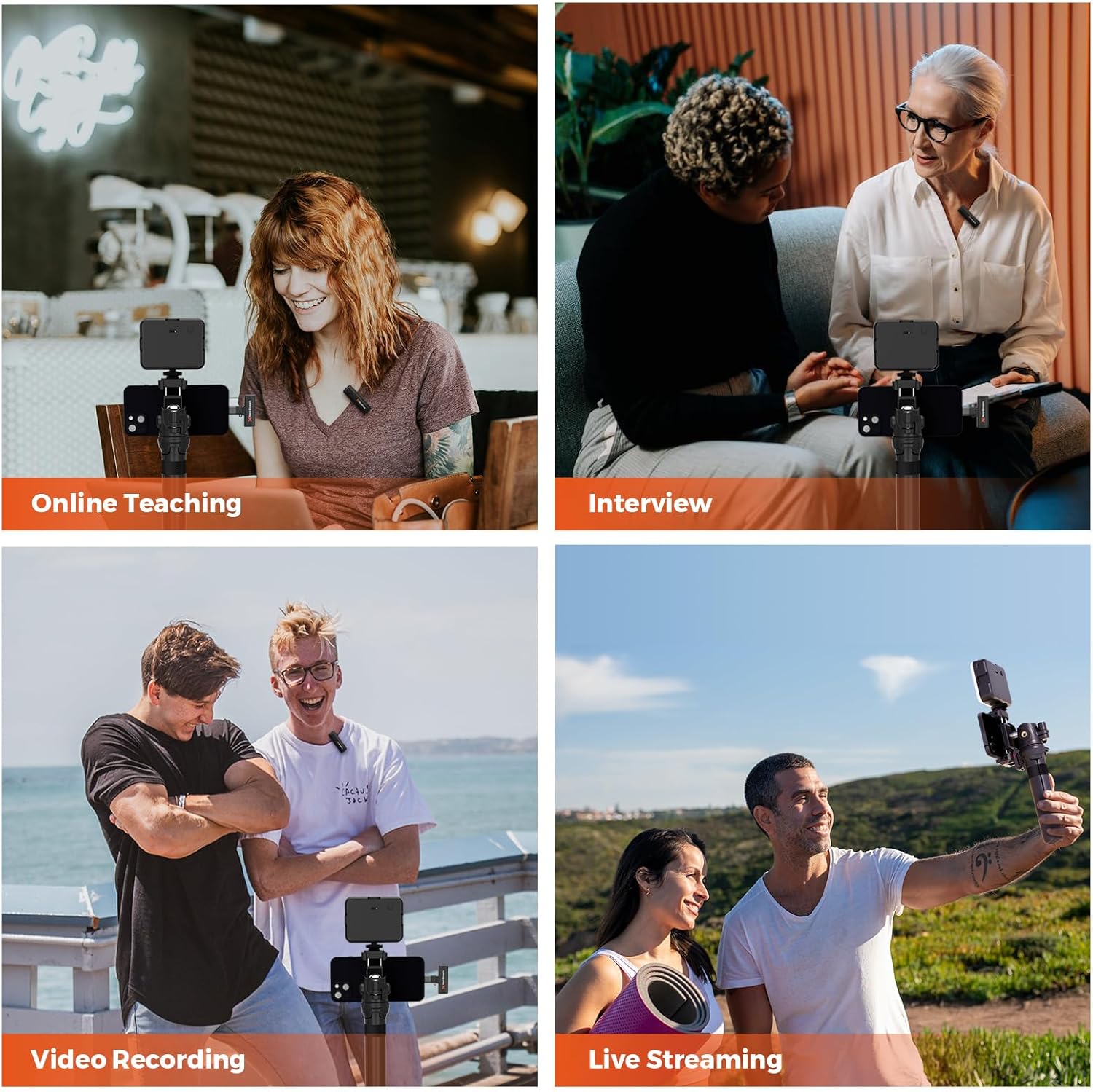
Image: The LED fill light demonstrating adjustable color temperature (2700K, 5000K, 6500K) and brightness levels (0% to 100%).

Image: Detailed diagram of the LED light, highlighting its bracket interface, color temperature adjusting knob, brightness control, power indicator, turn on/off button, and Type-C charging port.
3.2. Extendable Phone Holder & Flexible Tripod
- 電話クリップ: Accommodates most smartphones with a width range of 62mm to 86mm.
- 三脚: Extends from 166mm to 383mm, functioning as both a handle and a stable tripod.
- 汎用性: Features two installation holes for the ball head (one on the side, one at the rear) for multi-angle shooting, including overhead shots.

Image: Illustrations demonstrating horizontal, vertical, high-angle, and low-angle shooting configurations using the phone holder and tripod.
3.3. ワイヤレスリモコン
- 範囲: Operates wirelessly up to 10 meters (33 feet).
- 互換性: Supports both iOS and Android smartphones.
- 関数: Ideal for hands-free photo and video capture.

Image: A hand holding the Bluetooth remote control, demonstrating its use with a smartphone mounted on the tripod, effective up to 33 feet (10m).
3.4. High-Quality Wireless Microphone
- 極性パターン: Omnidirectional for capturing sound from all directions.
- 無線範囲: 最大10メートル(33フィート)。
- バッテリー寿命: Built-in battery offers up to 6 hours of continuous use.
- 互換性: Designed for both Android and iOS devices.

Image: Two individuals, one wearing the wireless microphone, demonstrating clear sound capture from a distance of 35 feet (10m).
4. セットアップ手順
Follow these steps to assemble and prepare your vlogging kit for use:
4.1. Assembling the Tripod and Phone Holder
- 三脚の脚を広げて安定した土台を作ります。
- Attach the ball head mount to the top of the tripod by screwing it clockwise until secure.
- Attach the phone holder to the ball head mount. You can choose between two mounting points:
- Side Hole: For 360° rotation and flexible positioning, including overhead shots.
- Rear Hole: For standard horizontal or vertical shooting, allowing higher angles but limited downward tilt.
- Secure your smartphone in the phone holder by gently expanding the clamp and placing your phone inside. Ensure it is held firmly.

Image: Visual guide on how to attach the phone holder's side hole to the ball head for 360-degree shooting flexibility.

Image: Visual guide on how to attach the phone holder's rear hole to the ball head for standard vertical or higher angle shooting.
4.2. Attaching the LED Fill Light
The LED fill light can be mounted onto the phone holder using the cold shoe mount. Slide the light's foot into the cold shoe slot on the phone holder until it clicks into place.
4.3. ワイヤレスマイクの接続
- Insert the receiver into your smartphone's charging port (USB-C or Lightning via adapter).
- Turn on the wireless lavalier microphone (transmitter). It will automatically pair with the receiver. A green indicator light typically confirms a successful connection.
- Clip the microphone to your clothing, ensuring it is close to your mouth for optimal audio capture.

Image: Step-by-step illustration of the plug-and-play microphone setup: plug the receiver into the phone, press the power button on the transmitter, and the devices connect automatically.
4.4. Bluetoothリモコンのペアリング
- リモコンに機能する電池が入っていることを確認してください。
- スマートフォンのBluetoothをオンにします。
- Press and hold the button on the remote control until an indicator light flashes, indicating it's in pairing mode.
- On your smartphone, search for available Bluetooth devices and select the remote control (e.g., "NearStream Remote").
- ペアリングされると、リモコンのインジケーター ライトの点滅が停止するか、点灯したままになります。
5. 操作手順
5.1. Using the LED Fill Light
- 電源ボタンを押すとライトがオン/オフになります。
- Use the brightness control knob to adjust the light intensity from 0% to 100%.
- Use the color temperature adjusting knob to change the light's warmth or coolness (2700K to 6500K).
5.2. Recording with the Wireless Microphone
- Ensure the microphone and receiver are paired and connected to your smartphone.
- Open your smartphone's camera or recording application.
- Start recording. The audio will be captured by the wireless microphone.
- 注記: Some smartphone camera apps may require you to select an external microphone in their settings.
5.3. Bluetoothリモコンの使用
Once paired, simply press the button on the remote control to trigger your smartphone's camera shutter or start/stop video recording. This allows for convenient hands-free operation, especially useful for vlogging or group shots.
5.4. 撮影角度の調整
The ball head mount allows for flexible positioning. Loosen the knob on the ball head, adjust your phone to the desired angle (horizontal, vertical, high-angle, low-angle), and then tighten the knob to secure it. Remember the two mounting points on the phone holder offer different ranges of motion.
画像: Examples of the vlogging kit in use for online teaching, interview、ビデオ録画、ライブストリーミング。

Image: Demonstrating the versatility of the kit for both hand-held and tripod-mounted shooting.
6. メンテナンス
- クリーニング: すべての部品の表面を拭く際は、柔らかく乾いた布を使用してください。研磨剤入りの洗剤や溶剤は使用しないでください。
- ストレージ: Store the kit in its provided product bag or a dry, cool place away from direct sunlight and extreme temperatures.
- バッテリーのケア:
- Charge the LED light and microphone regularly, even if not in frequent use, to maintain battery health.
- 長期間にわたってバッテリーを完全に放電することは避けてください。
- Use the provided USB-C cables for charging.
- 取り扱い: Handle all components with care to prevent damage, especially the delicate microphone and LED light.
7。 トラブルシューティング
| 問題 | 考えられる原因 | 解決 |
|---|---|---|
| LED ライトが点灯しません。 | 電池残量が少ない、または電源ボタンが正しく押されていません。 | Charge the LED light using the USB-C cable. Ensure the power button is pressed firmly. |
| マイクが音声を録音しません。 | Microphone not powered on, not paired, or smartphone settings. | Ensure microphone (transmitter) is on and paired with the receiver. Check smartphone audio input settings to ensure external microphone is selected. Ensure receiver is fully inserted into phone. |
| Bluetooth Remote not connecting. | リモコンの電池残量が少ない、ペアリングモードになっていない、または Bluetooth 干渉が発生しています。 | Replace remote battery if applicable. Ensure remote is in pairing mode (flashing light). Re-pair the remote via smartphone Bluetooth settings. Move closer to the phone. |
| Phone slipping from holder. | Phone not securely clamped or holder not tightened. | Ensure the phone is centered and firmly clamped. Tighten all adjustment knobs on the phone holder and ball head. |
| 三脚が不安定です。 | Legs not fully extended or placed on an uneven surface. | Ensure tripod legs are fully extended and locked. Place on a flat, stable surface. |
8. 仕様
| 特徴 | 詳細 |
|---|---|
| ブランド | ニアストリーム |
| モデル番号 | VK10 |
| パッケージ寸法 | 10.63 x 7.87 x 2.56インチ |
| アイテム重量 | 1.32 ポンド (0.6 キログラム) |
| 色 | 黒 |
| 対応デバイス | 携帯電話 |
| LEDライトバッテリー | 2000mAh (up to 105 min at max brightness) |
| LED Light Color Temp. | 2700K - 6500K |
| LED Light CRI | 95 |
| Phone Holder Width Range | 62mm - 86mm |
| Tripod Extension Range | 166mm - 383mm |
| マイクワイヤレスレンジ | 最大10メートル(33フィート) |
| マイクの電池寿命 | 6時間連続使用 |
| Bluetoothリモート範囲 | 最大10メートル(33フィート) |
9.保証とサポート
Your NearStream VK10 Vlogging Kit comes with a Warranty Card. Please refer to the card for specific warranty terms and conditions. For technical support, product inquiries, or warranty claims, please contact NearStream customer service through the official web製品を購入したサイトまたは小売店。
また、 AmazonのNearStreamストア 詳細とサポートリソースについては、こちらをご覧ください。