
CCYLEZ CCYLEZbyutev8n73
CCYLEZ Sunrise Alarm Clock User Manual
Model: CCYLEZbyutev8n73
1. はじめに
The CCYLEZ Sunrise Alarm Clock is designed to provide a gentle and natural wake-up experience. This innovative device combines an alarm clock with a multi-color light, simulating a natural sunrise to help you wake up more refreshed. It features a smart gesture switch for intuitive control, eye-protection light temperature, and seven warm color light changes, aiming to protect your vision and skin health while serving as a compact and practical addition to your home.
2. パッケージ内容
以下の項目のボックスにチェックを入れてください。
- 1 x CCYLEZ Sunrise Alarm Clock
- 1 x電源コード
- ユーザーマニュアル x 1
3.製品オーバーview
Familiarize yourself with the components and features of your new alarm clock.

This image shows the main product, a white, dome-shaped alarm clock with a central circular LCD display. The display shows '20:30' as the time, '60%' (likely humidity), and '29°C' (temperature).

The alarm clock is shown on a bedside table, emitting a warm, orange-yellow glow, simulating a sunrise. A person is sleeping peacefully in the background, illustrating the product's intended use for gentle wake-ups.

This image displays seven alarm clocks, each illuminated with a different warm color: pink, green, yellow, purple, red, blue, and a light orange. This highlights the device's ability to change light colors.

The alarm clock is shown on a dark wooden shelf next to a small plant in a vase, demonstrating its compact size and aesthetic appeal as a decorative item in a home setting.

A finger is shown interacting with the silver ring around the display, indicating the location of the touch switch used for adjusting brightness and other settings.

The alarm clock is shown on a bedside table in a dimly lit room, emitting a soft, warm yellow light, suggesting its use as a comforting night light or for creating a relaxing ambiance before sleep.

A hand is positioned above the alarm clock, which is illuminated in blue, illustrating the gesture control feature where a hand movement can interact with the device.

This composite image shows the alarm clock illuminated in several different colors, including blue, green, orange, light green, purple, light blue, pink, and red, showcasing its full spectrum of warm light options.
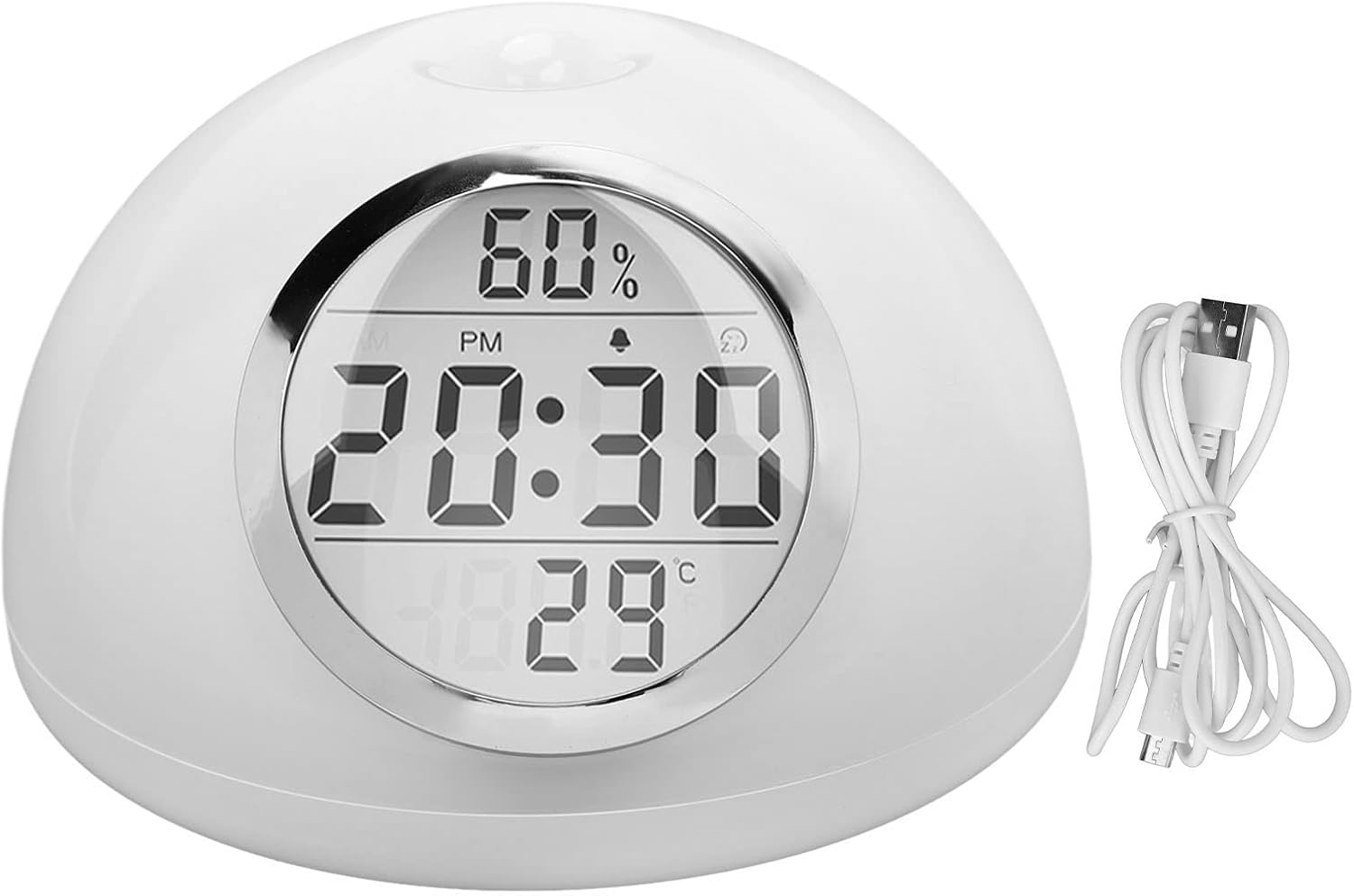
The alarm clock is shown alongside its white USB power cord, indicating how the device is powered.
4. セットアップ
- 電源接続: Connect the provided power cord to the alarm clock's power input port, then plug the other end into a standard USB power adapter (not included) and a wall outlet. The device will power on automatically.
- 初期時間設定: Upon first power-up, the LCD display will illuminate. Refer to the detailed instructions in the 'Operating Instructions' section for setting the current time and date.
- 内蔵バッテリー: The device includes a built-in CR2025 lithium-ion battery (160mAh capacity) which primarily serves to maintain time settings during brief power interruptions. It is not intended for continuous operation without external power.
5. 操作手順
5.1. Smart Gesture Switch
The alarm clock features a smart gesture switch located on the top surface. Simply wave your hand over the sensor to activate or deactivate certain functions, such as turning on/off the light or snoozing the alarm. This provides an efficient and button-free operation.
5.2. Light Settings and Color Change
The device offers seven warm light color changes. To cycle through colors or set a preferred one, use the round touch switch located around the LCD display. The eye-protection temperature ensures comfortable illumination for various uses, including as a bedside lamp.
5.3.明るさの調整
Adjust the brightness of both the LCD display and the ambient light using the electroplated round touch switch. Press and hold or tap the switch as per the specific instructions in your included manual for precise control.
5.4. Alarm Setting and Sunrise Simulation
To set the alarm, utilize the multifunction switch and adjustment methods detailed in your manual. Once the alarm is set, the intelligent design ensures that the warm light will automatically turn on 15 minutes before the set alarm time. This light will gradually increase in brightness, simulating a natural sunrise to gently wake you up. The light will automatically turn off when the alarm sounds.
5.5. LCD 表示情報
The LCD display provides essential information at a glance, including the current time (with AM/PM indicator), and potentially other environmental data such as humidity and temperature, as depicted in the product images. The display features a backlight for clear visibility in various lighting conditions.
6. メンテナンス
- クリーニング: To clean the alarm clock, gently wipe the surface with a soft, dry cloth. Do not use abrasive cleaners, solvents, or harsh chemicals, as these may damage the finish.
- 水への露出: Do not immerse the device in water or expose it to excessive moisture. This product is not waterproof.
- ストレージ: 長期間使用しない場合は、目覚まし時計を直射日光や極端な温度を避け、涼しく乾燥した場所に保管してください。
7。 トラブルシューティング
| 問題 | 考えられる原因 | 解決 |
|---|---|---|
| デバイスの電源が入りません。 | 電源が供給されていません。接続が緩んでいます。 | Ensure the power cord is securely connected to both the device and a working power outlet. Check the power adapter. |
| Light does not turn on/off with gesture. | Gesture sensor obstructed; incorrect gesture. | Ensure the top surface of the device is clear. Try a clear, deliberate hand wave over the sensor. |
| アラームは鳴りません。 | Alarm not set; alarm volume too low. | Verify that the alarm is correctly set and activated. Check the alarm volume settings. |
| 日の出シミュレーションが機能しません。 | Alarm not set or too close to current time. | Ensure the alarm is set at least 15 minutes in advance of the desired wake-up time for the simulation to begin. |
8. 仕様
| 特徴 | 詳細 |
|---|---|
| 製品タイプ | 目覚まし時計ライト |
| モデル番号 | CCYLEZbyutev8n73 |
| 材料 | ABS(アクリロニトリルブタジエンスチレン) |
| 主な機能 | Alarm Clock, Sunrise Simulation, Ambient Light |
| アプリケーションの範囲 | 家庭 |
| 内蔵バッテリー | CR2025 Lithium-ion (160mAh) |
| ジェスチャーセンサー | サポート |
| ASIN | B0CNDG95DL |
9. 保証とサポート
Information regarding specific warranty terms for this product is not available in the provided details. For any support inquiries, troubleshooting assistance beyond this manual, or warranty claims, please refer to the contact information provided with your original purchase or visit the official CCYLEZ brand store on Amazon:
スペアパーツの在庫状況に関する情報は現在入手できませんのでご了承ください。
Ask a question about this manual
Ask about setup, troubleshooting, compatibility, parts, safety, or missing instructions. Manuals+ will review the question and use this page’s manual context to help answer it.