
導入
The Manhattan 7-in-1 USB-C & USB-A Multi-Card Reader, Model 102605, is a versatile device designed for quick and efficient data transfer from various memory card formats to your computer or mobile device. Featuring both USB-C and USB-A connectors, this reader offers broad compatibility and high-speed data transfer rates, simplifying your workflow for photos, videos, and other files.
製品の特徴
- Seven dedicated slots for popular flash card formats: SD / MMC, microSD / TF, MS, xD, and CF.
- USB 3.2 Gen 1 compliant, supporting SuperSpeed transfer rates up to 5 Gbps.
- Integrated 3 ft (1m) 2-in-1 combo cable with nestable USB-C and USB-A plugs for universal connectivity.
- Plug-and-play functionality, requiring no additional drivers.
- Compatible with Windows, macOS, Linux, Chrome OS, iPadOS, and Android operating systems.
設定
Setting up your Manhattan Multi-Card Reader is a straightforward process:
- リーダーを接続します: Identify the appropriate USB port on your computer, laptop, tablet, or smartphone (USB-A or USB-C). Connect the reader's integrated cable to the port. The 2-in-1 connector allows you to switch between USB-A and USB-C by detaching the USB-C adapter from the USB-A plug.
- 電源オン: The card reader is bus-powered, meaning it draws power directly from the USB port. No external power adapter is required.
- ドライバーのインストール: The device is plug-and-play. Your operating system will automatically detect and install any necessary drivers. No manual driver installation is typically needed.
- LEDインジケーター: A small LED indicator on the reader will illuminate when connected and active, indicating readiness for use.

Image: The Manhattan 7-in-1 Multi-Card Reader connected via its 3-foot USB-C and USB-A combo cable.
操作手順
To transfer data using your multi-card reader:
- カードスロットを識別します: Locate the correct slot on the reader for your specific memory card type. Refer to the labels next to each slot.
- メモリカードを挿入します: Gently insert your memory card into the corresponding slot. Ensure the card is oriented correctly; do not force it. The card should slide in smoothly and typically click into place.
- アクセスデータ: Once the card is inserted, your operating system will recognize it as a removable drive. Open your file エクスプローラー(例: File Explorer on Windows, Finder on macOS) to access the contents of the memory card.
- 移行 Files: You can now copy, paste, or move files between your memory card and your connected device.
- 安全に取り出す: Before removing the memory card, always safely eject the drive from your operating system to prevent data corruption. After ejection, gently pull the memory card out of its slot.

画像: 上 view of the card reader highlighting the various card slots and their labels.

Image: Close-up of the card reader with an illuminated LED indicator, signifying active operation.
サポートされるメディアタイプ
The Manhattan 7-in-1 Multi-Card Reader supports the following memory card formats:
- SD / MMC: SD, SDHC, SDXC, RS-MMC
- microSD / TF: マイクロSD、マイクロSDHC、マイクロSDXC
- MS: Memory Stick, MS Pro Duo, MS Duo
- xD: xDピクチャーカード
- CF: コンパクトフラッシュ

Image: A visual representation of the different memory card types compatible with the reader.
互換性
This card reader offers wide compatibility with various devices and operating systems:
- オペレーティング システム: Windows, macOS, Linux, Chrome OS, iPadOS, Android.
- 対応デバイス: Computers, Laptops, Tablets, Smartphones.
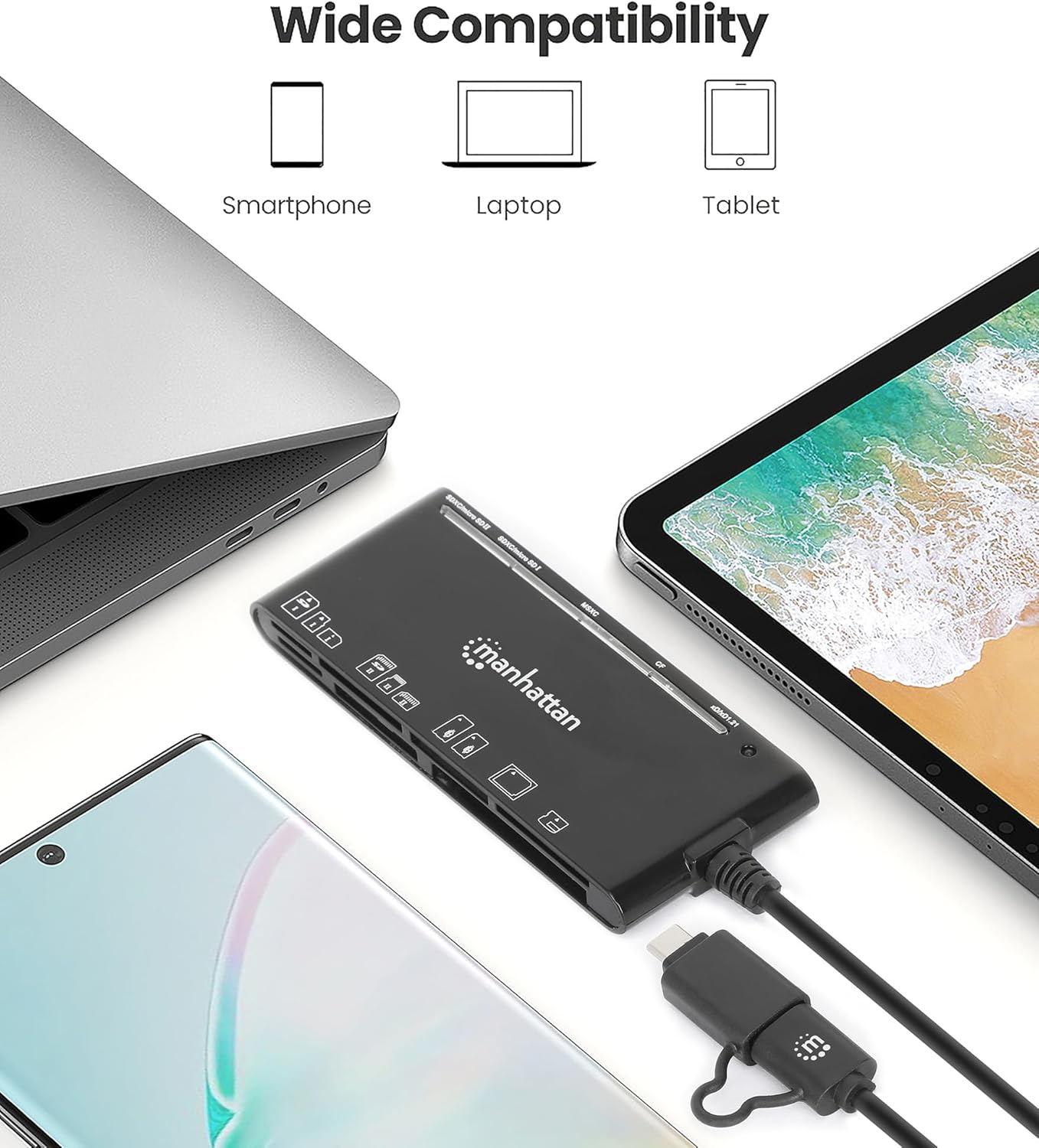
Image: The card reader shown with a laptop, tablet, and smartphone, demonstrating its broad device compatibility.

Image: The card reader connected to a smartphone, illustrating mobile device compatibility.
トラブルシューティング
If you encounter issues with your card reader, consider the following troubleshooting steps:
- デバイスが認識されません:
- Ensure the USB cable is fully and securely connected to both the reader and your device.
- リーダーをデバイスの別の USB ポートに接続してみてください。
- If using a USB hub, try connecting the reader directly to your computer's USB port.
- コンピューターまたはモバイルデバイスを再起動します。
- メモリカードが読み取れない:
- Verify that the memory card is inserted correctly into the appropriate slot. Do not force the card.
- Test with a different memory card to determine if the issue is with the card or the reader.
- Check the memory card for any visible damage or dirt on the contacts.
- データ転送速度が遅い:
- Ensure the reader is connected to a USB 3.0 (or higher) port on your device to achieve SuperSpeed transfer rates. Connecting to a USB 2.0 port will result in slower speeds.
- The actual transfer speed also depends on the speed class of your memory card. Use high-speed cards for optimal performance.
- 多数の小さなものを転送しないでください file同時に複数のデータを転送するよりも遅くなる可能性があるため、 files.
仕様
| ブランド | マンハッタン |
| モデル番号 | 102605 |
| 接続技術 | USB タイプ A、USB タイプ C |
| データ転送速度 | 最大 5 Gbps (USB 3.2 Gen 1) |
| サポートされているメディアタイプ | CompactFlash, MMC, Memory Stick, SD Card, microSD, xD Picture Card |
| Slot Count | 7 |
| オペレーティングシステムの互換性 | Chrome OS, Linux, Mac OS, Windows, iPadOS, Android |
| ケーブル長さ | 3フィート(1メートル) |
| 色 | 黒 |
メンテナンス
To ensure the longevity and optimal performance of your card reader:
- デバイスを清潔に保ち、ほこりやゴミを取り除いてください。清掃には柔らかく乾いた布を使用してください。
- Avoid exposing the reader to extreme temperatures or humidity.
- Do not force memory cards into slots, as this can damage both the card and the reader.
- Store the reader in a safe place when not in use to prevent physical damage to the connectors or slots.
保証とサポート
This Manhattan 7-in-1 USB-C & USB-A Multi-Card Reader is backed by a 3年間のメーカー保証.
For technical support, warranty claims, or further assistance, please visit the official Manhattan Products website or contact their customer service department. Refer to your product packaging or the manufacturer's web最新のサポート連絡先情報については、サイトをご覧ください。