
インスタ360 X3
Insta360 X3 Camera User Manual
A Comprehensive Guide to Usage and Maintenance
導入
This user manual provides detailed instructions for operating and maintaining your Insta360 X3 camera. It covers everything from initial setup to advanced shooting techniques, ensuring you can capture high-quality 360-degree content with ease. Please read this manual thoroughly before using your camera to ensure optimal performance and longevity.
安全情報
To prevent injury to yourself or others, and to avoid damage to your device, read all safety information before using the device.
- カメラを長時間、極端な温度や直射日光にさらさないでください。
- Keep the camera away from water unless specifically designed for underwater use and properly sealed.
- Insta360 公式アクセサリと充電器のみを使用してください。
- カメラを落としたり、強い衝撃を与えたりしないでください。
- お子様の手の届かない場所に保管してください。
製品終了view
The Insta360 X3 is a versatile 360-degree action camera designed for capturing immersive content. It features dual lenses, a large touchscreen, and robust construction suitable for various environments.
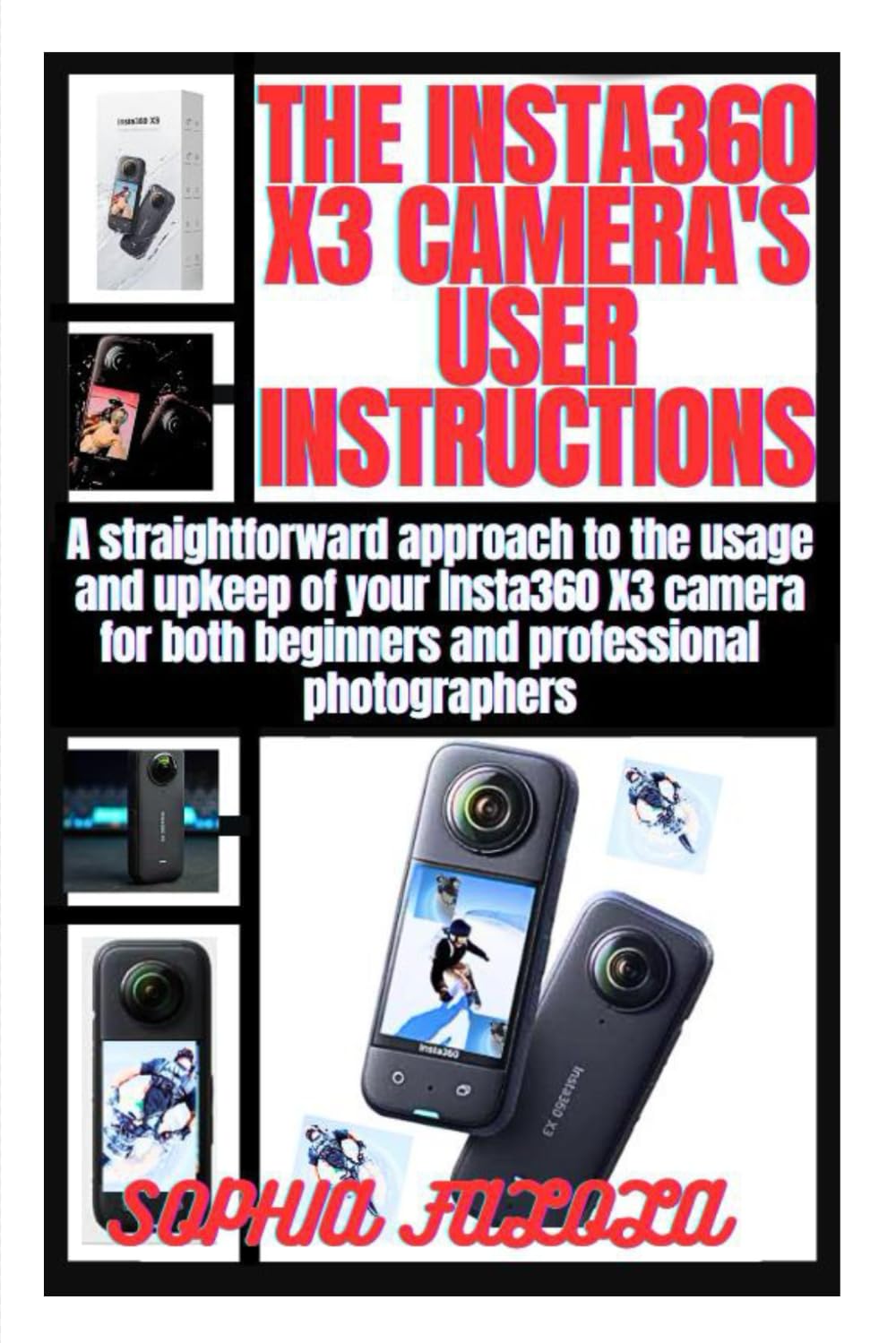
This image displays the front cover of the Insta360 X3 Camera User Manual, featuring the camera itself and the title of the guide.
主要コンポーネント:
- レンズ: Dual ultra-wide-angle lenses for 360-degree capture.
- タッチスクリーン: Intuitive interface for camera control and preview.
- 電源ボタン: For turning the camera on/off and changing modes.
- シャッターボタン: 録画を開始/停止したり、写真を撮影します。
- USB-Cポート: 充電やデータ転送に。
- バッテリーコンパートメント: 取り外し可能なバッテリーを収納します。
- MicroSDカードスロット: キャプチャしたメディアの保存用。
設定
1.バッテリーの充電:
- 電池ケースを開けます。
- Insert the Insta360 X3 battery.
- Connect the camera to a power source using the provided USB-C cable. The indicator light will show charging status.
- Charge until the indicator light turns off, indicating a full charge.
2. Inserting a MicroSD Card:
- カメラの電源がオフになっていることを確認してください。
- MicroSD カード スロットを見つけます。
- Insert a compatible MicroSD card (UHS-I V30 speed class or above, exFAT format recommended) with the contacts facing the correct direction until it clicks into place.
- Close the slot cover securely to maintain water resistance.
3. 電源のオン/オフ:
- To power on, press and hold the Power Button until the screen lights up.
- To power off, press and hold the Power Button until the screen prompts you to shut down, then confirm.
オペレーティング
Basic Shooting Modes:
- 標準ビデオ: For general video recording. Tap the shutter button to start/stop.
- 写真: For capturing still images. Tap the shutter button to take a photo.
- アクティブ HDR ビデオ: Enhances dynamic range in challenging lighting conditions.
- Bullet Time: Creates a slow-motion, cinematic effect. Requires the Bullet Time Cord accessory.
水中撮影:
The Insta360 X3 is waterproof to 10 meters (33 feet) without a dive case. For deeper dives or extended underwater use, the dedicated Dive Case is recommended. Ensure all ports are securely closed before submerging the camera.
- Clean the lenses before submerging to avoid water spots.
- Use the underwater mode setting to optimize color balance.
- After use, rinse the camera with fresh water and dry thoroughly.
メンテナンス
クリーニング:
- レンズ: 光学レンズ専用の柔らかく糸くずの出ない布を使用してください。研磨剤や刺激の強い化学薬品は使用しないでください。
- 体: 柔らかい布で拭いてください。amp cloth. Avoid getting water into ports unless they are sealed.
ストレージ:
- カメラは直射日光を避け、涼しく乾燥した場所に保管してください。
- If storing for extended periods, ensure the battery is charged to about 50-60% to preserve battery life.
バッテリーのケア:
- バッテリーを頻繁に完全に放電することは避けてください。
- バッテリーを極度の高温や低温にさらさないでください。
- If the battery swells or shows signs of damage, discontinue use immediately.
トラブルシューティング
| 問題 | 考えられる原因 | 解決 |
|---|---|---|
| カメラがオンになりません。 | バッテリー残量が少ない、ファームウェアに問題があります。 | Charge the battery; perform a firmware update. |
| フーtagぼやけています。 | Dirty lenses; focus issue. | Clean the lenses; ensure proper lighting. |
| カメラがフリーズします。 | SD card error; software glitch. | Reformat or replace SD card; force restart camera. |
| 過熱。 | 高温下での長時間の録音。 | Allow camera to cool down; use in a well-ventilated area. |
仕様
| 特徴 | 詳細 |
|---|---|
| 絞り | F1.9 |
| 35mm換算焦点距離 | 6.7mm |
| 写真解像度 | 72MP (11968x5984), 18MP (5952x2976) |
| ビデオ解像度 | 5.7K@30fps, 4K@60fps (360°); 4K@30fps (Single Lens) |
| バッテリー容量 | 1800mAh |
| 防水加工 | 10m (33ft) without dive case |
| ストレージ | MicroSD Card (UHS-I V30 or above, exFAT) |
保証とサポート
保証の詳細については、Insta360の公式ウェブサイトをご覧ください。 website or contact their customer support. Typically, Insta360 products come with a standard manufacturer's warranty covering defects in materials and workmanship.
カスタマーサポート: For technical assistance, troubleshooting beyond this manual, or warranty claims, please visit the official Insta360 support page or contact their customer service team directly. Keep your purchase receipt and product serial number handy when seeking support.
Note: This manual is based on the general features and operation of the Insta360 X3 camera. Specific features or updates may vary with firmware versions. Always refer to the latest official resources for the most up-to-date information.
関連文書 - X3
 |
Insta360 X5 ユーザーマニュアル: 機能と操作の包括的なガイド このユーザーマニュアルでは、Insta360 X5カメラのセットアップ、操作、撮影モードなど、詳細な手順を説明します。 file 管理、メンテナンス、安全対策。360°カメラと一眼レフカメラで美しい風景を撮影する方法を学びましょう。tagInsta360 X5 と一緒にお楽しみください。 |
 |
Insta360 GO Ultra ユーザーマニュアル - 総合ガイド Insta360 GO Ultra アクション カメラの詳細なユーザー マニュアル。セットアップ、操作、メンテナンス、アプリの統合、トラブルシューティングなどを網羅しています。 |
 |
Insta360 Flow 2 Benutzerhandbuch – Anleitungen und Funktionen Insta360 Flow 2 ジンバルの機能を紹介します。より良い情報、より優れた情報、アプリの統合、およびフェーラーベヘブン。 |
 |
Insta360 GO Ultra ユーザーマニュアル - 総合ガイド この詳細なユーザーマニュアルで、Insta360 GO Ultraアクションカメラの使い方をご確認ください。セットアップ、機能、アプリ接続、メンテナンスなど、高品質な動画や写真を撮影するための知識を習得できます。 |
 |
Insta360 Flow ユーザーマニュアル Comprehensive user manual for the Insta360 Flow AI-powered smartphone stabilizer. Includes setup, operation, shooting modes, app connectivity, and technical specifications. |
 |
Insta360 Flow 2 Pro ユーザーマニュアル: セットアップ、機能、操作ガイド このユーザー マニュアルには、Insta360 Flow 2 Pro スマートフォン ジンバルのセットアップ、充電、基本操作、アプリの接続、最適なパフォーマンスを実現するためのファームウェア アップデートなど、包括的な手順が記載されています。 |
Ask a question about this manual
Ask about setup, troubleshooting, compatibility, parts, safety, or missing instructions. Manuals+ will review the question and use this page’s manual context to help answer it.