
AmScope M44-KT
AmScope IQCREW M44-KT 100X-1200X Compound Starter Microscope Kit User Manual
Model: M44-KT | Brand: AmScope
導入
This manual provides detailed instructions for the safe and effective use of your AmScope IQCREW M44-KT Compound Starter Microscope Kit. Please read all instructions carefully before operating the microscope.
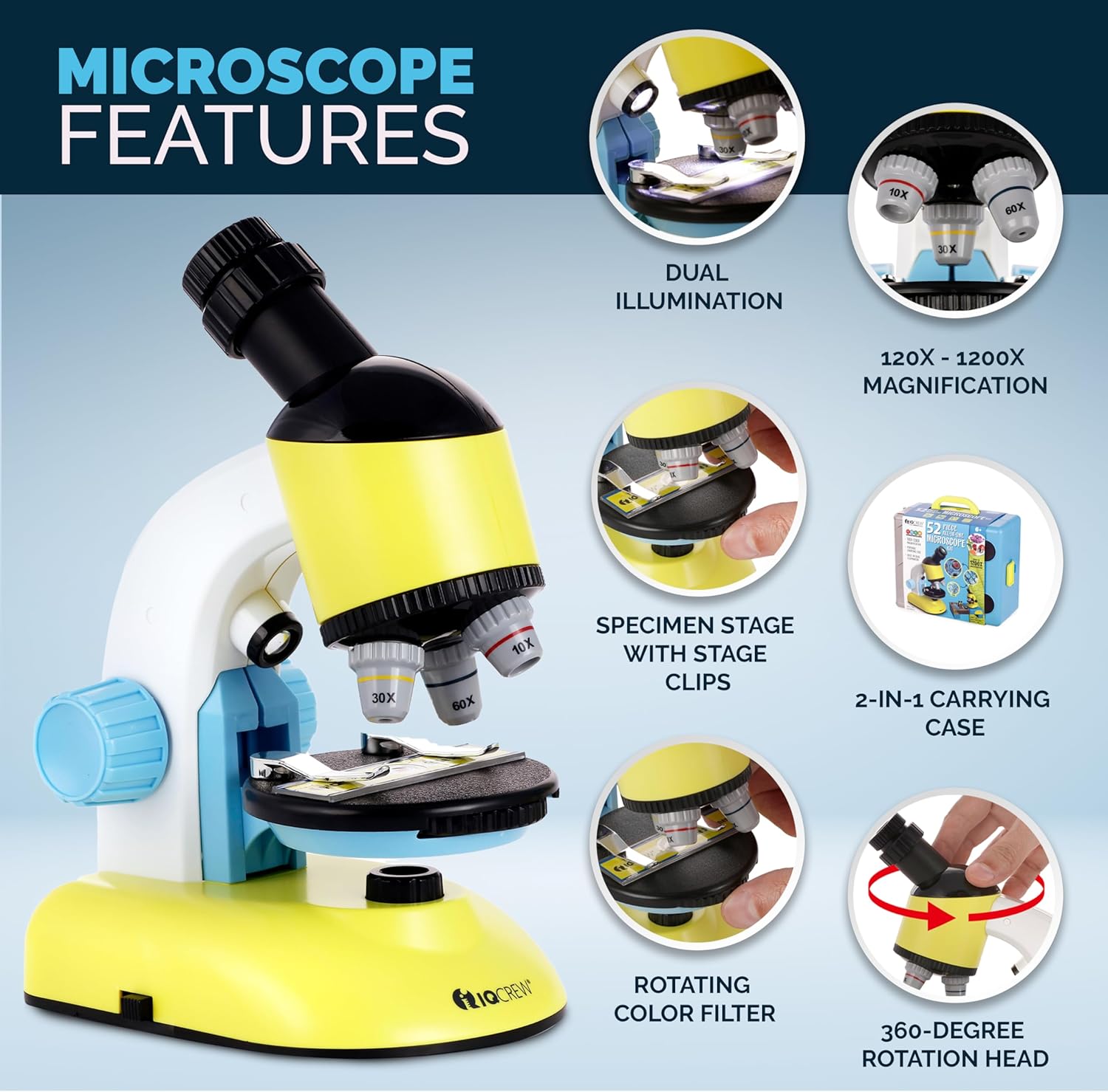
The M44-KT is designed for young scientists aged 8 and above, offering magnifications from 100X to 1200X. It features dual LED illumination, a rotating head, a disc condenser, and comes with a comprehensive accessory kit and a carrying case that converts into a mobile lab table.
箱の中身
Your AmScope IQCREW M44-KT kit includes the following components:

画像の説明: 詳細な view of all components included in the 52-piece microscope set. The main microscope is visible, along with various accessories such as prepared slides, blank slides, cover slips, collection vials, a graduated cylinder, plastic tools (spatula, scalpel, tweezers, stirring rod, needle), petri dish, dyes (eosin, blue), gum media, sea salt, baker's yeast, AA batteries, slide labels, and a user guide. The items are neatly arranged on a white surface.
- Beginner Microscope (100X-1200X magnification)
- Carrying Case / Mobile Lab Table
- 5つの準備されたスライド
- 8枚の空白のスライド
- 8 Round Cover Slips
- 8 Slide Labels
- 2 Collection Vials
- 10ml Graduated Cylinder
- ペトリ皿
- Plastic Scalpel
- プラスチックヘラ
- プラスチックピンセット
- Plastic Stirring Rod
- Plastic Needle
- 海塩
- ガムメディア
- Eosin Dye
- 青い染料
- Baker's Yeast
- 単三電池2本
- 1ドライバー
- ユーザーガイド(このマニュアル)
セットアップ手順
- キットを開梱します。 キャリングケースからすべてのコンポーネントを慎重に取り出します。
- バッテリーの取り付け:Locate the battery compartment on the underside of the microscope base. Using the provided screwdriver, open the compartment and insert the 2 AA batteries, ensuring correct polarity (+/-). Close the compartment securely.
画像の説明: The blue carrying case is shown with its lid open, revealing the microscope and accessories. An inset image highlights the battery compartment on the underside of the microscope, showing two AA batteries being inserted. This illustrates how the microscope is powered.
- Convert Carrying Case to Mobile Lab: The carrying case can be unfolded to create a stable mobile lab table. Follow the instructions on the case to properly set it up.
- Place the Microscope: Position the microscope securely on the mobile lab table or a stable, flat surface.
操作手順
1. Placing a Specimen Slide

画像の説明: A close-up of the microscope's stage. A hand is shown carefully positioning a prepared slide under the stage clips. This demonstrates the first step in preparing a specimen for viewing。
Place a prepared slide or your own specimen slide onto the microscope's stage. sを使用するtage clips to hold the slide firmly in place.
2. 倍率の調整

画像の説明: A young girl is intently looking through the eyepiece of the yellow and blue microscope. Surrounding her are circular insets displaying magnified views of various cellular structures at 100x, 600x, and 1200x, illustrating the microscope's magnification capabilities.
- 接眼レンズ: The eyepiece offers 10X-20X adjustable magnification. Rotate the eyepiece to select your desired magnification.
- 対物レンズ: Rotate the revolving nosepiece to select the objective lens (10X, 30X, or 60X). The total magnification is the eyepiece magnification multiplied by the objective lens magnification (e.g., 10X eyepiece * 10X objective = 100X total magnification).
3. 集中する
While looking through the eyepiece, slowly turn the coarse focus knob (the larger knob on the side) to bring the specimen into focus. Start with the lowest magnification objective for easier focusing, then switch to higher magnifications as needed.
4. Dual LED Illumination

画像の説明: This image highlights the dual illumination feature. The top panel shows the bottom LED light illuminating a slide from underneath (transmitted light), while the bottom panel shows the top LED light shining down onto a specimen (incident light). This demonstrates how different types of specimens can be view編。
The microscope features both top (incident) and bottom (transmitted) LED lights. Use the switch on the base to turn on the illumination. The bottom light is ideal for transparent specimens on slides, while the top light is suitable for opaque, 3D objects.
5. Rotating Color Filter Wheel
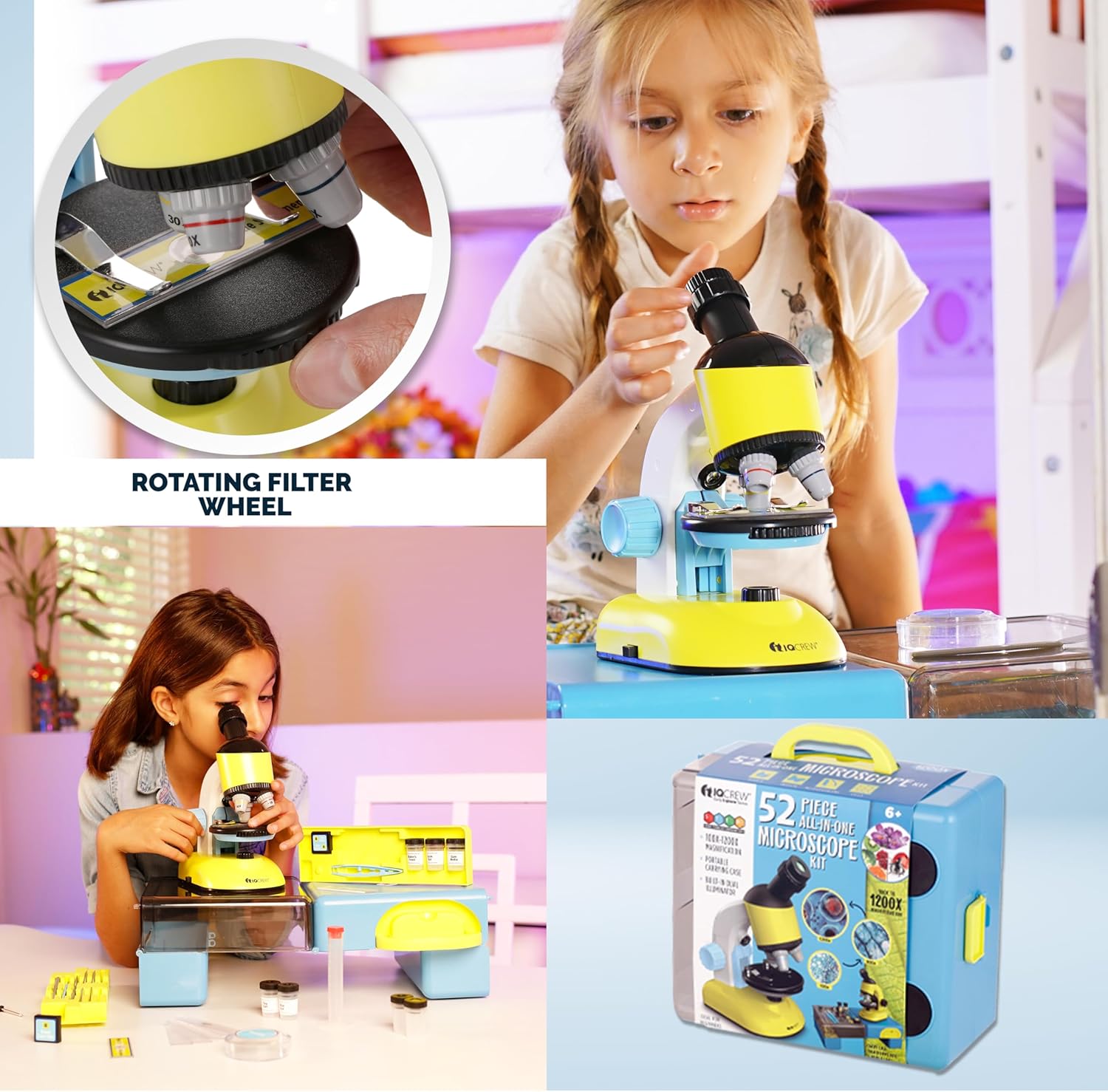
画像の説明: A hand is shown adjusting the rotating color filter wheel, which is positioned directly beneath the microscope stage. This wheel contains different colored filters that can be used to enhance contrast and visibility of various specimens.
Beneath the stage, you will find a rotating color filter wheel. Rotate this wheel to select different colored filters. These filters can enhance the contrast of transparent specimens, making certain features more visible.
6. 回転ヘッド
The monocular head can rotate 360 degrees, allowing for comfortable viewing from various angles and making it easy to share observations with others.
メンテナンス
- レンズのクリーニング: Use only specialized lens cleaning paper and lens cleaning solution to clean the objective lenses and eyepiece. Do not use abrasive materials or household cleaners.
- クリーニングボディ: 顕微鏡本体は柔らかく乾いた布で拭いてください。頑固な汚れには、軽く湿らせた布で拭いてください。amp 布で拭いた後、乾いた布で拭いてください。
- ストレージ: When not in use, store the microscope and accessories in the provided carrying case to protect them from dust and damage. Keep the kit in a cool, dry place.
- バッテリー交換: Replace AA batteries when the LED illumination becomes dim or stops working.
トラブルシューティング
| 問題 | 考えられる原因 | 解決 |
|---|---|---|
| 照明なし | 電池が切れているか、正しく取り付けられていません。 | Check battery polarity and replace with fresh AA batteries if necessary. Ensure the power switch is ON. |
| 画像がぼやけている、または不明瞭です | Incorrect focus, wrong magnification, or dirty lenses. | Adjust the coarse focus knob. Start with the lowest magnification. Clean the eyepiece and objective lenses with lens paper. Ensure the specimen is properly placed and flat. |
| 何も見えない | sに標本はありませんtage, light blocked, or objective lens not clicked into place. | Ensure a specimen slide is on the stage. Check that the illumination is on and not blocked. Rotate the nosepiece until the objective lens clicks into its viewing の位置。 |
仕様
- 倍率: 100倍~1200倍
- ヘッドタイプ: Compound Monocular, 360-degree rotatable
- 照明: Built-in Dual LED (Top/Incident and Bottom/Transmitted)
- 接眼レンズ: Single zoom, 10-20X
- 対物レンズ: 10倍、30倍、60倍
- Stage: 83 x 83mm with dual spring clips
- フォーカス: 粗動フォーカスノブ
- コンデンサー: Disc condenser with color filters
- 電源: 単三電池2本(付属)
- 材料: Plastic (ABS frame)
- 製品寸法: 5.7 x 4.02 x 8.5インチ
- 商品の重量: 3ポンド
- モデル名: M44-KT
製品ビデオ終了view
ビデオの説明: オーバーview ビデオショーasing the AmScope IQCREW M44-KT 52-piece all-in-one microscope kit. The video demonstrates children using the microscope, highlights its features like dual illumination and magnification, and displays the various accessories included in the kit. It emphasizes the kit's educational value for STEM learning.
保証とサポート
The AmScope IQCREW M44-KT Microscope Kit comes with a 1-year warranty. For technical support, warranty claims, or further assistance, please contact AmScope customer service. Refer to the AmScope official web連絡先情報のサイト。
メーカー: アムスコープ