
1.製品オーバーview
The NONSTOP Station A is a versatile alarm clock designed for modern living spaces. It integrates a digital alarm clock, a white noise machine, Qi wireless charging capabilities, dual USB charging outlets, and a Bluetooth speaker into a single, compact unit. This device is ideal for bedside tables, offering convenience and multiple functionalities.
主な特徴:
- Qi Certified Fast 10W Wireless Charging: Conveniently charge compatible smartphones by simply placing them on the top surface.
- Dual USB Charging Outlets: Includes two USB ports, one standard USB-A and one USB-C, with a 2.4A fast charging capability for wired device charging.
- ブルートゥーススピーカー: Connect your devices wirelessly to stream audio.
- Relaxation Sounds: Features a selection of soothing sounds including Ocean Waves, Soothing Rain, and Ambient Sounds to aid relaxation or sleep.
- Simple Set, Single Use Alarm: Easy-to-set alarm function for daily use.
- 調光可能なディスプレイ: 快適なディスプレイの明るさ調整 viewあらゆる照明条件でも動作します。
2. セットアップ
2.1 開梱
- Carefully remove the NONSTOP Station A from its packaging.
- Ensure all components are present: the alarm clock unit and power adapter.
2.2電源接続
- 電源アダプターを目覚まし時計の背面にある DC 入力ポートに接続します。
- 電源アダプタを標準の電源コンセントに差し込みます。ディスプレイが点灯します。
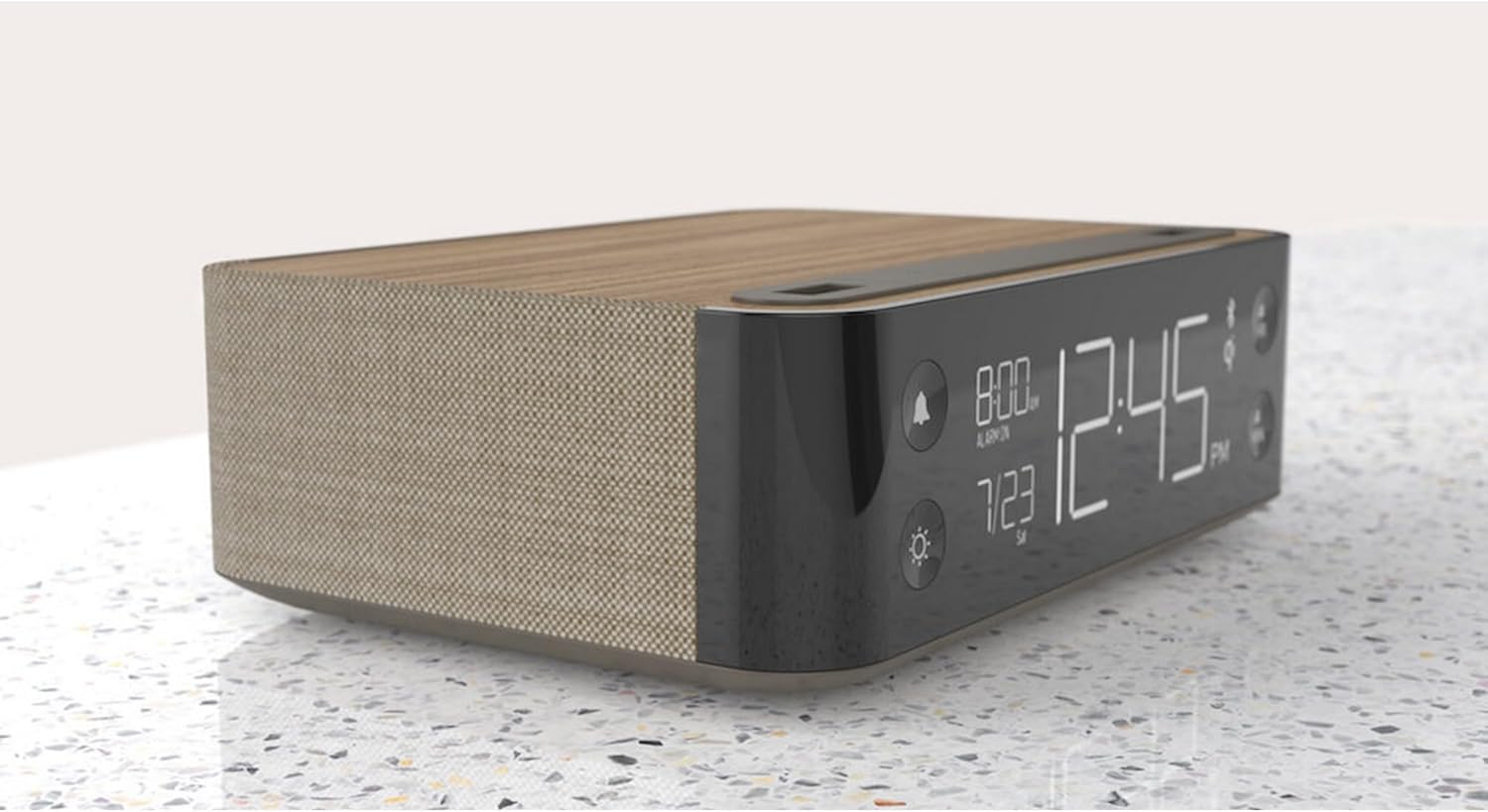
画像: サイド view of the NONSTOP Station A, displaying the digital clock and its compact form factor.
2.3 初期時間設定
- Upon initial power-up, the clock may display a default time or flash.
- Press and hold the 'HR' button to adjust the hour.
- Press and hold the 'MIN' button to adjust the minute.
- Release the buttons once the desired time is set. The clock will automatically save the time.
3. 操作手順
3.1アラームの設定
- Press the 'Alarm' button (bell icon) to enter alarm setting mode.
- Use the 'HR' and 'MIN' buttons to set the desired alarm time.
- Press the 'Alarm' button again to confirm and activate the alarm. An alarm icon will appear on the display.
- To deactivate the alarm, press the 'Alarm' button until the alarm icon disappears.
- To snooze, press the 'SNOOZE' button when the alarm sounds. The alarm will pause for a short period and sound again.
3.2 ワイヤレス充電パッドの使用
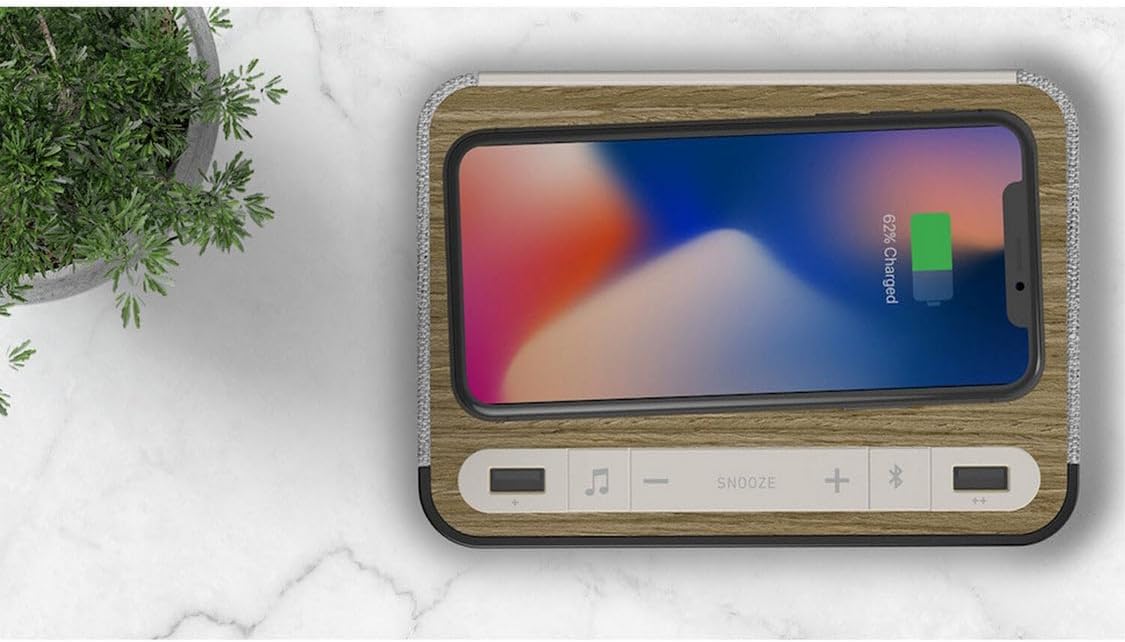
- Place your Qi-compatible smartphone centrally on the wireless charging tray located on the top surface of the alarm clock.
- Ensure the phone is properly aligned for optimal charging. A charging indicator (if available) will light up on the display or unit.
- Remove your phone once fully charged.
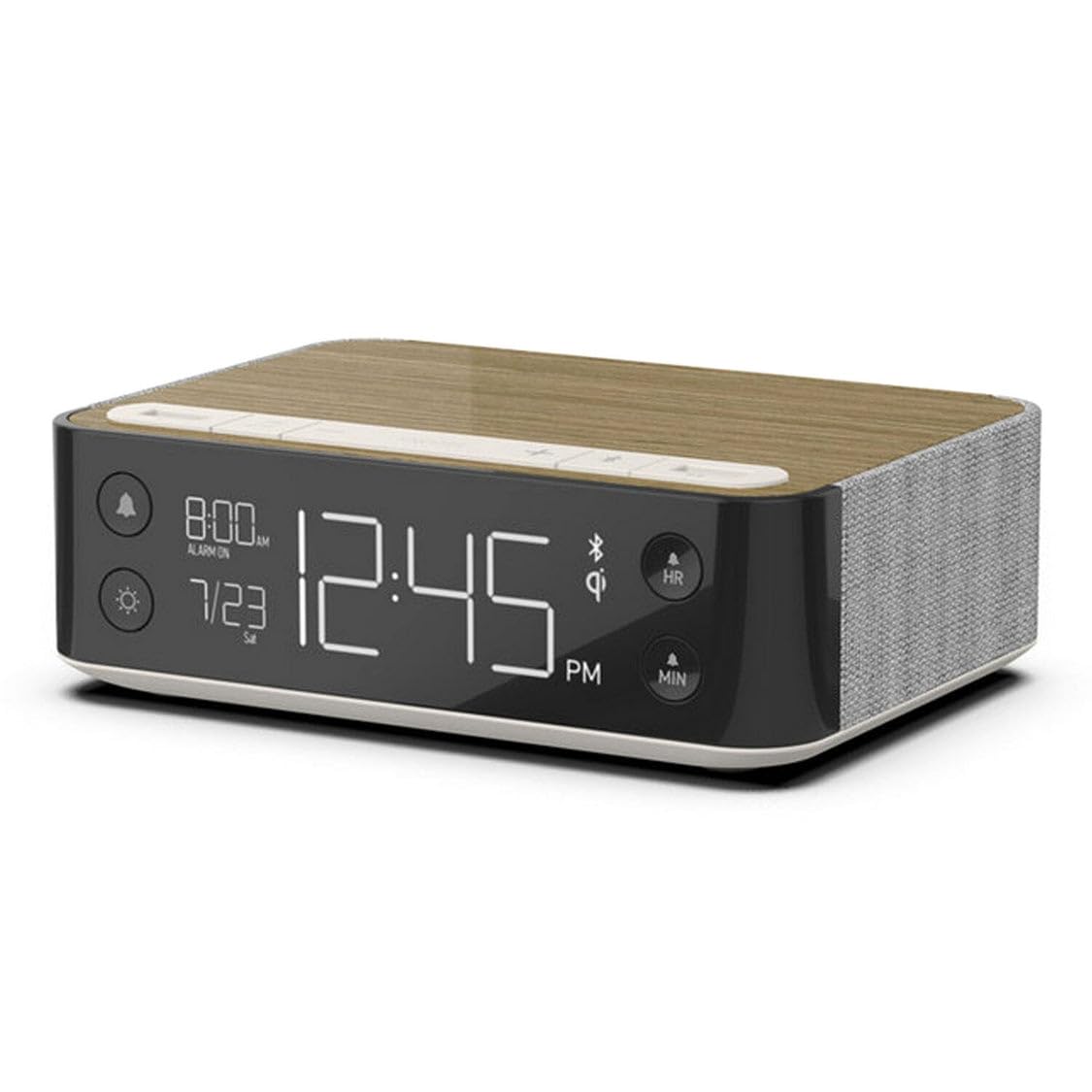
Image: A smartphone wirelessly charging on the NONSTOP Station A's top surface.
3.3 USB充電ポートの使用
- Locate the USB-A and USB-C ports on the top surface of the unit.
- デバイスの充電ケーブルを適切な USB ポートに接続します。
- Plug the other end of the cable into your device to begin charging.
画像: 上 view of the NONSTOP Station A, showing the USB-A and USB-C charging ports.
3.4 Bluetoothスピーカーのペアリング
- Press the 'Bluetooth Speaker' button (Bluetooth icon) to activate Bluetooth pairing mode. The Bluetooth indicator on the display will flash.
- スマートフォンまたはオーディオ デバイスで Bluetooth を有効にし、利用可能なデバイスを検索します。
- Select "NONSTOP Station A" from the list of devices.
- Once paired, the Bluetooth indicator will stop flashing and remain solid. You can now stream audio through the alarm clock's speaker.
3.5 Relaxation Sounds
- Press the 'Relaxation Sounds' button (wave icon) to cycle through the available sound options (Ocean Waves, Soothing Rain, Ambient Sounds).
- Use the '+' and '-' buttons to adjust the volume of the relaxation sound.
- Press the 'Relaxation Sounds' button again to turn off the sound.
3.6ディスプレイの明るさ調整
- Press the 'Light' button (sun icon) to cycle through different display brightness levels.
- ご使用の環境に最適な明るさレベルを選択してください。
4. メンテナンス
- クリーニング: Disconnect the power before cleaning. Use a soft, dry cloth to wipe the surface of the unit. Avoid using abrasive cleaners, solvents, or harsh chemicals, as these may damage the finish.
- 配置: Place the unit on a stable, flat surface away from direct sunlight, heat sources, and moisture. Ensure adequate ventilation around the unit.
- ワイヤレス充電パッド: Keep the wireless charging pad free from dust and debris to ensure efficient charging.
5。 トラブルシューティング
| 問題 | 考えられる原因 | 解決 |
|---|---|---|
| 時計の表示がオフになっているか、機能していません。 | 電源が接続されていません。 | 電源アダプタがユニットにしっかりと差し込まれており、電源コンセントが正常に機能していることを確認してください。 |
| ワイヤレス充電が機能しません。 | Phone not Qi-compatible or misaligned. Obstruction on charging pad. | Verify your phone supports Qi wireless charging. Reposition the phone centrally on the pad. Remove any foreign objects or thick cases. |
| USB充電が機能しません。 | ケーブルの問題またはデバイスの非互換性。 | 別のUSBケーブルをお試しください。デバイスがUSB充電に対応していることを確認してください。 |
| Bluetoothスピーカーがペアリングできません。 | Bluetooth not enabled on device or unit. Device too far. | Ensure Bluetooth is active on both the alarm clock and your audio device. Keep devices within close range (approx. 10 meters). |
| アラームは鳴りません。 | アラームが設定されていないか、無効になっています。音量が低すぎます。 | Verify the alarm is set and the alarm icon is visible on the display. Increase the alarm volume. |
6. 仕様
| ブランド | ノンストップ |
| モデル | ステーションA |
| 色 | Walnut (Brown) |
| 表示タイプ | デジタル |
| 特集 | Qi Wireless Charging, Dual USB (USB-A & USB-C), Bluetooth Speaker, Relaxation Sounds, Dimmable Display |
| 製品寸法 | 幅6.3インチ x 高さ2インチ |
| 電源 | USB(電源アダプタ経由) |
| 接続技術 | USB、ブルートゥース |
| アイテム重量 | 3ポンド |
| 取り付けタイプ | テーブルトップ |
| 電池付属 | いいえ |
7. 保証情報
NONSTOP products are manufactured with quality and reliability in mind. This product typically comes with a limited manufacturer's warranty covering defects in materials and workmanship. Please refer to the warranty card included with your purchase or visit the official NONSTOP web期間や保証内容の詳細を含む詳細な保証条件については、こちらのサイトをご覧ください。
8. カスタマーサポート
For technical assistance, troubleshooting, or any questions regarding your NONSTOP Station A, please contact our customer support team. Contact information, including phone numbers and email addresses, can typically be found on the product packaging, the official NONSTOP webサイト内、または保証書内に記載されています。