
1. はじめに
The SMSL D400 Pro is a high-fidelity Digital-to-Analog Converter (DAC) designed for discerning audio enthusiasts. It features advanced AK4499EX and AK4191EQ DAC chips, MQA full decoding capabilities, and a low-distortion design to deliver exceptional sound quality. This manual provides essential information for setting up, operating, and maintaining your D400 Pro.
2. パッケージ内容
パッケージにすべてのアイテムが揃っていることを確認してください:
- 1 x SMSL D400 Pro Unit
- USBケーブル1本
- リモコン x 1
- AC電源ケーブル x 1
- ユーザーマニュアル (本書) x 1
3.製品オーバーview
The SMSL D400 Pro is engineered for high-resolution audio playback, integrating advanced components and design principles.

図3.1: フロント view of the SMSL D400 Pro DAC, showcasing its sleek silver chassis, display screen, and control knob.
主な特徴:
- Dual DAC Chips: Equipped with AK4499EX and AK4191EQ DAC chips for superior audio processing.
- ハイレゾオーディオ: Supports PCM up to 32bit/768kHz and DSD512.
- MQA フルデコード: Provides full MQA decoding for master quality audio playback, including MQA-CD support.
- 超低歪み: Achieves distortion as low as 0.00006% (-124dB) for clear and accurate sound.
- XMOS XU-316 USB Solution: Utilizes the latest 3rd generation XMOS USB solution for stable and efficient data transfer.
- ハイエンドコンポーネント: Features 5 high-end dual op-amps and audiophile-grade components.
- Advanced Clock Processing: Incorporates a self-developed CK-03 clock processing circuit to reduce jitter.
- Bluetooth接続: Supports Qualcomm's high-end Bluetooth chip with LDAC (24bit/96kHz), aptX/HD, SBC, and AAC codecs.
- 強力な電源: Multiple low-noise regulated power supplies ensure a stable and clean power system.
- プレミアムビルド: Fully laminated tempered glass display panel and high-quality gold-plated input/output terminals.
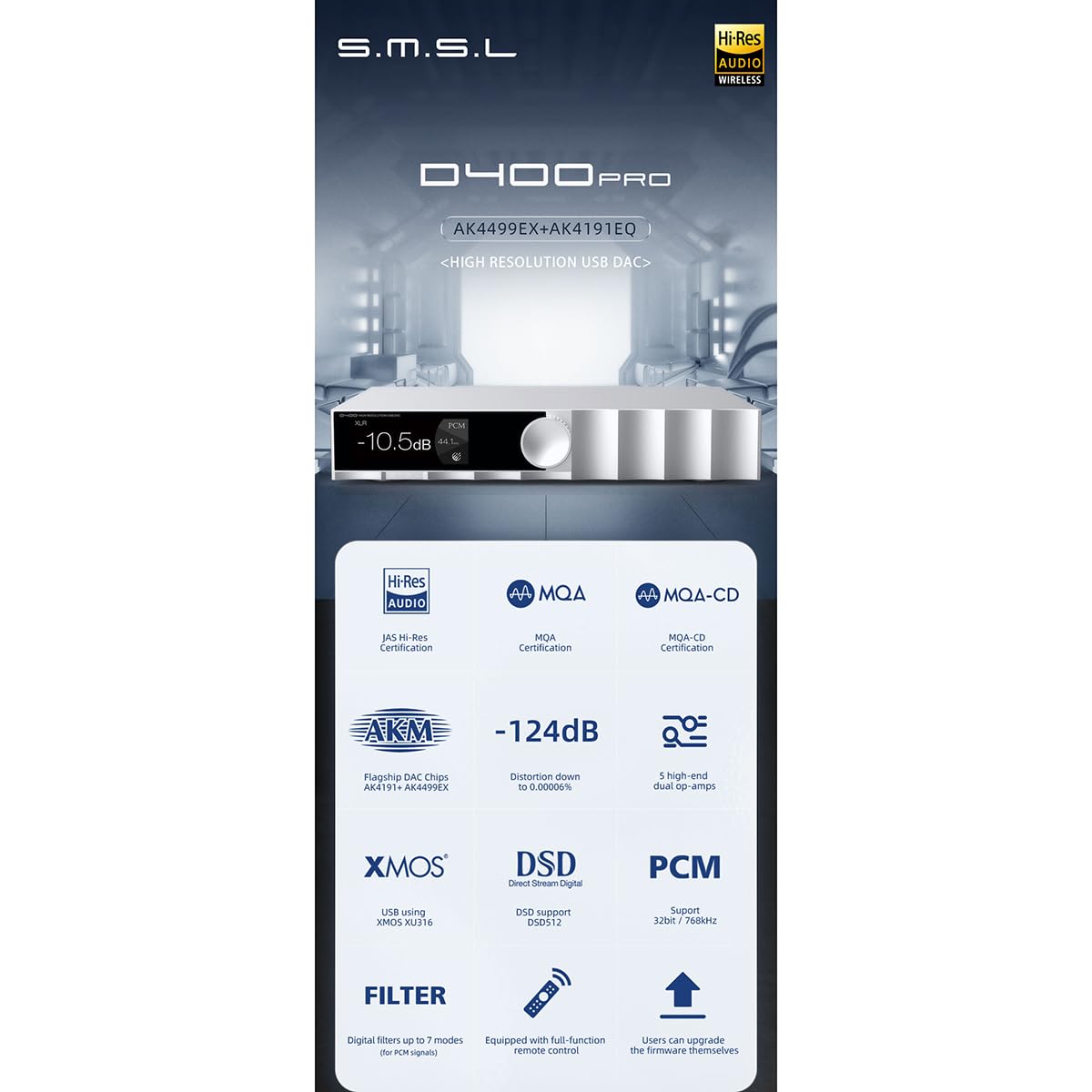
図3.2: An infographic highlighting the key features of the D400 Pro, including DAC chips, MQA support, low distortion, XMOS USB, DSD, PCM, and remote control.

図3.3: Illustration explaining MQA CD support, showing how a CD player's digital output can be fed to the D400 Pro for MQA decoding, restoring original high-resolution audio.
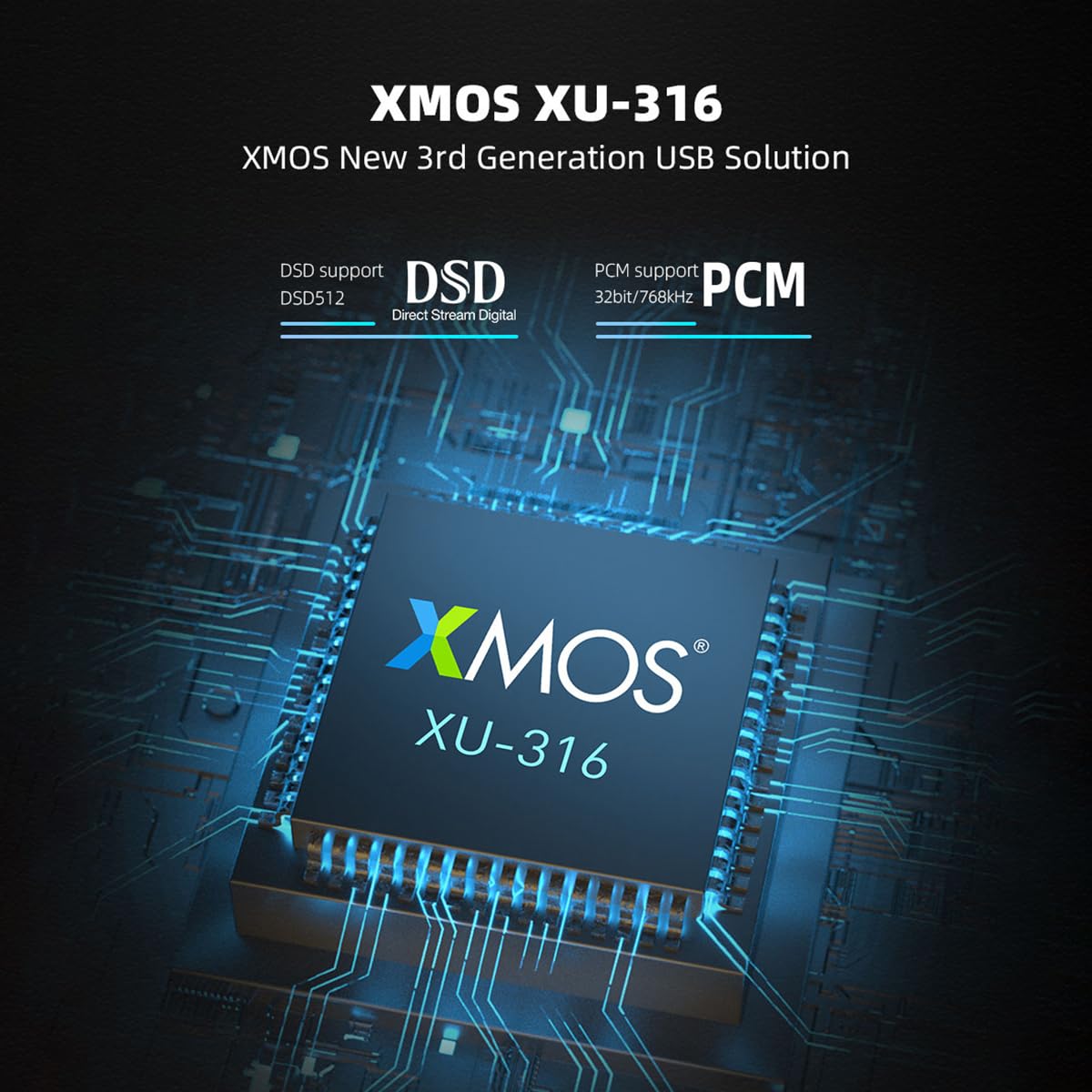
図3.4: 詳細な view of the XMOS XU-316 USB solution chip, emphasizing its support for DSD512 and PCM 32bit/768kHz.

図3.5: Close-up of the AK4191 and AK4499EX flagship DAC chips, along with a graph illustrating the D400 Pro's low distortion performance at 0.00006% (-124dB).
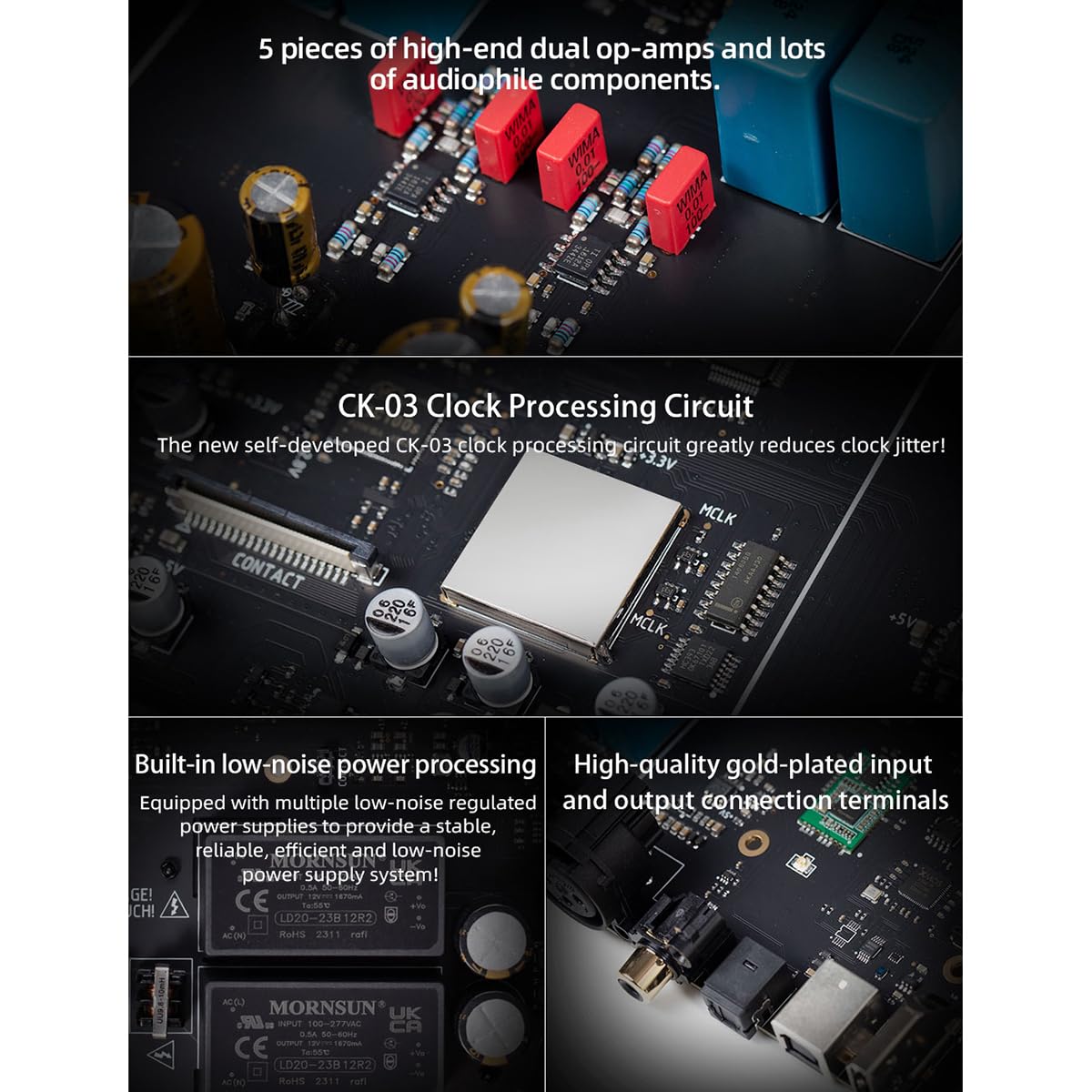
図3.6: 内部の view highlighting the 5 high-end dual op-amps, the CK-03 clock processing circuit, built-in low-noise power processing, and high-quality gold-plated input/output connection terminals.
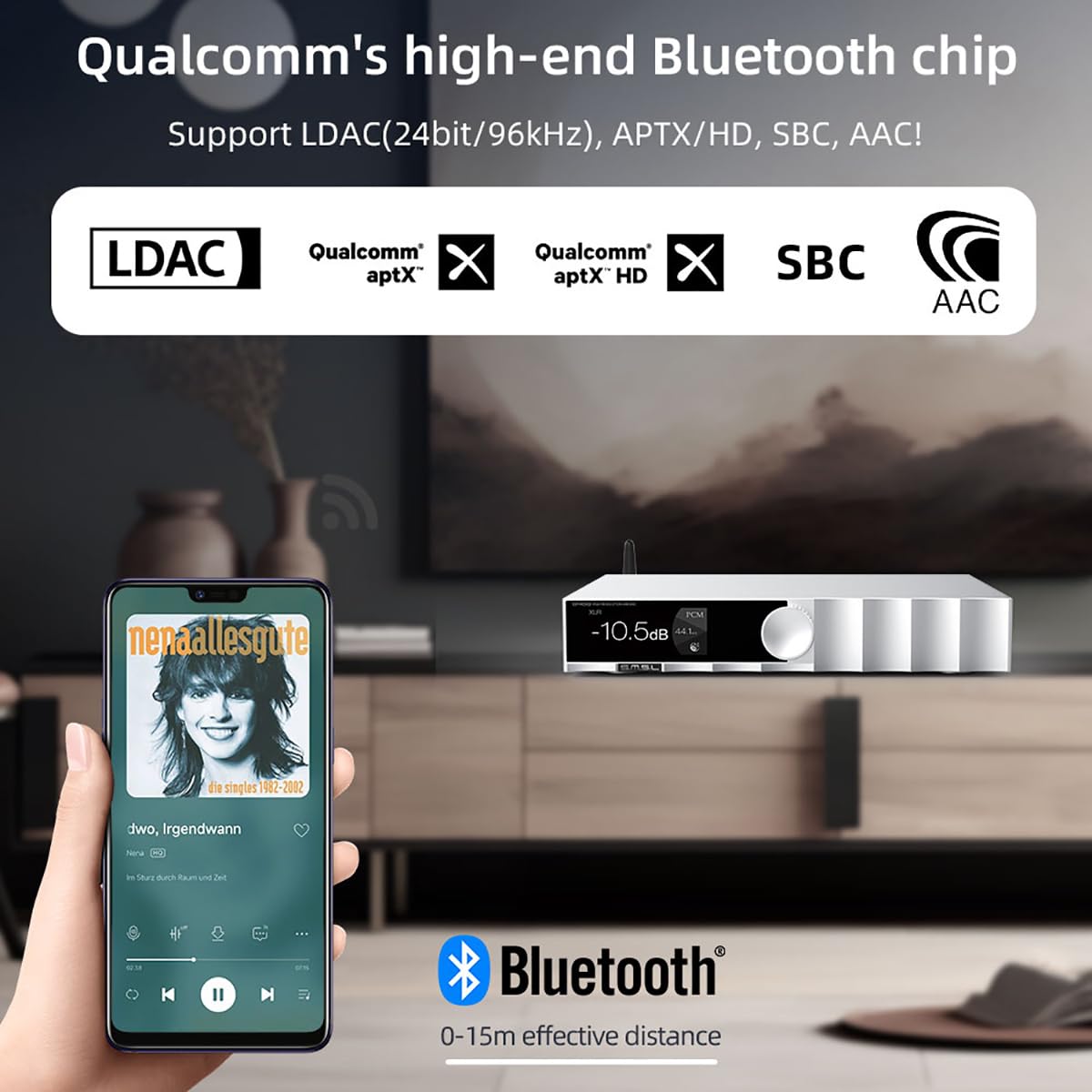
図3.7: Depiction of the D400 Pro's Bluetooth functionality, showing a smartphone streaming audio wirelessly with support for LDAC, aptX/HD, SBC, and AAC codecs within a 0-15m effective distance.
4. セットアップ
Follow these steps to connect your SMSL D400 Pro to your audio system:
- 電源接続: Connect the supplied AC power cable to the D400 Pro's power input and then to a wall outlet.
- 入力ソース接続: Choose your desired digital audio input:
- USB: Connect the USB cable from your computer (Windows 7/8/8.1/10/11 requires driver installation) or other USB audio source to the D400 Pro's USB input.
- 光/同軸: Connect an optical or coaxial cable from your source device (e.g., CD player, TV) to the corresponding input on the D400 Pro.
- IIS/AES: For advanced users, connect compatible sources to the IIS or AES inputs.
- ブルートゥース: Ensure the D400 Pro is powered on. On your source device (e.g., smartphone), enable Bluetooth and search for "SMSL D400 Pro" to pair.
- 出力接続: Connect the D400 Pro to your ampライターまたはアクティブスピーカー:
- RCA出力: Use RCA cables to connect the D400 Pro's RCA outputs to the analog inputs of your amplifier。
- XLR出力: Use balanced XLR cables to connect the D400 Pro's XLR outputs to the balanced inputs of your amp最適なパフォーマンスを得るためのライファイア。
- 電源オン: Press the power button on the front panel or remote control to turn on the D400 Pro.
5. 操作手順
The D400 Pro offers intuitive controls for seamless audio playback.
5.1 Front Panel Controls:
- コントロールノブ: Rotate to adjust volume. Press to access the menu or confirm selections.
- 表示画面: 現在の入力を表示します。ampling rate, volume level, and other status information.
5.2 リモートコントロール:
付属のリモコンは、遠くからでも便利に操作できるフル機能を提供します。
- 電源ボタン: ユニットのオン/オフを切り替えます。
- 入力選択: Dedicated buttons or a cycle button to switch between USB, Optical, Coaxial, IIS, AES, and Bluetooth inputs.
- 音量を上げる/下げる: 出力音量を調整します。
- ミュート: Mutes/unmutes the audio output.
- メニュー/設定: Accesses various settings such as digital filters, display brightness, and output modes.
5.3 Playback:
- Select the desired input source using the front panel knob or remote control.
- Start playback from your connected source device.
- 好みのリスニングレベルに音量を調整します。
- The display will show the current sampling rate and MQA status (if applicable).
6. 仕様
| 特徴 | 仕様 |
|---|---|
| 入力 | USB / Optical / Coaxial / IIS / AES |
| 出力 | RCA/XLR |
| 出力レベル | XLR: 5Vrms、RCA: 2.5Vrms |
| 出力インピーダンス | XLR: 200Ω, RCA: 100Ω |
| THD+N | XLR: 0.00006% (-124dB) (UN-WTD), RCA: 0.00008% (-121dB) (UN-WTD) |
| ダイナミックレンジ | XLR: 132dB、RCA: 126dB |
| SN比 | XLR: 132dB、RCA: 126dB |
| USB送信 | 非同期化 |
| USB互換性 | Windows 7/8/8.1/10/11 (needs driver), Mac OS, Linux |
| MQAデコーダー | USB /オプティカル/同軸 |
| MQA-CDデコーダー | 光学/同軸 |
| Sampling Rate (USB/I2S) | PCM: 44.1~768KHz, DSD: 2.8224~22.5792MHz (DSD512) |
| Sampリングレート(光/同軸) | PCM: 44.1~192kHz |
| Bluetooth サポート | LDAC (24bit/96kHz)、aptX/HD、SBC、AAC |
| 消費電力 | <10W |
| スタンバイ電力 | <0.5W |
| 寸法(幅x高さx奥行き) | 254 x 189 x 46mm(10 x 7.44 x 1.81 inches) |
| 重さ | 1.5 kg (3.31 ポンド) |
7。 トラブルシューティング
D400 Pro で問題が発生した場合は、次の一般的な問題と解決策を参照してください。
- 電源なし:
- Ensure the AC power cable is securely connected to both the D400 Pro and a working power outlet.
- Check if the power button on the front panel or remote control has been pressed.
- サウンド出力なし:
- D400 Pro で正しい入力ソースが選択されていることを確認します。
- Check the volume level on the D400 Pro and your amplifier/active speakers. Ensure the D400 Pro is not muted.
- Confirm that the RCA or XLR cables are correctly connected between the D400 Pro and your amplifier。
- For USB input, ensure the necessary drivers are installed on your computer (for Windows).
- Check the source device for proper playback and output settings.
- 歪んだ音:
- すべてのケーブルがしっかりと接続され、損傷がないことを確認してください。
- ソースオーディオを確認する file 品質。
- Reduce the volume level if clipping occurs.
- Bluetooth接続の問題:
- Ensure the D400 Pro is in Bluetooth input mode.
- Make sure the source device is within the effective Bluetooth range (0-15m).
- Try unpairing and re-pairing the D400 Pro from your source device's Bluetooth settings.
8. メンテナンス
To ensure the longevity and optimal performance of your SMSL D400 Pro, follow these maintenance guidelines:
- クリーニング: 本体の外装は、柔らかく乾いた布で拭いてください。研磨剤入りの洗剤、溶剤、化学薬品スプレーは、表面の仕上げを傷める可能性があるため、使用しないでください。
- 配置: Place the unit on a stable, flat surface with adequate ventilation. Avoid direct sunlight, heat sources, and areas with high humidity or dust.
- 電源を切る: 長期間使用しない場合は、ユニットの電源をオフにして電源コンセントから外すことをお勧めします。
- 液体を避ける: Do not expose the unit to water or other liquids. If liquid enters the unit, immediately disconnect power and seek professional service.
9. 保証とサポート
The SMSL D400 Pro is manufactured by SMSL and sold by AOSHIDA. For warranty information and technical support, please refer to the documentation provided at the time of purchase or contact your retailer. Keep your purchase receipt as proof of purchase for warranty claims.
For further assistance, you may visit the AOSHIDA store on Amazon or contact their customer service directly.