
1. はじめに
The Greluma ZL780LUM PIR (Passive Infrared) Motion Sensor is designed to provide automatic lighting control by detecting human movement and ambient light levels. This device offers convenience, enhanced security, and energy savings by ensuring lights are only active when needed. Its IP44 rating makes it suitable for both indoor and outdoor applications.
2.製品オーバーview
The Greluma ZL780LUM motion sensor features a wide detection range and angle, along with adjustable settings for light sensitivity (LUX) and time delay. Its robust design ensures reliable performance in various environments.

画像: 正面 view of the Greluma ZL780LUM PIR Motion Sensor, showcasing its compact design and sensor dome.
3. 安全情報
- 電気による危険: Always disconnect power at the circuit breaker before installing, servicing, or removing the device to prevent electric shock.
- 認定されたインストール: Installation should be performed by a qualified electrician or a person with a thorough understanding of electrical wiring and local electrical codes.
- 適切な配線: Ensure all wiring connections are secure and comply with the wiring diagram provided in this manual and local regulations.
- 営業巻tage: This device operates on AC 220-240V. Do not connect to other voltageソース。
- 環境条件: Do not expose the sensor to extreme temperatures or corrosive environments beyond its specified operating conditions.
4. パッケージ内容
- 1 x Greluma ZL780LUM PIR Motion Sensor
- Mounting screws and wall plugs (typically included)
- 取扱説明書(本書)
5. セットアップとインストール
Follow these steps for proper installation of your motion sensor.
5.1センサーの取り付け
- Choose a suitable mounting location. The sensor can be wall-mounted or ceiling-mounted. For optimal performance, install the sensor at a height of 1-2.5 meters.
- Mark the drilling points using the sensor's base as a template.
- 穴を開けて壁プラグを挿入します。
- Secure the sensor base to the wall or ceiling using the provided screws.

Image: Visual guide for mounting the sensor and connecting the wires.
5.2配線接続
Refer to the wiring diagram below. Ensure power is disconnected before making any connections.
- Connect the Live (L) wire from your power supply to the 'IN~ L' terminal on the sensor.
- Connect the Neutral (N) wire from your power supply to the 'IN~ N' terminal on the sensor.
- Connect the Live (L) wire of your load (e.g., light fixture) to the 'OUT~ L' terminal on the sensor.
- Connect the Neutral (N) wire of your load to the 'OUT~ N' terminal on the sensor.

画像: 詳細 view of the sensor's internal wiring terminals (L, N for input and output).
5.3 Adjusting Detection Direction
After installation, the sensor head can be rotated up to 180 degrees to adjust the detection direction, allowing you to optimize the coverage area.

Image: Illustration of the sensor's detection range (up to 12m at 180 degrees) and recommended installation height (1-2.5m).
6. 操作手順
Once installed and powered on, the Greluma ZL780LUM motion sensor will automatically begin its operation cycle. The sensor detects changes in infrared radiation caused by human movement within its detection zone. When motion is detected and the ambient light level meets the set LUX threshold, the connected light fixture will turn on. The light will remain on for the duration of the set time delay and will turn off once no further motion is detected within that period.
7. Knob Adjustments
The sensor features two adjustable knobs to customize its operation:

Image: Close-up of the sensor's adjustment knobs for 'TIME' and 'LUX'.
7.1 時間調整
- This knob controls the duration the light remains on after motion is detected and then stops.
- The adjustable range is approximately 8秒から7分.
- If continuous motion is detected, the timer will reset and extend the 'on' time.
7.2 LUX Adjustment (Light Sensor)
- This knob determines the ambient light level at which the sensor will activate.
- 調整可能な範囲: 3〜2000ルクス.
- Setting to the 'sun' position (maximum LUX value) allows the sensor to operate both day and night.
- Setting to the 'moon' position (minimum LUX value) allows the sensor to operate only when the ambient light is below approximately 3 Lux (i.e., in darkness or very low light conditions).
8. メンテナンス
- クリーニング: Periodically wipe the sensor lens with a soft, dry cloth to remove dust or dirt that may obstruct detection. Do not use abrasive cleaners or solvents.
- 検査: Regularly check the sensor for any signs of damage or loose connections.
- 電源サイクル: If the sensor behaves erratically, try turning off the power at the circuit breaker for a few minutes, then restore power.
9。 トラブルシューティング
| 問題 | 考えられる原因 | 解決 |
|---|---|---|
| 動きを検知してもライトは点灯しません。 | No power to the sensor or light fixture. LUX setting is too low (moon position) during daytime. 配線接続不良。 Motion not within detection range. | 電源と回路ブレーカーを確認してください。 Adjust LUX knob towards 'sun' position. すべての配線接続が安全であることを確認します。 Ensure motion occurs within the sensor's detection area. |
| ライトは継続的に点灯します。 | 検出エリア内での連続的な動き。 時間設定が長すぎます。 Wiring error (e.g., load directly connected to power). センサーの故障。 | Remove obstructions or reposition sensor. TIMEノブを調整して、継続時間を短くします。 Re-check wiring against the diagram. Contact support if problem persists after checking other causes. |
| Light turns on and off too frequently. | センサーが敏感すぎる。 Interference from heat sources (e.g., vents, moving trees). | Adjust TIME and LUX settings. Reposition sensor to avoid interference. |
| 検出範囲が狭いです。 | Obstructions blocking the sensor. Incorrect installation height. Temperature difference between ambient and moving object is too small. | センサーの障害物を取り除いてください view. Ensure installation height is within 1-2.5m. Sensor performance may vary with environmental conditions. |
10. 仕様
| 特徴 | 仕様 |
|---|---|
| モデル番号 | ZL780LUM |
| 営業巻tage | 交流220-240V |
| 検出範囲 | 最大12メートル |
| 検出角度 | 180度 |
| 時間遅延調整 | 8秒〜7分 |
| LUX Adjustment (Light Sensor) | 3 ~ 2000ルクス |
| 消費電力(スタンバイ) | 0.5ワット |
| 動作湿度 | 相対湿度93%未満 |
| IP 定格 | IP44(防滴) |
| 寸法(長さ×幅×高さ) | 9 x 8.8 x 6.4 cm |
| 重さ | 110グラム |
| 取り付けタイプ | 天井または壁掛け |
| 対応デバイス | Home lighting, ceiling lights, simple luminaires |
11. アプリケーション
The Greluma ZL780LUM PIR Motion Sensor is versatile and can be used in various settings to automate lighting:
- ガレージ: Automatically illuminate when entering or exiting.
- Corridors/Hallways: Lights turn on as you walk through, then off.
- 地下室: Convenient lighting in infrequently used areas.
- Stairwells: Enhance safety by lighting stairs upon approach.
- Kitchens/Pantries: Hands-free lighting when carrying items.
- Wardrobes/Lofts: Light up storage areas as needed.
- 屋外セキュリティ照明: Activate lights upon detecting movement in courtyards or near sheds.

画像: Example of the motion sensor installed on an outdoor shed, demonstrating an outdoor application.
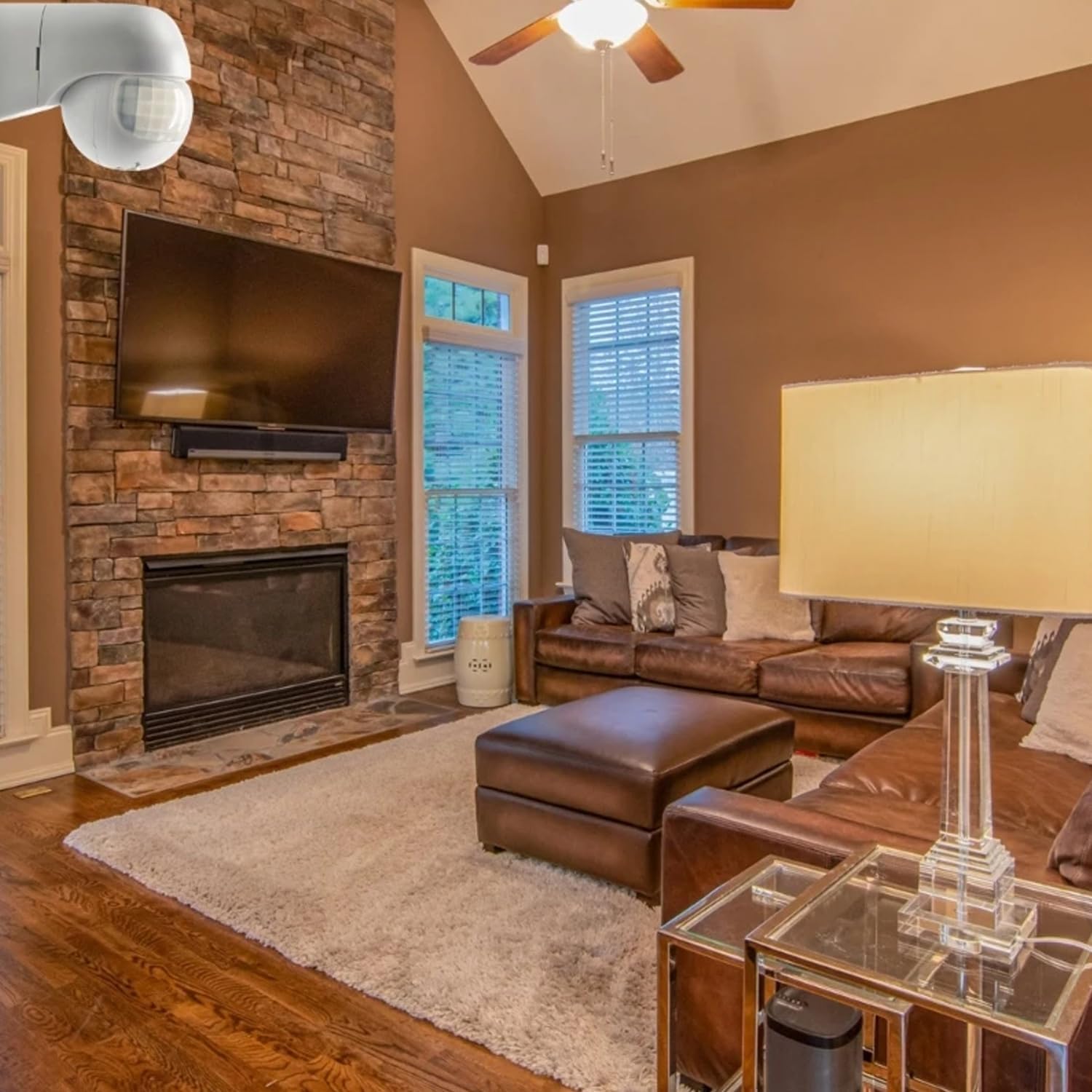
画像: Example of the motion sensor installed in an indoor living room, demonstrating an indoor application.

Image: Visual representation of different lighting types and locations where the sensor can be applied, such as wall lamps, spotlights, and ceiling lights in passages, eaves, balconies, and courtyards.
12. 保証とサポート
Warranty information for the Greluma ZL780LUM PIR Motion Sensor is typically provided at the point of purchase or through the retailer. Please retain your proof of purchase for warranty claims.
For technical support, troubleshooting assistance beyond this manual, or warranty inquiries, please contact your seller or the manufacturer directly. Contact details can usually be found on the product packaging or the retailer's webサイト。