
1. はじめに
Thank you for choosing the Xoopar Ice-Powerbank. This device is a portable 5000 mAh external battery designed to charge your mobile devices on the go, featuring an integrated touch-sensitive LED light. This manual provides essential information for safe and efficient use of your power bank.
2.製品オーバーview
The Xoopar Ice-Powerbank is a compact and lightweight portable charger. It features a 5000 mAh high-density battery, an integrated 10 cm charging cable with Lightning and USB-C outputs, and a USB-C input for recharging the power bank. The device also includes a tactile LED light for illumination.
主な特徴:
- 5000mAhバッテリー: Provides up to two full charges for most smartphones.
- 統合ケーブル: 10 cm cable with both Lightning and USB-C connectors for versatile device compatibility.
- Tactile LED Light: Built-in light for convenience in low-light conditions.
- リサイクル素材: Constructed with 28% GRS certified recycled plastic and 2% recycled PC.
- コンパクトなデザイン: Lightweight and slim for easy portability.

画像: 上view of Xoopar Ice-Powerbank features, highlighting its recycled plastic construction, capacity for approximately two charges, and slim profile. Note: The image text "Wireless charging" and "Battery free" are inaccurate for this model; it uses wired charging and contains an internal battery.

Image: A display of Xoopar Ice-Powerbanks in different colors, emphasizing the 5000 mAh battery capacity and the integrated touch light feature.
3. セットアップ
3.1 パワーバンクの充電
- Locate the USB-C input port on the Xoopar Ice-Powerbank.
- USB-C充電ケーブル(別売)をパワーバンクの入力ポートに接続します。
- Connect the other end of the USB-C cable to a compatible USB power adapter (e.g., wall charger, computer USB port).
- The LED indicators on the power bank will illuminate to show the charging status. When all indicators are solid, the power bank is fully charged.
Note: For optimal charging speed, use a 5V/3A compatible power adapter.
3.2 充電用デバイスの接続
- Identify the integrated 10 cm charging cable on the power bank.
- デバイスに適したコネクタを選択してください:
- 稲妻: For Apple iPhones, iPads, and other Lightning-compatible devices.
- USB-C: For Android smartphones, tablets, and other USB-C compatible devices.
- Plug the chosen connector into your device's charging port.
- パワーバンクは自動的にデバイスの充電を開始します。

Image: The Xoopar Ice-Powerbank connected to a smartphone, illustrating the device charging process using the integrated cable.

画像: 詳細な view of the integrated charging cable, highlighting both the USB-C and Lightning connectors for broad compatibility.
4. 操作手順
4.1 パワーバンクの使用
Once your device is connected, the power bank will automatically detect it and begin charging. The LED indicators will show the remaining battery level of the power bank. Disconnect your device once it is fully charged or when you no longer need to charge.
4.2 内蔵LEDライトの使用
The Xoopar Ice-Powerbank features a tactile LED light. To activate or deactivate the light, gently tap the designated area on the power bank. The light provides convenient illumination in dark environments.

Image: Several Xoopar Ice-Powerbanks, with one unit demonstrating the integrated LED light in an active state.
5. メンテナンス
- パワーバンクを乾燥した場所に保管し、湿気を避けてください。
- 極端な温度(高温または低温)を避けてください。
- デバイスを落としたり、分解したり、自分で修理しようとしたりしないでください。
- 外側は柔らかく乾いた布で拭いてください。刺激の強い化学薬品や研磨剤は使用しないでください。
- Store the power bank in a cool, dry place when not in use. For long-term storage, charge the power bank to approximately 50% every three months to maintain battery health.
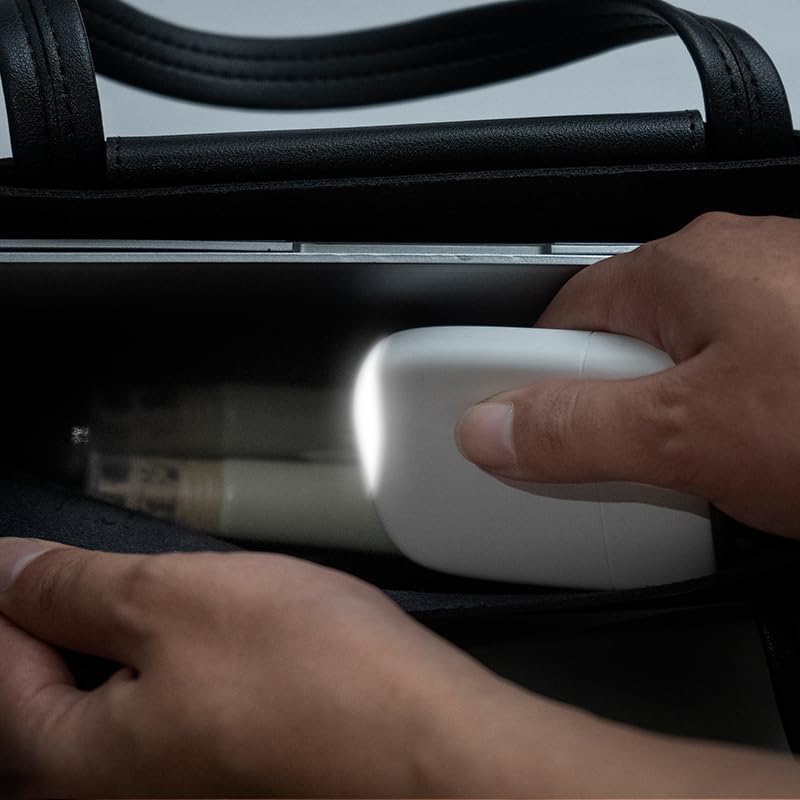
Image: A hand placing the Xoopar Ice-Powerbank into a bag, illustrating its compact size and suitability for portable use and storage.
6。 トラブルシューティング
| 問題 | 考えられる原因 | 解決 |
|---|---|---|
| パワーバンクがデバイスを充電しません。 | Low power bank battery; incorrect cable connection; device not compatible. | パワーバンクを充電し、ケーブルがしっかりと接続されていることを確認し、デバイスの互換性を確認します。 |
| パワーバンクが充電されません。 | Faulty charging cable or adapter; USB-C input port issue. | Try a different USB-C cable and power adapter; ensure connections are secure. |
| LEDライトが動作しない。 | Not activated correctly; internal malfunction. | Gently tap the designated area to activate; if issue persists, contact support. |
7. 仕様
- モデル名: Ice-P
- モデル番号: XP61145
- バッテリー容量: 5000 mAh(リチウムポリマー)
- 入力: USB Type-C、5V / 3A
- 出力: USB Type-C, Lightning, 5V/3A (shared)
- 寸法(長さ×幅×高さ): 7.6 cm x 6.5 cm x 1.4 cm
- 重さ: 85グラム
- 材料: 28% GRS certified recycled plastic, 2% recycled PC
- 特別な機能: Compact, integrated flashlight (LED light), lightweight, slim, LED indicators.
- 互換性: Universal for smartphones, tablets, wireless earphones, etc.

Image: A visual representation of the Xoopar Ice-Powerbank's dimensions, indicating a height of 75mm and a width of 65mm.
8. 保証とサポート
The Xoopar Ice-Powerbank comes with a 2年間の製品保証 ご購入日から1年間有効です。本保証は、通常の使用における製造上の欠陥および材料の欠陥を対象とします。誤用、事故、不正な改造、または通常の摩耗や損耗による損傷は保証の対象外となります。
For warranty claims or technical support, please contact Xoopar customer service through their official website or your retailer. Please have your proof of purchase and product model number (XP61145) ready.
9. 安全情報
- パワーバンクを火や高温にさらさないでください。
- パワーバンクを水やその他の液体に浸さないでください。
- お子様の手の届かない場所に保管してください。
- パワーバンクは、地域の電子廃棄物に関する規制に従って責任を持って廃棄してください。
- Avoid using the power bank if it is visibly damaged or swollen.