
LEMNOI SG7
LEMNOI SG7 Educational Day/Night Alarm Clock for Children - User Manual
モデル: SG7
導入
This manual provides detailed instructions for the setup, operation, and maintenance of your LEMNOI SG7 Educational Day/Night Alarm Clock. Please read it thoroughly to ensure proper use and to maximize the product's features.
安全情報
- デバイスを水や湿気から遠ざけてください。
- 極端な温度にさらさないでください。
- 充電には付属の USB-C ケーブルのみを使用してください。
- 小さな部品による窒息の危険を防ぐため、小さなお子様の手の届かないところに保管してください。
- ご自身でデバイスの分解や修理を試みないでください。問題が発生した場合は、カスタマーサポートにお問い合わせください。
パッケージ内容
パッケージに以下の項目が含まれているか確認してください。
- LEMNOI SG7 Educational Day/Night Alarm Clock
- USB-C充電ケーブル
- ユーザーマニュアル
製品終了view
The LEMNOI SG7 is designed to assist children with sleep training and morning routines. It features:
- Day/Night Educational Icons: Green sun for wake-up, blue moon for sleep.
- 5色LEDナイトライト: 調整可能な明るさ。
- 7 Musical Alarm Options: Gentle wake-up sounds.
- Dual Alarms & Snooze Function: Customizable for weekdays and weekends.
- Digital Display with Temperature Monitor: 12/24 hour format, F/C conversion.
- Touch/Sound Activated Screen: 20 秒間操作しないと画面がオフになります。
- 2000mAhリチウム電池内蔵: USB-C充電可能。

フロント view of the LEMNOI SG7 alarm clock, displaying time, temperature, and day/night icons.
設定
1. 初期充電
Before first use, fully charge the alarm clock. Connect the provided USB-C cable to the charging port on the back of the device and plug it into a compatible USB power adapter (not included).
- 充電中は充電インジケータライトが点灯します。
- フル充電には通常約 3 時間かかります。
- The battery icon on the display will show charging status.
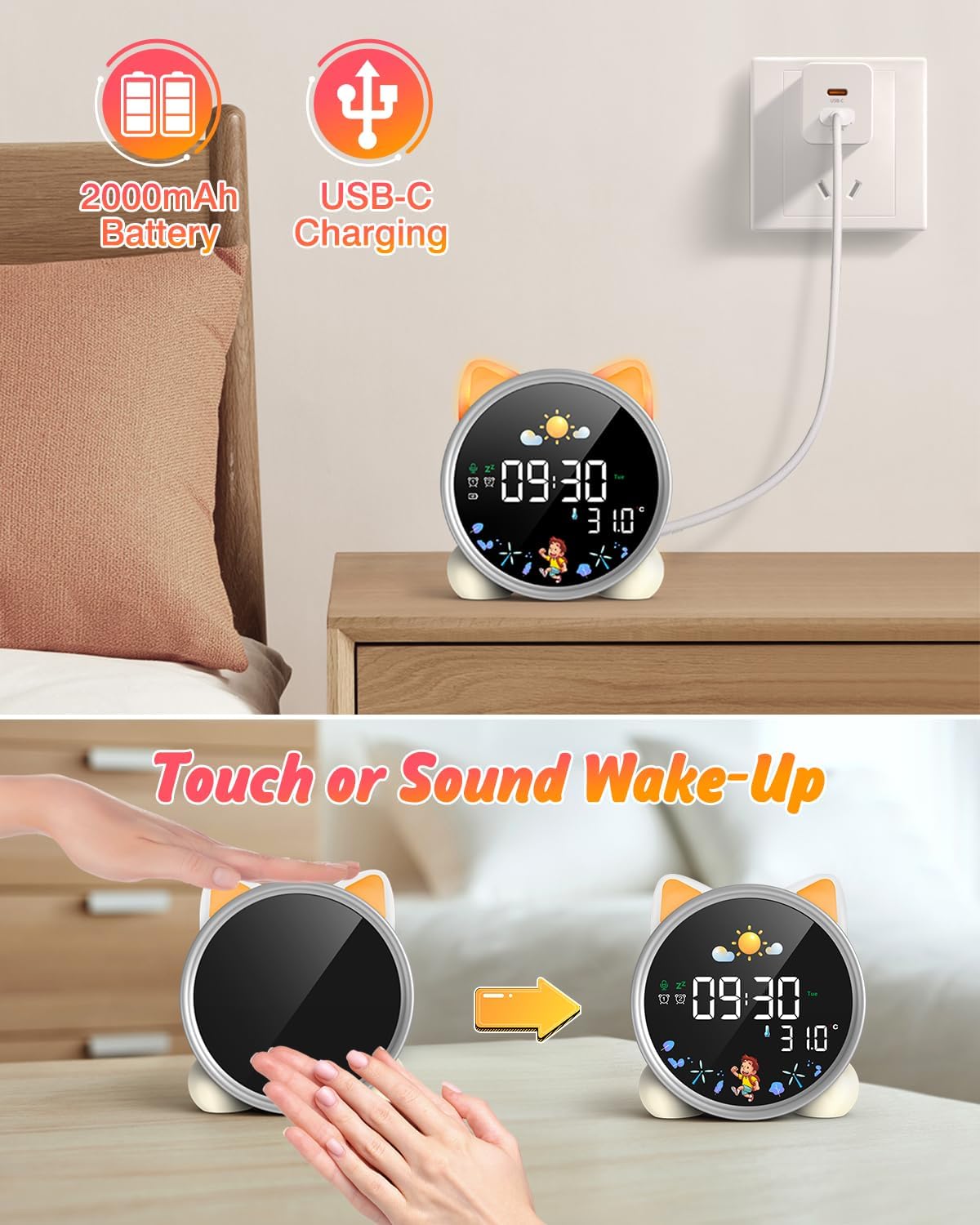
The alarm clock being charged via its USB-C port.
2. 電源のオン/オフ
The device powers on automatically when connected to power. To manually power on/off or wake the screen:
- ウェイクスクリーン: Tap the device or make a sound near it. The screen will illuminate for 20 seconds.
- 電源オン/オフ: The device is designed to be always on for alarm functions.
Activating the screen by tapping the device.
操作手順
1. 時刻と日付の設定
The alarm clock supports 12/24 hour format and displays the day of the week. Specific buttons for setting are not detailed in the provided text, but typically involve a "Set" or "Mode" button.
- Refer to the physical manual for exact button functions (e.g., "SET" button).
- 「SET」ボタンを長押しすると時間設定モードになります。
- Use "+" and "-" buttons to adjust hours, minutes, and other settings.
- 「SET」をもう一度押すと、各設定が確定し、次の設定に進みます。
2. Day/Night Educational Mode
This feature uses color-changing lights and icons to signal wake-up and sleep times.
- 起きろ: Green light and sun icon appear to indicate it's time to wake up.
- 寝る: Blue light and moon icon appear to indicate it's time to sleep.

Day/Night mode with green sun for wake-up and blue moon for sleep.
3. Dual Alarms and Snooze Function
Set two independent alarms for different routines.
- アラームの設定: The dual alarms can be customized for any day from Monday to Sunday. Consult the full manual for specific steps to set Alarm 1 and Alarm 2.
- スヌーズ: When an alarm sounds, press the "SNOOZE" button on top for an additional 9 minutes of sleep. This can be repeated up to 3 times.

Illustration of the snooze function and dual alarm capability.
4. Night Light (5 Colors & Brightness Levels)
The alarm clock functions as a night light with 5 color options and adjustable brightness.
- カラーオプション: Yellow, Blue, Purple, White, and Gradient.
- 輝度: 3 levels of brightness (0%, 30%, 70%, 100%) for the screen display. The night light itself also has adjustable brightness.
- Refer to the physical manual for instructions on cycling through colors and adjusting brightness.

The 5 available night light colors and screen brightness options.
5. Music and Sound Machine
The alarm clock offers 7 musical options for a gentle wake-up or soothing sleep environment.
- 7 musical options are available.
- Refer to the physical manual for instructions on selecting and setting music.

The 7 sound options available for the alarm clock.
6. カウントダウンタイマー
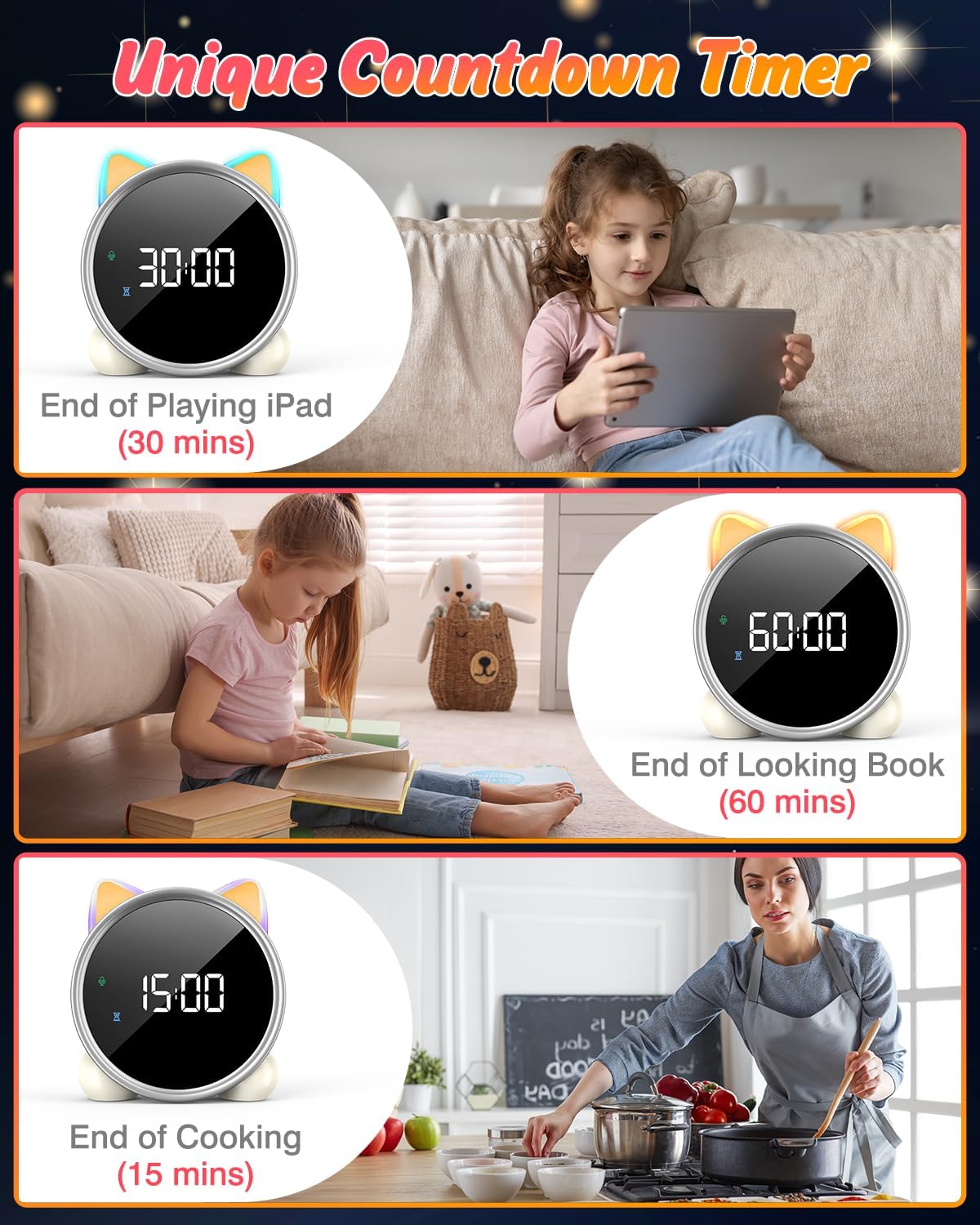
A unique countdown timer feature can be used for various activities.
- Useful for managing screen time, reading sessions, or cooking.
- Refer to the physical manual for instructions on setting the countdown timer.
Examples of the countdown timer in use for various activities.
7.温度表示
The alarm clock displays the ambient temperature and supports both Celsius and Fahrenheit units.
- Supports F/C temperature conversion.
- Refer to the physical manual for instructions on switching between units.
8. Screen Activation (Touch/Sound)
The screen can be activated by touch or sound and will automatically turn off after a period of inactivity to save power.
- Tap the device or make a sound to wake the screen.
- The screen will turn off after 20 seconds of no interaction.
メンテナンス
- クリーニング: 柔らかく乾いた布で拭いてください。研磨剤入りの洗剤や溶剤は使用しないでください。
- ストレージ: 長期間使用しない場合は、涼しく乾燥した場所に保管してください。
- バッテリーのケア: バッテリーの寿命を延ばすには、バッテリーを頻繁に完全に放電させないでください。バッテリー残量低下インジケーターが表示されたら、充電してください。
トラブルシューティング
| 問題 | 考えられる原因 | 解決 |
|---|---|---|
| 画面が点灯しません。 | バッテリー残量が少ないか、デバイスの電源がオフになっています。 | Charge the device using the USB-C cable. Tap the device or make a sound to activate the screen. |
| バッテリーの消耗が早いです。 | Night light mode consumes more power. | It is recommended to keep the device plugged in when using night light mode for extended periods. Ensure the screen brightness is not set too high if battery life is a concern. |
| Difficulty setting time/alarms. | Incorrect button sequence or unfamiliarity with controls. | Refer to the "Operating Instructions" section and the detailed physical manual for precise button functions and sequences. |
| Screen remains on constantly. | Possible setting error or malfunction. | Ensure the screen auto-off feature is enabled (if applicable, check manual). If the issue persists, try a soft reset (if available, check manual) or contact customer support. |
仕様
- ブランド: LEMNOI
- モデル番号: SG7
- 色: 薔薇
- 製品寸法(長さ x 幅 x 高さ): 13.1 x 3.81 x 14.5 cm
- 材料: プラスチック
- 特徴: Adjustable brightness, Snooze function
- 商品の重量: 265グラム
- 表示タイプ: デジタル
- 電源: Battery Powered (Built-in 2000mAh Lithium Battery, USB-C charging)
- 部屋タイプ: 寝室
- 形: 猫
- 屋内/屋外での使用: 屋内
保証とサポート
For warranty information or technical support, please refer to the contact details provided with your purchase or visit the official LEMNOI webサイトでご確認ください。保証請求に備えて購入証明書を保管してください。
Ask a question about this manual
Ask about setup, troubleshooting, compatibility, parts, safety, or missing instructions. Manuals+ will review the question and use this page’s manual context to help answer it.