
1. はじめに
This manual provides detailed instructions for the TRIGKEY Green G4 Mini PC, featuring the Intel Alder Lake-N100 processor. It covers initial setup, operation, maintenance, and troubleshooting to ensure optimal performance and user experience. Please read this manual thoroughly before using your device.
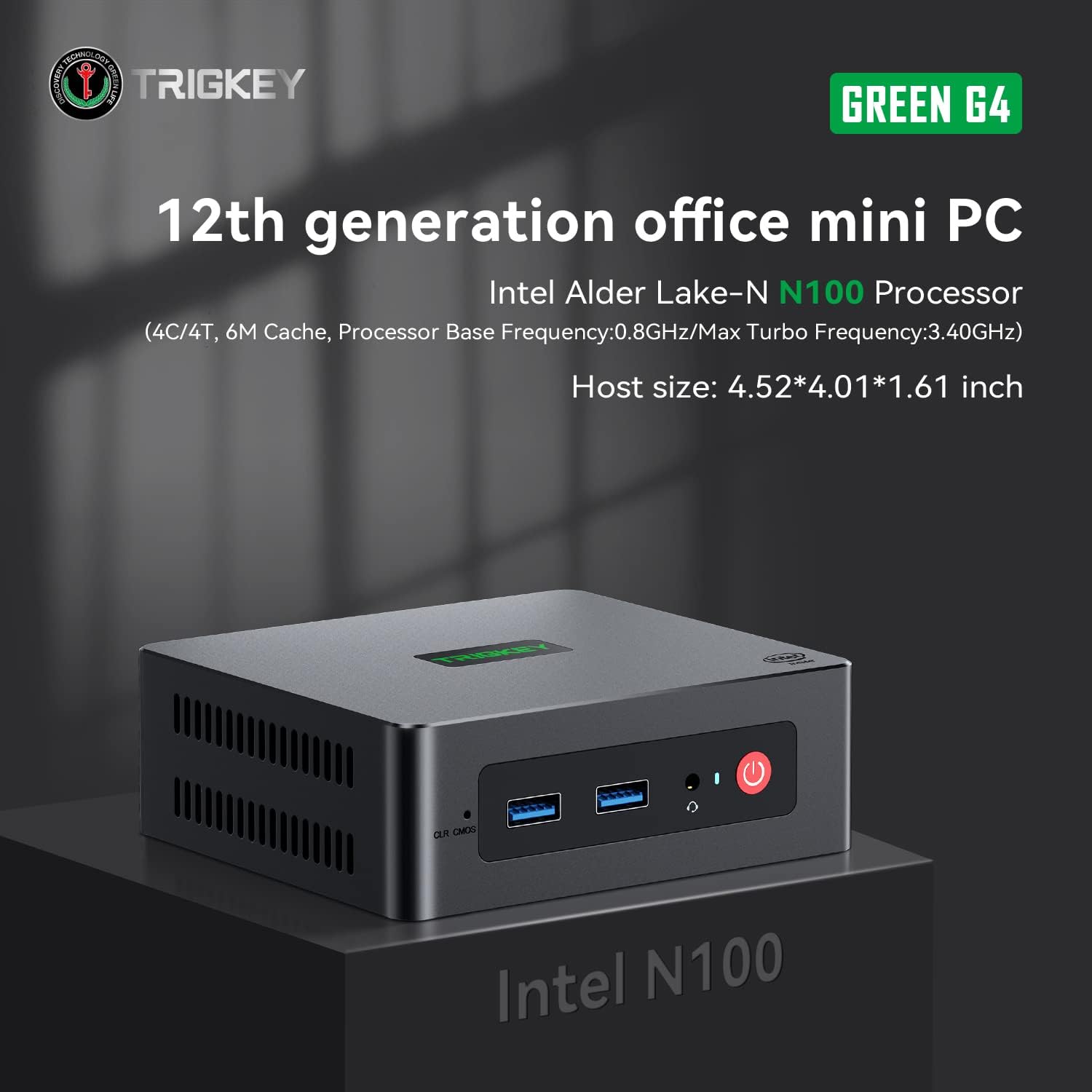
Image: TRIGKEY Green G4 Mini PC, highlighting its compact design and front panel.
2.製品オーバーview
2.1 主な特徴
- プロセッサ: Intel Alder Lake-N100 (4 Cores/4 Threads, up to 3.4GHz)
- メモリ: 16GB DDR4 RAM(拡張可能)
- ストレージ: 500GB NVMe SSD(最大2TBまで拡張可能)
- グラフィック: インテル UHD グラフィックス (24EU)
- 接続性: WiFi 6, Bluetooth 5.2, 1000MB/s LAN
- 表示出力: Dual 4K HDMI (60Hz)
- コンパクトなデザイン: Host size approximately 4.52 x 4.01 x 1.61 inches
2.2 ポートとインターフェース

Image: Front and rear interfaces of the Mini PC.
| ポート/インターフェース | 説明 |
|---|---|
| 電源ボタン | デバイスの電源をオン/オフにします。 |
| 電源インジケーター | 電源の状態を示します。 |
| RTC Key (CLR CMOS) | CMOS 設定をクリアするために使用されます。 |
| USB 3.2 Gen2 (10Gbps) | 高速データ転送ポート。 |
| イヤホンジャック | ヘッドフォン用のオーディオ出力。 |
| LAN (1000M) | 有線ネットワーク接続用のギガビット イーサネット ポート。 |
| 4K 60Hz HDMI | Dual HDMI ports for high-definition video output. |
| DC Power Adapter Port | 電源に接続します。 |
| ロックスロット | セキュリティロック用。 |
3. セットアップ
3.1 初期接続
- Connect your monitor(s) to the HDMI ports on the rear of the Mini PC.
- キーボードとマウスを利用可能な USB ポートに接続します。
- For wired internet, connect an Ethernet cable to the LAN port. For wireless, ensure the WiFi antenna is connected (if external) or that the internal WiFi is enabled.
- Connect the power adapter to the DC power port and then plug it into a power outlet.
- Mini PC の前面にある電源ボタンを押して電源を入れます。
3.2 最初の起動
Upon first boot, the system may guide you through the initial setup of the operating system (e.g., Windows 11). Follow the on-screen prompts to configure language, region, network, and user accounts.
4. 操作手順
4.1 基本操作
- 電源オン/オフ: Press the power button once to turn on. To shut down, use the operating system's shutdown option. A short press on the power button can also put the PC to sleep. A long press (5-7 seconds) will force a shutdown.
- 再起動: オペレーティング システムの再起動オプションを使用します。
- 周辺機器の接続: Use the available USB ports for external devices like printers, external drives, or webカム。
- ネットワーク接続: Connect to a wired network via the LAN port or a wireless network using the built-in WiFi 6.
- デュアルディスプレイ: Connect two monitors to the HDMI ports for an extended or duplicated desktop experience.

Image: Mini PC supporting dual screen display for enhanced productivity.
4.2 Video Playback and Productivity
The Mini PC supports 4K high-definition output, suitable for media consumption and office tasks. Its compact size and efficient performance make it suitable for various applications, from home theater setups to general office work.
Video: TRIGKEY Mini PC G4 N100 product overview、ショーasin機能とコンパクトなデザインが魅力です。
5. メンテナンスとアップグレード
5.1 Storage Expansion (2.5-inch HDD/SSD)
The TRIGKEY Green G4 Mini PC allows for additional storage expansion by installing a 2.5-inch HDD or SSD. Follow these steps carefully:
- 電源を切る: ミニ PC の電源が完全にオフになっており、電源から切断されていることを確認します。
- Unscrew Bottom Panel: Locate and unscrew the screws on the bottom panel of the Mini PC.
- Open Back Panel: Carefully open the back panel to reveal the internal components and the storage bay.
- Insert SSD/HDD: Align the 2.5-inch SSD or HDD with the slot in the back panel and gently insert it.
- セキュアドライブ: Use the provided screws to secure the SSD/HDD to the back panel.
- Reinstall Bottom Panel: Close the back panel and reinstall the bottom screws to secure it.

Image: M.2 PCIe SSD, demonstrating the internal storage component.
Video: Hard disk installation tutorial, demonstrating the steps to install an additional 2.5-inch HDD/SSD.
5.2 RAMのアップグレード
The Mini PC supports single-channel DDR4 memory. While it comes with 16GB, it can be upgraded depending on the memory type. Consult the product specifications for maximum supported RAM capacity and type before attempting an upgrade.

Image: SO-DIMM DDR4 memory module.
6。 トラブルシューティング
6.1 電源なし
- 電源アダプタがミニ PC と正常な電源コンセントの両方にしっかりと接続されていることを確認します。
- 別のデバイスを接続して、電源コンセントが機能していることを確認します。
- 電源アダプターに目に見える損傷がないか確認してください。
6.2 表示なし
- Confirm that the HDMI cable(s) are securely connected to both the Mini PC and the monitor(s).
- モニターの電源がオンになっており、正しい入力ソース (HDMI 1、HDMI 2 など) に設定されていることを確認します。
- Try connecting to a different monitor or using a different HDMI cable to rule out external issues.
6.3 Operating System Installation Issues
If you encounter difficulties installing or reinstalling an operating system, especially when using custom installation media, note that some Mini PCs may require specific tools or methods for USB boot media creation. Refer to the manufacturer's support resources for guidance on creating compatible installation media.
6.4 ファンの騒音
The Mini PC features active cooling. While designed to be quiet, a slight fan whine may be noticeable under heavy load or in very quiet environments. This is generally normal operation. Ensure the vents are not obstructed to allow for proper airflow.
7. 仕様
| 特徴 | 詳細 |
|---|---|
| ブランド | トリガーキー |
| モデル番号 | 100円 |
| CPUモデル | Intel Alder Lake-N100 (Celeron) |
| CPU速度 | 最大3.4GHz |
| プロセッサ数 | 4 |
| キャッシュサイズ | 6MB |
| RAMメモリインストールサイズ | 16ギガバイト |
| RAMタイプ | DDR4 メモリ |
| メモリ速度 | 3200 MHz |
| 利用可能なメモリスロット | 1 |
| ハードディスクの説明 | 500 GB NVMe SSD |
| ハードディスクインターフェース | NVMe |
| グラフィックスコプロセッサ | インテルUHDグラフィックス |
| ビデオ出力インターフェース | HDMI(2ポート) |
| ディスプレイ解像度最大 | 3840 x 2160 ピクセル (4K) |
| ワイヤレステクノロジー | Wi-Fi 6(802.11ax)、Bluetooth 5.2 |
| 接続技術 | Ethernet (1000M) |
| USBポート合計 | 6(USB 3.2 Gen2) |
| 消費電力 | 6ワット(標準) |
| 色 | 緑 |
8. 保証とサポート
TRIGKEY is committed to providing excellent customer service and support for your Mini PC.
8.1 保証情報
- 返品規則: 30 日以内であれば返品理由はありません。
- 交換: 購入後12か月以内であれば交換可能です。
- テクニカルサポート: 生涯にわたるアフターサービスとテクニカルサポート。
8.2 サポートにお問い合わせください
For any inquiries, technical assistance, or warranty claims, please contact TRIGKEY customer support. Response is typically provided within 24 hours.
- メールサポート: Refer to your product packaging or the official TRIGKEY web連絡先メールアドレスのサイト。
- オンライン相談: Visit the TRIGKEY official webオンライン チャットまたはサポート フォーム用のサイト。
- Website Resources: Explore the TRIGKEY website for FAQs, drivers, and additional product information.