1. はじめに
This manual provides detailed instructions for the setup, operation, and maintenance of your edaiser Swivel Keyboard Case. Please read this manual thoroughly before using the product to ensure proper function and longevity. This keyboard case is designed to enhance your iPad mini experience by providing a physical keyboard and trackpad, along with robust protection and versatile view角度を変える。
2. パッケージ内容
- edaiser Swivel Keyboard Case
- USB-C充電ケーブル
- ユーザーマニュアル
3. 互換性
このキーボード ケースは、次の iPad モデル用に特別に設計されています。
- 2021 iPad mini 6th Generation (8.3-inch): Model Numbers A2567, A2568, A2569
- 2024 iPad mini 7th Generation (8.3-inch): Model Numbers A2993, A2995, A2996
To verify your iPad model number, check the back of your iPad or go to Settings > General > About > Model Number.

Image: Compatible iPad models and their model numbers.
4 製品の特徴
4.1 回転と旋回
The keyboard case features a 360-degree rotatable hinge and 180-degree fold, allowing for multiple viewing and typing modes:
- ラップトップモード: Standard laptop-like setup for typing.
- スタンドモード: Ideal for watching videos or presentations.
- テントモード: Suitable for touch-based interactions or drawing.
- タブレットモード: Fold the keyboard back for a traditional tablet experience.

Image: iPad mini in laptop mode, demonstrating swivel and rotation.

Image: Different usage modes of the keyboard case.
4.2 RGB Backlit Keyboard and Trackpad
The integrated keyboard features RGB backlighting for comfortable typing in low-light conditions. The precision trackpad supports multi-touch gestures for enhanced navigation within iPadOS.
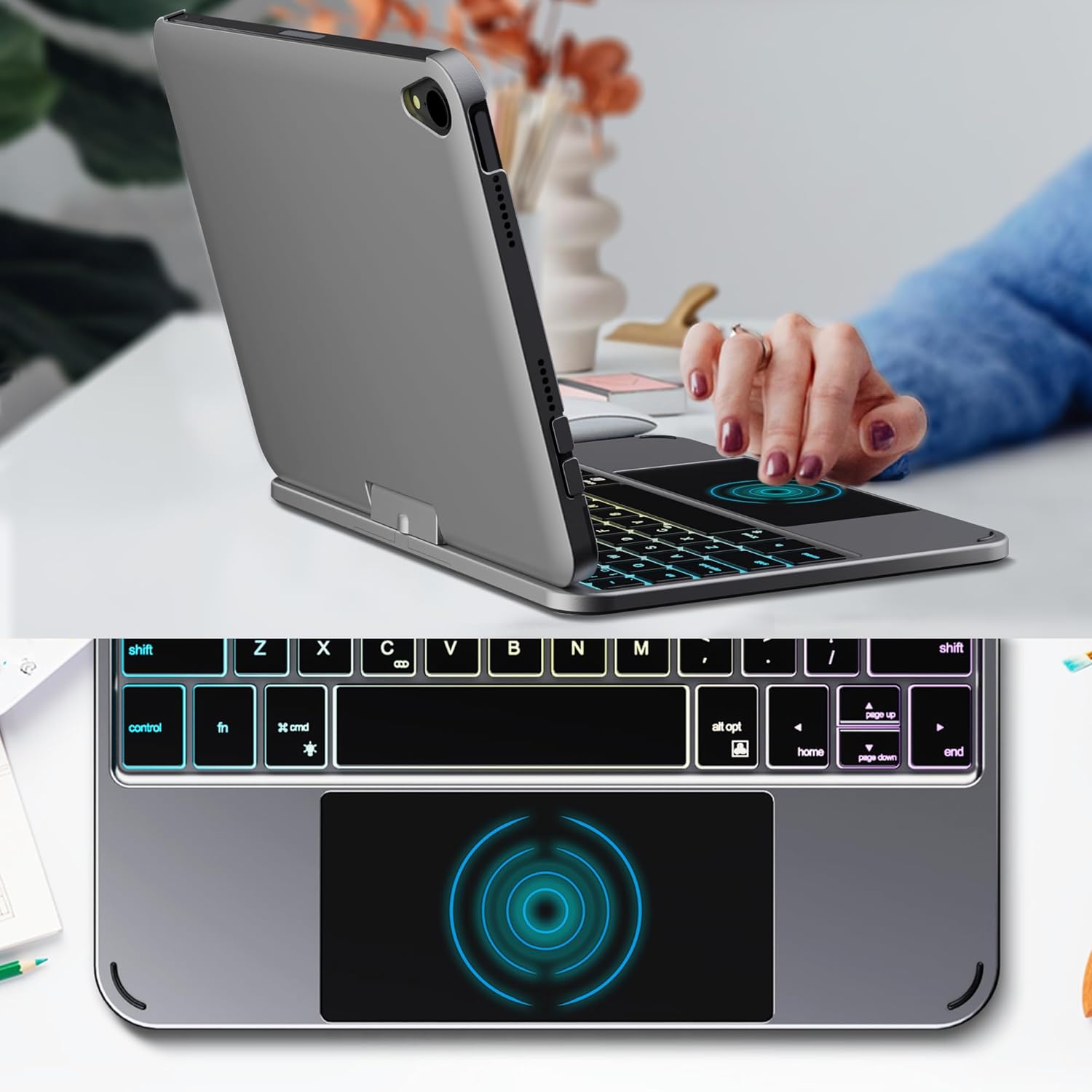
Image: Backlit keyboard and trackpad in use.

Image: Keycap and touchpad dimensions, and available colors.
4.3 Protection and Design
The case provides comprehensive protection for your iPad mini, safeguarding it from scratches and minor impacts. It features precise cutouts for the camera, charging port, and speakers.

Image: Case features and drop protection illustration.
5. セットアップ手順
5.1 Installing Your iPad mini
- Gently align your iPad mini with the case.
- Press the iPad firmly into the case until it is securely seated. Ensure all edges are properly covered and ports/buttons are accessible.
Video: Demonstrates the installation of the iPad mini into the keyboard case, followed by usage in laptop mode, trackpad interaction, and backlight activation.
5.2Bluetoothペアリング
- キーボードをオンにします。 Locate the power button on the keyboard and press it to turn on the device.
- Activate Bluetooth on the keyboard: Press the "Fn" key and the "C" key simultaneously to activate Bluetooth pairing mode. The Bluetooth indicator light will flash.
- Open iPad Settings: iPadで、 設定 > ブルートゥース.
- 接続する: In the Bluetooth device list, find "iPad keyboard" and tap to connect. A pairing request may appear; confirm it.
- The Bluetooth indicator light on the keyboard will stop flashing once successfully paired.
Video: Demonstrates the rotation of the iPad within the case, various usage modes, and the Bluetooth pairing process for the keyboard.
6. 操作手順
6.1 キーボードの機能
The keyboard includes standard keys and function keys specific to iPadOS:
- Fn+C: Activates Bluetooth pairing mode.
- Fn + 電球アイコン: Toggles keyboard backlight on/off and cycles through brightness levels.
- Fn + RGB icon: Changes backlight color (if multiple colors are supported).
- ホームキー: Returns to the iPad home screen.
- 検索キー: Activates iPad search.
- 音量キー: Adjusts iPad volume.
- メディア コントロール キー: Play/Pause, Previous Track, Next Track.
6.2 トラックパッドのジェスチャー
The trackpad supports various multi-touch gestures for efficient navigation:
- シングルフィンガータップ: Left-click.
- XNUMX本指タップ: Right-click (context menu).
- XNUMX本指スクロール: Scroll up/down or left/right.
- XNUMX本指で上にスワイプ: Go to the home screen.
- Three-finger swipe up and hold: Open the App Switcher.
- 3本指で左/右にスワイプ: Switch between open apps.
- ピンチしてズーム: Zoom in/out on content.
7. 充電とバッテリー
The keyboard case is powered by a built-in rechargeable battery. Use the provided USB-C cable to charge the keyboard.
- バッテリー容量: 500mAh
- 待機時間: 最大90日間
- 勤務時間: Up to 180 hours (without backlight)
- 充電インジケーター: The LED indicator will show charging status.
Connect the USB-C cable to the charging port on the keyboard and the other end to a USB power adapter (not included).

Image: Battery specifications and charging port location.
8. メンテナンス
- キーボードケースを液体や極端な温度から遠ざけてください。
- Clean the case and keyboard with a soft, damp 布。刺激の強い化学物質は避けてください。
- 製品を分解しないでください。
9。 トラブルシューティング
9.1 キーボードが Bluetooth 経由で接続されない
- キーボードの電源がオンになっていて、完全に充電されていることを確認します。
- iPad で Bluetooth が有効になっていることを確認してください。
- Press "Fn" + "C" on the keyboard to enter pairing mode.
- iPad の Bluetooth 設定でデバイスを削除し、再度ペアリングを試みます。
- iPadとキーボードの両方を再起動します。
9.2 キーが反応しない
- Check the battery level of the keyboard.
- キーボードが Bluetooth 経由で正しく接続されていることを確認します。
- キーの周りを掃除してゴミを取り除きます。
9.3 トラックパッドが動作しない
- キーボードが Bluetooth 経由で接続されていることを確認します。
- iPadの設定を確認します: 設定 > 一般的な > トラックパッドとマウス to ensure it's enabled and sensitivity is adjusted.
- iPadとキーボードの両方を再起動します。
10. 仕様
| 特徴 | 仕様 |
|---|---|
| ブランド | エダイザー |
| モデル番号 | edaiser Swivel 83ATS |
| 対応機種 | Apple iPad mini 6th Gen (8.3-inch), iPad mini 7th Gen (A17 Pro) |
| 接続性 | ブルートゥース |
| キーボードタイプ | Compact with RGB Backlight |
| トラックパッド | Integrated, Multi-touch |
| 電源 | 電池駆動 |
| バッテリー容量 | 500mAh |
| 待機時間 | 最長90日間 |
| 勤務時間 | 最大180時間(バックライトなし) |
| 充電ポート | USB-C |
| キーの数 | 64 |
| Keycap Size | 11.5mm×12.9mm |
| タッチパッドのサイズ | 98.4mm×49.7mm |
11. 保証とサポート
For warranty information and customer support, please refer to the official edaiser web公式サイトをご覧いただくか、カスタマーサービスに直接お問い合わせください。保証請求のために購入時のレシートを保管してください。