
1.製品オーバーview
The Roku 40" Select Series 1080p Full HD Smart RokuTV offers a seamless entertainment experience with its integrated Roku platform. Enjoy bright, full HD picture quality and clear audio. The customizable home screen provides quick access to streaming apps, inputs, and free live TV. This model features a bezel-less design and comes with a voice remote for easy navigation.
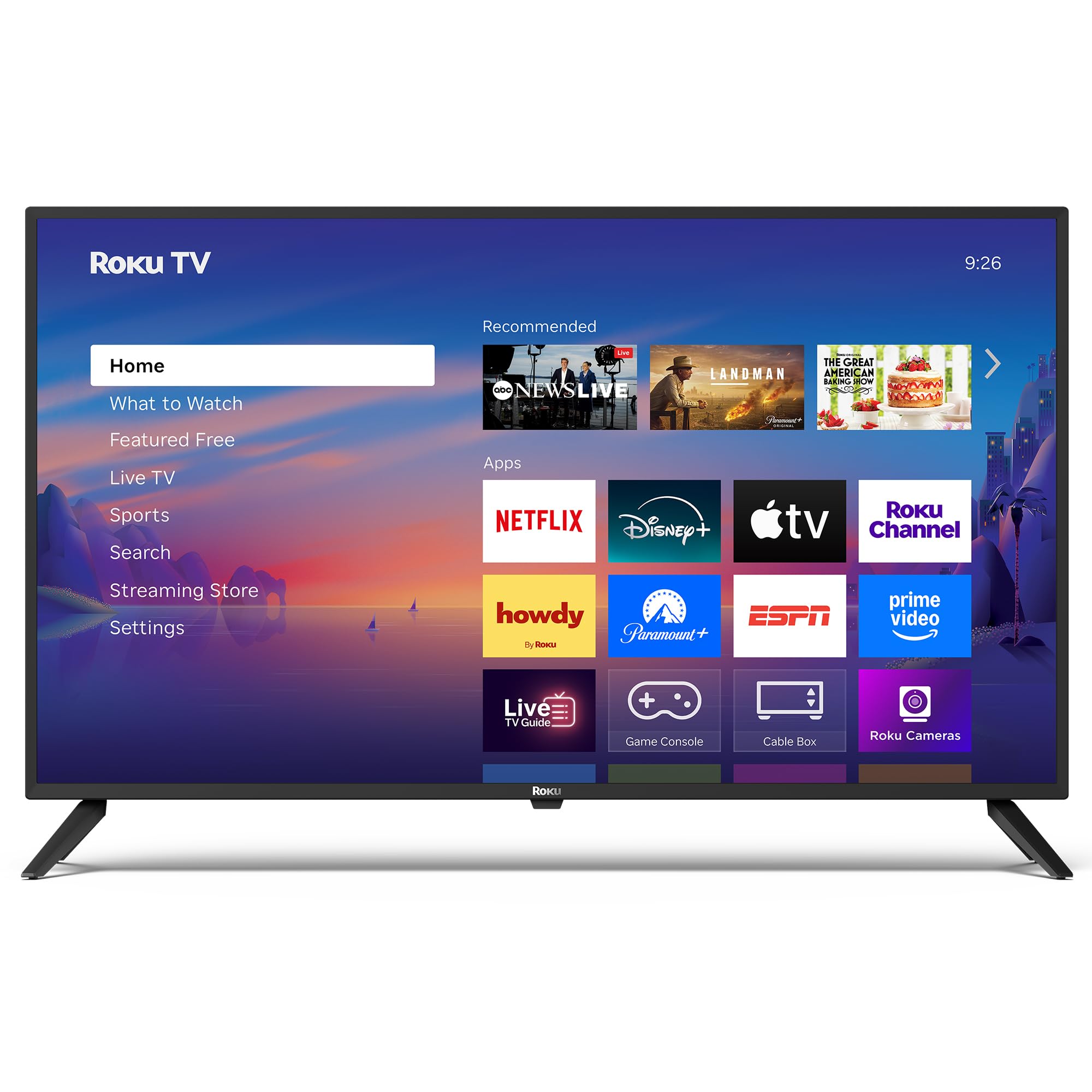
画像: 正面 view of the Roku 40" Select Series Full HD Smart TV.
2. 箱の中身
- Roku 40” Select Series Full HD Smart TV
- Roku voice remote with batteries
- テレビ台(2)
- スタンドネジ(4)
- ユーザーマニュアル(このドキュメント)

Image: Diagram illustrating the components included in the Roku TV package.
3.セットアップガイド
3.1 テレビスタンドの取り付け
- 傷がつかないように、テレビ画面を下にして、柔らかくて清潔な表面に慎重に置いてください。
- 各テレビスタンドをテレビの底面にある対応するネジ穴に合わせます。
- Insert the provided screws into the holes and tighten them securely with a screwdriver.
- Ensure both stands are firmly attached before proceeding.
3.2 電源の接続と初期設定
- Connect the power cord to the TV and then to a standard electrical outlet (100-240 VAC, 50-60 Hz).
- Insert the AAA batteries into the Roku voice remote.
- リモコンの電源ボタンを押してテレビの電源を入れます。
- 画面上の指示に従って言語を選択し、Wi-Fi ネットワークに接続して、Roku アカウントを有効にします。
- The TV will guide you through adding your preferred streaming apps and setting up any connected devices.

画像: クローズアップ view of the TV's side panel, showing various input ports like HDMI, USB, and antenna connection.
4. Roku TVの操作
4.1 ホーム画面のナビゲーション
The Roku home screen provides a centralized hub for all your entertainment. Easily access streaming apps, connected devices (like game consoles or cable boxes), and free live TV channels. The interface is designed for quick and intuitive navigation using your Roku voice remote.

Image: The Roku TV home screen, showing a grid of streaming applications and input selections.
4.2 音声リモコンの使用
The included voice remote simplifies your TV experience. Use voice commands to search for movies, shows, or songs across thousands of streaming apps. Dedicated shortcut buttons provide instant access to popular services like Netflix, Disney+, and Apple TV. Volume controls are conveniently located on the side of the remote.

Image: Close-up of the Roku voice remote, highlighting the voice command button and dedicated app shortcuts.
4.3 画像とサウンドの設定
The Roku TV delivers a bright, full HD picture with exceptional clarity. It features direct LED backlighting for better brightness and uniformity. Enhanced audio output is provided by built-in speakers. You can adjust picture modes, screen brightness, and other advanced settings through the TV's menu to optimize your viewing の経験。
4.4 スマートホーム統合
The Roku TV is compatible with various smart home ecosystems, including Apple AirPlay 2, Apple Home, Alexa, and Google Home. This allows for integrated control and seamless interaction with your existing smart devices.

Image: Icons representing compatibility with various smart home platforms.
5. メンテナンス
To ensure the longevity and optimal performance of your Roku TV, follow these maintenance guidelines:
- 画面の掃除: Use a soft, lint-free cloth specifically designed for electronics. Gently wipe the screen to remove dust and smudges. Avoid harsh chemicals or abrasive materials.
- 外装の清掃: Wipe the TV's exterior with a soft, dry cloth. Do not use liquid cleaners directly on the TV.
- 換気: 過熱を防ぐため、テレビの通気口が塞がれていないことを確認してください。テレビの周囲には十分なスペースを確保し、空気の循環を確保してください。
- パワー管理: 雷雨のときや長期間放置するときは、テレビを電源コンセントから抜いてください。
6。 トラブルシューティング
If you encounter issues with your Roku TV, try the following basic troubleshooting steps:
- 電源なし: Ensure the power cord is securely plugged into both the TV and the electrical outlet. Check if the outlet is functioning by plugging in another device.
- 画像/音声なし: Verify that the correct input source is selected on the TV. Check all cable connections (HDMI, AV, etc.) for looseness.
- リモコンが応答しない: Replace the batteries in the remote. Ensure there are no obstructions between the remote and the TV. Re-pair the remote if necessary (refer to the on-screen instructions during initial setup or the Roku support site).
- ネットワーク接続の問題: Restart your Wi-Fi router and modem. Go to the TV's network settings to reconnect to your Wi-Fi network.
- アプリのフリーズ/クラッシュ: Restart the specific app. If the issue persists, restart the TV by unplugging it from the power outlet for 30 seconds and then plugging it back in.
より詳細なトラブルシューティングや継続的な問題については、Rokuの公式サポートをご覧ください。 webサイト。
7. 仕様
| 特徴 | 詳細 |
|---|---|
| 画面サイズ | 40インチ |
| ブランド | ロク |
| モデル番号 | 40R2A5R |
| ディスプレイ技術 | 導かれた |
| 解決 | 1080pフルHD |
| リフレッシュレート | 60Hz |
| オペレーティング·システム | ロクOS |
| 特集 | Bezel-Less Design, Voice Remote |
| 接続技術 | HDMI、USB、Wi-Fi |
| 合計HDMIポート | 3 |
| Total USB 3.0 Ports | 1 |
| オーディオ出力モード | 強化 |
| 制御方法 | アプリコントロール、リモコン、音声コントロール |
| Screen Mirroring Technology | AirPlay 2, Miracast |
| 製品寸法(奥行き×幅×高さ) | 奥行き8.7インチ x 幅35.5インチ x 高さ22.6インチ |
| Item Weight Without Stand | 11.2 ポンド |
| VESAマウント規格 | 200×100ミリ |
8. 保証とサポート
8.1 限定保証
Roku warrants the hardware of this device against defects in materials and workmanship under normal use for a period of one (1) year from the date of purchase ("Warranty Period"), provided it is used in accordance with the provided documentation. If a hardware defect is determined during the Warranty Period, Roku's sole obligation and your exclusive remedy will be to either repair or replace the unit with a new or rebuilt device, at Roku's option.
Important information about warranty returns and replacements is available on the Roku support site.
8.2 製品の返品
You may return a device for any reason, subject to the terms of the applicable return policy:
- Within thirty (30) days from the date of purchase from Roku.
- Within the applicable return period if purchased from an authorized reseller or distributor.
Additional details regarding product returns can be found on the Roku support site.